/ Kontakt Instrument / Frame Drums
AudioThing

Frame Drums

4.4 (201 Reviews)
$11.40 $20.00

43% off until Jan 05

Frame Drums User Interface
Frame Drums - Sampled Source Instrument 1 (Note: The Physical Product Is Not Included In This Purchase)
Frame Drums - Sampled Source Instrument 2 (Note: The Physical Product Is Not Included In This Purchase)
Frame Drums - Sampled Source Instrument 3 (Note: The Physical Product Is Not Included In This Purchase)
Frame Drums - Sampled Source Instrument 4 (Note: The Physical Product Is Not Included In This Purchase)
Buy Now
Product information

Two Bodhráns, Two Tambourines
Important Note: This is a software instrument designed for the full version of the NI Kontakt engine, and is not a physical product!

Frame Drums features a collection of four drums: two Bodhráns and two tambourines. The Bodhrán is a traditional Irish frame drum usually played with a wooden stick. The main Bodhrán measures 18 inches while the main tambourine measures 8 inches. The other drums are small toy/souvenir versions. The frame drums were sampled using sticks, hands, and multiple gestures.

Features

  • 19 Kontakt Instruments (.nki)
  • Up to 8 Round Robin samples
  • Up to 3 Velocity layers
  • 160 Samples (48kHz / 24Bit)
  • Size: 178 MB
  • Formats: Kontakt and WAV

System Requirements

  • The full version of Kontakt 5.1 or higher is required to run this instrument

Important note: The full version of Kontakt 5.1 or higher is required to run this software.

Installation Instructions
Note: Tank Drum is used as the example.

1. Download the compressed .zip folder from your User Account and double-click it to reveal the installer file.

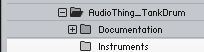
2. Extract and save the software folder e.g ‘AudioThing_TankDrum’ to a memorable computer destination of choice, e.g 'Documents' or on an external hard drive.

3. Launch Kontakt and click the ‘File’ tab that is located at the top left corner of its interface.

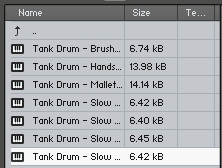
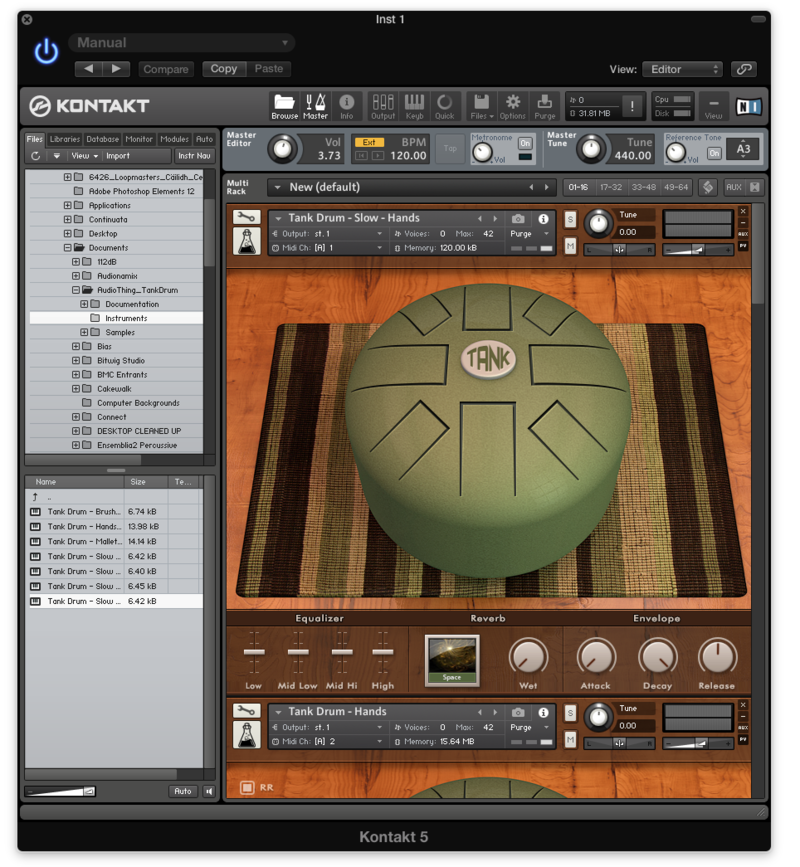
4. Navigate to the computer destination where you extracted/saved the software folder to, and double-click the ‘AudioThing_TankDrum’ > then ‘Instruments’ folder to open the .nki files within Kontakt.

Note: Refer to step 2 of the installation process if you are unable to locate the folder.

5. Double-click the individual .nki instruments to load them into Kontakt’s interface.

Notes:

  • Kontakt will ask for the new path the first time you run the instrument
  • It is advisable to preserve the internal folder structure, but you can also place the instruments and samples into separate folders

Your AudioThing Kontakt Instrument is now Ready for Use!

Plugin Boutique Rewards

Discover the most rewarding loyalty programme among all plugin retailers.

  • Free Loopmasters Samplepacks
  • Discounts on products and courses
  • Extra Virtual Cash claimed immediately at checkout
Find out more

Follow us:

X (Twitter) Facebook YouTube Instagram
Logo Logo

Plugin Boutique Limited, Part of the Beatport Group LLC.

Copyright © 2011-2025 Plugin Boutique. All rights reserved