Log In
.jpeg)
Free gifts available with your purchase
Master Sessions is Heavyocity’s boutique line of scoring tools for the pro composer. Recorded in New York City, the Master Sessions series focuses on specific instruments and ensembles housed in Heavyocity’s award-winning engine (powered by Kontakt). Master Sessions delivers an epic sound without the epic price!
Complete with a wide range of tones and timbres -- from expressive cracks to rounded low-end thumps -- Master Sessions: Ensemble Woods places the vibrant character of percussive woods directly into the hands of the cinematic composer. With 11 unique multi-sampled wood ensemble kits and over 300 tempo-synced loops, Ensemble Woods delivers 2+ GB of professional-quality percussive wood content.
Ensemble Woods - Kits
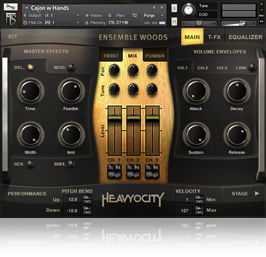
The 11 ensembles are teeming with percussive wood character, and are presented in both menu and single kit presets. Captured in simultaneous six-player ensembles, Ensemble Woods features an array of meticulously sampled traditional and non-traditional wood objects and instruments. From cajons to bamboo rods to struck acoustic guitars, Ensemble Woods unique percussive punch will add an expressive new layer to your next score.
Ensemble Woods - Loops
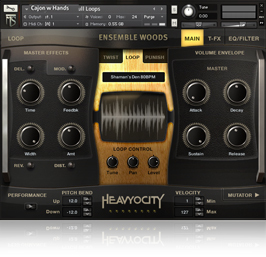
Ensemble Woods - Loops contains over 300 tempo-synced phrases arranged in menu and single loop presets. As an exciting new feature, the content is now divided into straight and triplet loops. Rearrange and adjust the loops by slice with Heavyocity’s signature “Loop Mutator”. Dial in the Trigger FX, master effects, filter modulation and ADSR for radical sonic results.
Layer massive kits with hybrid loops to create huge walls of percussion. Mix and match loop “stems” to build your own unique combinations of tempo-synced rhythms.
Master Your Sound
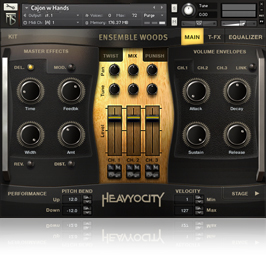
Master Sessions: Ensemble Woods’ user interface was designed FOR composers and sound designers BY composers and sound designers, providing simple, intuitive ways to alter the sounds without leaving the interface. Three levels of effects are intrinsically bound to the Kit and Loop components — apply effects globally, engage the Trigger-FX, or tweak individual sounds.
Twist, Punish, Effect
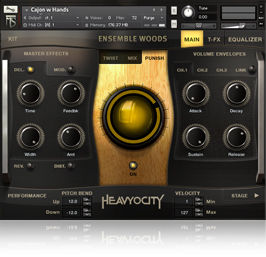
Globally affect the preset with one of the 4 Master FX (Delay, Mod, Drive, and Convolution). You have control over four effect-specific parameters (like effect amount, rate, size, or depth). Dial in the aggression with the signature “Punish” Knob, a combination of saturation, distortion, and compression. Or, modulate the shape of the sound with the “Twist” knob.
EQ, Filter, Modulate
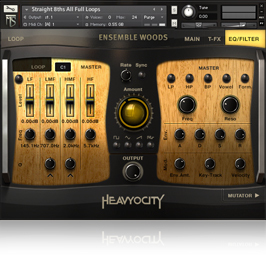
Sculpt your sound with per-channel and per-loop EQs or add sizzle and punch with the 4-band Master EQ. Control the modulation of filters with an envelope or LFO in Ensemble Metals - Loops, altering the amount and rate of an LFO, or trigger the Filter with an ADSR envelope.
Bunker Studios
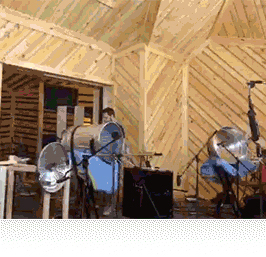
Master Sessions Suite was recorded at Bunker Studios in Brooklyn, NY by John Davis (not of Korn). The 3,000 square foot recording studio utilizes a wide array of analog gear, including an SSL 4040e mixing console, BAE microphone Pre’s, and a massive collection of vintage and modern microphones. The pinewood room of Studio A, boasting a huge 25’ ceiling, was the ideal environment for achieving the tight, punchy impact we desired for the Master Sessions Suite.
Ensemble Performances

The Heavyocity team performed all the percussion found in Master Sessions Suite. Each ensemble consists of round-robin performances at multiple velocities. Close, room and ceiling-mounted X-Y mics created the perfect capturing environment for the massive ensembles.
Creative Processing
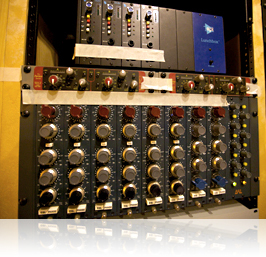
All content was mixed and mastered through Heavyocity’s high end signal chain of analog and digital equipment. In addition to the crisp, organic percussion, we tweaked, eq’ed, filtered, and modulated the content to produce grittier, overdriven sounds and loops.
Features
- 2.01 GB uncompressed (1.39 GB on Disk with NI lossless compression)
- Available as direct download only
- 48 Ensemble Kit Presets
- 6 Multi Presets
- 460+ Loops
- The Stage for easy stereo placement
- Playable Trigger FX™ for real-time control
- Loop Mutator™ for real-time re-composing of loops
- Stand-alone, VST, AU, DXi, AAX, RTAS
System Requirements
- Powered by the Kontakt Engine
- Kontakt 5 (Player) Version 5.5.1.451 or higher required.
- Mac: OS X 10.9 or higher, Intel Core Duo, 2 GB RAM
- PC: Windows 7 or higher (latest Service Pack, 32/64 Bit, Intel Core Duo or AMD Athlon 64 X2, 2GB RAM