Log In
Free gifts available with your purchase
Sick Volume 5 is the latest entry in our annual Sick series, exploring melodic and exotic tuned plucked strings and mallets, unique winds and musical effects designed for sci-fi, horror and mystery genres. It also includes an extensive collection of evolving tonal ambient pads, atmospheric soundscapes, harmonic clouds and menacing drones. It’s also perfect if you just want fresh, unique musical sounds with an unconventional character and organic playability.
It features 5 acoustic instrument sets, recorded in a bright chamber with adjustable close and far mic positions. The "Astral Dirge Pipe" is a custom contraptions sonically resembling a multi-key tuned didgeridoo. We recorded chromatic sustains, staccatos and effects. The "Channeling Tube" is a classic spring-powered “Thunder Tube”, played both percussively and semi-chromatically by plucking the string at differing lengths. The Conjuring Bell is a beautifully melodious pair of chimes with a sound hole at the base to allow the thumb to create “wah-wah” effects as they ring. The "Spectral Moaner" is a droning wind instrument swung in an overhead arc to produce a harmonic series as speed increases. The "Demon String" is an acoustic guitar outfitted with a Vo-96 guitar synthesizer that produce infinitely self-sustaining richly harmonic organ-like drones. We recorded a full range of string plucks, plus major, minor and octave chord types. Finally, we've designed 60 mystery, sci-fi and horror ambiences and soundscapes. Every preset includes cutting edge control features, rack FX and otherworldy convolutions to allow you plenty of creative control.
We captured a variety of articulation types for each instrument in a large hall, at both close and far distances in widely spaced stereo pairs. The space offers a lush, full sound that blends naturally with orchestral sections. The close position has a full, present sound with greatly diminished hall reverberation. The Far position has a distant, wet quality with more air and environmental influence. You can selectively load and mix the close and far microphones to conserve ram and dial in just the right mix. And if you need it closer to bone dry, you can use the Release control to simply tighten up the room release.
The comprehensive FX Rack panel provides multi-effects, compression, EQ, amp/speaker simulation and convolution reverb, featuring dozens of our most popular custom recorded rooms, halls, cathedrals and otherworldly fx impulses, all easily available through the control interface. Finally, we contorted the source recordings into a broad selection of 60 different ambiences, drones, atmospheres and special FX instruments. You’ll find 3 main ambient presets, each with a number of different ambiences to choose from.
Features
- "Astral Dirge Pipe" custom multi-key tuned didgeridoo: chromatic sustains (w/releases), staccatos and effects.
- "Channeling Tube" spring-powered effect percussion: hand percussion and sustaining dramatic effects.
- "Conjuring Bell" oscillating tuned mallet percussion, with organic “wah-wah” effects: mallet, stick and strike variants, with different oscillation patterns. Roll sustains with dynamic cross-fade layering.
- "Spectral Moaner" droning air column wind instrument: hand percussion and tonal sustains with dynamic cross-fade layering.
- "Demon String" acoustic guitar with resonant synthesis: chromatic string plucks, plus major, minor and octave chord types.
- Ambient tonal, atmospheric and droning instruments: 60 mystery, sci-fi and horror ambiences and soundscapes.
Kontakt Format
This library is designed for the full retail version of Native Instruments Kontakt 5.1.0 or later. Kontakt is an industry-standard advanced virtual instrument / software sampler platform.
Check out screenshots of our custom graphical user interface for Kontakt in the image gallery above. They provide a wide range of sound shaping parameter controls, each one totally automation-ready in your host environment or Kontakt's stand-alone mode.
This is a standard Kontakt open-format library, so the free Kontakt Player doesn't support this open-format Kontakt library. However, the sample directories are fully accessible to allow user customization, import and mapping into other wav-compatible software, sampler and synth formats.
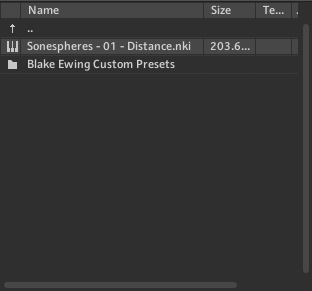
The special Libraries tab doesn't support this open-format Kontakt library, but you can use the standard File browser tab, or import this library into the Kontakt database and Quickload tools for easy navigation, loading and organization.
Product Specifications
- 4 GB Installed
- 1452 Samples
- 8 Kontakt 5.1 .nki instrument presets
- 24 bit / 48kHz uncompressed PCM wav audio
- Unlocked Kontakt presets and wav samples to allow user customization
System Requirements
- Windows 7 or higher.
- Mac OSX 10.7 or higher.
- Dual Core CPU, 2 GB System Ram, SATA or SSD hard drive recommended for this library.

Important Note: The full retail version of Native Instruments Kontakt version 5.1+ is required to use .nki instrument presets included in this library. The free Kontakt "Player" and "Add Library" import process do not support this standard open-format Kontakt library.