


 Log In

Free gifts available with your purchase
Epic Toms Library For Kontakt
Important note: This software requires the FULL version of Kontakt 5.7.3 or above and will only run in DEMO mode when used in the FREE Kontakt Player engine.
This library features up to 21 layers of 3 types of toms played in a dry studio environment: low, mid and high. BlackToms 2.0 features a simple and easy to use interface with and includes an innovative way of adding more tom layers by using the mod-wheel. This is a new and enhanced version of the library that was originally released back in 2012 under the same name, however, it now includes new recordings in a new interface and a new script.
Mixer
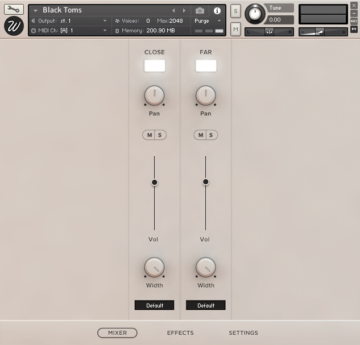
Black Toms features a full mixer with which you can control the two mic positions separately:
- Close: recorded in stereo with two Sennheiser 421.
- Far: recorded with two spaced AKG 414 placed at a back of the room.
With a load/purge switch for each channel, pan, volume, mute/solo, stereo width from 100% stereo to mono and output selector for mixing the different channels on your DAW.
Effects
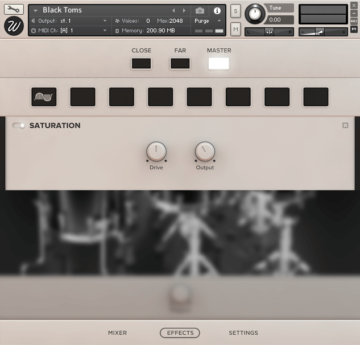
The library features an advanced effect script that lets you insert any effect in any of the 8 available slots for each channel, including:
- High-Quality EQ.
- Various types of compressors.
- Modulation: chorus, flanger, phaser.
- Distortion / Saturation / Tape
- Algorithmic and convolutional reverb with more than 40 custom impulse responses.
- Amp simulators.
This script boosts exponentially the sonic capabilities of the library, easy to use in a simple and elegant design.
Settings
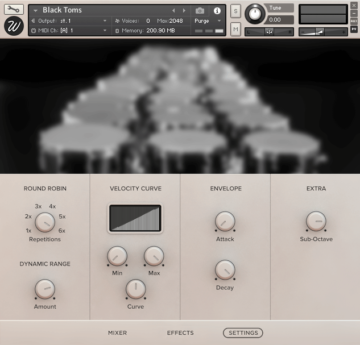
From the settings page you can control basically any parameter you might ever need. Divided in four sections you can find:
- Round robin: the toms were sampled with 6 true round robin repetitions, you can select the number you want and the rest will be purged from memory in order to reduce RAM usage.
- Dynamic range: control the volume difference between the loudest and the quietest hits.
- Velocity curve: control how the library reacts to incoming midi notes.
- Envelope: adjust the attack and decay times.
- Extra: special parameter that adds a sub-octave layer to the sound. It makes the lower toms sound like taikos and makes the overall sound much fuller and epic.
Features
- Size: 1.58 GB
- Samples: 1,729
- Mic positions: 2
- Velocity layers: 6
- Round robin: 6
System Requirements

Important notes:
- The FULL version of Native Instruments Kontakt 5.7.3 or above is required to run this software.
- This software will not function in full within the FREE Kontakt Player engine and will only be available in DEMO mode.


