Log In

Free gifts available with your purchase

A Percussive Powerhouse
What is Ensemblia?
Generally ENSEMBLIA is the sound of a modern chamber orchestra that lets you easily write organic and truly natural music. A selected range of classical instruments combined with a fine mix of unique sounds such as electronical, domestic or popular sounds are ready for your music.
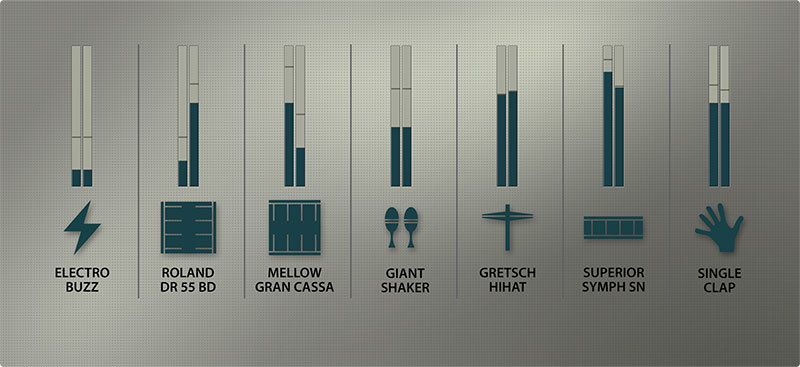
Ensemblia was built to easily create beautiful polyphonic music and rhythmic arrangements. We didnt recorded phrases, a powerful arranger will do it. Ensemblia can layer up to 7 instruments at the same time and gives you a quick access to a broad range of timbres and tone colors.
Ensemblia 2 - Less Update, More Evolution
We don ́t see Ensemblia2 as an update – we like to call it evolution! Ensemblia 2 was mainly rebuilt from scratch – we have written a complete new script with new features but also have included some parts of the old scripts such as the voicing engine. We like to start to unveil the new Ensemblia2 concept with the release of a percussion flavor called PERCUSSIVE, followed by an exclusive and unique expansion pack providing sounds from a exclusive metallic kitchen in the next weeks.
Compatibility
Ensemblia2 Percussive is Kontakt 5 Player compatible and supports Native Instruments NKS format. It is compatible with Maschine and Komplete Kontrol S-Series keybaords.
The Instruments

Outstanding sample content with over 200 instruments: from orchestral and world percussion to regular drum sounds as well as domestic, glitch and electronic sounds. In detail Ensemblia2 Percussive is equipped with metal, wood, skin, glitches, harmonic and human sounds including 25 snares, 24 big drums, 27 toms and ethno drums, 29 cymbals, 15 shakers, gongs and singing bowls.
The main part of the instruments were recorded in Brisbane/ Australia with Australia´s finest percussionist, Michael Askill. He is an icon of Australian music, known and admired for his enduring contribution to the Australian contemporary music landscape and his original blending of Asian and Western sounds.
While recording the instruments we set our focus on a close and intimate sound - we waived recording in a crazy hall acoustic. This is what you can add afterwards :) You find the the full instruments list in the manual.
Organisation
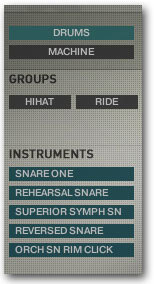
All the 200+ instruments are right at the finger-tips. They are well organized by categories and groups which are displayed dynamically. This lets you have an easy and quick access to all instruments. An additional pre-listen function lets you try out instruments before selecting for the corresponding slot. It śso easy to use. Create a pattern and just swap out source instruments.
7+1 Mixer
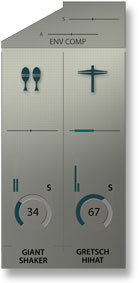
Ensemblia2 is equipped with a powerful mixer with 7 instrument tracks and 1 master track. Each is equipped with pan, tune, length, delay, reverb, 3 band EQ and envelope compression. A extra unique feature is the option to mix all tracks with matrix panning which lets you position each instrument in a 3D room.
The View
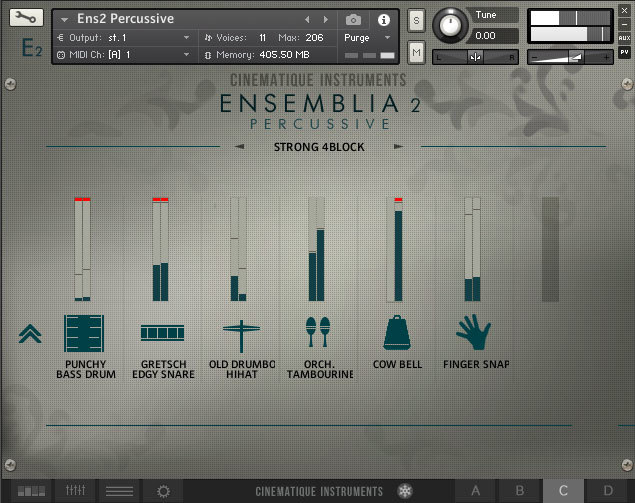
A cleaned-up design showing the essential features
Multi Beat Engine: The arranger was rebuilt from scratch and is now an 8 beat arranger. Each beat can be independently divided into either 4 x 16th notes, 8 x 32nd notes, 3 x 8th notes (triplet) or 6 x 16th notes (sextuplet). Beside that the arranger has become quicker and more complex in terms of the potential dynamic or velocity applied to each note.
Beat Arsenal: Ensemblia2 Percussive comes with over 600 pre-assembled beats which are easily selectable via a file browser.
4 Units in 1: Ensemblia2 comes with four separate units in one GUI. This lets you easily switch between four individual units with different beats and rhythms on the fly.
Design: Ensemblia2 comes with a very modern, cool and minimal design. It is self explanatory and icon based. All elements are located in a very logical and easy-to-use order.
Live FX: Ensemblia2 comes along with 5 additional efects which can be easily dropped in by just pressing a key. This all happens live and gives you the option to change the sound of your rhythms while they are running.
Single Instruments: Beside the master percussive patch, the Ensemblia2 package also consists of 10 further patches. These patches are single instruments patches which gather all the instrument groups. This enables you to load exclusively your choice of instruments group into your DAW such as just snares or just shaker etc.
Trigger Keys: Beside playing a beat via the arranger, you are also able to play the corresponding percussion instruments manually. This expands the possibilities of Ensemblia2. You can simply add certain instrument fgures to your beat or just play the beat directly manually and record it to your DAW.
The Package: Ensemblia2 Percussive comes along with one complex patch including the arranger and all 200+ instruments as well as 10 separate instrument patches which gather all the certain instrument groups.
The content is apprx 3.5K Samples/ 1.3GB compressed data rec in 44/24. All patches and samples are copyright protected and comaptible with the current KONTAKT 5 PLAYER. For more details and the full instrument list, please read the user manual.
Finally we like to thank Michael Askill as well as Tom O'Kelly from just percussion for letting us use some of his fine mallets and percussion instruments.
System Requirements
- The FULL or Player Version of Kontakt 5.6.8 or higher is required.
- This software supports Native Instruments NKS format (compatible with Maschine and Komplete Kontrol S-Series keyboards)
Note: Both the FULL and FREE Player versions of Kontakt are able to run this software.