Log In

Free gifts available with your purchase
The Ultimate Beat Creator for Hip Hop, Pop, and R&B
Big Fish Audio is proud to present Sequence: Hip Hop Beat Creator, a powerful and effective sequencer with built-in 808 basses and a drum roll creator. Sequence sets a new standard for modern sequencers, going beyond the norm and providing real tools for real producers at a real value. With over 4,000 drum samples, 32 unique 808 basses, and a roll creator that puts Trap-style hi-hat and snare rolls at your fingertips, the search for beat, bass and rhythm is over.
Sequencer
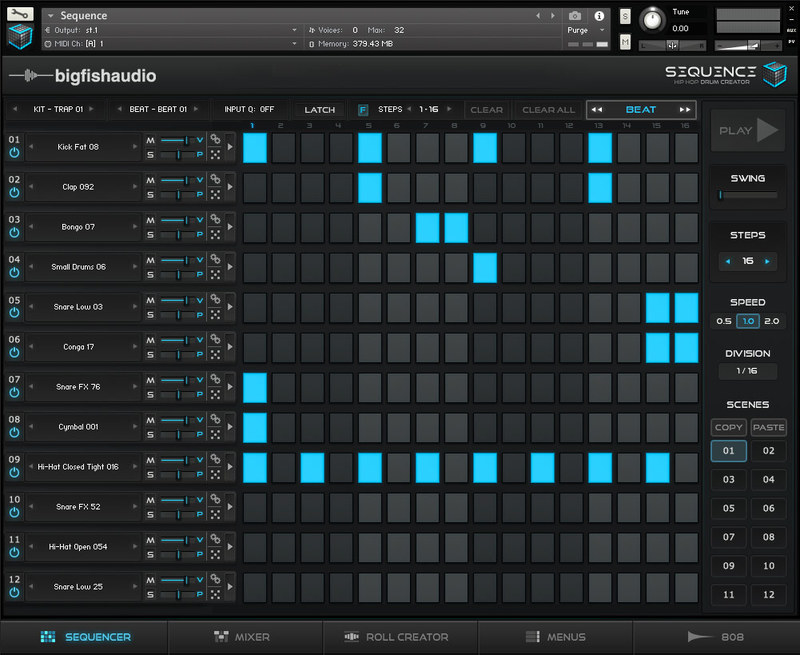
This twelve channel sequencer offers up to twelve beat variations using the “Scenes” buttons and corresponding (green) MIDI notes for playback. You can turn a sample on or off for up to 64 steps in your sequence, and unlike other sequencers, each step of the sequence has controls to adjust volume, pitch, pan, and sample length, allowing for incredibly unique and expressive drum parts. In addition, every sample loaded into your sequencer can also be played as one shots from your midi controller.
Mixer
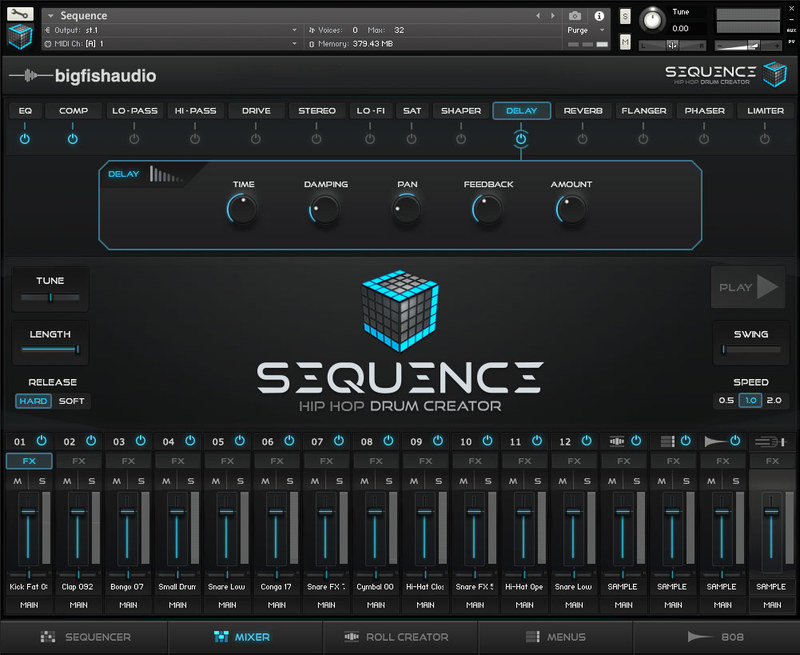
The Mixer page allows you to adjust volume and pan for all channels as well as add FX. Sequence comes with fourteen different FX that can be applied to each channel individually or to the master output. In addition, there are Sample Edit controls for shaping each channel’s loaded sample.
Roll Creator
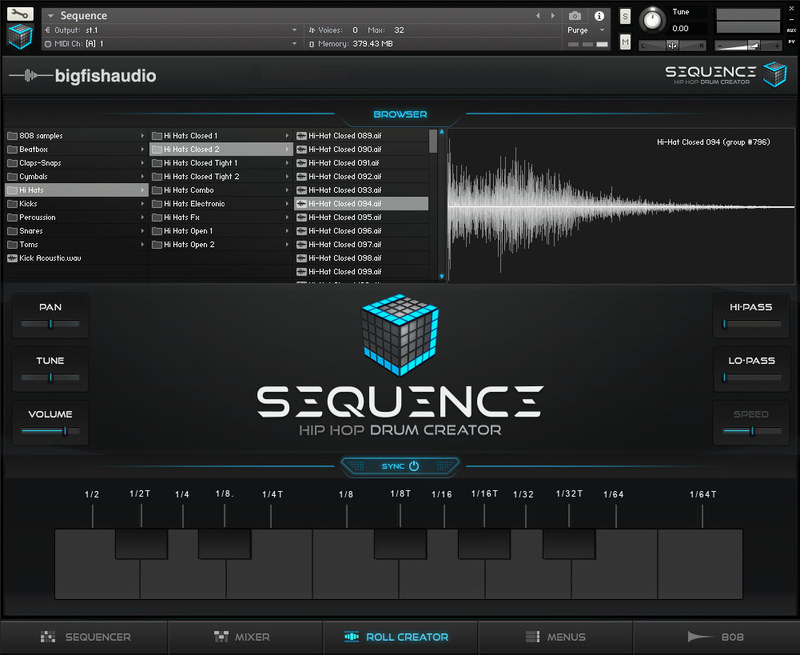
The Roll Creator can use any sample from Sequence to create complex and fast patterns. Drum patterns that are difficult to perform and program are made simple using this section of Sequence.
Menus
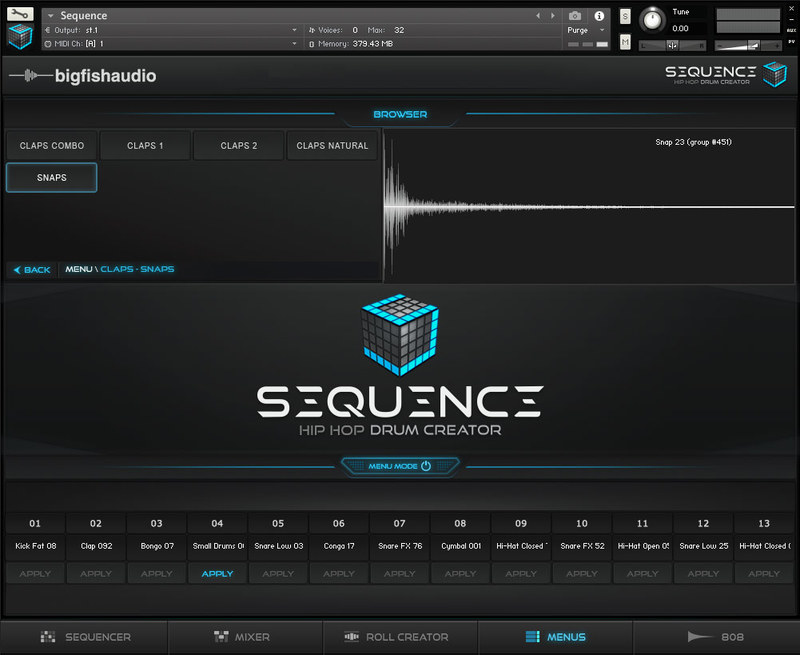
The Menus page allows you to quickly preview any of over 4,000 drum samples using the sixty-two different banks of drum sounds. Once you find a sample you want to use, it can be instantly applied to any of the twelve sequencer channels or the Roll Creator.
808s
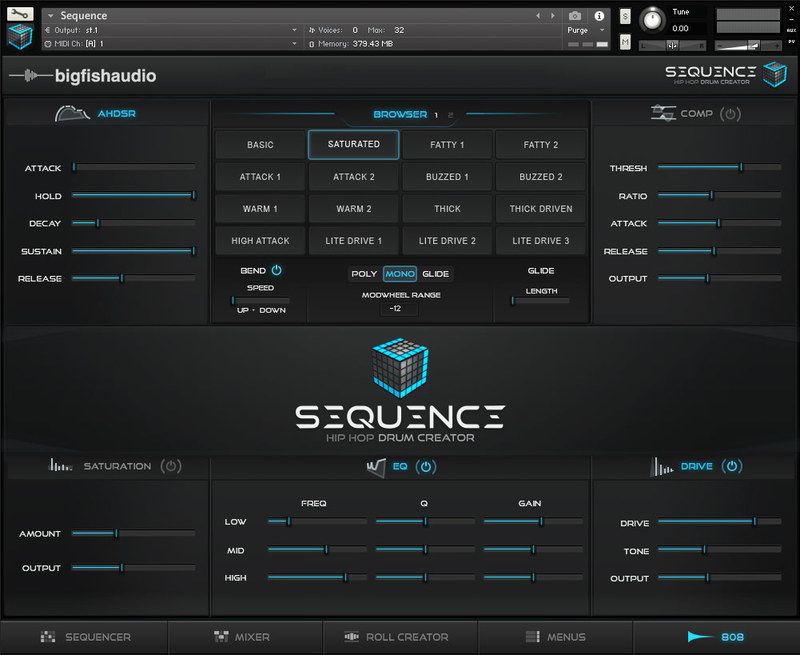
From this page you can select one of the thirty-two included 808s to be played from the 808 section of your keyboard. You can also choose between various playback modes and apply FX such as Saturation, EQ, Compression and Drive.
Features:
Sequence has a Massive Library of Sounds (Over 4,000 samples) including:
- Kicks
- Claps/Snaps
- Beatbox Samples
- Hi-Hats
- Cymbals
- Percussion
- Snares
- Toms
- FX
Custom Sample Shaping Tools including:
- Sample Length Editor
- Pitch Editor
- 14 Hand-Picked FX
A Straight-Forward Sequencer for Quick Beat Creation
This sequencer gives you step by step control of beat triggering, volume, pitch, and pan, as well as quick access to individual sample shaping. Through the powerful menu page, Kit Presets and randomizer, all 4,000 samples are within easy reach without having to scroll through page after page of endless sample folders.
808 Bass Creator Including:
- 32 Custom-Made 808 Sounds
- Mono, Poly and Glide Mode
- Bend Functions
- Hand-Picked 808 Shaping FX
Roll Creator
This Roll Creator completely changes the game for beat-creators. Gone, are the days where 64th note and 128th note speed rolls and pitch shifting need to be drawn in note by note. The Sequence Roll Creator will let you make pitch shifts, trigger 13 different divisions of playback, and give you quick access through a custom menu of the entire 4,000+ sample library. This one page of Sequence will save even top professionals hours upon hours of work, and allow them to be more creative and expressive with their rolls and overall colour of their beats.
16 Channel Mixer
This mixer lets you create a well balanced mix add FX directly inside of the Sequence interface. It is quick, intuitive and the perfect control surface for achieving the sound you are looking for.
System Requirements
- For Kontakt 5.6.8 and above.
- Kontakt Player 5/Kontakt 5/Plug-in
- Kontakt 5.6.8 Player Installers: 1.19 GB