Log In

Free gifts available with your purchase
Amazing Sound - Wide Versatility
Fine Mallets is an arsenal of 7 mallet instruments coming in 3 patches. It includes:
- Vibraphone
- Bass Marimba
- Metallophone
- Glockenspiel
- Spieluhr
- Kalimba
- Crystal Bowl
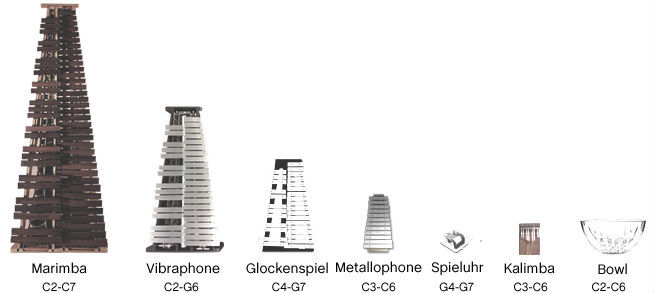
What is it about?
We have set a major focus to come out with instruments that provide maximum versatility giving you a wide range of tools and options to shape the sound of the instruments. In order to realize that we have used lots of different kind of mallet types as well as unusual tools such as cardboxes, spoons, spatulas and many more during recordings. Finally, we have added tremolo effects, arpeggiators and other tools and effects to easily shape the sound at your own requirements. All the instruments were recorded in maximum quality with Neumann and Schoeps microphones mostly played by one of Australia's finest percussionists Michael Askill.
To sum it up, here are...
All 30 articulations
Vibraphone:
- Felt Mallet
- Bowed Notes
- Prepared Coins
- Prepared Foldpaper
- Prepared Spatula
- Prepared Spoon
- Prepared Washer
Marimba:
- Hard Mallet
- Felt Mallet
- Big Soft Mallet
Glockenspiel:
- Wood Mallet
- Felt Mallet
- Cardbox Mallet
- Plastic Mallet
- Leather Mallet
- Brushed
Vintage Sopran Glockenspiel:
- Wood Mallet
- Thumb
Metallophone:
- Wood Mallets
- Felt Mallets
- Rubber Mallet
- Muted
Spieluhr:
- Regular
- Hard Sounding
- Lying on Wood
Kalimba:
- Regular
- Noisy Sounding
Crystal Bowl:
- Felt Mallet
- Rubber Mallet
- Leather Mallet
The Package
The bundle consists of 3 complex patches including all 30 articulations which is approx. 1.9 GB compressed data and more than 3.000 Samples. Kontakt 5.6.8 FULL version is required!

The Three Patches
Vibraphone
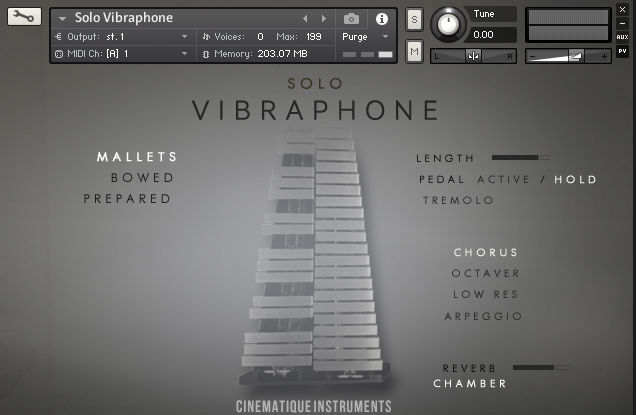
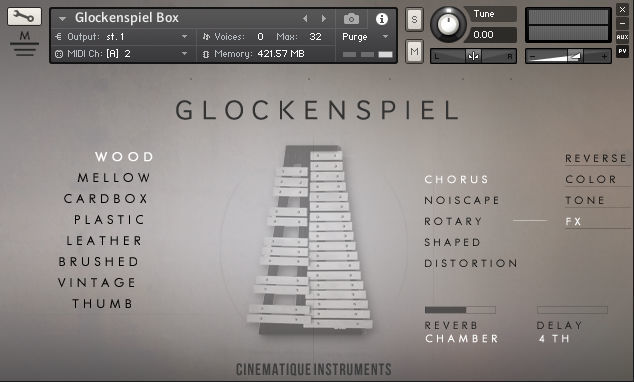
Glockenspiel Box
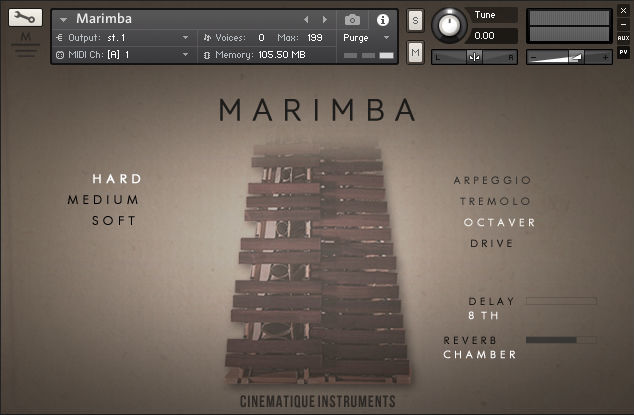
Marimba
System Requirements
- The FULL Version of Kontakt 5.6.8 or higher is required.
- This software supports Native Instruments NKS format (compatible with Maschine and Komplete Kontrol S-Series keyboards)
Important Notes:
- The FULL Version of Kontakt 5.6.8+ is required in order to use this instrument.
- You will be stuck in DEMO MODE if trying to use this instrument in the FREE Kontakt Player.