Log In

Free gifts available with your purchase
Raw Nylon Orchestra Strings
The Viola da Gamba is an old orchestra string instrument with 6 nylon sides and a range from C2 to C5. Its sound is rough and coarse - a wonderful addition to classical strings.
Cinematique Instruments' goal to digitally recreate the Viola da Gamba and give it another modern expression was a success. Their Viola da Gamba has become an amazingly independent instrument with its own unique character and a very organically rough sound. It is a great alternative to conventional orchestral string instruments.
Features
- An exciting mix of microphones: The velvety sound of the Schoeps mics, Neumann U87 as well as Coles 4038 ribbon
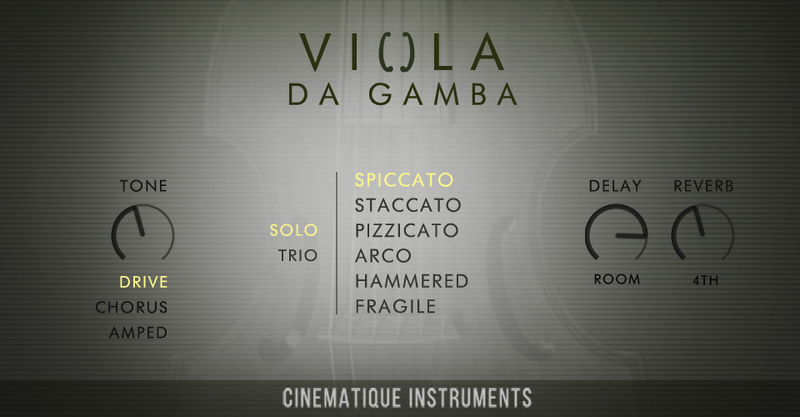
- Six articulations: Beside arco, pizzicato, staccato, and spiccato, there are also unconventional articulations like arco-fragile, textures and xylo-mallet-hits
- An extensive number of round robins: Up to 16 with up to four dynamic layer
- The ability to play different amounts of instruments: All articulations can be played either as solo Viola da Gamba or as an ensemble trio with 3 instruments
- Additional FX: Delay, chorus, amped and drive
- Nine reverb types: Besides several different sizes you get special types such as infinite and deep valley.
What is a Viola da Gamba?
The Viola da Gamba is a historical instrument from the Renaissance and Baroque periods. It belongs to the family of string instruments and was mainly built and used in Italy, France, Germany and England. Today the Viola da Gamba is mainly used in "early music", which is gaining more and more attention today.
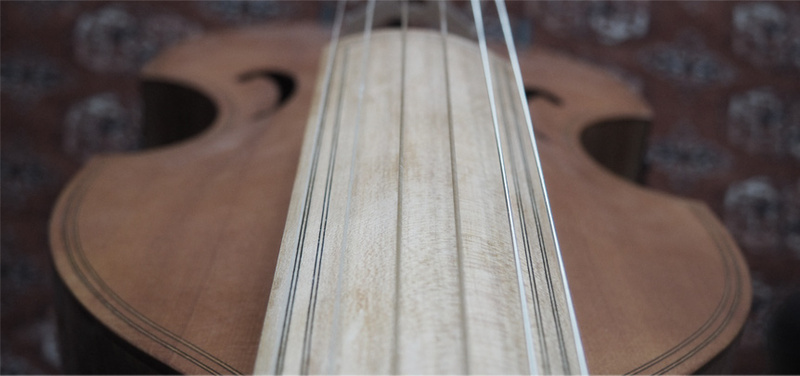
It has 6 strings tuned in the typical baroque tuning of 415Hz. All strings are nylon strings. Due to this special mixture of strings, the Viola da Gamba has its own character, which clearly differs from violin and cello. Especially because of the nylon strings the Viola da Gamba has its own unmistakable rough sound.
System Requirements
- The FULL Version of Kontakt 5.6.8 or higher is required.
- Approx. 0.6 GB Compressed Data
Important Notes:
- The FULL Version of Kontakt 5.6.8+ is required in order to use this instrument.
- You will be stuck in DEMO MODE if trying to use this instrument in the FREE Kontakt Player.