/ Kontakt Instrument / SMACK: Claps, Snaps & Stomps
Big Fish Audio

SMACK: Claps, Snaps & Stomps

4.0 (15 Reviews)
$99.95
Big Fish Audio Smack - User Interface 01
Big Fish Audio Smack - Claps, Snaps & Stomps - Official Trailer gallery thumbnail
Big Fish Audio Smack - Claps, Snaps & Stomps - Walkthrough gallery thumbnail
Big Fish Audio Smack - User Interface 02 - Natural Claps & Snaps
Big Fish Audio Smack - User Interface 03 - Electronic Claps & Snaps
Big Fish Audio Smack - User Interface 04 - Stomps
Big Fish Audio Smack - User Interface 05 - Combos
Big Fish Audio Smack - User Interface 06 - Shakers & Tambourines
Big Fish Audio Smack - User Interface 07 - Found Percussion
Buy Now
Product information

Big Fish Audio is proud to present SMACK: Claps, Snaps & Stomps! A time-saving resource for the modern composer, this collection of various claps, snaps, stomps, bass drums, shakers, tambourines, and found percussion will easily unlock your creativity. This unique percussion virtual instrument is the perfect tool to add colour to music of any genre or provide the foundation for your next composition.

SMACK was created to save you time and enhance the creative process by deeply sampling various groups of percussion, claps, snaps, and stomps. With single, small group, and large group options, there are limitless songwriting applications! Use the intuitive user interface to easily navigate between up to 10 groups per patch, and strengthen each sample by adding any of the 8 premium FX included.

SMACK includes 7 Patches with individual groups:

  • SMACK - Bass Drums, Toms, Stomps Small, Stomps Large, Claps Single, Claps Small Group, Claps Large group, Snaps Single, Snaps Small Group, and Snaps Large Group.
  • Claps & Snaps Natural - Claps Natural Single, Claps Natural Group, Snaps Natural Single, and Snaps Natural Group.
  • Claps & Snaps Electronic - Claps Electronic and Snaps Electronic.
  • Stomps - Kick, Kick Combos, Stomps, Toms, Wood, Plastic, and Metal.
  • Combos - Combo 1, Combo 2, Combo 3, Combo 4, Combo 5, Combo 6, and Combo 7.
  • Shakers & Tambourines - Shaker Collection, Glass Metal Gravel, Tambourine RR, Shaker RR, and Tambourine Collection.
  • Found Percussion - Low Percussion, Industrial Percussion, Household Percussion, Kitchen Percussion, Loose Percussion, and Ticks.

Features

  • Up to 10 velocity layers and 3 round robins
  • MIDI Select for easy group selection
  • Global control and FX option
  • Individual group control and FX option
  • Hand-selected IR options available for the convolution reverb
  • 742MB (uncompressed)
  • Kontakt Player 5 included

System Requirements

  • Kontakt 5 or later
  • Powered by the FREE Kontakt Player Engine
  • Komplete Kontrol integrated (NKS-ready)
  • 4 GB or more free hard drive space

Mac

  • Intel Core Duo
  • 2GB of RAM
  • OS 10.7.x or later

Windows

  • Windows 7 or Windows 8 (latest Service Pac, 32/64 Bit)
  • Intel Core Duo or AMD Athlon 64
  • 2GB of RAM

Please Note: This software is compatible with both the FULL version of Kontakt 6 and the FREE Kontakt Player.

Testimonials

Sound On Sound

"4/5! A very useful tool for busy media composers, a bit of ‘old school’ blues stomping, or building an unconventional rhythm track for your left-of-centre music production."
Installation Instructions

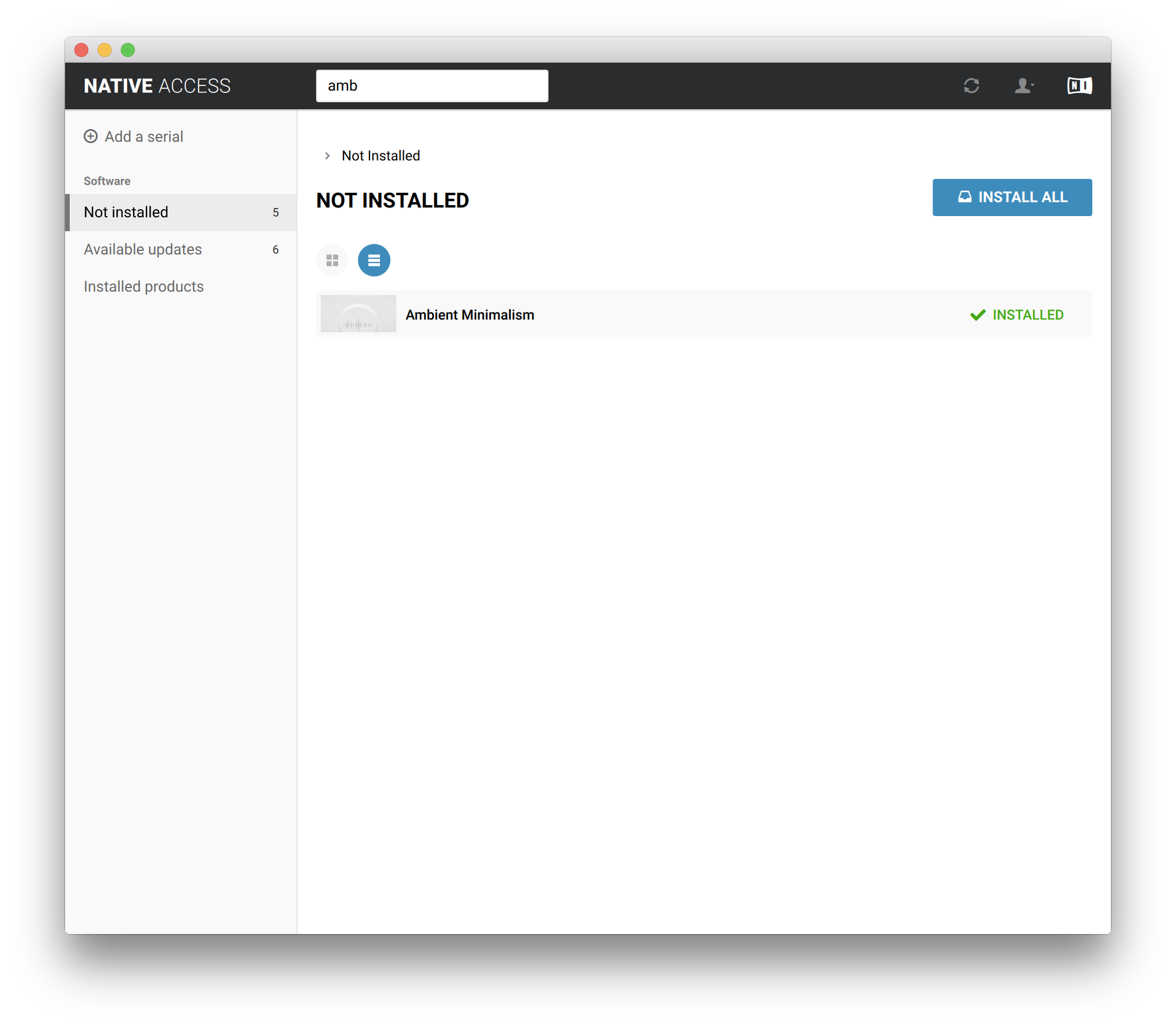
Note: Ambient Minimalism is used as the example.

Redemption 

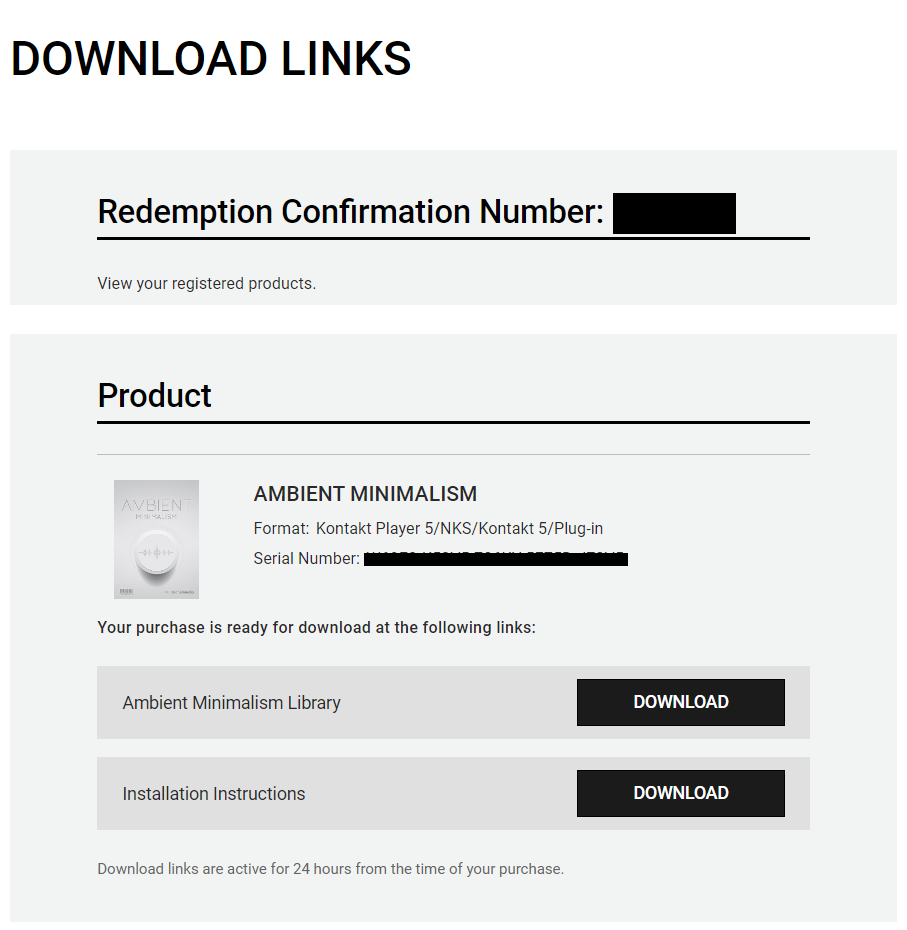
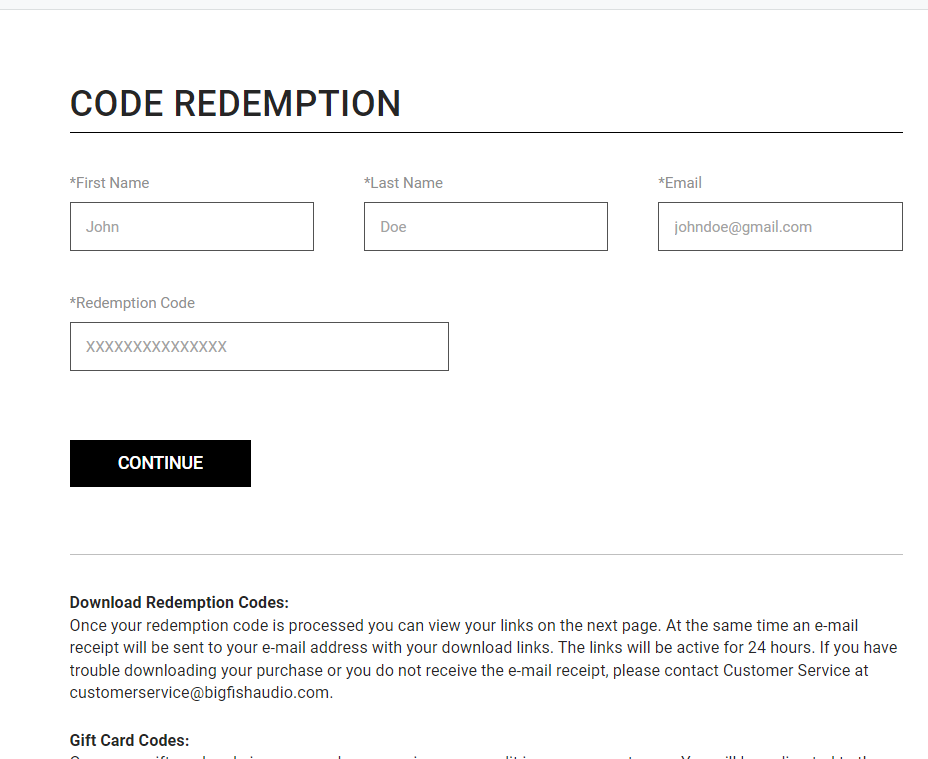
1.  Go to https://www.bigfishaudio.com/redemption.html > Enter your Name, Email Address, and Redemption Code, found in the Serial Number section of your Plugin Boutique User Account > Click 'CONTINUE'.

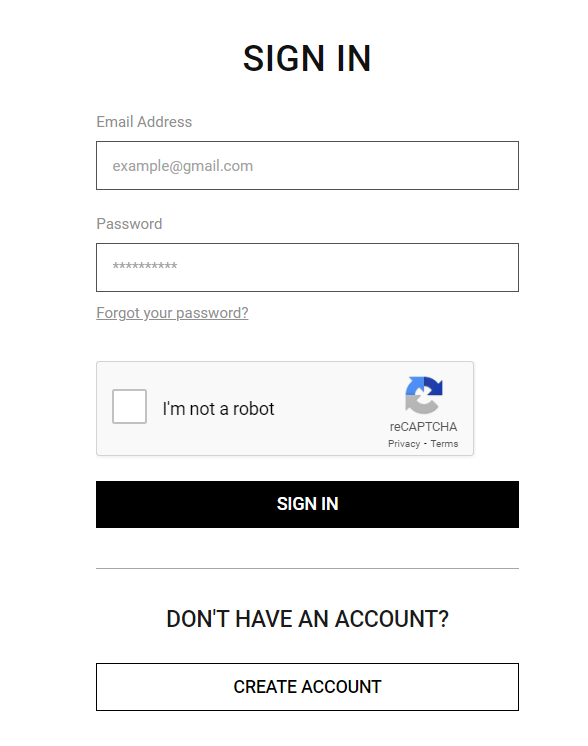
2. Sign into your existing Big Fish Audio account, or if you don't have one, click "CREATE ACCOUNT" and fill in your details to create an account. 

3. Your product is now redeemed. Please make note of the serial provided here > Click "DOWNLOAD" to download the plugin.

4. Unzip the downloaded installer.

Mac

Installation / Activation

1. Download and install the FREE Kontakt Player from the Native Instruments website.

2. Download and install the FREE Native Access application.

3. Open Native Access and enter your Native Instruments-registered email address and password > Click 'LOG IN'.

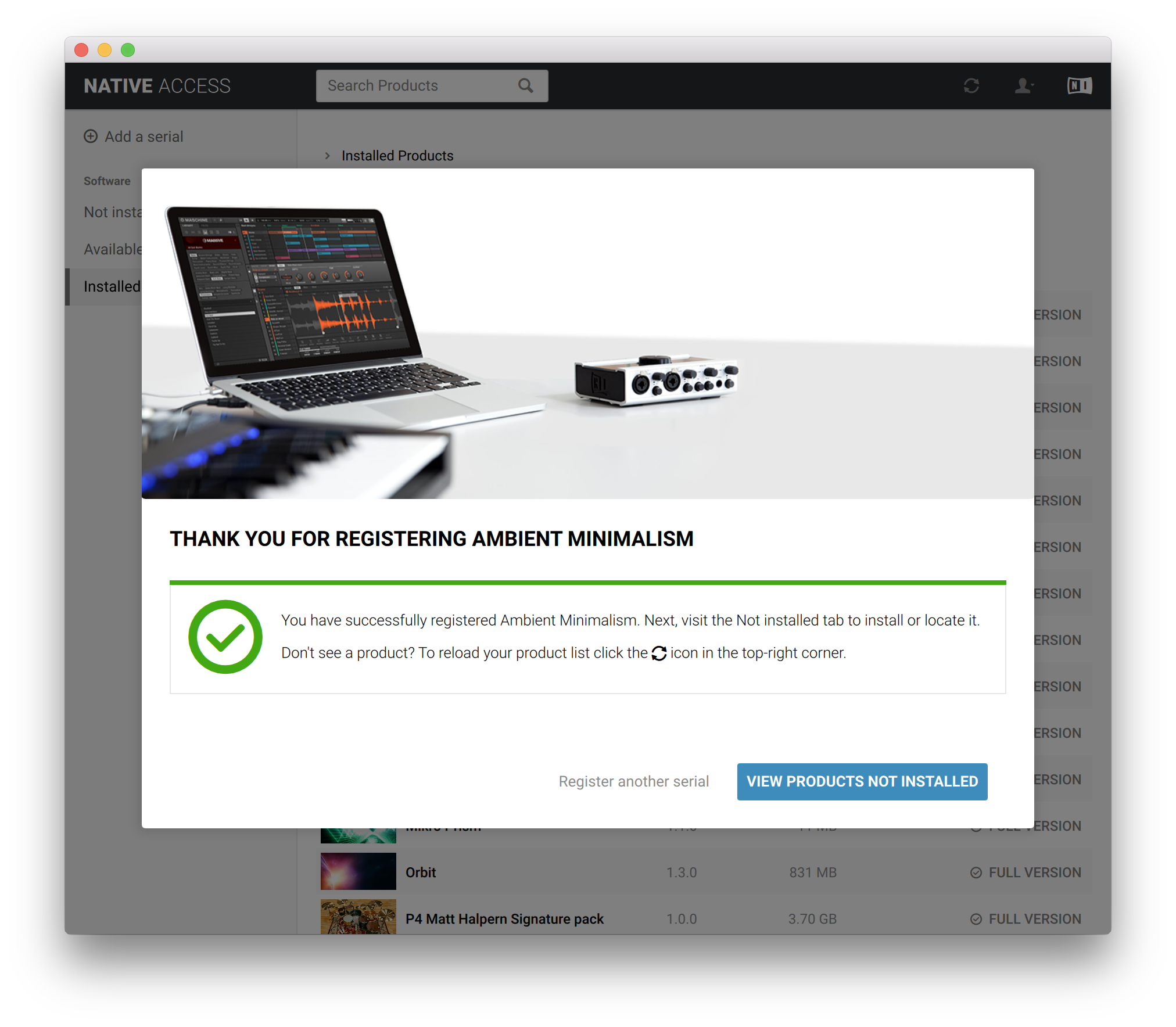
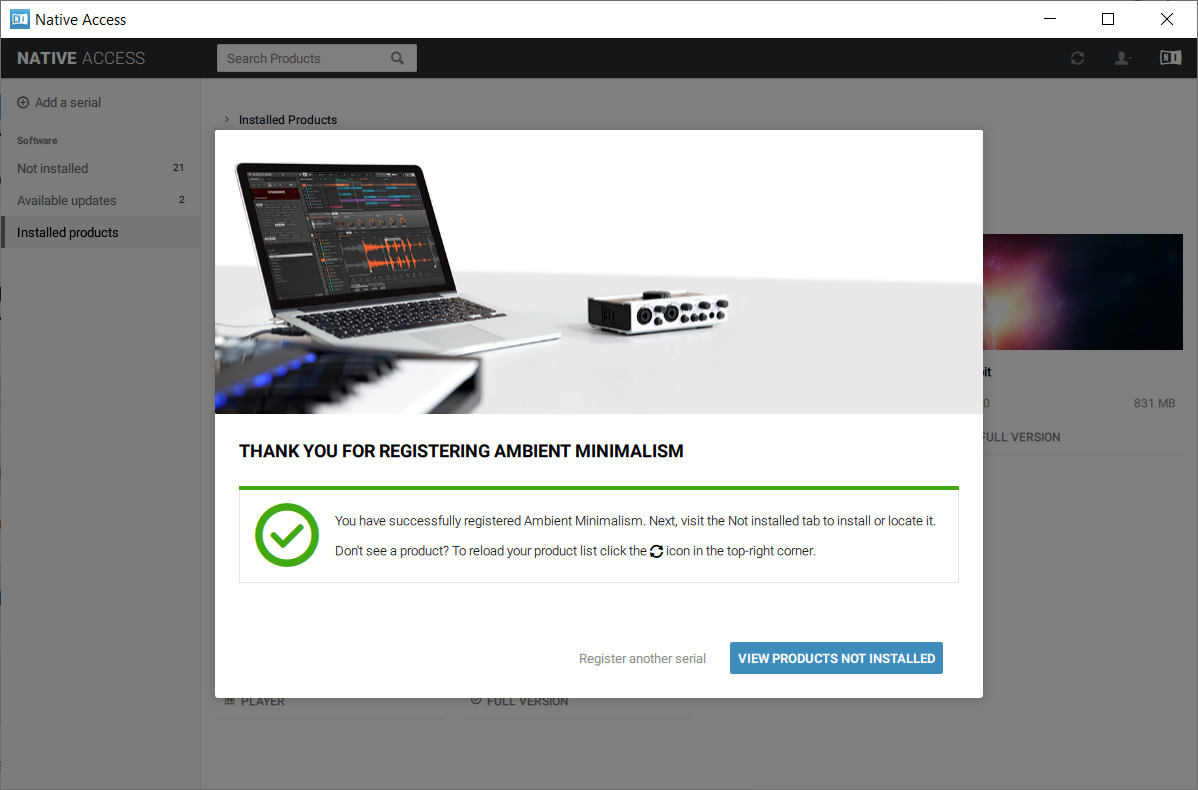
4. Click 'Add a serial' in the top left corner of the application window.

5. Enter the Serial Number found in your email > Click 'Add Serial'.

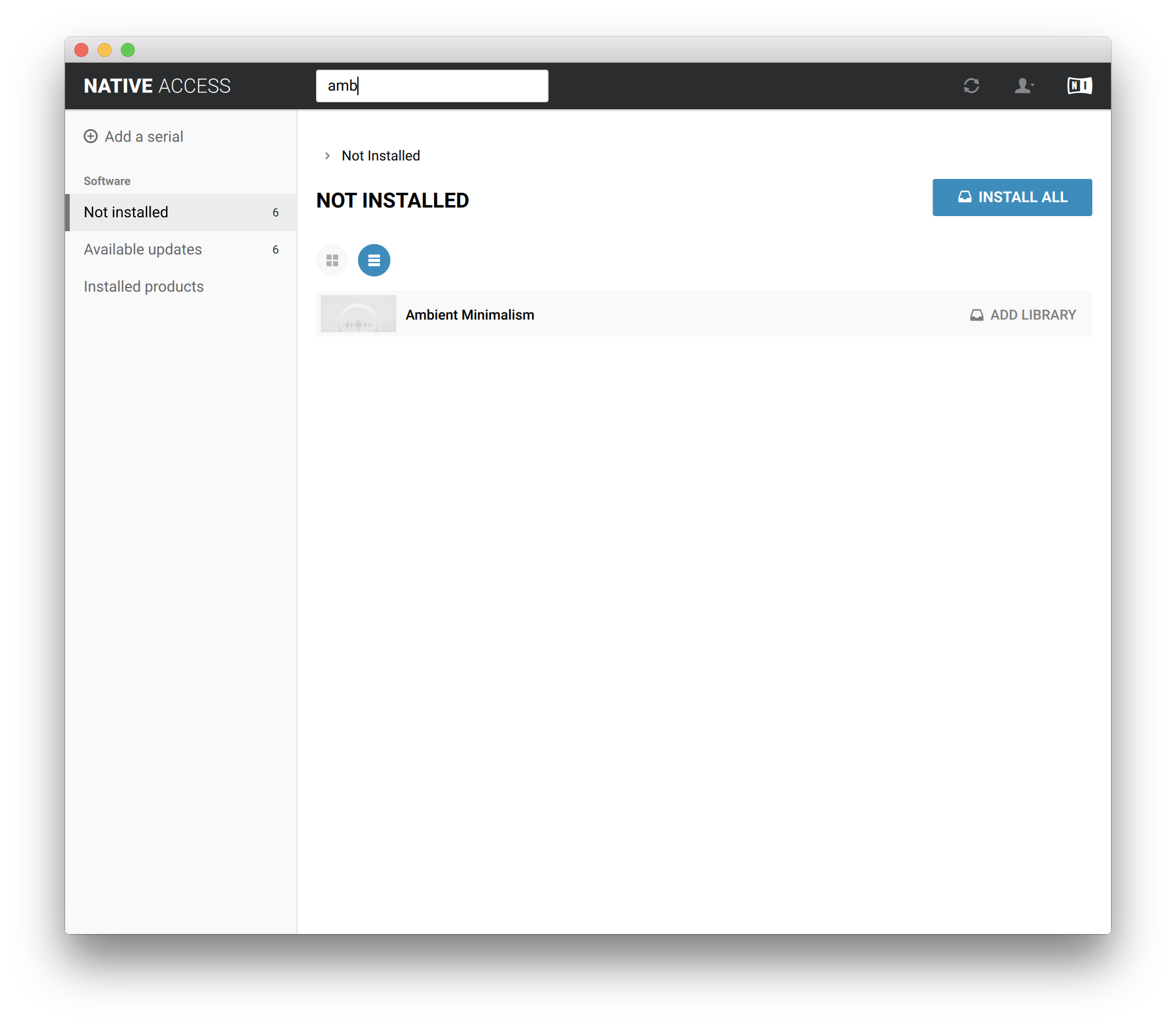
6. Click 'View products not installed'.

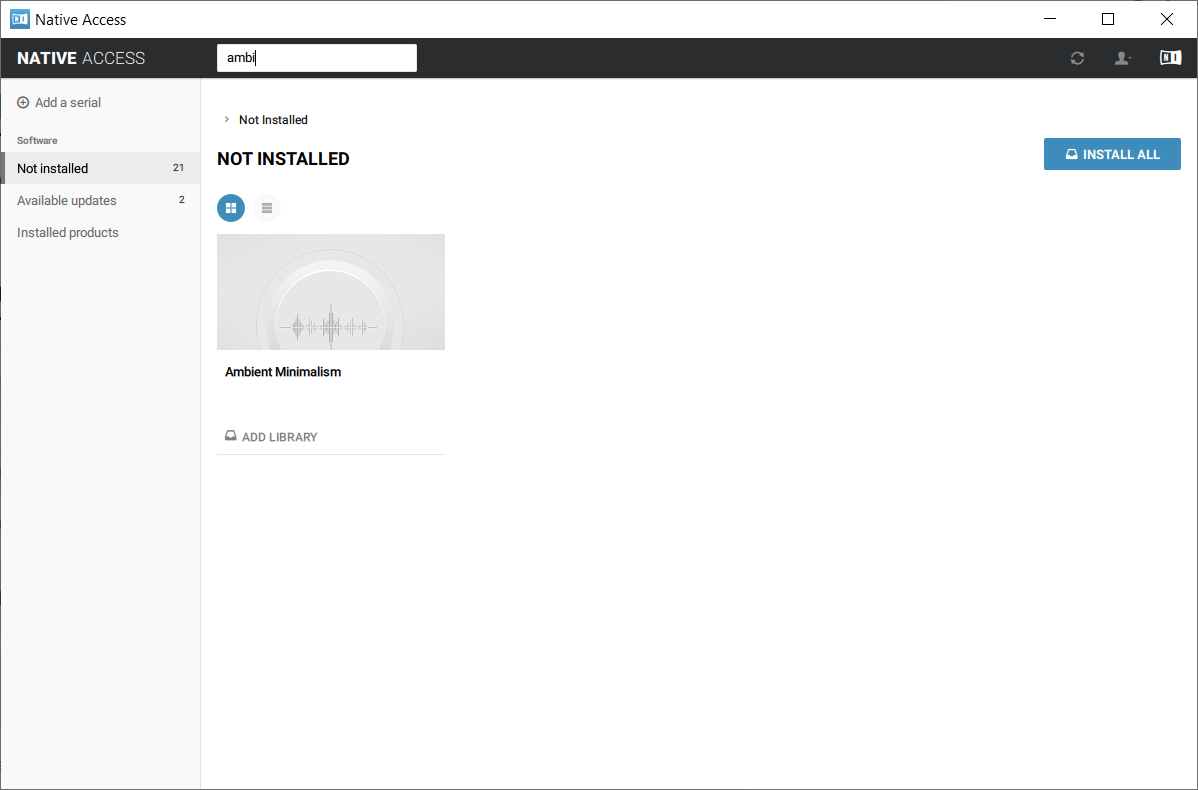
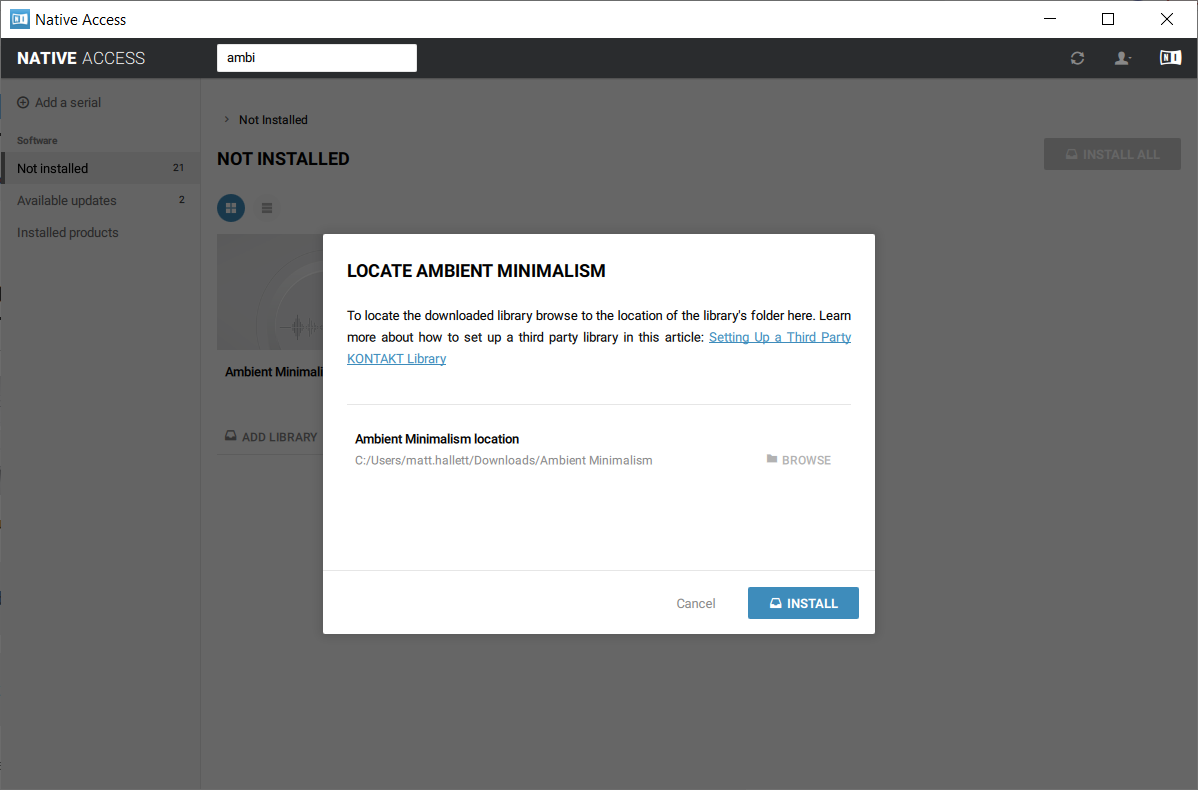
7. Navigate to Ambient Minimalism >  Click 'ADD LIBRARY'.

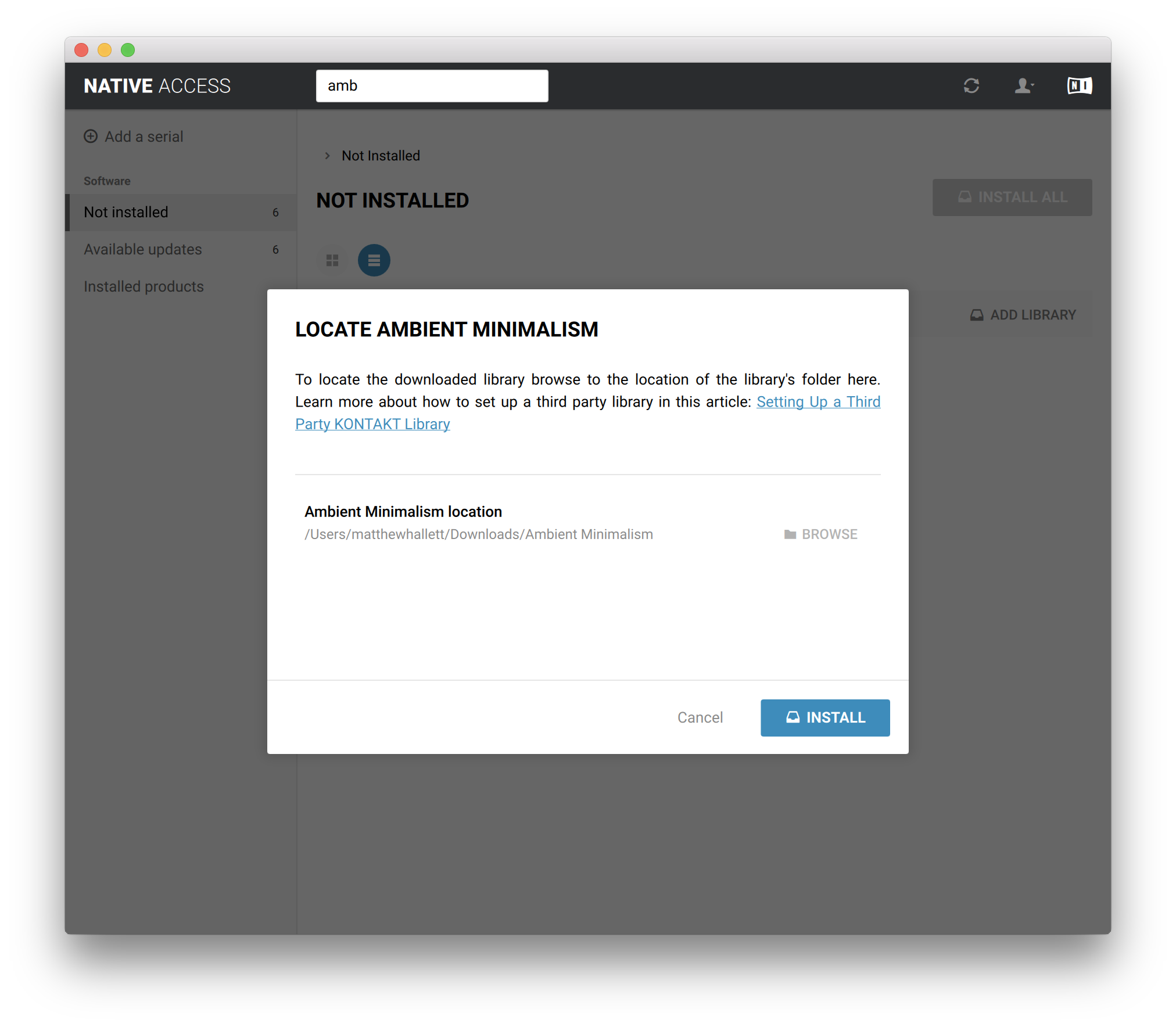
8. Click 'BROWSE' > Navigate to where you downloaded and unzipped Ambient Minimalism too > Once selected, click 'INSTALL'.

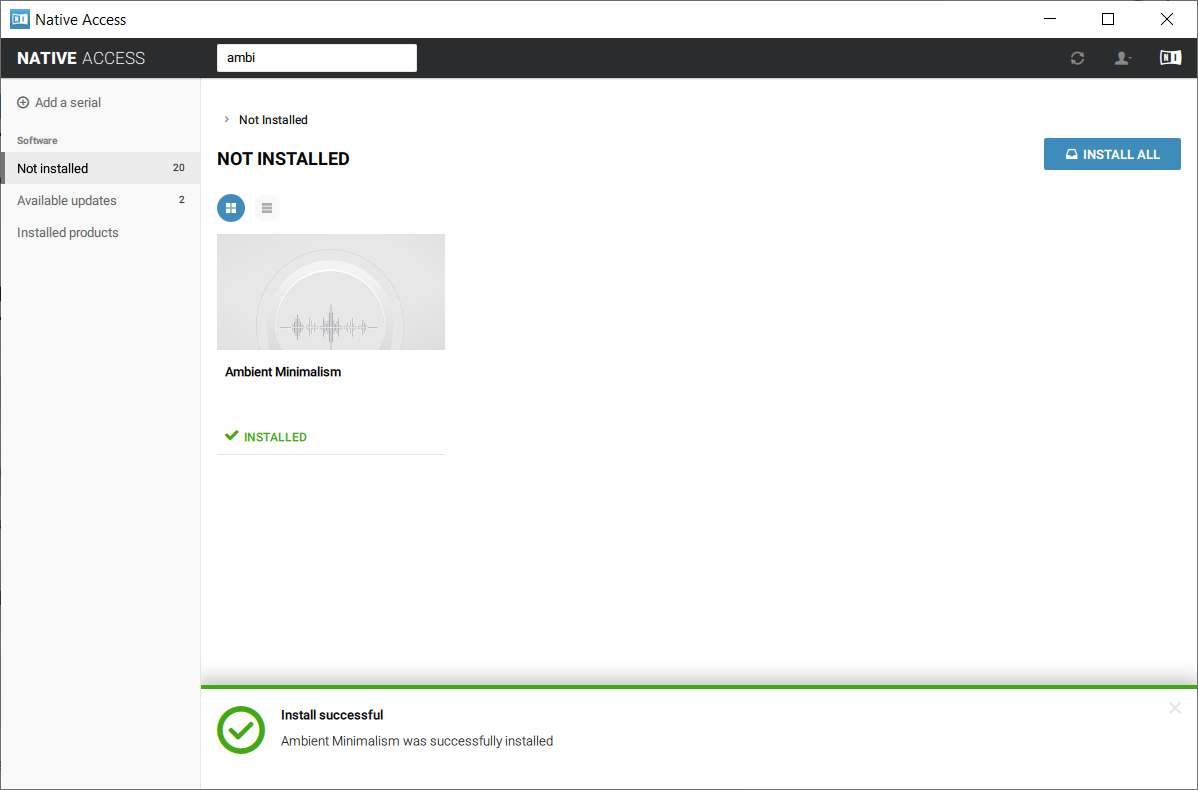
9. Ambient Minimalism is now installed.

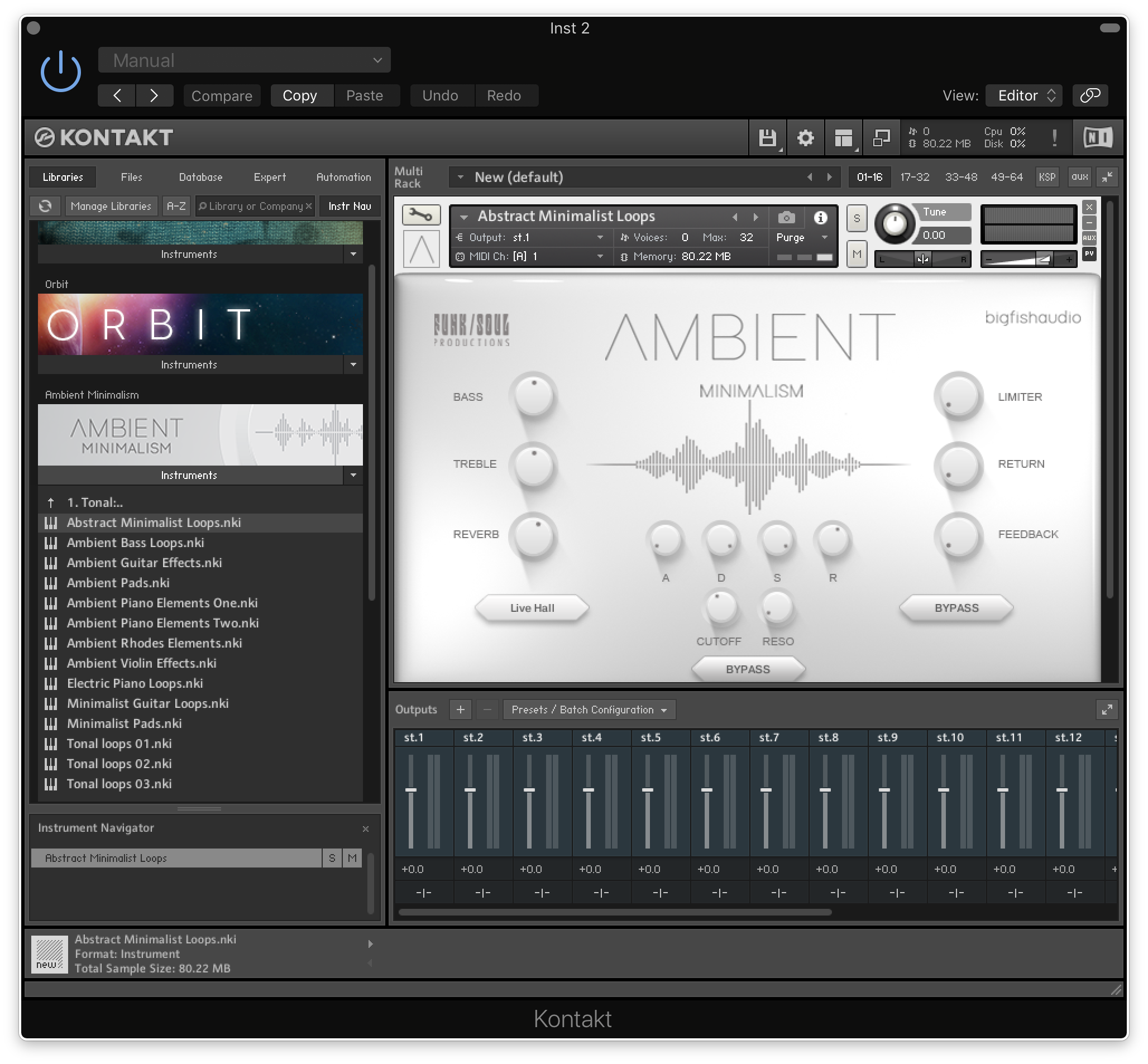
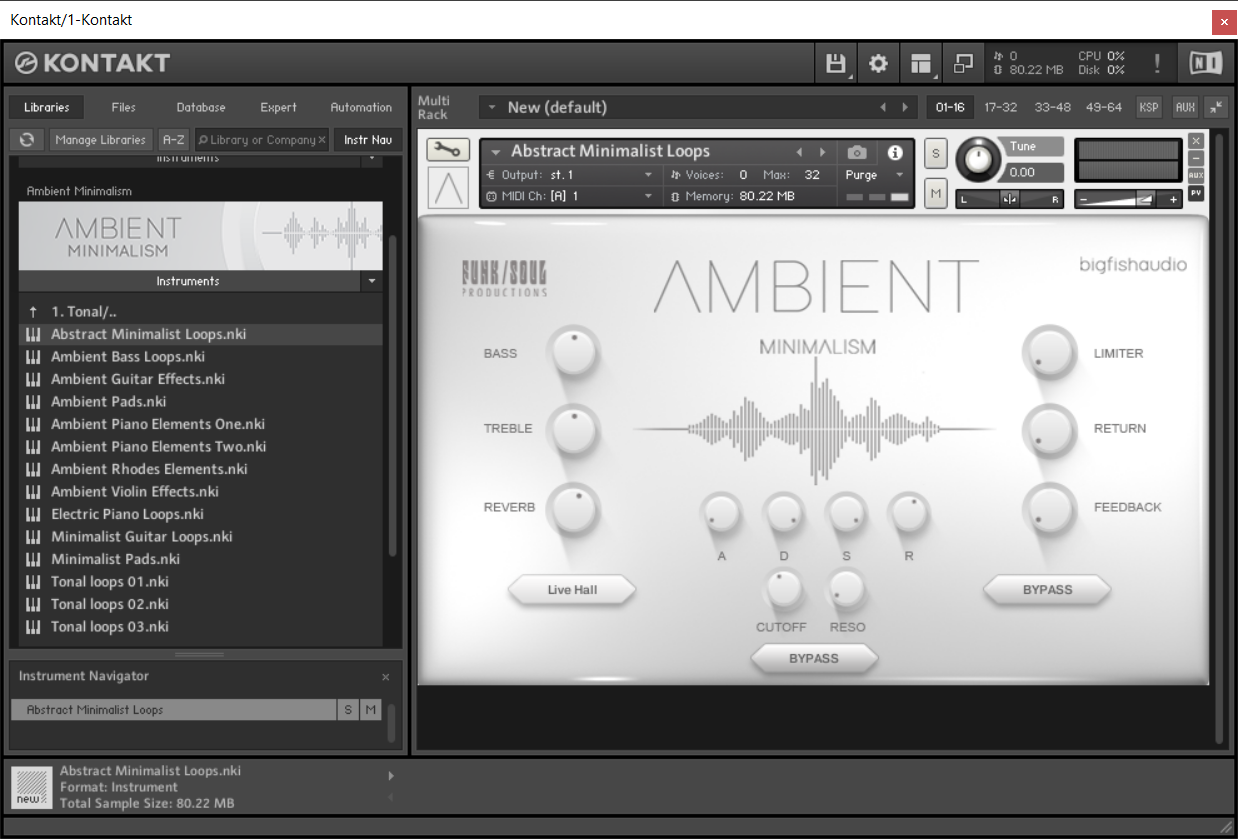
10. Open Kontakt and go to the 'Libraries' tab.

Your Library is now activated and ready to use in standalone or within your DAW.

PC

Installation / Activation

1. Download and install the FREE Kontakt Player from the Native Instruments website.

2. Download and install the FREE Native Access application.

3. Open Native Access and enter your Native Instruments-registered email address and password > Click 'LOG IN'.

4. Click 'Add a serial' in the top left corner of the application window.

5. Enter the previously acquired Serial Code from Big Fish Audio > Click 'Add Serial'.

6. Click 'View products not installed'.

7. Navigate to Ambient Minimalism >  Click 'ADD LIBRARY'.

8. Click 'BROWSE' > Navigate to where you downloaded and unzipped Ambient Minimalism too > Once selected, click 'INSTALL'.

9. Ambient Minimalism is now installed.

10. Open Kontakt and go to the 'Libraries' tab.

Your Library is now activated and ready to use in standalone or within your DAW.

Bundle & Save

Plugin Boutique Rewards

Discover the most rewarding loyalty programme among all plugin retailers.

  • Free Loopmasters Samplepacks
  • Discounts on products and courses
  • Extra Virtual Cash claimed immediately at checkout
Find out more

Follow us:

X (Twitter) Facebook YouTube Instagram
Logo Logo

Plugin Boutique Limited, Part of the Beatport Group LLC.

Copyright © 2011-2025 Plugin Boutique. All rights reserved