


 Log In

Free gifts available with your purchase
Ludwing Hollywood Drum Kit for Kontakt
Important note: This software requires the FULL version of Kontakt 5.7.3 or above and will only run in DEMO mode when used in the FREE Kontakt Player engine.
1964 Ludwig Hollywood kit recorded in a wooden studio. It’s a great sounding vintage drum kit recorded with great mics and preamps in a great sounding studio with a nice interface and state of the art scripting implementing innovative features. It’s really hard to get it better.
All recorded with 6 velocity layers and 6 round robin, resulting in 36 samples per articulation. All samples normalized to 0db so when a velocity ramp is applied it results in 128 volume steps, which gives a very natural response from the keyboard or e-drum.
Main
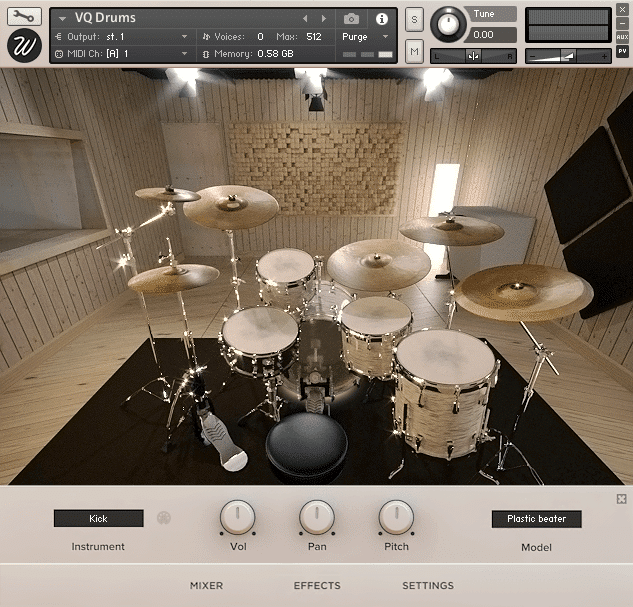
On the main section you can see a full view of the drum kit. Click on any part of the drum kit in order to show a dedicated menu to control volume, pan and pitch. Choose between 2 snares (WFL Buddy Rich – Ludwig Super Sensitive), 2 kick beaters (Plastic – Felt) and 2 ride cymbals (Constantinople – Avedis).
Mixer
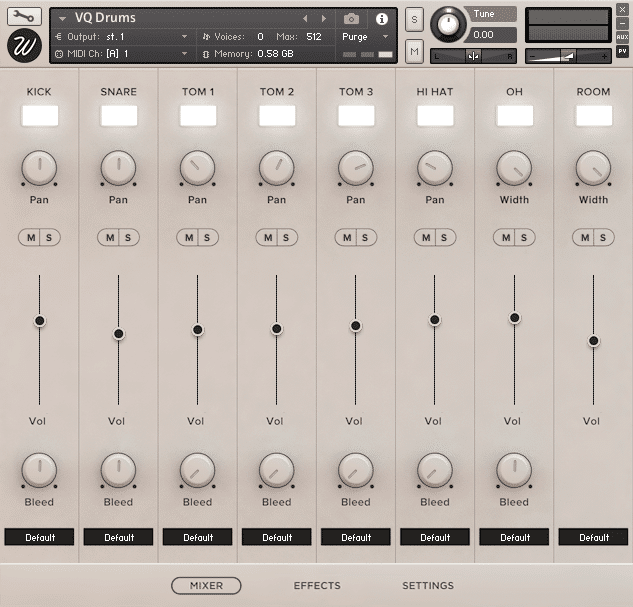
VQ Drums was recorded using 8 microphones:
- Kick
- Snare
- Toms: 1 mic for each
- Hi Hat
- Overheads: stereo pair
- Room: stereo pair
With a load/purge switch for each articulation. Pan, volume, mute/solo and output selector for mixing the different channels in your DAW. Total “bleed” control for adjusting how much of the other parts of the kit bleed into this mic.
Effects
The library features an advanced effect script that lets you insert any effect in any of the 8 available slots for each channel, including:
- High Quality EQ.
- Various types of compressors.
- Modulation: chorus, flanger, phaser.
- Distortion / Saturation / Tape
- Algorithmic and convolutional reverb with more than 40 custom impulse responses.
- Amp simulators.
The script of this plugin boosts the sonic capabilities of the library. It's easy to use in a simple and elegant design.
Settings
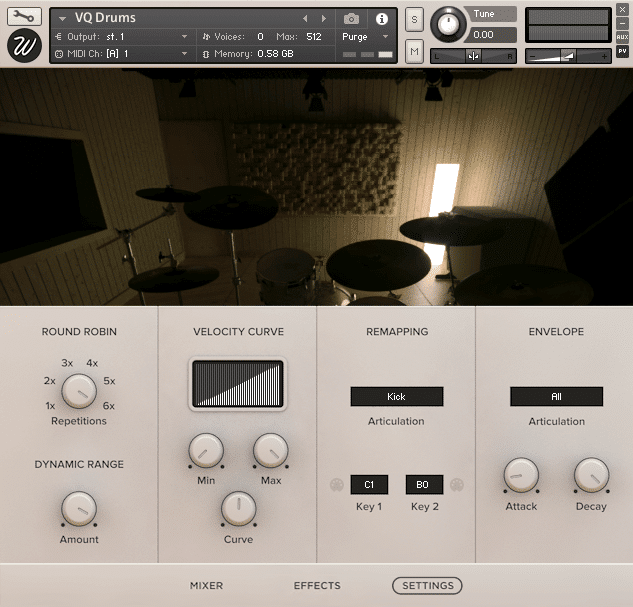
From the settings page you can control basically any parameter you might ever need. Divided in four sections you can find:
-
Round robin: the drum kit was sampled with 6 true round-robin repetitions in order to avoid the machine-gun effect.
-
Dynamic range: lets you specify the difference between the loudest and the quietest hits.
-
Velocity curve: control how the library reacts to incoming midi notes.
-
Remapping: remap each articulation to the midi key that you want. Midi learn function included.
-
Envelope: tweak the attack and decay times of each articulation separately.
Features
- Size: 2.89 GB
- Samples: 8,337
- Microphone positions: 8
- Velocity layers: 6
- Round robin: 6
System Requirements

Important Notes:
- The Full version of Native Instruments Kontakt 5.7.3 or above is required to run this software.
- This software will not function in full within the FREE Kontakt Player engine and will only be available in DEMO mode.


