Log In

Free gifts available with your purchase
Metallic Sonority
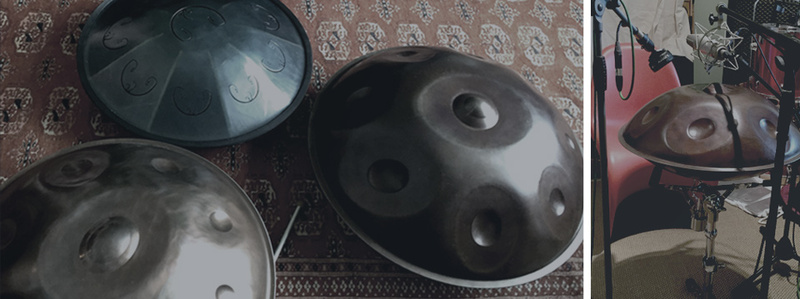
The Pandrum is a collection of 6 handpans and 2 tongue drums, which have been recorded very precisely.
The sound of the Pandrum can be described as rich, warm and full of inspiring sonority. Finally, it is a very impressive reproduction of a real handpan instrument but also offers the ability to extremely extend and vary the entire sound by applying numerous features.
Pandrum is an exceptional instrument with a fantastic sound in a modern design.
Features
- 6 Handpan Instruments: Cinematique Instruments have collected high-end handpan instruments such as Zephyr, Leaf, Pan Art, Camenzind, Orbi Pan and Tiflis. Furthermore, they recorded a special percussion set of the Zephyr as well as an Orbi Drum set played by mallets which sounds similar to steel drums.
- 2 Tongue Drums: There are two inspiring tongue drums available: an Aqua Drum and the long sustaining RAV Vast.
- 18 Scales: The Pandrum is equipped with 18 different scales. This gives you the ability to play - besides the regular chromatic keyboard scale - authentic handpan scales. This option is perfect when using external controllers such as the Wavepan Controller (see below) which was specially designed for the Pandrum and fits perfectly to it.
- Detailed Sampling: All instruments and articulations were recorded in a very complex way with eight round-robin variation in up to 5 dynamic layers.
- 5 Layer Instruments: You are able to mix in or even play exclusively additional layer sounds such as the wonderful sounding Gender - a Gamelan vibraphone or an atmospheric Felt Piano. But there are also inspiring Guitars and a Sald Bowl available.
- Tone Shaping: Besides the regular tools such as envelope (attack, decay) there is an EQ and filters, reverb, delay as well as additional fx options such as cabinet, drive, tremolo or rotary. This is perfect to quickly change and shape the entire sound of the Pandrum.
- 6 Presets: In order to show the versatility and possibility to build textures, there are 6 presets available. Each one stands for a different way of playing the Pandrum.
What Is A Handpan / Pandrum?
A Hand Pan consists of two metal half-shells glued together with an opening whole in the bottom side. On top is a central tone field with the deepest note surrounded by a circle of at least seven tone fields with higher scale notes. The creation and tuning of the tone fields are extremely complex. In the process of tuning, the tuner hammers several overtones into every tone field. This takes a very long time. Finally, the handpan is available in a large number of scales from all over the world. In addition to the classic handpan instruments with battered in tone fields, there is also the department of the Tongue Drums, which work with metallic reeds.
In order to give Pandrum the widest possible range of instruments and their variety, Cinematique Instruments have put together a very sophisticated selection of handpans and tongue drums from simple to top-notch. They were all recorded in several dynamic layers and 8 round robin variations.
System Requirements
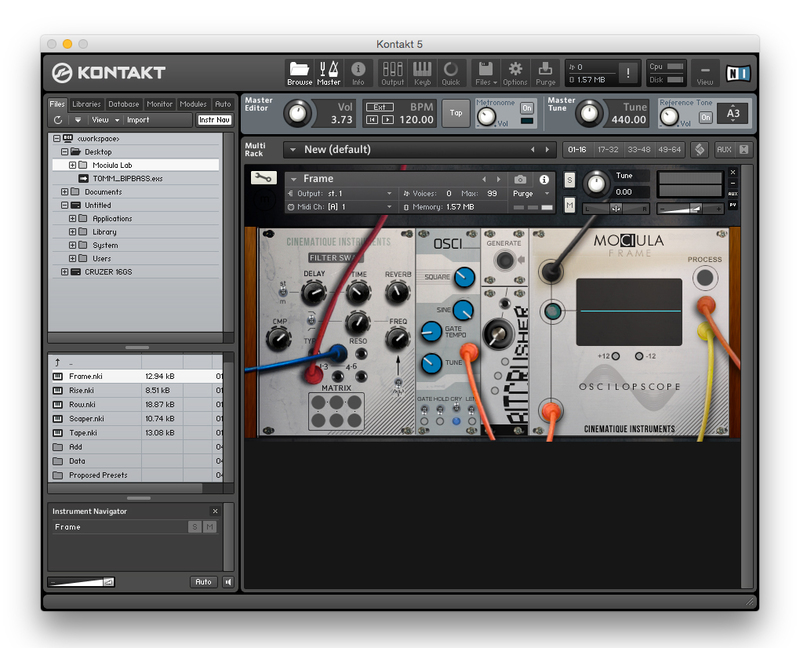
- The FULL Version of Kontakt 5.6.8 or higher is required.
- Approx. 1.6 GB of Hard Disk Space
Important Notes:
- The FULL Version of Kontakt 5.6.8+ is required in order to use this instrument.
- You will be stuck in DEMO MODE if trying to use this instrument in the FREE Kontakt Player.