Buy Ambition, get a free gift with purchase:
Score Your World
A New Lens for Big Picture Sound
Ambition inspires new vistas of musical exploration, and you become the sonic pioneer. Explore a panoramic trail to undiscovered and timeless soundscapes, emotion-filled pads, evolving textures, anamorphic rhythms, elemental keys, and experimental undertones.
Advanced Sound Design
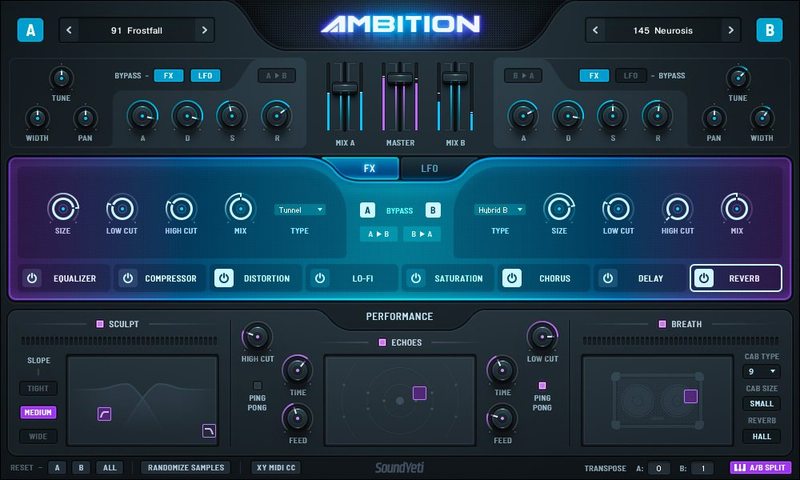
The key to Ambition’s drive is dexterity. Elegantly separate, swap, split, merge, detach or bypass any effect or LFO from channel to channel. Complex and multidimensional, this interplay between channels produces extraordinary and expressive harmonic elements.
Full FX Modulation
Discover your own signature/big picture sound with reactive LFOs, EQ, compression, distortion, Lo-Fi, saturation, chorus, delay and 25 custom IR reverbs.
Performance X/Y Pads
Add even more vivid colours and tonal dimensions with sculpt, breath and echoes, Ambition’s distinctive X-Y control performance effects.
Key Features
- Powerful Sample Synth Engine
- Complete A/B synth capabilities
- Inspiring sounds for all types of music production
- Full-featured LFOs per channel, with syncing & core waveforms
- Per-channel ADSR envelopes
- 8 Per-channel effects
- Full utilization of Kontakt’s powerful FX and modulation
- Intuitive simple browser menu for easy navigation
What's Inside?
- 1 Master NKI template
- 1 Master Lemur NKI template (coming soon)
- 31 Multi(s) heavily designed presets
- 252 sample sources
- 221 snapshots (uniquely designed)
- 3,351 high-quality chromatic samples
- 30,000+ sample combinations
- 5.1 GB of (compressed lossless ncw’s)
- 3 powerful global performance effects
- 25 custom sampled impulse responses
System Requirements
- Powered by KONTAKT 6 ver 6.2.2 or later
- Native Instruments NKS Ready with KOMPLETE KONTROL & MASCHINE
- Full integration with Komplete S-Series keyboards and Hardware
- Use as a Standalone Virtual Instrument Plugin VST-AU-AAX Plugin or with Popular DAWs like Ableton, Logic, Pro Tools, Cubase etc.
Minimum System Requirements
- KONTAKT Player or KONTAKT 6 Full Version 6.2.2 or higher
- MacOS 10.12, 10.13, 10.14 or 10.15 (latest update), i5, 4 GB RAM
- Windows 7, Windows 8, or Windows 10 (latest Service Pack), Intel Core i5 or equivalent CPU, 4 GB RAM
Recommended System Requirements
- KONTAKT Player Or KONTAKT 6 Full Version 6.2.2 or higher
- Mac OS X 10.12 and higher (latest update), 8 GB RAM Intel Core i5 or i7, i9
- Windows 7, Windows 8, or Windows 10 (latest Service Pack), Intel Core i5 or equivalent CPU, 8 GB RAM


Note: This product is compatible with the FREE Kontakt Player.
Important Note: Remember to only Extract PART 1 of the installer as this builds and correlates to Part 2.
Installation Video
Important Notes:
- You must have a Native Instruments account and Native Access installed on your computer in order to activate this software. You can create an account and download the application at the Native Instruments website.
- You must have Kontakt Player 6.0 or higher installed on your computer in order to use this library. You can download the Kontakt Player from within the Native Access application.
- Method 1 is used as the example.
Mac
Installation
1. Download the product .zip file from within your Plugin Boutique User Account.
2. Unpack the contents from the .zip file.
3. After successfully unpacking the .zip file you will now see a single folder named ‘Method 1’ > Place this file in a location of your choosing.
Note: You will need to reference the location of this folder later in the Activation process.
Activation
1. Open Native Access and enter your Native Instruments-registered email address and password > Click 'LOG IN'.

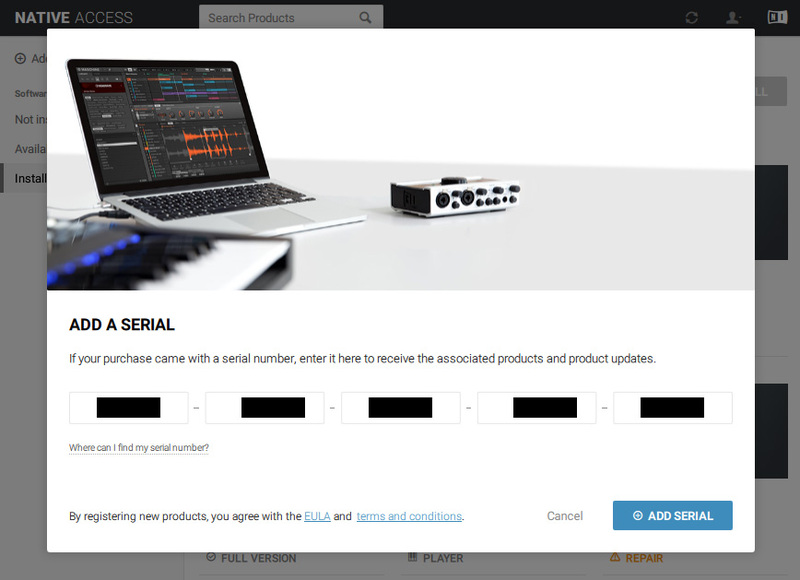
2. Click 'Add a serial' in the top left corner of the application window.
3. Enter the serial number found in your Plugin Boutique User Account > Click 'Add Serial'.

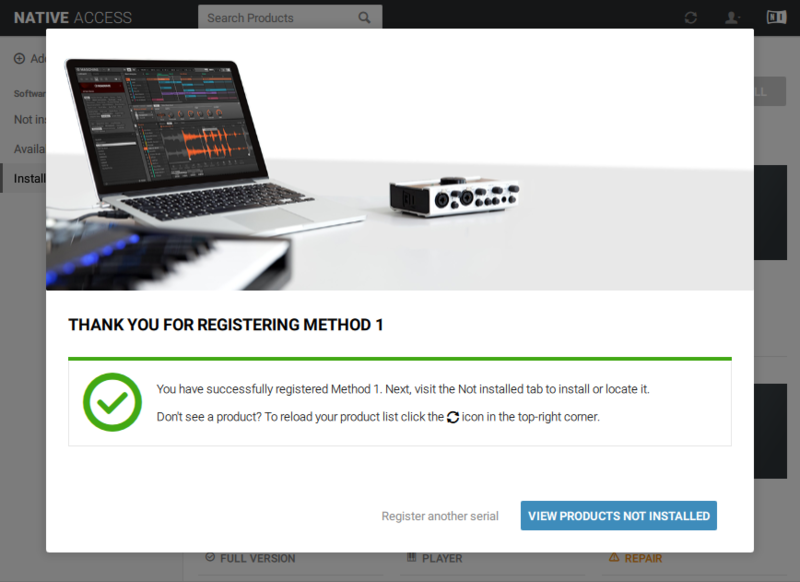
5. Click 'View Products Not Installed'.

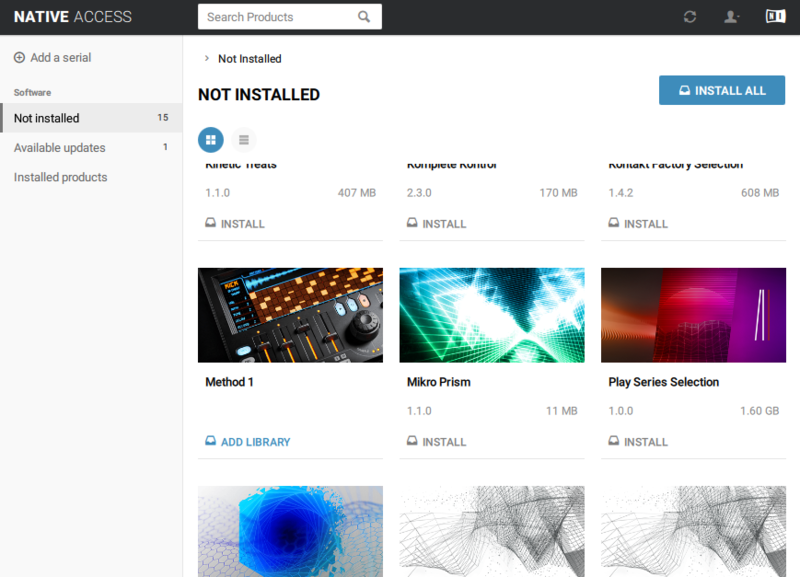
6. Navigate to Method 1 > Click 'ADD LIBRARY'.

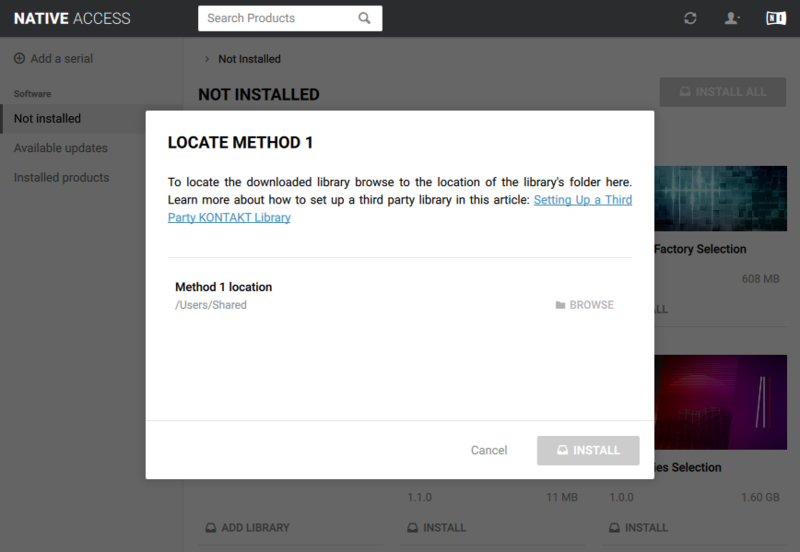
7. Click 'BROWSE'.

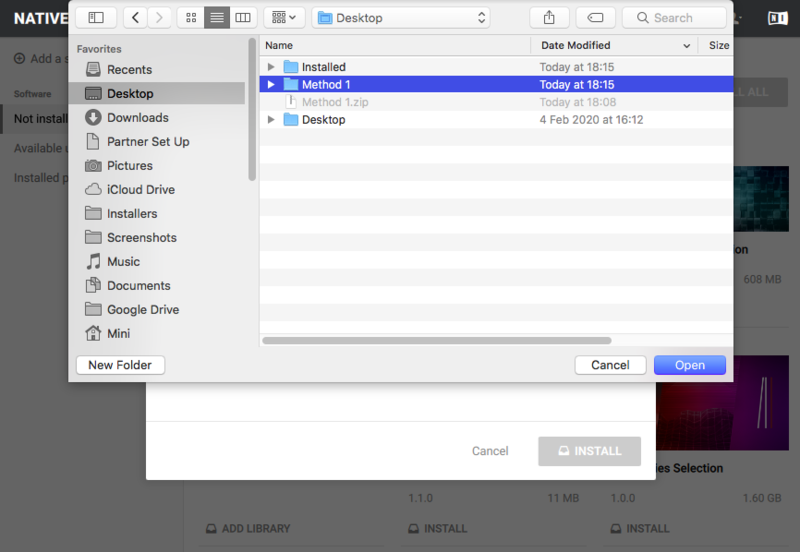
8. Navigate to the content folder you installed in step 3 of the installation process > Click 'Open'.

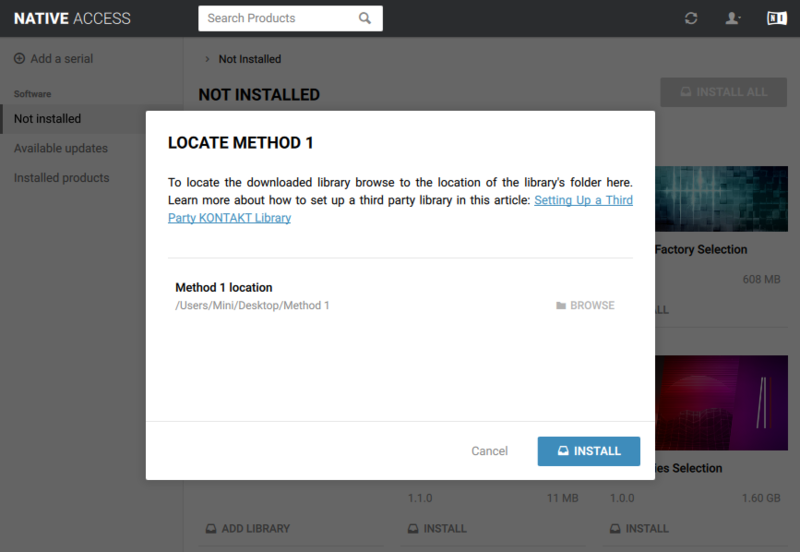
9. Click 'INSTALL'.

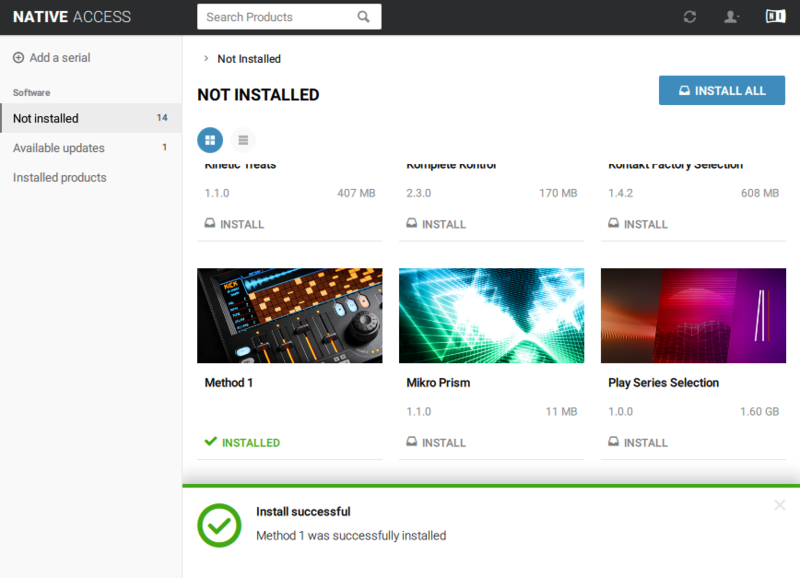
10. Method 1 has now been successfully installed > Close Native Access.

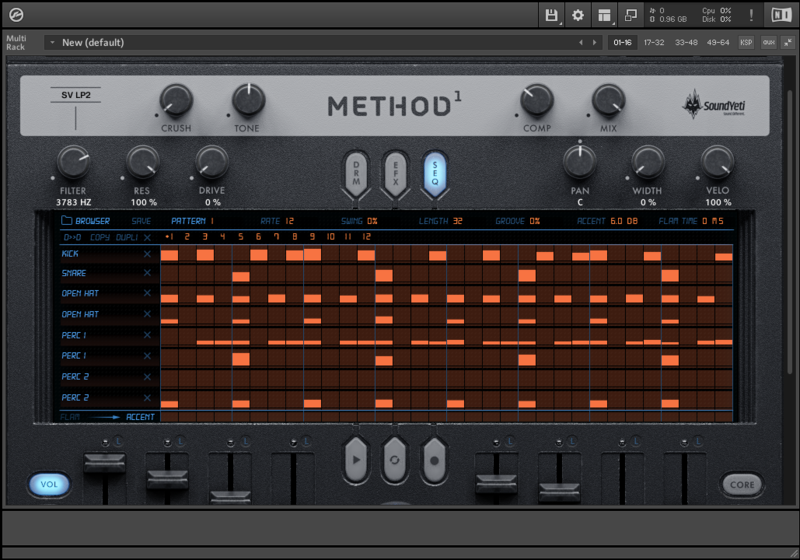
11. Open Kontakt and go to the 'Libraries' tab.
Your Library is now activated and ready to use in standalone or within your DAW.

Windows
Installation
1. Download the Method 1 .zip file from within your Plugin Boutique User Account.
2. Unpack the contents from the .zip file.
3. After successfully unpacking the .zip file you will now see a single folder named ‘Method 1’ > Place this file in a location of your choosing.
Note: You will need to reference the location of this folder later in the Activation process.
Activation
1. Open Native Access and enter your Native Instruments-registered email address and password > Click 'LOG IN'.

2. Click 'Add a serial' in the top left corner of the application window.
3. Enter the serial number found in your Plugin Boutique User Account > Click 'Add Serial'.

5. Click 'View Products Not Installed'.

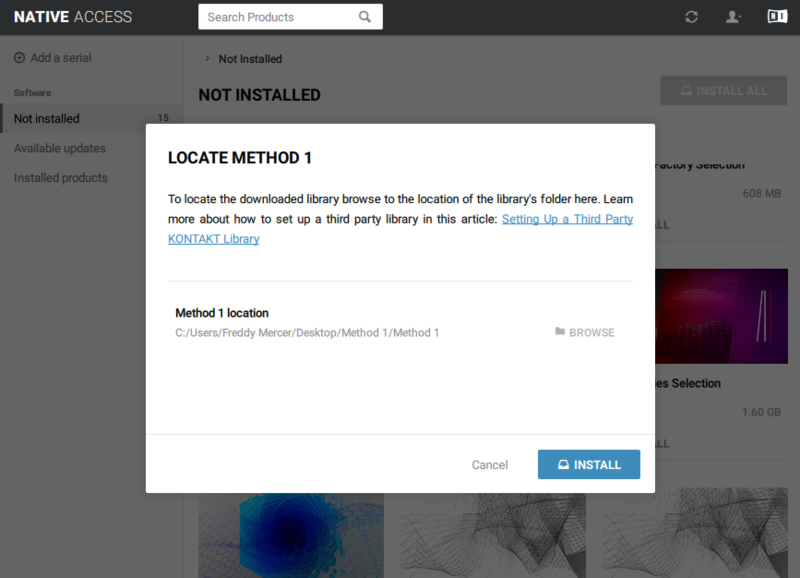
6. Navigate to Method 1 > Click 'ADD LIBRARY'.

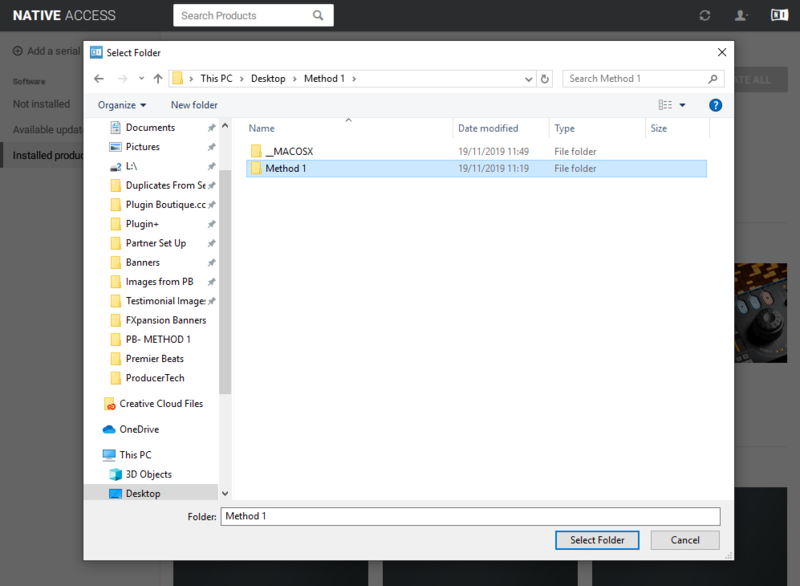
7. Click 'BROWSE'.

8. Navigate to the content folder you installed in step 3 of the installation process > Click 'Select Folder'.

9. Click 'INSTALL'.

10. Method 1 has now been successfully installed > Close Native Access.

11. Open Kontakt and go to the 'Libraries' tab.
Your Library is now activated and ready to use in standalone or within your DAW.