Buy Mechanics of Noise, get a free gift with purchase:
Mechanics of Noise is a creative re-imagination of noise generators, transformers, test equipment and old modulators. Have Audio joint-ventured with swiss film composer and sound designer Urs Bollhalder to get old-sounding textures out of contemporary analog synthesizers.
Recorded at the highest quality, tweaking and mangling the best analog gear and digitally processing it to achieve a contemporary flavour, this sample library is perfect for media composers looking for dark, rhythmic-mechanical and cinematic textures to trigger their creativity and enrich their scores with electrical surges. Noisy, crackling one-shots, tempo-synced loops and other creative noise textures this is a must-have for all film composers and music producers interested in filthy analog sounds. Ideal for subtle mechanical underscoring, electrical bursts and possible sonic overload!
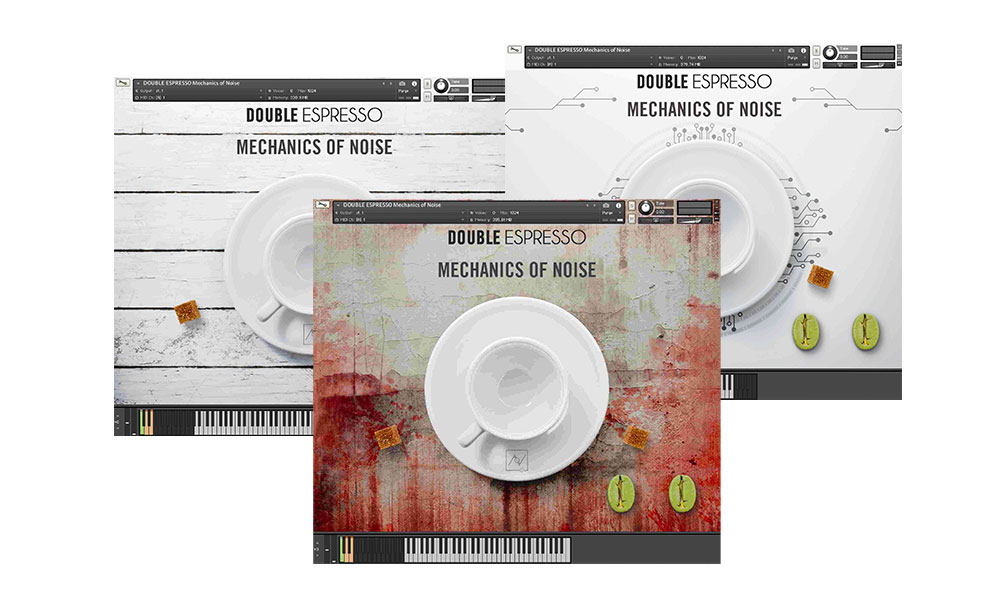
This bundle includes three separate Kontakt instruments: Mechanics of Noise Acoustic, Mechanics of Noise Electronic and Mechanics of Noise Dystopian and requires the full version of Kontakt to work. Please note this will not work in the free Kontakt Player.
Features
- 515 samples
- Over 1.5 GB uncompressed file size across 3 instruments
- 3 separate .nki files
Keyswitches/Sound Banks:
- Polarity disorders
- Machine clockwork
- Transistor love
- Dystopian hits
- Machine fury
- Noise clouds
- Overloaded circuit loops
- Crackpot loops
- Electrical spasms
Built-in FX:
- High pass filter
- Delay fx
- Low-end drone impulse response fx
- Convolution fx (with subtle LFO modulated cut-off)
- Tube distortion fx
System Requirements
- Requires full version of KONTAKT 5.6.8+
- Approx. 2 GB free hard drive space
- 8 GB of RAM or more is recommended
Please note: this bundle will not work in Kontakt Player

![]()
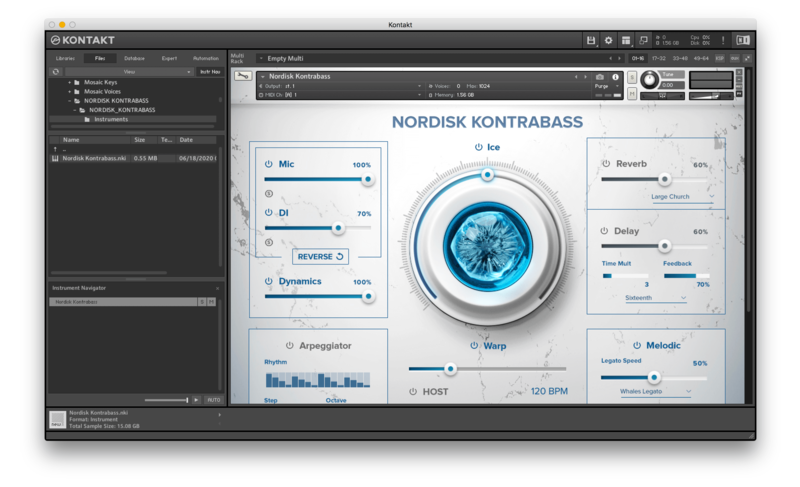
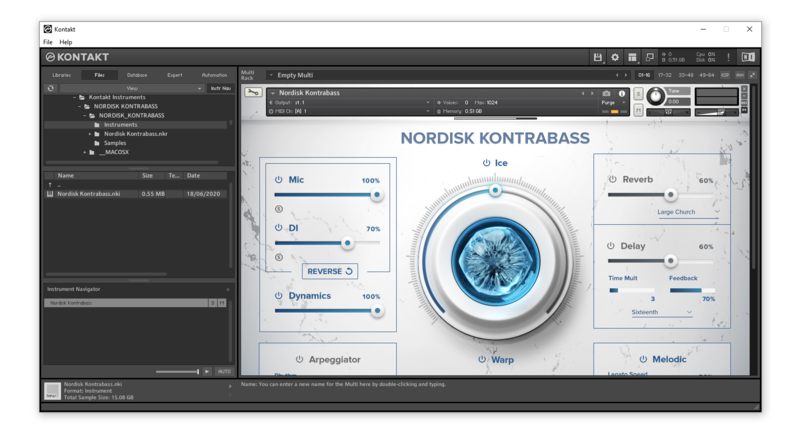
Please note: Nordisk Kontrabass is used as an example as the installation process is the same for all Have products.
Mac
Installation
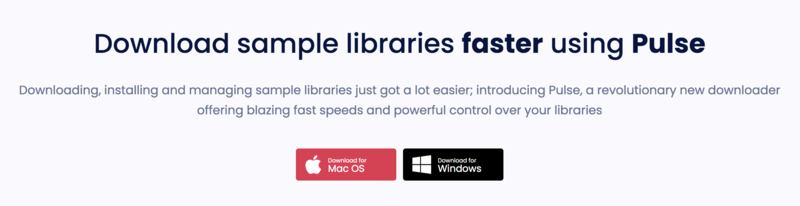
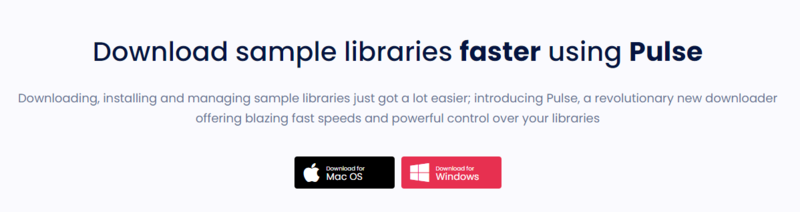
1. Go to https://pulsedownloader.com/ > Click 'Download for Mac OS' to download the Pulse application installer.

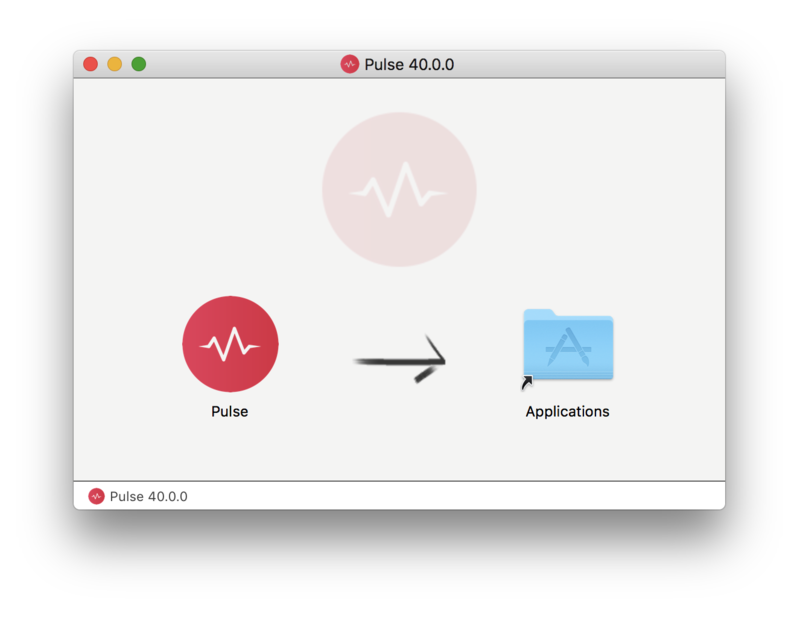
2. Open the .dmg file > Click and drag the application icon into the applications folder.

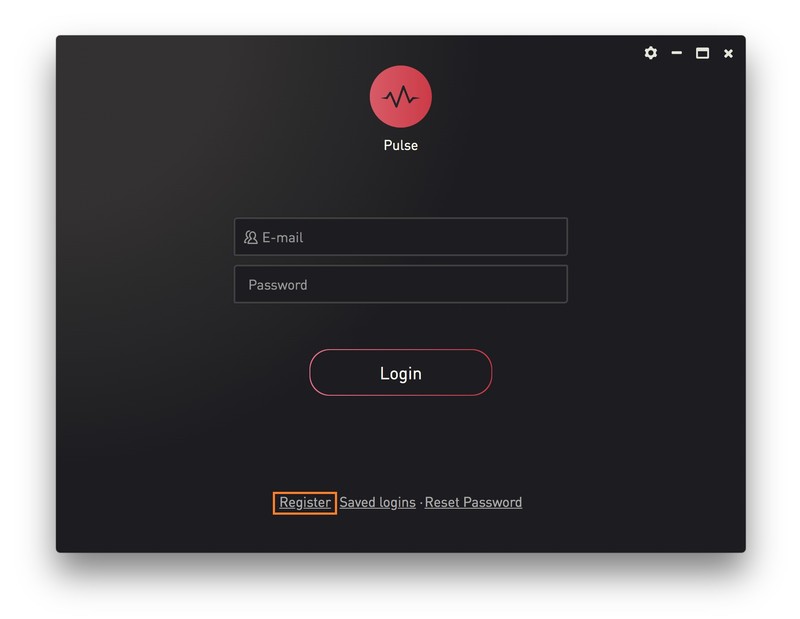
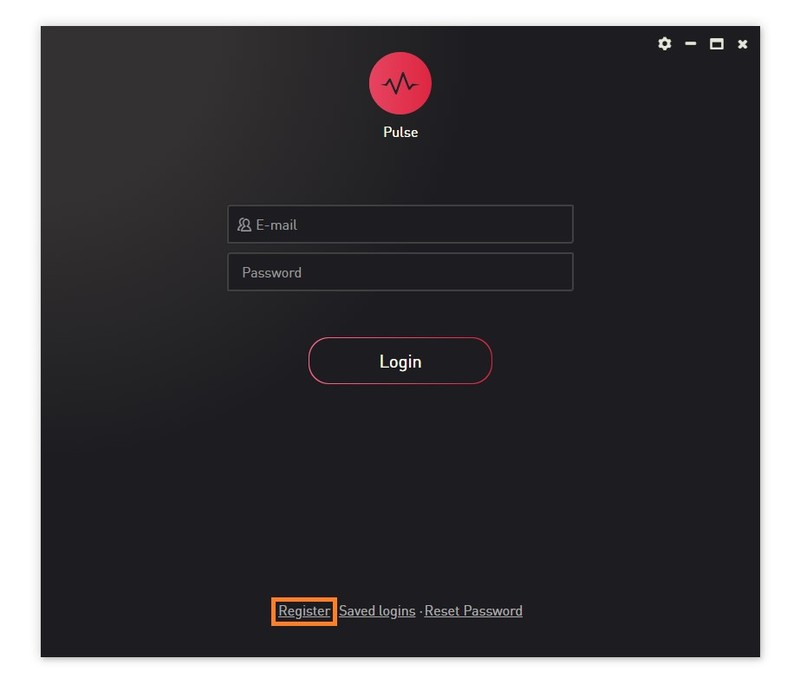
3. Open the Pulse application > Click 'Register'

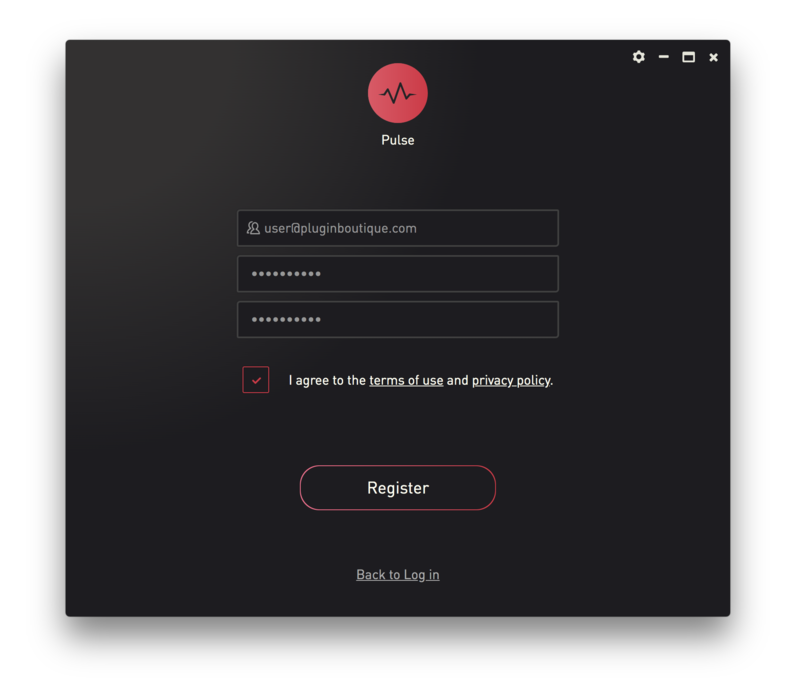
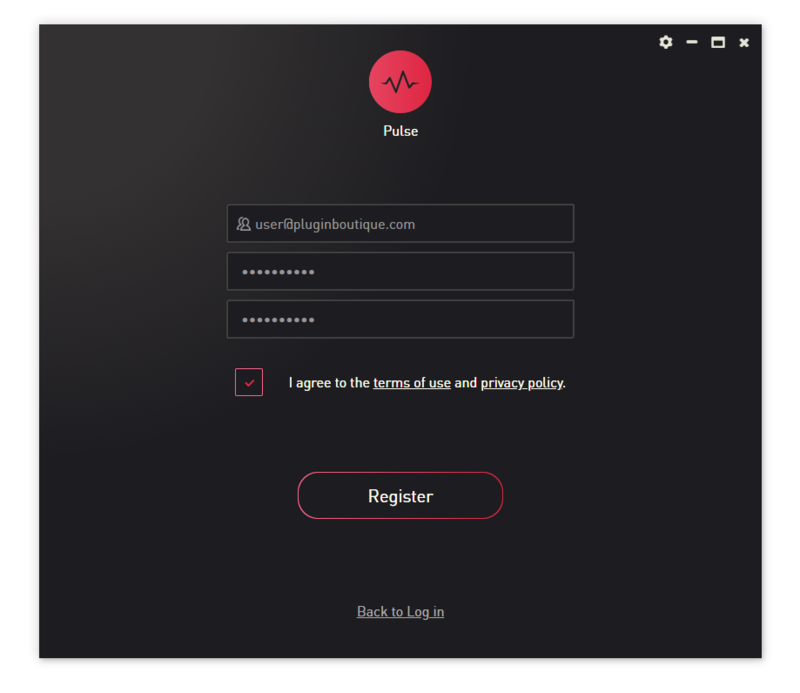
4. Enter your Email Address and Password > Check the box that states 'I agree to the terms of use and privacy policy' > Click 'Register'.

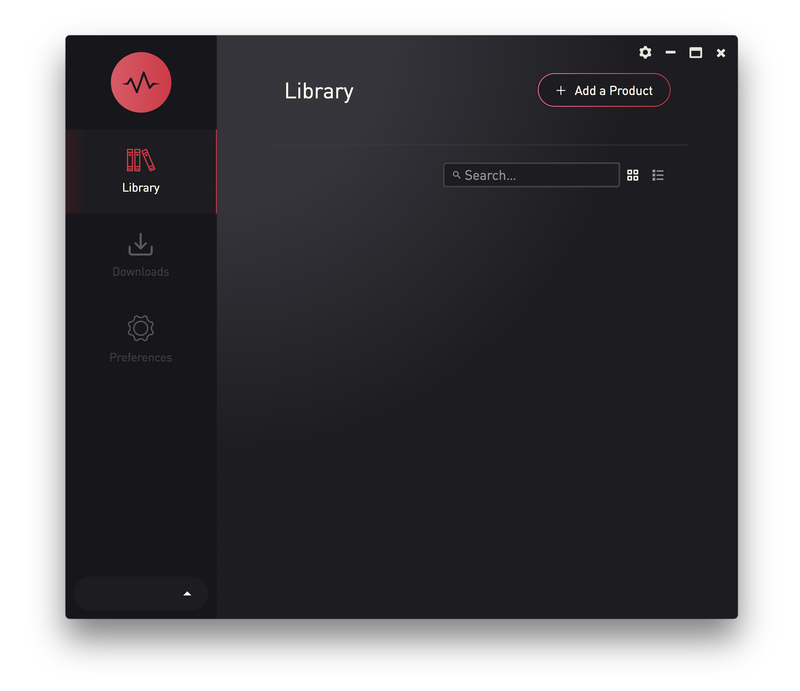
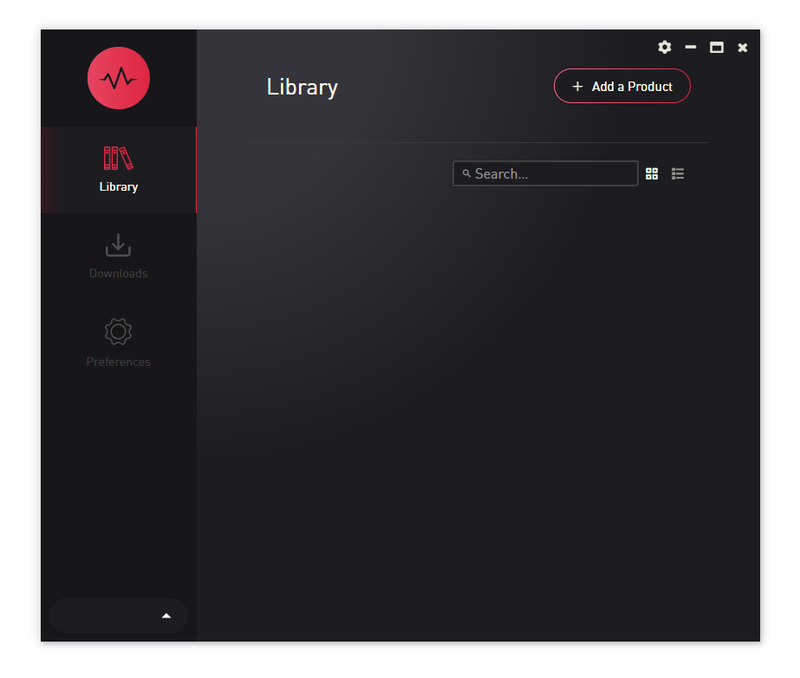
5. Click 'Add a Product'.

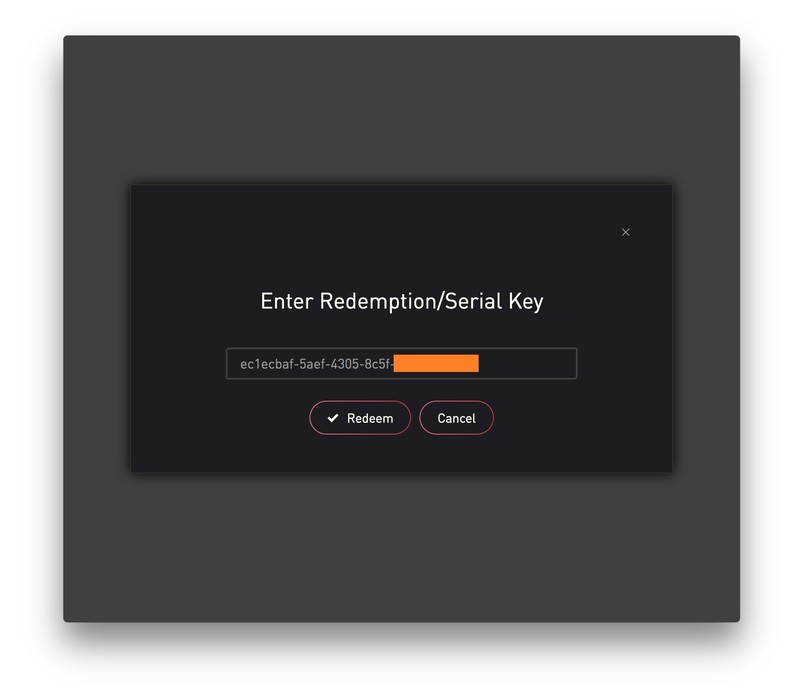
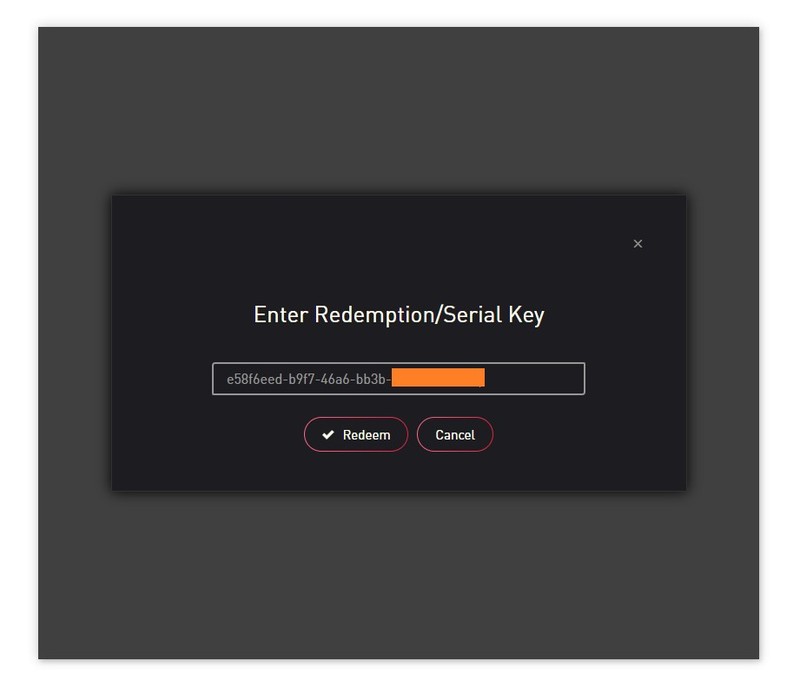
6. Enter your 32-digit serial key, found within the serial number section of your Plugin Boutique User Account > Click 'Redeem'.

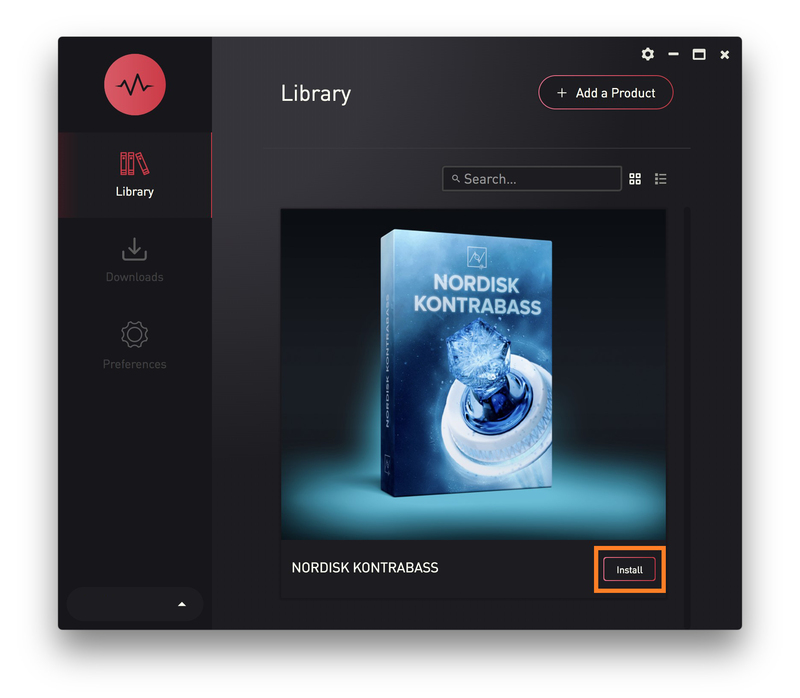
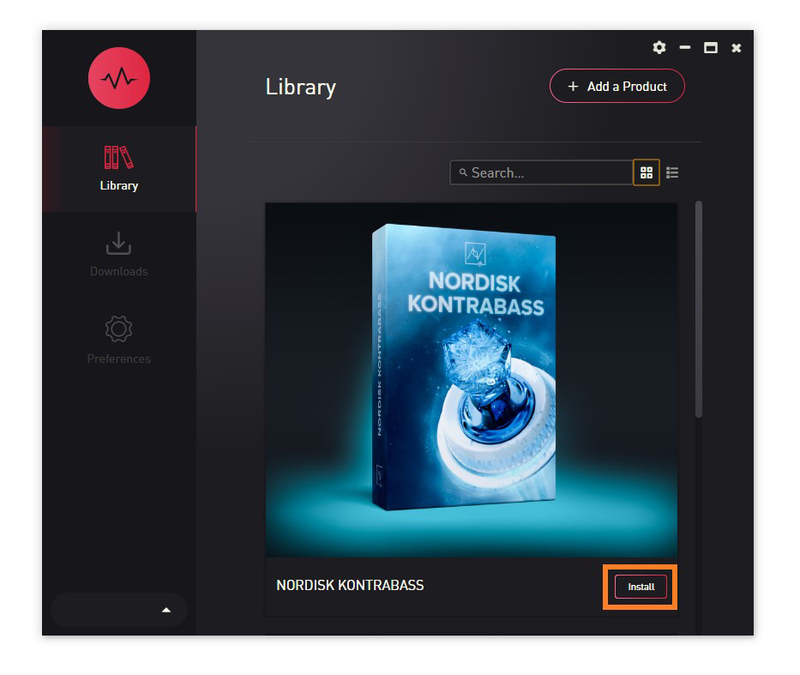
7. Click 'Install'.

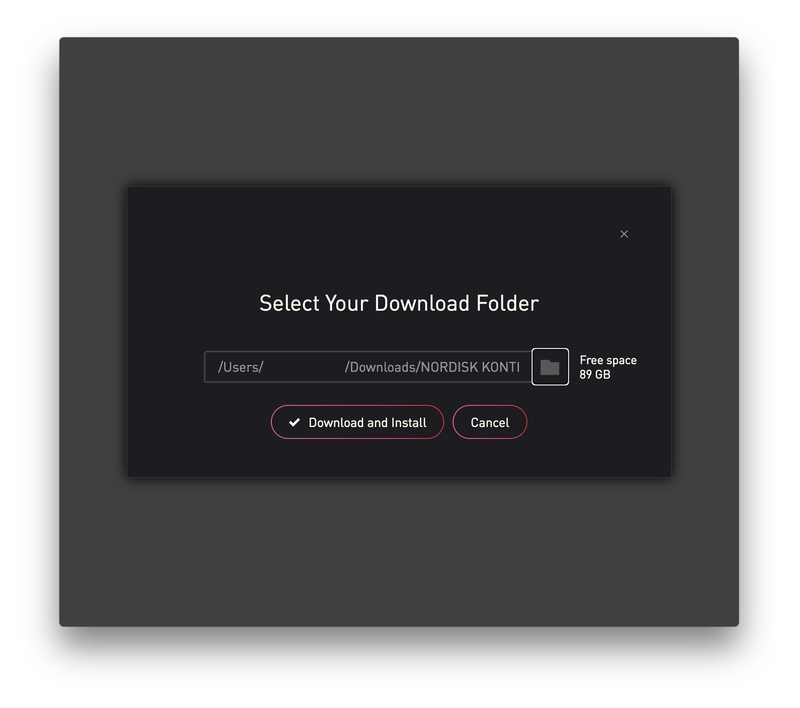
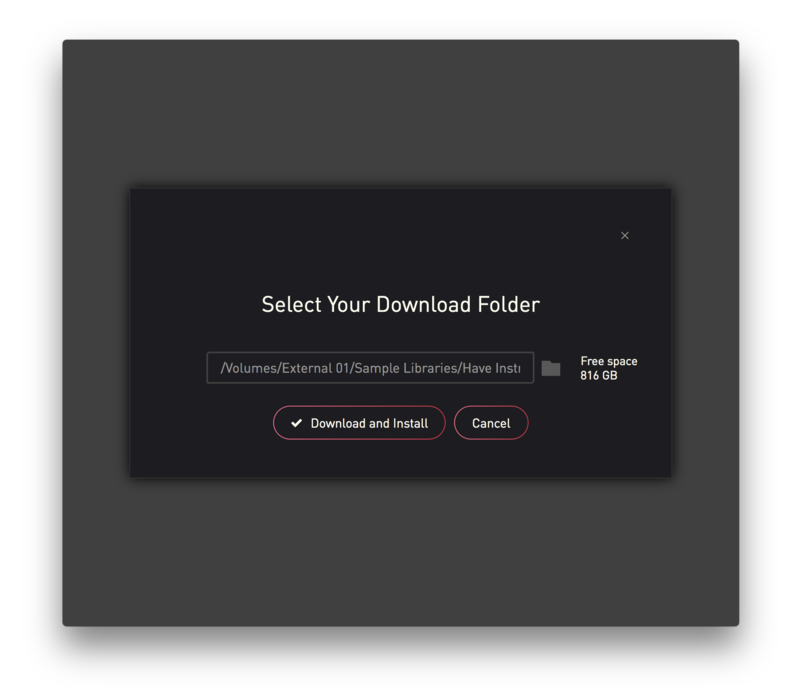
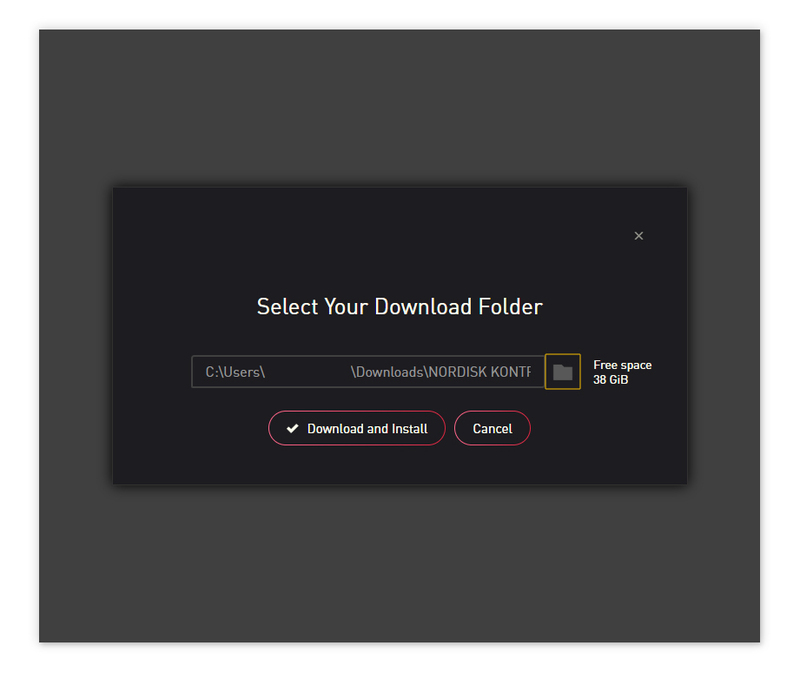
8. Click the folder icon to select the installation location for your library.

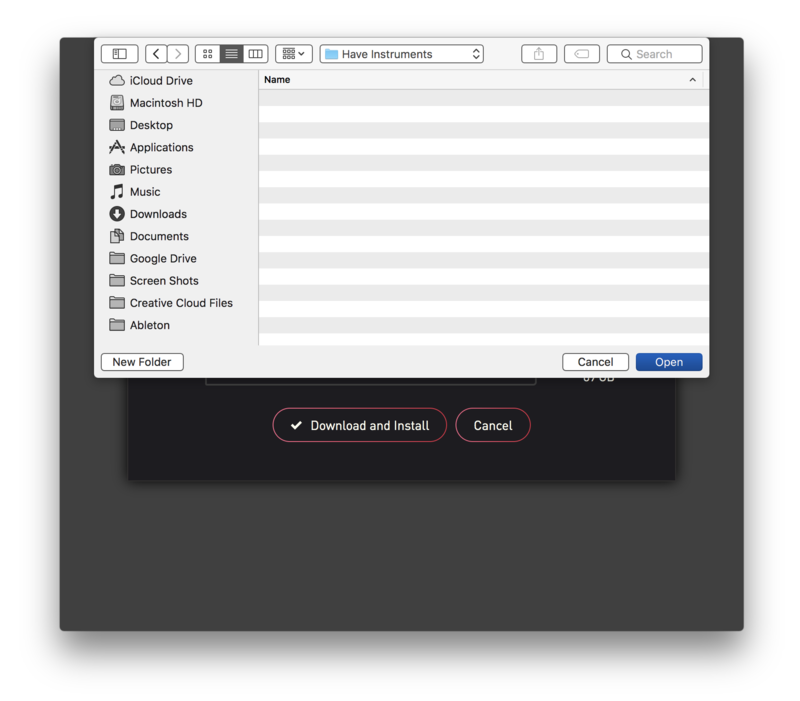
9. Choose your installation location > Click 'Open'.

10. Click 'Download and Install'.

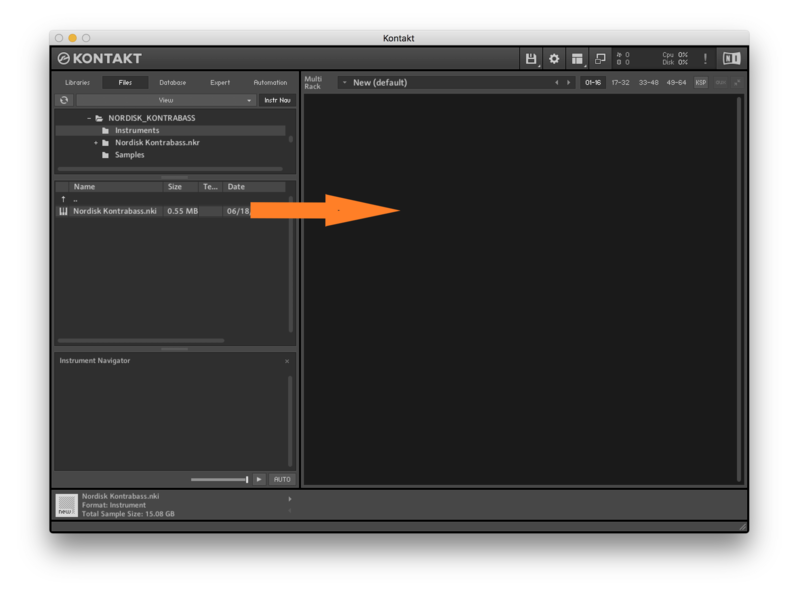
11. Open Kontakt > Select the 'Files' tab and navigate to your installed Kontakt library > Click and drag the .nki file into the empty window.

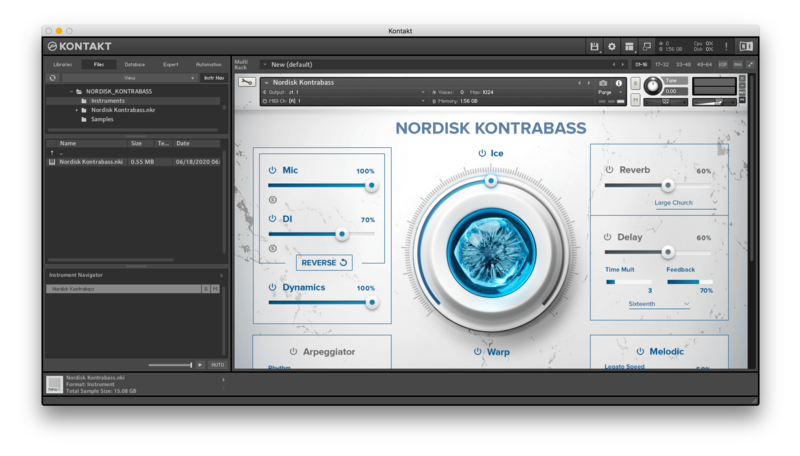
Your Kontakt Instrument is now installed and ready to use.

Batch Re-save Instructions
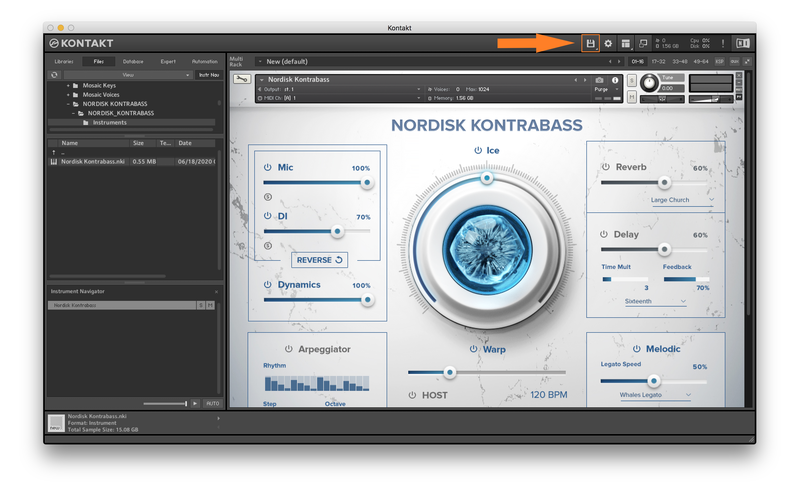
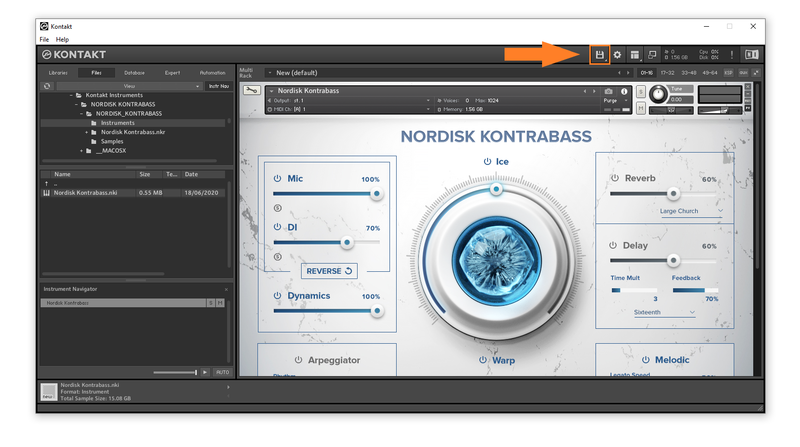
1. Within Kontakt, click the floppy disk icon.

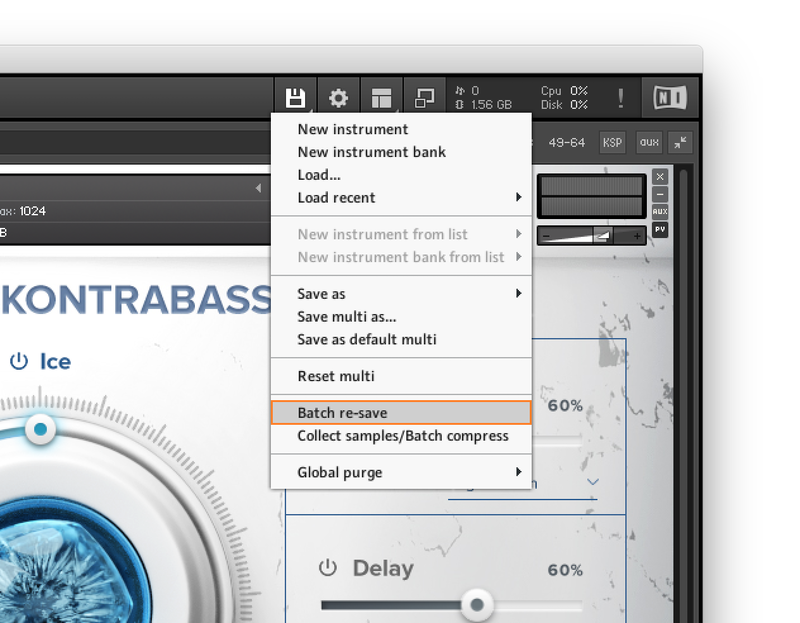
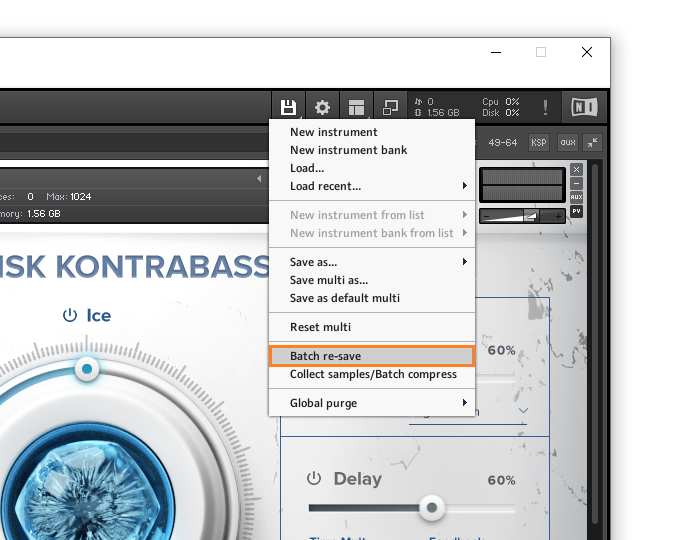
2. From the drop-down menu, click 'Batch re-save'.

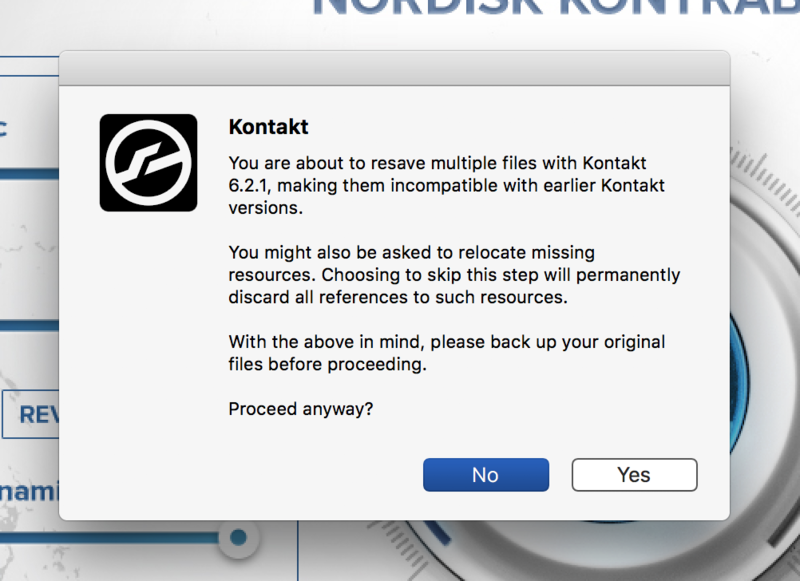
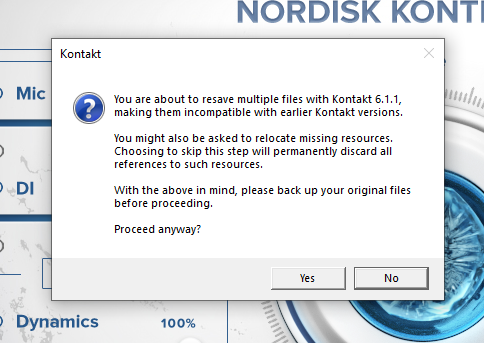
3. Click 'Yes'.

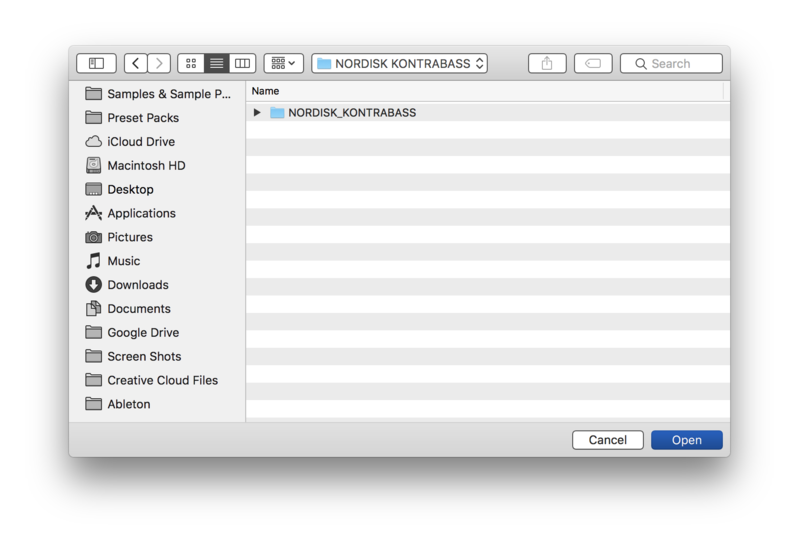
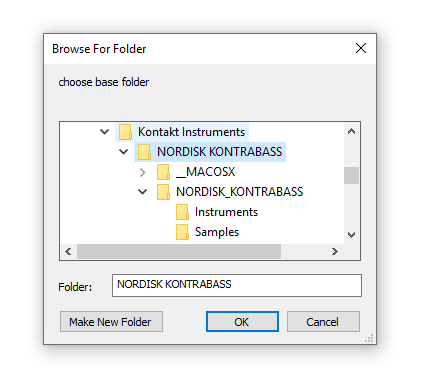
4. Navigate to the installation location for your Kontakt library > Click 'Open'.

Batch re-save is now complete and you can expect to see quicker loading times for your Kontakt Instrument.

Windows
Installation
1. Go to https://pulsedownloader.com/ > Click 'Download for Windows' to download the Pulse application installer.

2. Open the .exe file to install the Pulse application > Open Pulse and click 'Register'.

3. Enter your Email Address and Password > Check the box that states 'I agree to the terms of use and privacy policy' > Click 'Register'.

4. Click 'Add a Product'.

5. Enter your 32-digit serial key, found within the serial number section of your Plugin Boutique User Account > Click 'Redeem'.

6. Click 'Install'.

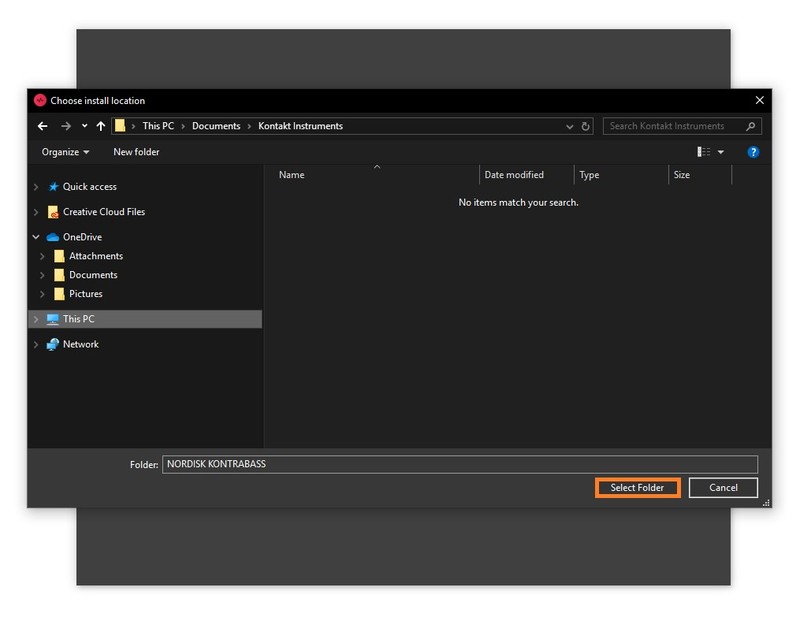
7. Click the folder icon to select the installation location for your library.

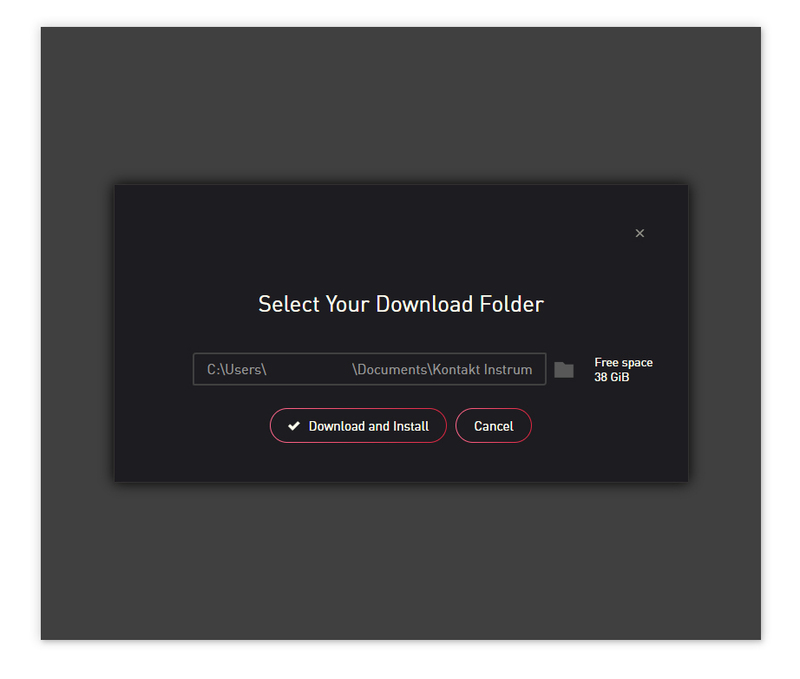
8. Choose your installation location > Click 'Select Folder'.

9. Click 'Download and Install'.

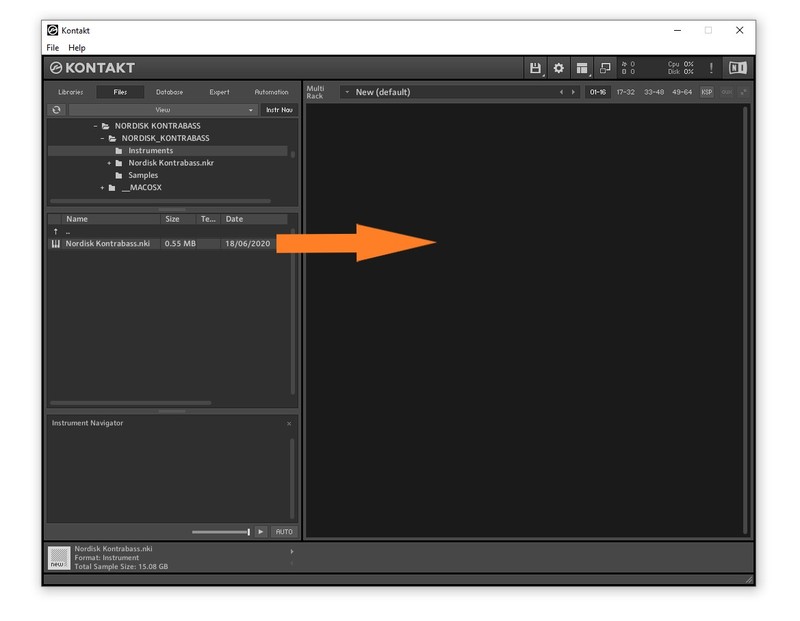
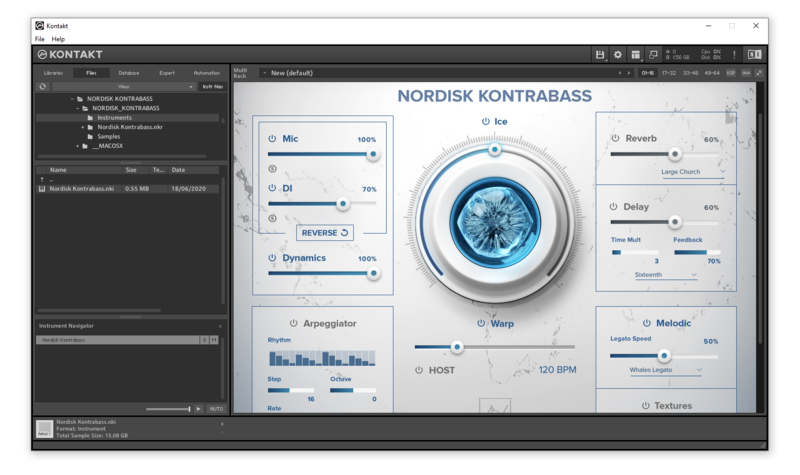
10. Open Kontakt > Select the 'Files' tab and navigate to your installed Kontakt library > Click and drag the .nki file into the empty window.

Your Kontakt Instrument is now installed and ready to use.

Batch Re-save Instructions
1. Within Kontakt, click the floppy disk icon.

2. From the drop-down menu, click 'Batch re-save'.

3. Click 'Yes'.

4. Navigate to the installation location for your Kontakt library > Click 'Ok'.

Batch re-save is now complete and you can expect to see quicker loading times for your Kontakt Instrument.