Log In

Free gifts available with your purchase
Keepforest’s FERRUM, produced by Vladislav Martirosov and Arseni Khodzin, is a modern trailer percussion powerhouse with a huge variety of cinematic percussion from epic and massive cinematic hits, punches, anvils and doors impacts to cymbals, bells, tiny metals and metallic foley.
The Full Edition includes 23 patches with a total of 550 notes, each of which has up to 16 round-robins with several mic positions as well as velocity layers resulting in thousands of unique hand-crafted samples of the highest quality.
Compatible with Free Kontakt Player and Native Instruments Hardware.
Features
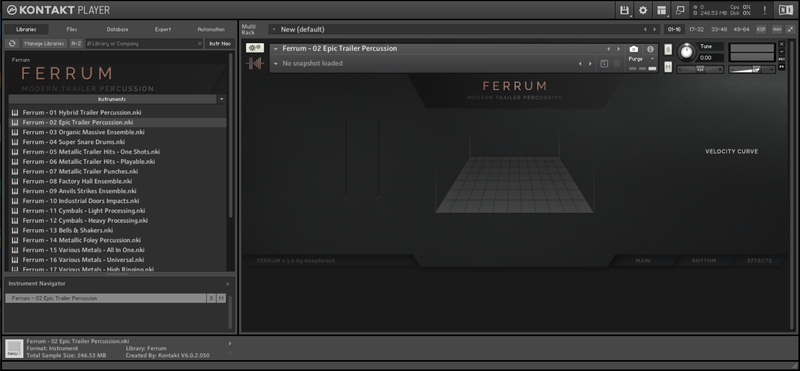
- Built-in Step Sequencer to make creating complex rhythms easier than ever;
- Quick Stage Placement module which can work independently for each note;
- Multiple Playback Modes including Doubling and Ensemble;
- Convenient Effects Rack for quick sound processing inside the instrument;
- Dozens of Snapshots to unleash the full creative potential.
Wav Folder Contents (over 1500 files):
Trailer Elements (One-Shots)
- 90 Sub Booms
- 52 Metallic Trailer Hits
- 48 Organic Trailer Hits
- 14 SFX Trailer Hits
- 25 Trailer Impacts
- 41 Whooshes & Transitions
- 84 Bonus Trailer SFX
Trailer Percussion (Round Robin):
- 70 Trailer Percussion RR
- 40 Trailer Rolls RR
- 141 Metallic Percussion RR
- 55 Metallic Foley RR
- 88 Cymbals RR
Trailer Loops:
- 35 Main Hits
- 80 Fast Drums
- 93 Fills & Build-ups
- 253 Metallic Loops
- 36 Full Percussion Loops
Trailer Stems:
- 259 Trailer Stems + Layers
System Requirements
- Kontakt Library - 5.04 GB of Disk Space
- Wav Folder (48 kHz / 24 bit) - 3.40 GB of Disk Space
- Native Instruments Kontakt 6.0.2+ (works with the FREE Kontakt Player)
- Compatible with hardware by Native Instruments
Please Note: This product is compatible with the FREE Kontakt Player as well as Native Instruments hardware.