Buy Bansuri Bundle, get a free gift with purchase:
A Bansuri like you have never heard!
Have Audio captured beautiful performances on a deep-sounding Bansuri in B played by multi-instrumentalist Patxi Pascual.
They then forged these into their Double Espresso Engine to create a highly powerful sound device with a fresh approach: cinematic, mystical and magical, all in one bundle.
Playable sustained articulations, unique textures, tons of phrase fragments you can tweak, tempo-sync and tempo-stretch in real time to create your unique melodies and, last but not least, a crazy beatbox machine made out of a bansuri!
Great acoustic samples and unique built-in effects for you to sound like no one else.
Bansuri Double Espresso Phrases
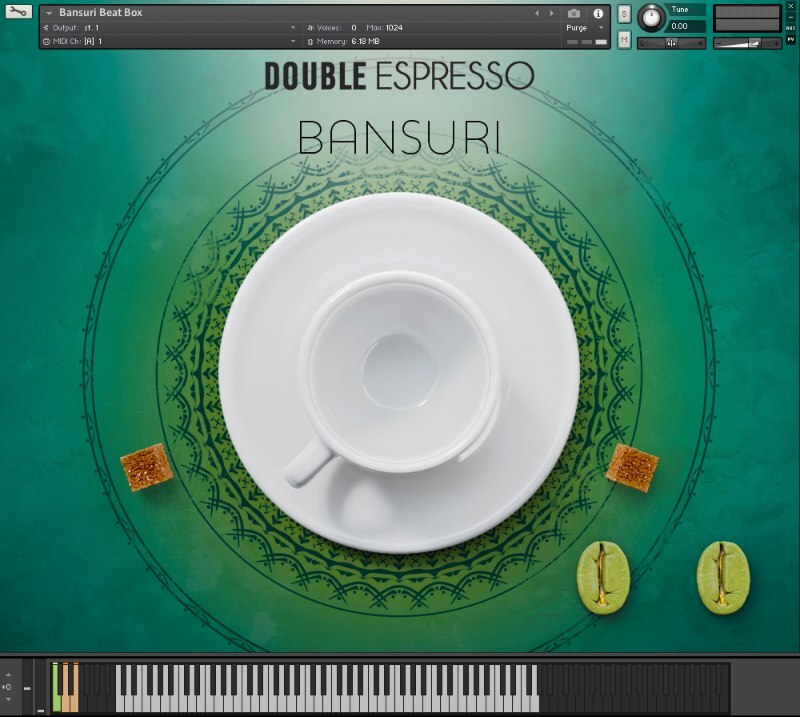
- 396.2 MB uncompressed file size
- 1 .nki file
- 230 samples
- 6 Key Switches / Sound Banks (all banks include an octave of hybrid ethnical pedal tones to create mystical moods in seconds)
- 21 Phrases originally recorded at 120 bpm
- 16 Phrases originally recorded at 90 bpm
- 24 Phrases originally recorded at 80 bpm
- 21 Phrases originally recorded at 140 bpm
- 16 Phrases originally recorded at 120 bpm
- 11 Phrases originally recorded at 60 bpm
- Built-in FX List - Blend FX + Tempo Sync + Time Stretch + Infinite Delay + B Mystic Pedal Tone FX (with subtle LFO- modulated Filter Cut-off) + Tube Distortion FX.
Bansuri Double Espresso Harmonic
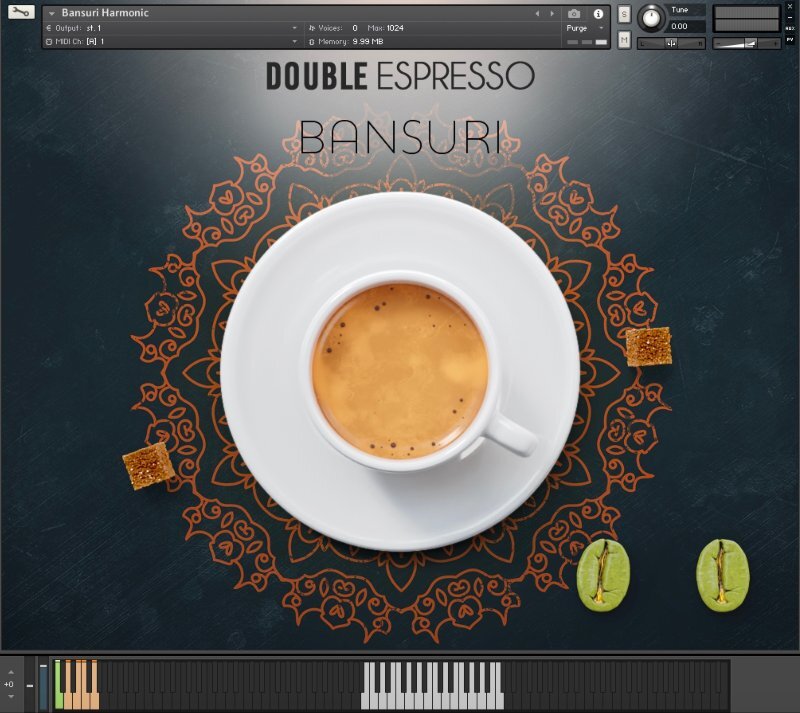
- 252.1 MB uncompressed file size
- 1 .nki file
- 86 samples
- 5 key switches / sound banks:
- Airy Notes
- Sustained Notes
- Eolo Notes
- Vibrato Air Notes
- Overtone Textures
- Built-in FX List - Large Cinematic Reverb + Overtone FX + Ad Libitum FX + B Pedal Tone FX + Space Saw FX (with subtle LFO- modulated Filter Cut-off) + Tube Distortion FX.
Bansuri Double Espresso Beatbox
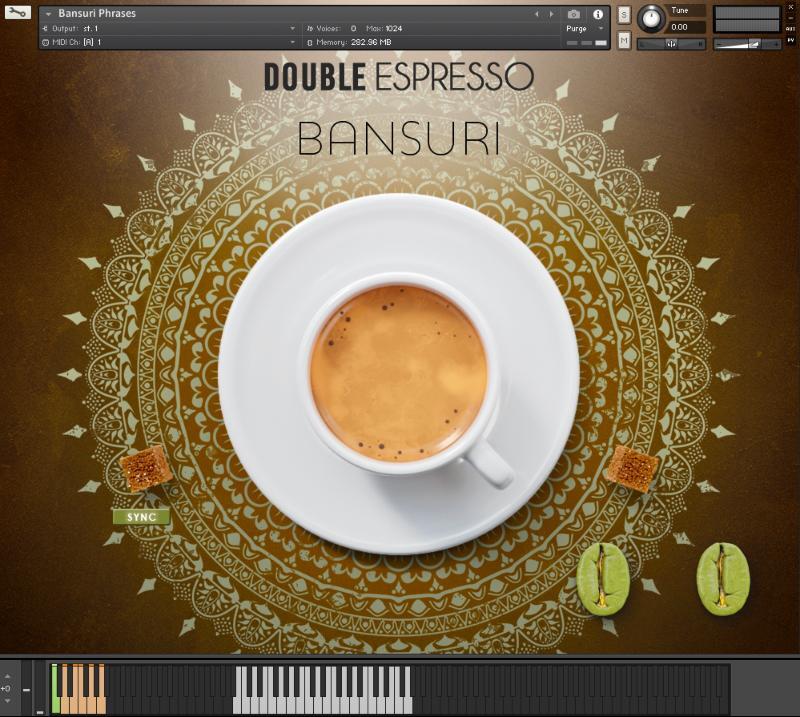
- 107.8 MB Uncompressed file size
- 1 .nki file
- 70 samples
- 3 Key Switches / Sound Banks Instruments:
- All Kits / Elements
- Tuned Hits #1
- Tuned Hits #2
- Built-in FX List - Granular March (Rhythmic FX) + Rising March (Rhythmic FX) + G Mixo-drone FX + Nasty Distortion + Room full of Mirrors (Rhythmic FX) (with subtle LFO- modulated Filter Cut-off) + Tube Distortion FX.
System Requirements
- FULL version of Kontakt 5.6.8+ required (NOT compatible with the FREE Kontakt Free Player)
- 756.1 MB uncompressed total file size.

![]()
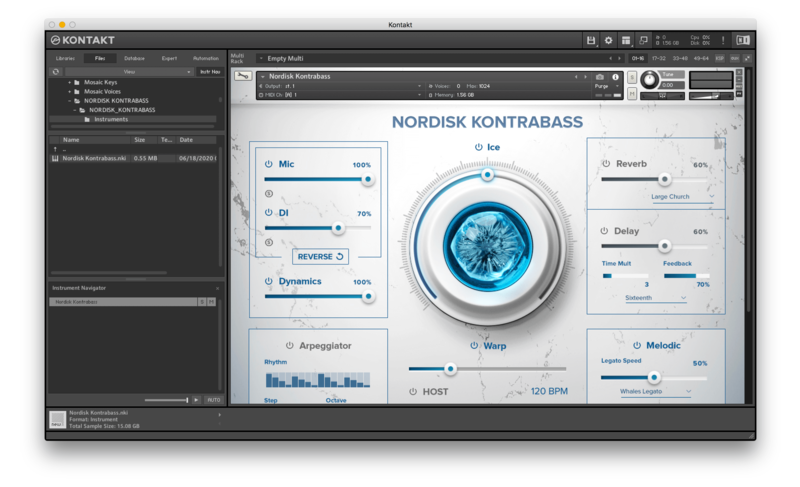
Please note: Nordisk Kontrabass is used as an example as the installation process is the same for all Have products.
Mac
Installation
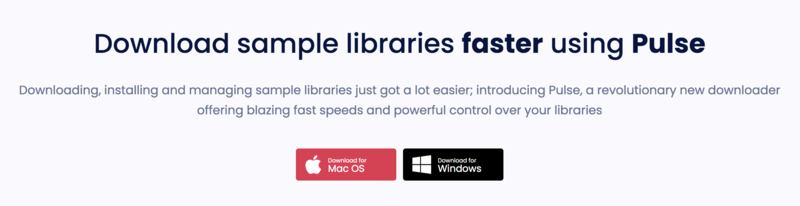
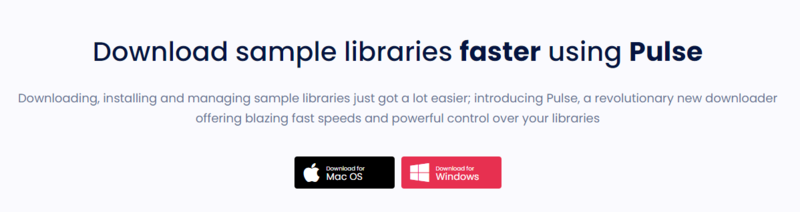
1. Go to https://pulsedownloader.com/ > Click 'Download for Mac OS' to download the Pulse application installer.

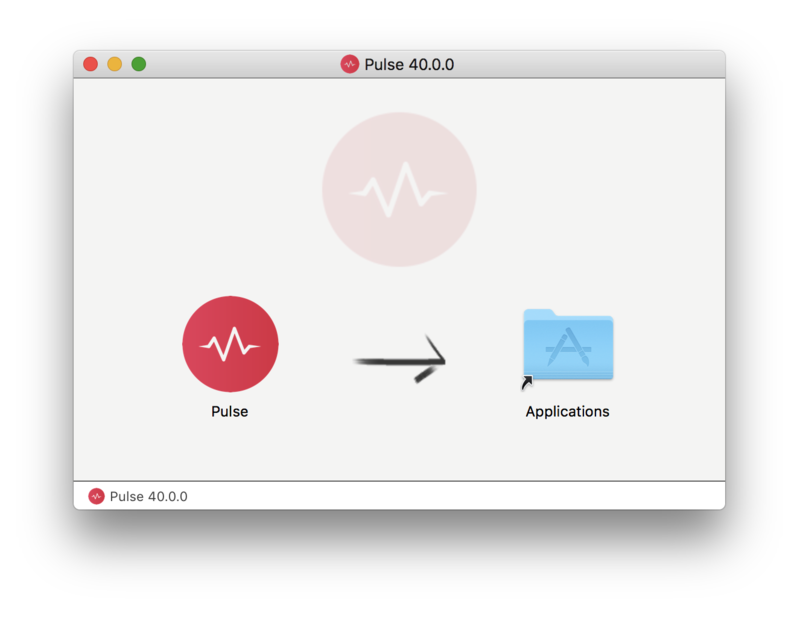
2. Open the .dmg file > Click and drag the application icon into the applications folder.

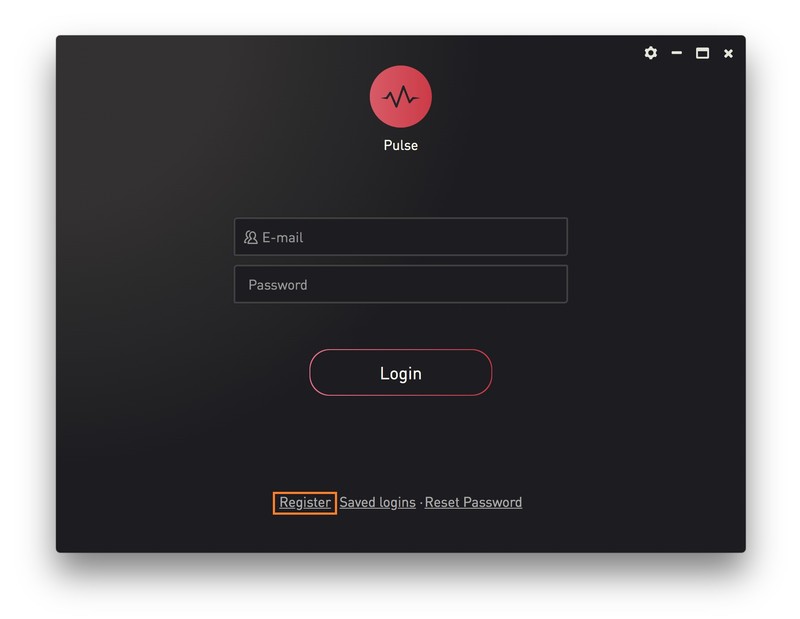
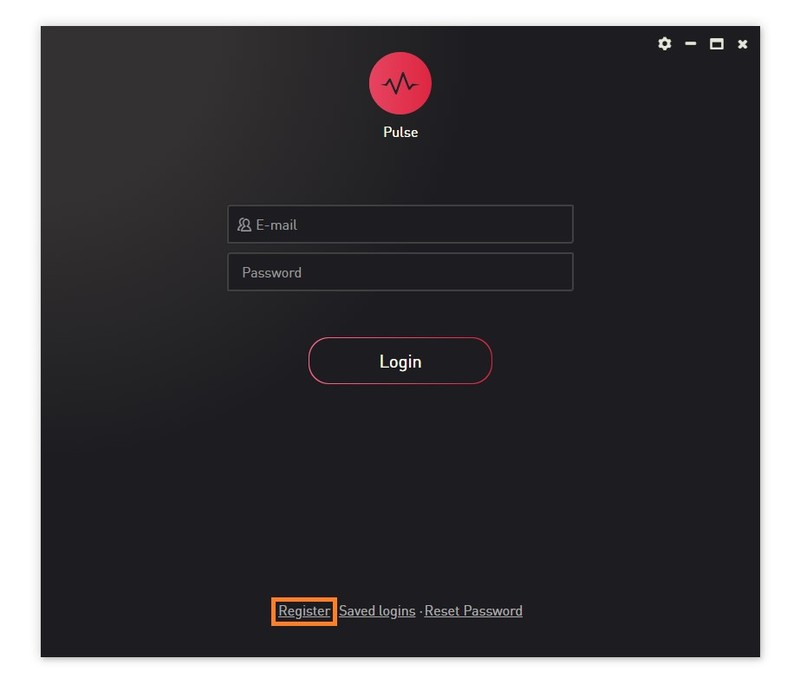
3. Open the Pulse application > Click 'Register'

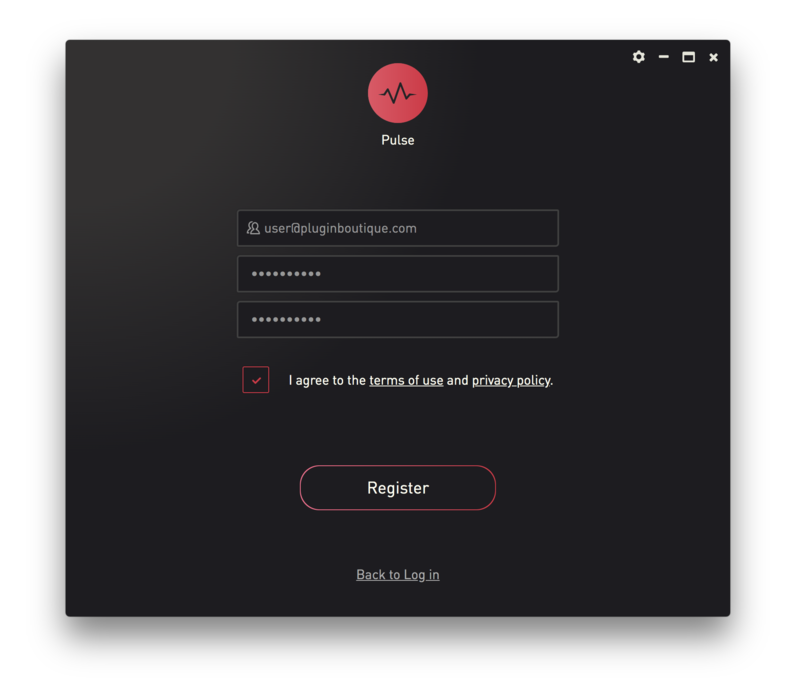
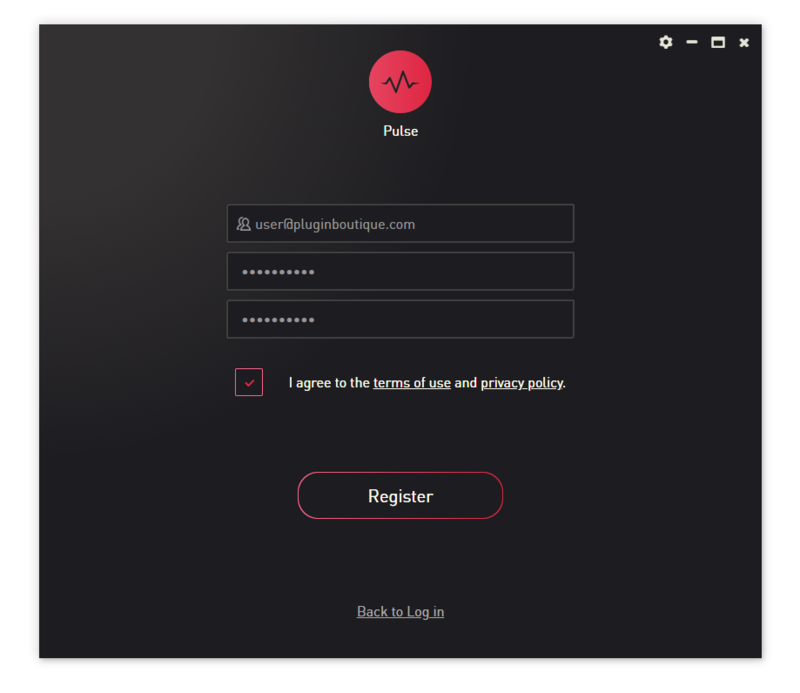
4. Enter your Email Address and Password > Check the box that states 'I agree to the terms of use and privacy policy' > Click 'Register'.

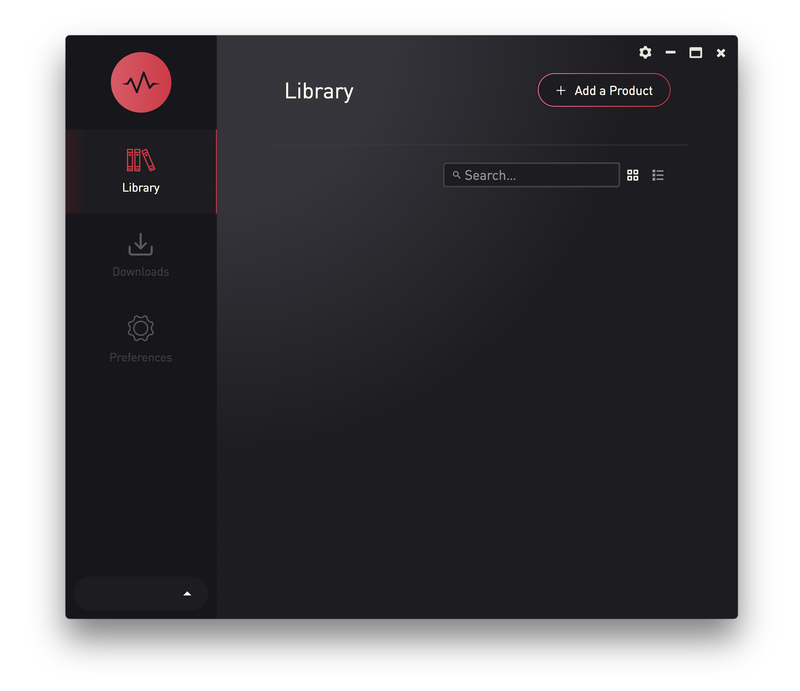
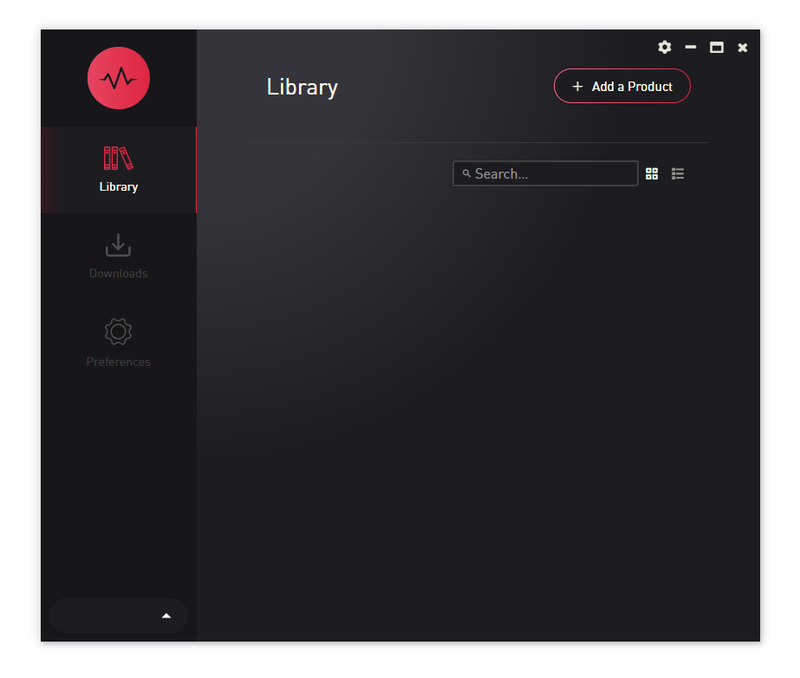
5. Click 'Add a Product'.

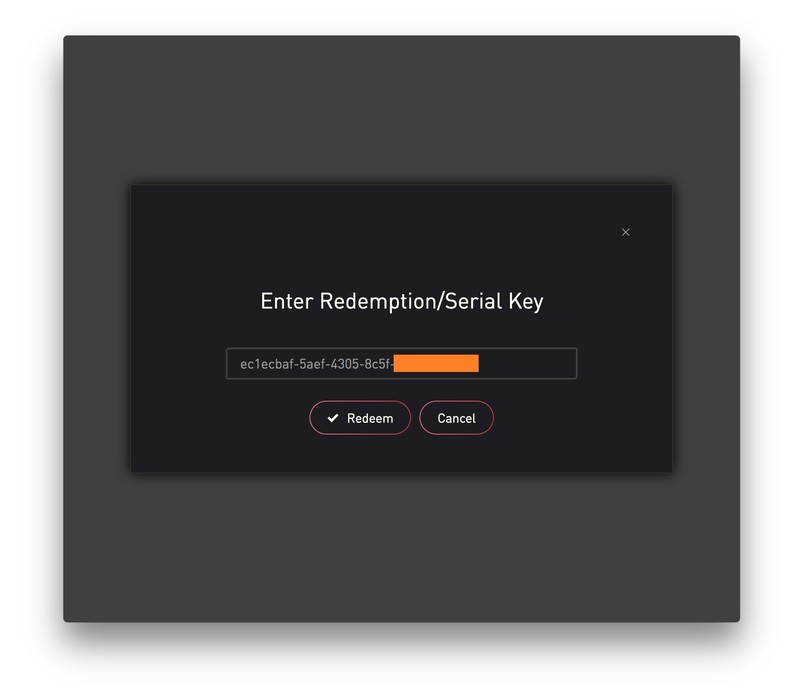
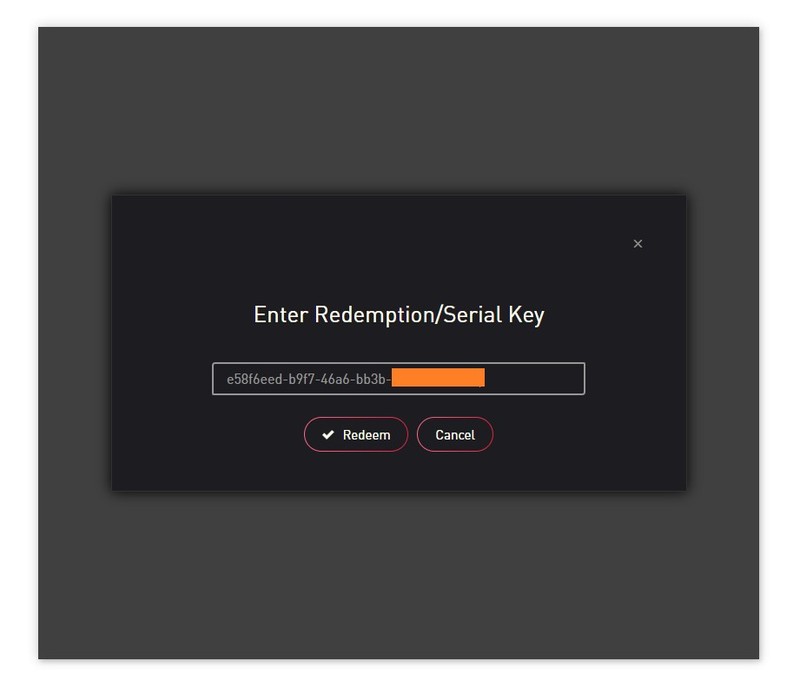
6. Enter your 32-digit serial key, found within the serial number section of your Plugin Boutique User Account > Click 'Redeem'.

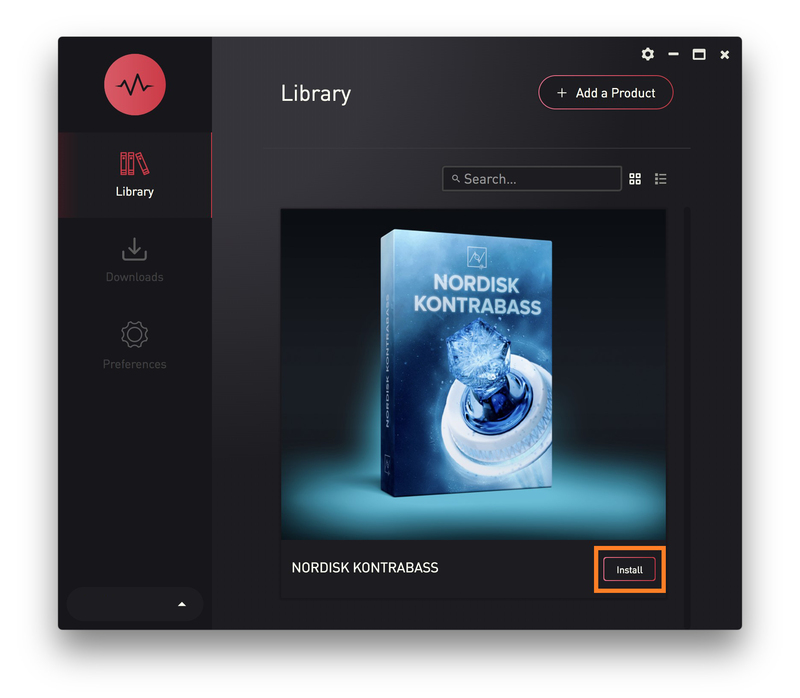
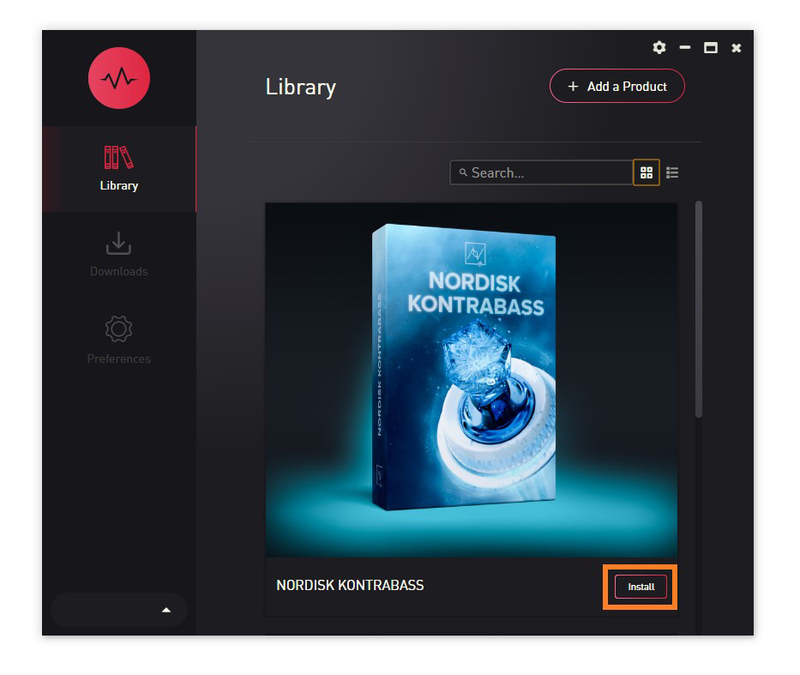
7. Click 'Install'.

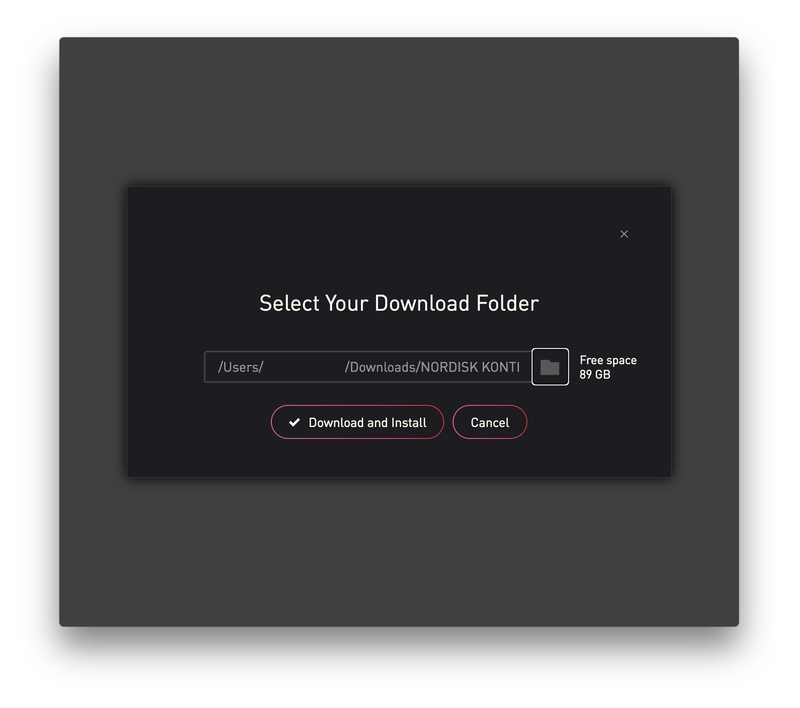
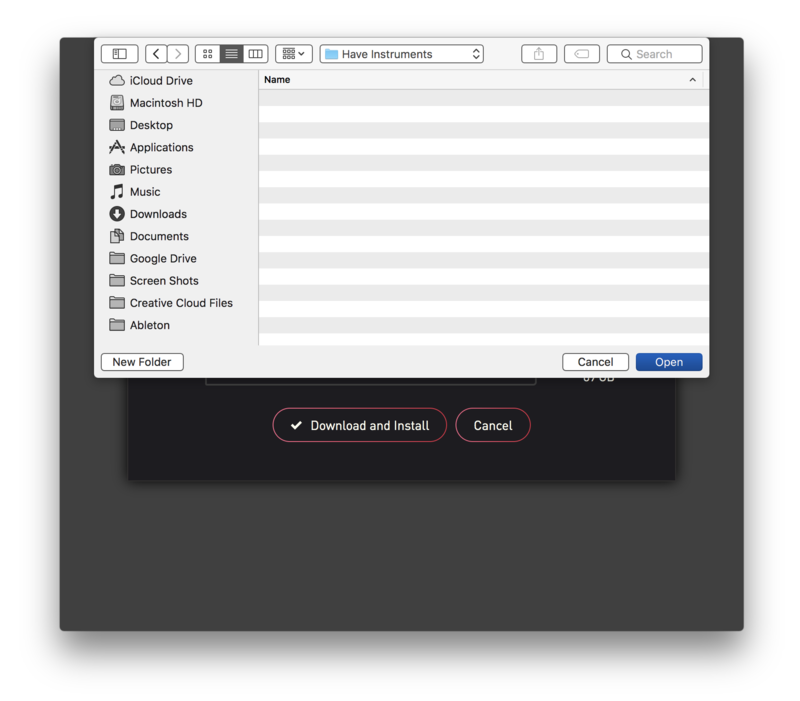
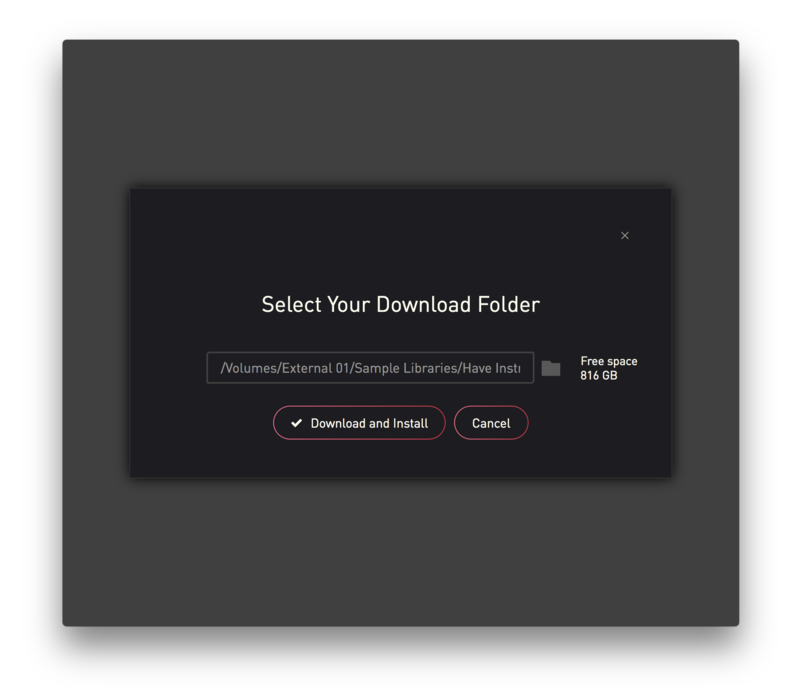
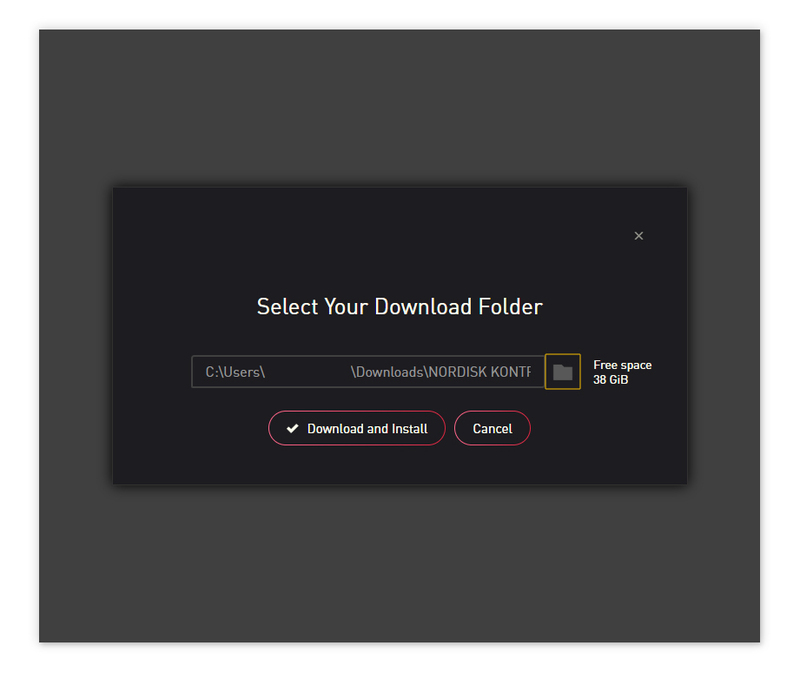
8. Click the folder icon to select the installation location for your library.

9. Choose your installation location > Click 'Open'.

10. Click 'Download and Install'.

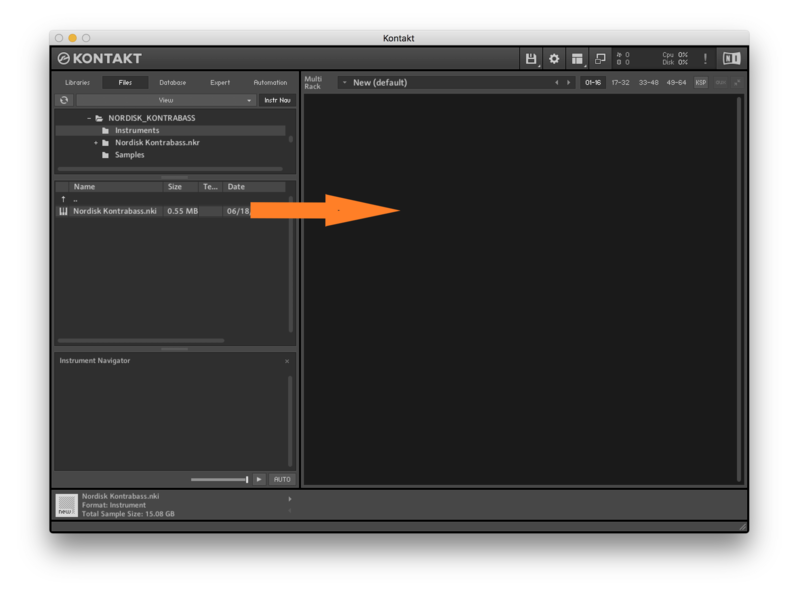
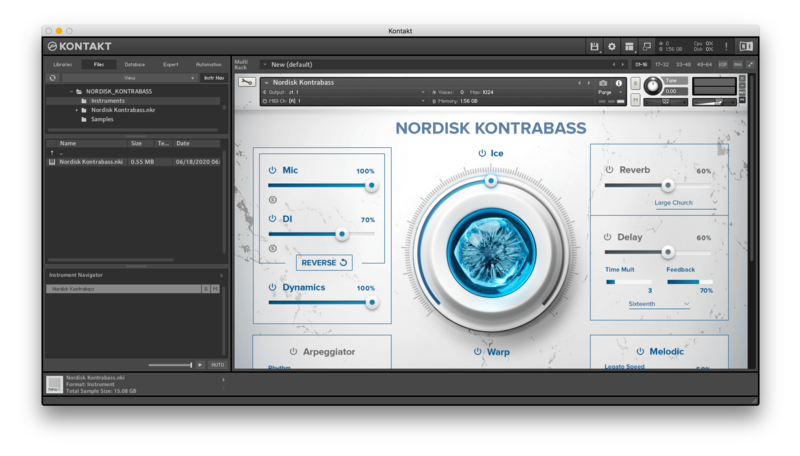
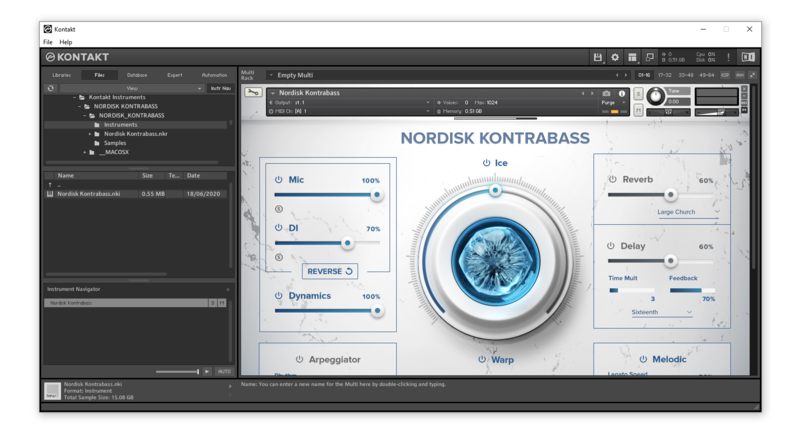
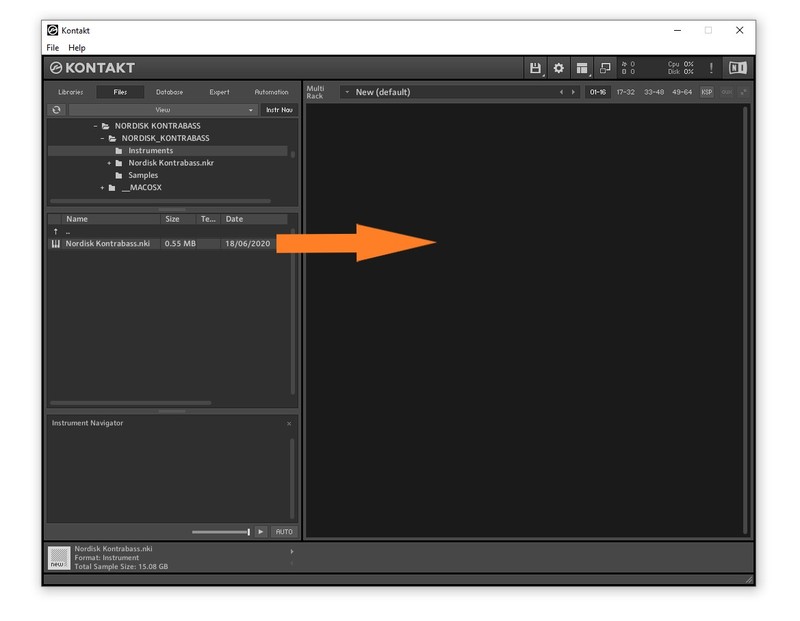
11. Open Kontakt > Select the 'Files' tab and navigate to your installed Kontakt library > Click and drag the .nki file into the empty window.

Your Kontakt Instrument is now installed and ready to use.

Batch Re-save Instructions
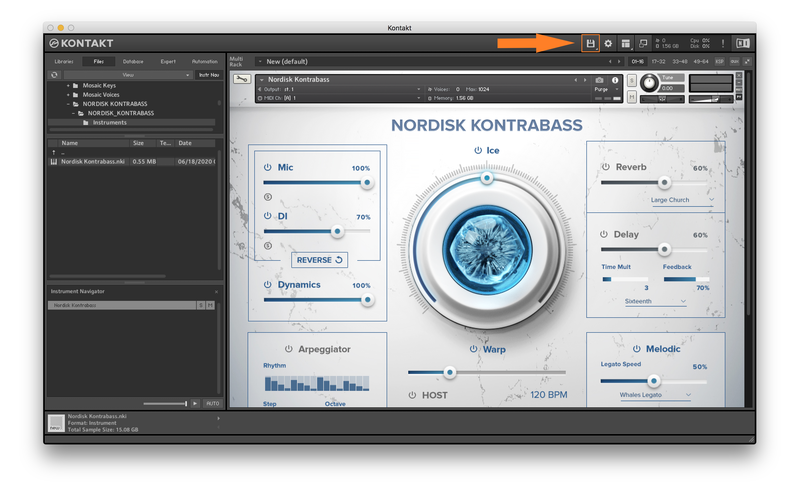
1. Within Kontakt, click the floppy disk icon.

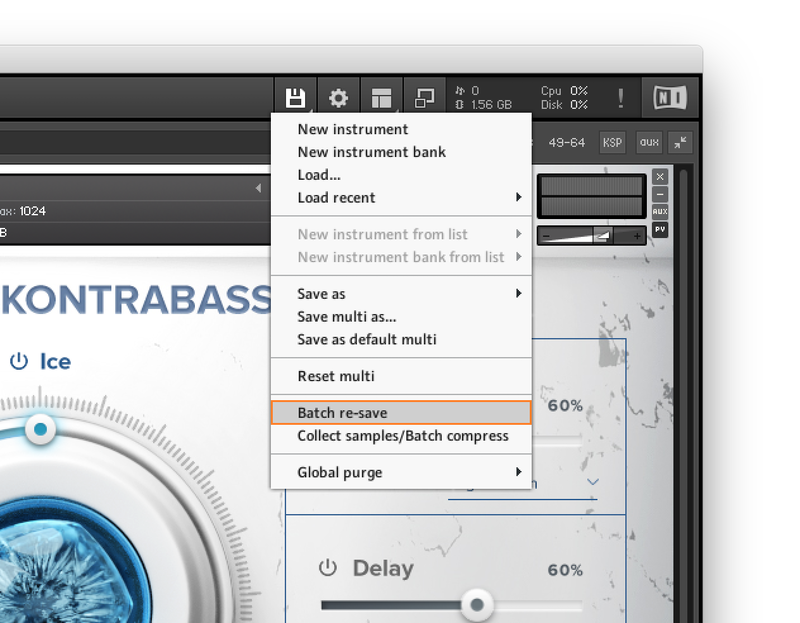
2. From the drop-down menu, click 'Batch re-save'.

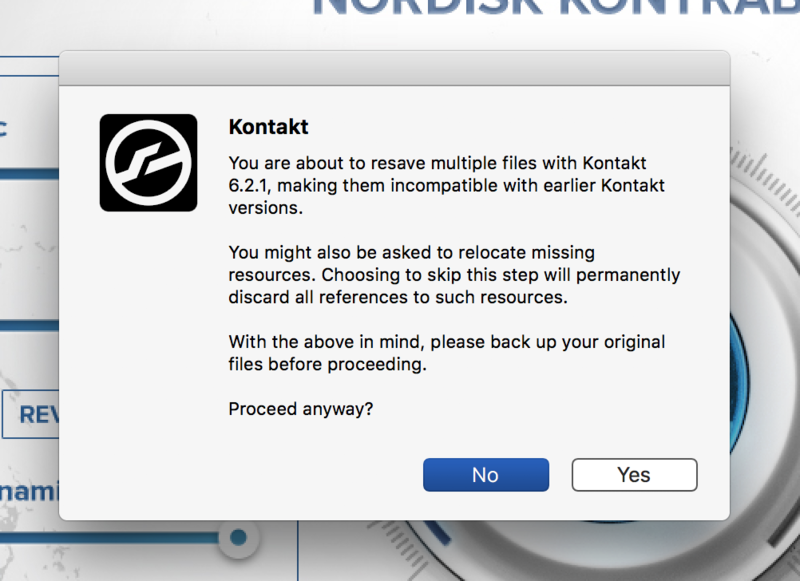
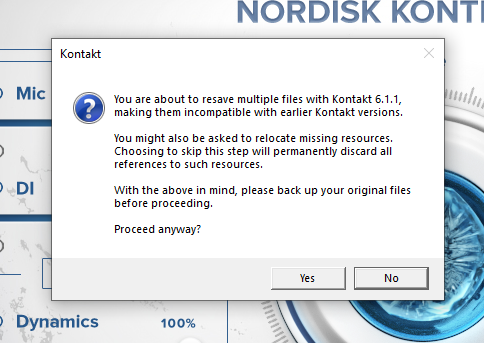
3. Click 'Yes'.

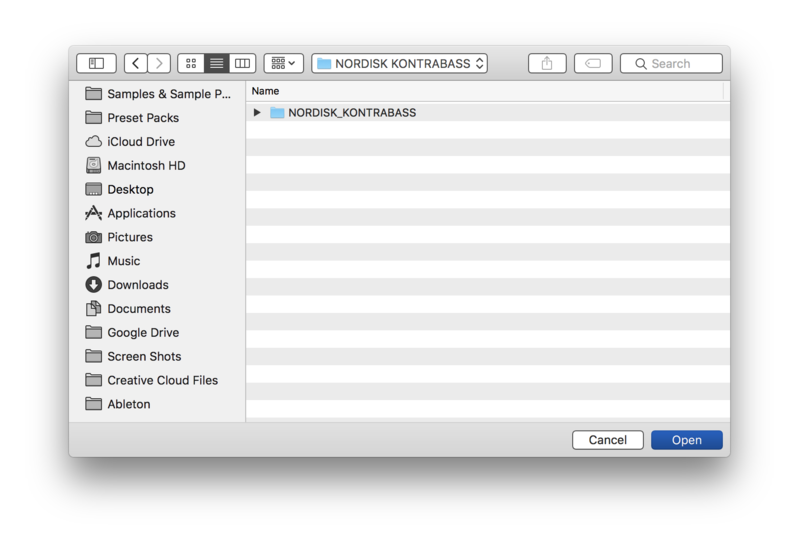
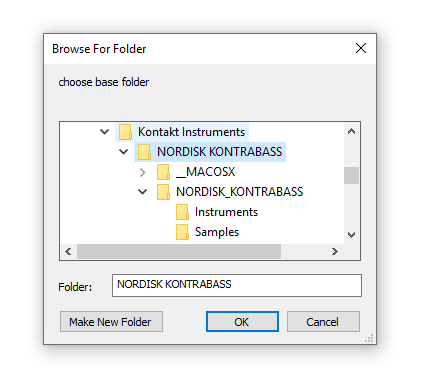
4. Navigate to the installation location for your Kontakt library > Click 'Open'.

Batch re-save is now complete and you can expect to see quicker loading times for your Kontakt Instrument.

Windows
Installation
1. Go to https://pulsedownloader.com/ > Click 'Download for Windows' to download the Pulse application installer.

2. Open the .exe file to install the Pulse application > Open Pulse and click 'Register'.

3. Enter your Email Address and Password > Check the box that states 'I agree to the terms of use and privacy policy' > Click 'Register'.

4. Click 'Add a Product'.

5. Enter your 32-digit serial key, found within the serial number section of your Plugin Boutique User Account > Click 'Redeem'.

6. Click 'Install'.

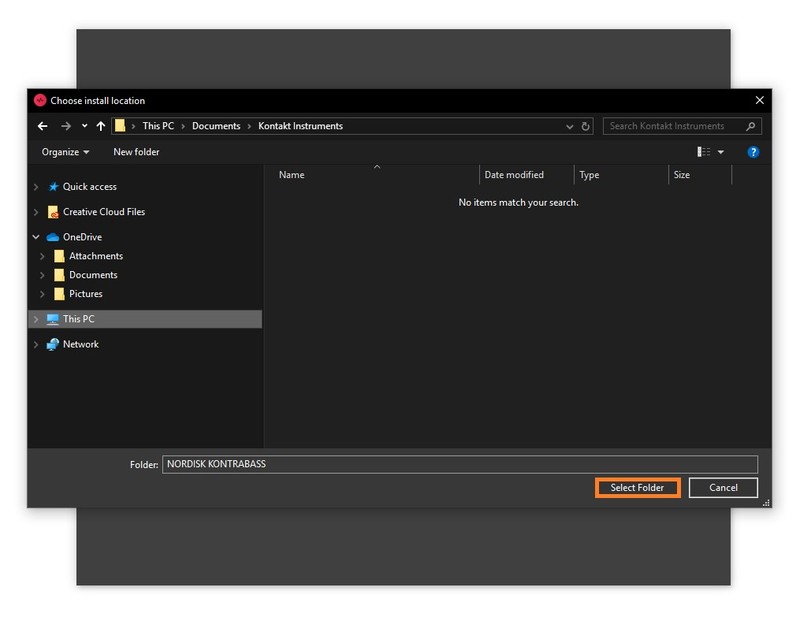
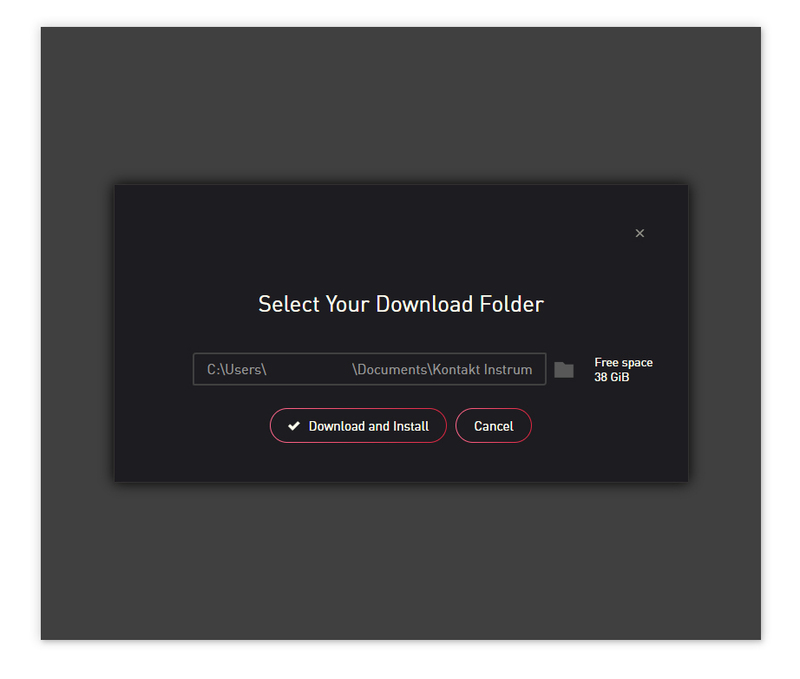
7. Click the folder icon to select the installation location for your library.

8. Choose your installation location > Click 'Select Folder'.

9. Click 'Download and Install'.

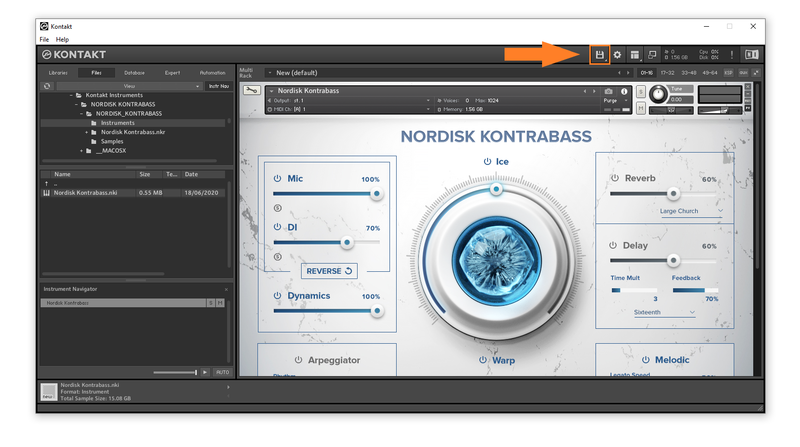
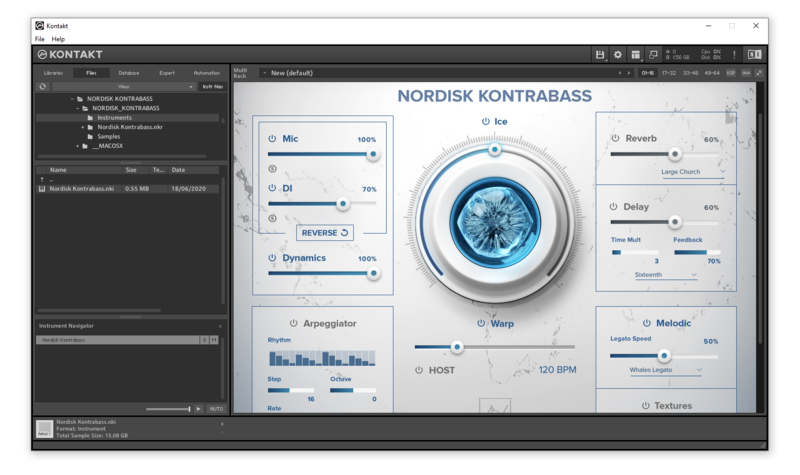
10. Open Kontakt > Select the 'Files' tab and navigate to your installed Kontakt library > Click and drag the .nki file into the empty window.

Your Kontakt Instrument is now installed and ready to use.

Batch Re-save Instructions
1. Within Kontakt, click the floppy disk icon.

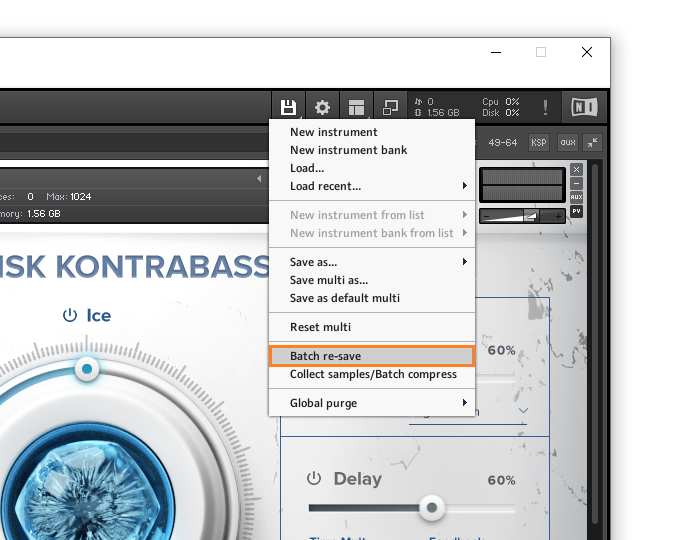
2. From the drop-down menu, click 'Batch re-save'.

3. Click 'Yes'.

4. Navigate to the installation location for your Kontakt library > Click 'Ok'.

Batch re-save is now complete and you can expect to see quicker loading times for your Kontakt Instrument.