/ Kontakt Instrument / Ethnic Flute Phrases
Sonuscore

Ethnic Flute Phrases

5.0 (7 Reviews)
$99.00
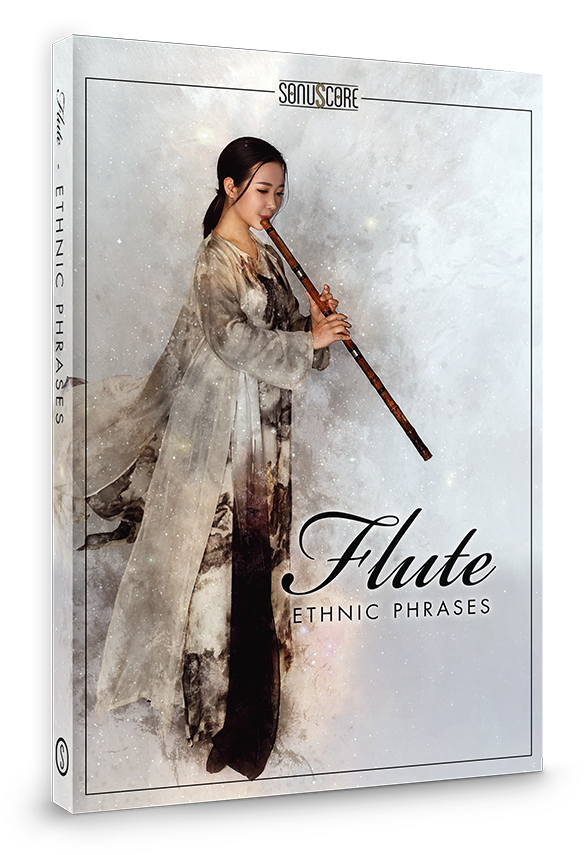
Sonuscore Ethnic Flute Phrases - Main Image
Sonuscore Ethnic Flute Phrases - Demo Video gallery thumbnail
Sonuscore Ethnic Flute Phrases - FX
Buy Now
Product information

A Soulful Marvel

Important note: This product requires a FULL version of Native Instruments' KONTAKT. The free Kontakt player is not sufficient, as it only runs the instrument in DEMO mode.

Ethnic Flute Phrases is the beginning of a new chapter within the success story of Sonuscore's Lyrical Series. It is a toolbox for composers, invented to capture the exceptional magic of live performed instruments. “Ethnic Flute Phrases” sets off to new horizons, offering the incredible expressiveness of four selected Asian flutes. These flutes provide an unbelievable emotional character, which is shaping countless Hollywood scores. The outcome is a versatile and easy-to-use instrument with a big variety of passionate lyrical phrases.
Inspired, live recorded phrases & techniques

The four different flutes cover a huge variety of different styles and techniques: From very simple and efficient phrases, all the way to very virtuoso and strongly characteristic ones. All of them can be adjusted in key, speed, length, succession and connection. This guarantees the perfect fit for its human touch in all styles and moods.

Clean and intuitive interface

Inspired by the Sonuscore Lyrical Series, this instrument is created with the same intuitive and easy to use interface that gives you instant access to the most essential features as well as the freedom to dive deeper to shape your sound as you wish.
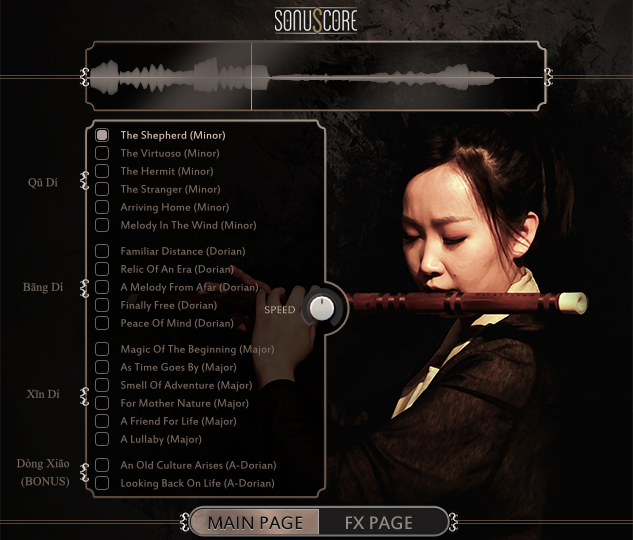
Customizable speed and length

With two short end phrases per theme, you can conclude and switch between passages easily. The speed knob at the centre allows precise timing control. All phrases were recorded to fit multiple tempi and remain expressive without a set meter.

Legato instruments included

To merge the powers of both traditional and phrase-based sampling, three legato solo flutes have been included. They provide two additional playing techniques for you.  Either to connect or to advance existing phrases, or even to craft your own ones. Be prepared to implement your creative vision with ease into your scores.

Starting, middle and end phrases

Each theme comes with 15 different phrases (starting, middle and end phrases). They are designed to perfectly fit your track. In addition, there are two short endings per theme to quickly end a phrase. This setup gives you the freedom to conveniently combine different phrases the way you want.
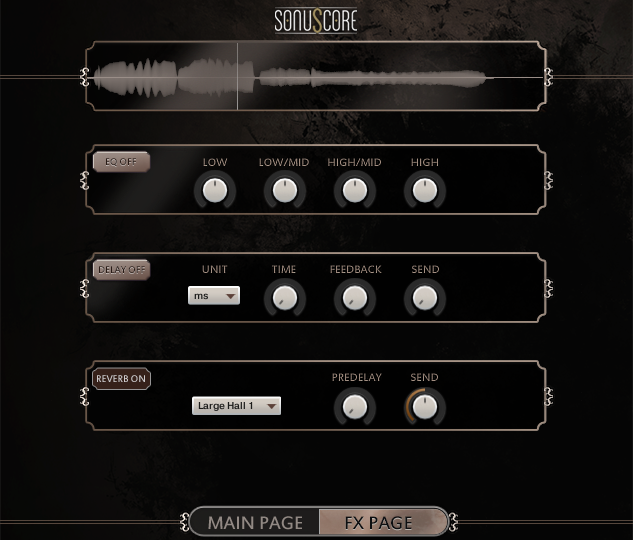
Features

  • 900+ matchless and live performed phrases
  • 17 diverse themes
  • 4 Asian flutes
  • 3 legato instruments
System Requirements
  • Full version of Native Instrument’s KONTAKT 5 (version 5.8.1 or higher) or Steinberg’s free HALion Sonic
  • Intel Core 2 Duo processor recommended
  • Mac OSX.10.11 or higher
  • Windows 7 or higher
  • 4GB RAM
  • at least 2GB of free hard disc space
Installation Instructions

Redemption

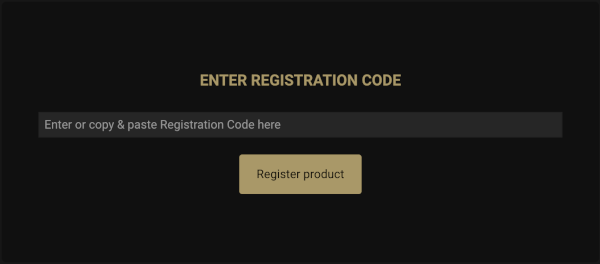
1. Go to the Sonuscore Product Registration website, and either log in or create an account

2. Enter your license code found in your Plugin Boutique account.

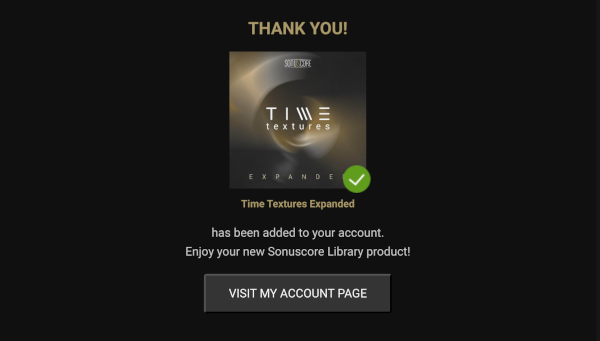
3. Visit your Sonuscore Account Page by following the link

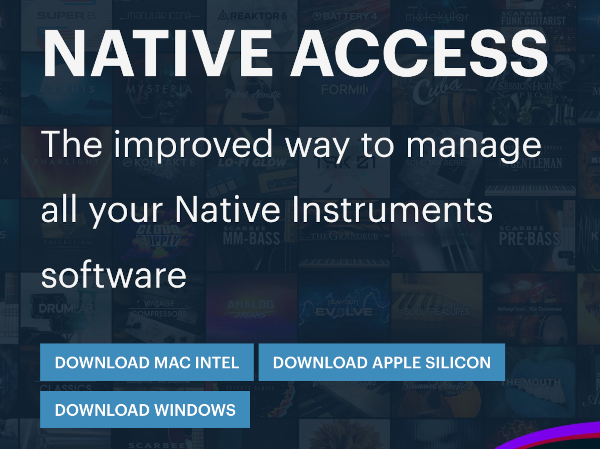
4. Either open the document to view the Native Access download instructions, or visit the Native Access installer download website

5. Download the correct Native Access installer for your OS

Mac

1. Download the .dmg installer file from the Native Access installer download website

2. Double-click the .dmg file to install Native Access.

3. Open Native Access > Create a new Native ID if you do not have one already. If you do, skip ahead to step 5.

4. You will then receive an email with a confirmation link > Open the email and click 'CONFIRM EMAIL'.

5. Log in to Native Access with your Native ID.

6. Click 'Add a serial'

7. Enter your Serial Number found in your Plugin Boutique account > Click 'ADD SERIAL'.

8. Click the 'Not installed' tab > Locate Time Textures > Click 'INSTALL'.

9. Time Textures is now installed on your system.

10. Open Kontakt in your DAW > You should see Time Textures on the left sidebar > Click the drop-down bar and drag the .nki file into the middle of the window.

Your software is now ready to use in your DAW!

Windows

1. Download the .zip installer file from the Native Access installer download website

2. Double-click the extracted .exe file to begin the installation process > click ‘Run’.

3. Read the welcome message > click 'Next'.

4. Click 'Next' to begin the installation.

5. Native Access has now been installed > Click 'Finish'.

6. Open Native Access > Create a new Native ID if you do not have one already. If you do, skip ahead to step 8.

7. You will then receive an email with a confirmation link > Open the email and click 'CONFIRM EMAIL'.

8. Log in to Native Access with your Native ID.

9. Click 'Add a serial'.

10. Enter your Serial Number found in your Plugin Boutique account > Click 'ADD SERIAL'.

11. Click the 'Not installed' tab > Locate Time Textures > Click 'INSTALL'.

12. Your new Kontakt Instrument is now installed on your system.

13. Open Kontakt in your DAW > You should see Time Textures on the left sidebar > Click the drop-down bar and drag the .nki file into the middle of the window.

Your software is now ready to use in your DAW!

Plugin Boutique Rewards

Discover the most rewarding loyalty programme among all plugin retailers.

  • Free Loopmasters Samplepacks
  • Discounts on products and courses
  • Extra Virtual Cash claimed immediately at checkout
Find out more

Follow us:

X (Twitter) Facebook YouTube Instagram
Logo Logo

Plugin Boutique Limited, Part of the Beatport Group LLC.

Copyright © 2011-2025 Plugin Boutique. All rights reserved