Log In

Free gifts available with your purchase
Tender, Warm & Deep
Important note: This product requires a FULL version of Native Instruments' KONTAKT. The free Kontakt player is not sufficient, as it only runs the instrument in DEMO mode.
Tar and Chonguri are two incredibly beautiful eastern string instruments. United, they form the perfect couple for the Oirgins Vol. 7 ethnic string plugin. Both amazingly complement each other’s tonal colours and allow a huge variety of timbres.
The instruments
The Tar’s steel strings are plucked with a plectrum, resulting in a very pure and definite sound. Marvellously reflecting the legendary Persian culture, where the Tar has been in existence for hundreds of years.
The Chonguri with its tender silk strings however adds warmth, depth and richness to their joint timbre. An ode to the enchanting Georgian mountain landscapes, where the instrument originates from.
Played together they merge into a completely new and powerful instrument. Origins Vol.7: Tar & Chonguri unites the best of both worlds right at your fingertips. Take your listeners on an exciting and manifold journey to the East
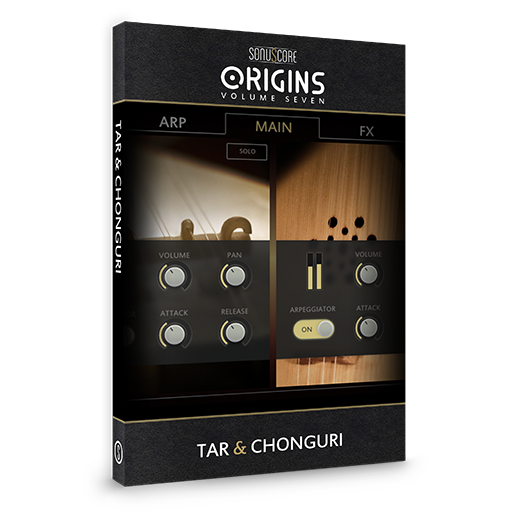
Multi-arpeggio designer
The multi-arpeggio-designer is the centrepiece of every Origins instrument. Two fully customizable arpeggiators create interlocking patterns and broad soundscapes by combining the unique timbres of the two instruments. The engine is designed to convey a musically meaningful, human performance, instead of a computer randomly aligning notes. Load up one of 80+ inspiring presets or create your own arpeggios in as much detail as you like. The MAD provides a variety of different features and controls to realize your musical vision.
For this ethnic string plugin, the Multi-Arpeggio-Designer (MAD) gives a wonderful duet performance when playing chords, melodies or progressions on your keyboard. Play the accented, percussive sequences with the Tar, add the light warm touch of the Chonguri, let both instruments playfully mingle. The Tar offers a wide variety of effects from percussive timbres to ambient pads and more! Round them up using the more empowering and melodious Chonguri
Created your own ingenious arpeggio design and want to use it with another Origins product? Simply copy and paste your design to use it on the fly in any other instrument of the Origins series.
Colours menu
The 12 individual colour presets provide even more possibilities to sculpt your sound. All colours are radically different in character and incorporate various effect settings and multiple impulse responses. While each MAD-Preset has an assigned colour, you can combine everything at will, resulting in over 1000 predefined combinations.
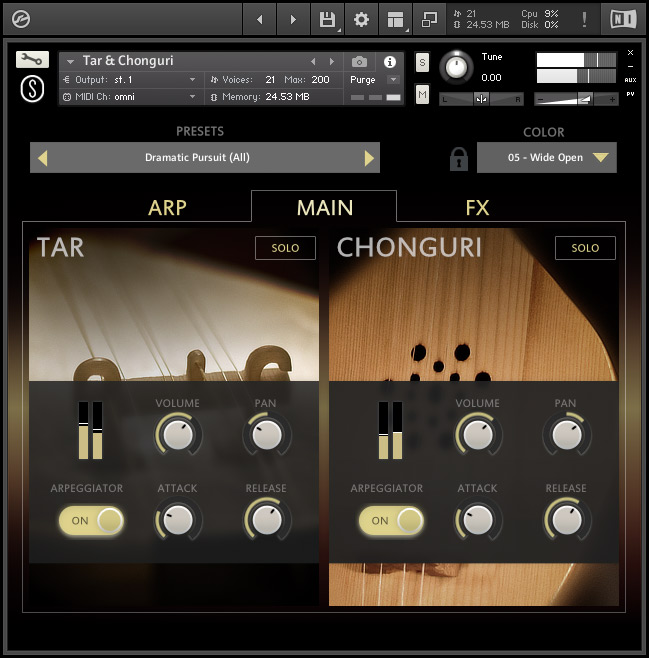
Features
- Two individually playable instruments
- Innovative Multi-Arpeggio-Designer (MAD)
- 80 rhythm presets
- 12 unique color settings
- Full customization of all controls
System Requirements
- Full version of Native Instrument’s Kontakt (version 5.8.1 or higher) – Please note: The free Kontakt player is NOT sufficient.
- Mac OSX 10.11 or higher, Intel Core 2 Duo
- Windows 7 or higher, Intel Core 2 Duo or AMD AthlonTM 64 X2
- 4GB RAM
- At least 110MB of free hard disc space

Important note: The full version of Kontakt (version 5.8.1 or higher) is required to use this instrument. The free Kontakt player will NOT work and will run in demo mode.