Log In

Free gifts available with your purchase
Important note: This product requires a FULL version of Native Instruments' KONTAKT.
Inspiring, Colourful Sounds Of History
Ancient Duduk Phrases lets you travel through space and time. Originating over 1,500 years ago in Armenia, the duduk instrument is listed on the UNESCO Intangible Cultural Heritage List and has found its way into endless music productions. The large reed creates a colorful timbre, perfect for atmospheric soundtracks, and is a wonderful complement to the orchestral palette. This imaginative instrument comes with live recorded phrases and a haunting legato patch.
Anna Mkhitaryan – The Artist Behind Ancient Duduk Phrases
Anna Mkhitaryan is a musician and ethno-music-group leader from Yerevan, Armenia. She graduated with a master’s degree from Komitas State Conservatory of Yerevan in 2011. She is the founder of the international festival of ethnic Armenian music, Tshakhruk, and with her sister leads a cultural center and music group for the physically disabled by the same name.
Anna also plays other spiritual Armenian traditional instruments: the pku and zurna and frequently takes part in recordings and concerts. “When I received the offer from Sonuscore,” Anna says, “I immediately imagined how the Armenian ethnic instrument duduk would be ideal for any film.”
Clean and Intuitive Interface
Inspired by their Lyrical Series, Sonuscore created the same intuitive and easy to use interface that gives you instant access to the most essential features as well as the freedom to dive deeper to shape your sound as you wish.
The duduk has created evocative atmospheres for many hundreds of years. Ancient Duduk Phrases delivers these remarkable sounds from the past, recorded using today’s state-of-the-art technology. All phrases are split into 10 lyrical main themes in three keys (C, F, A) and seven bonus themes in one key each. Every theme is unique in its style and includes sets of expressive and emotive phrases.
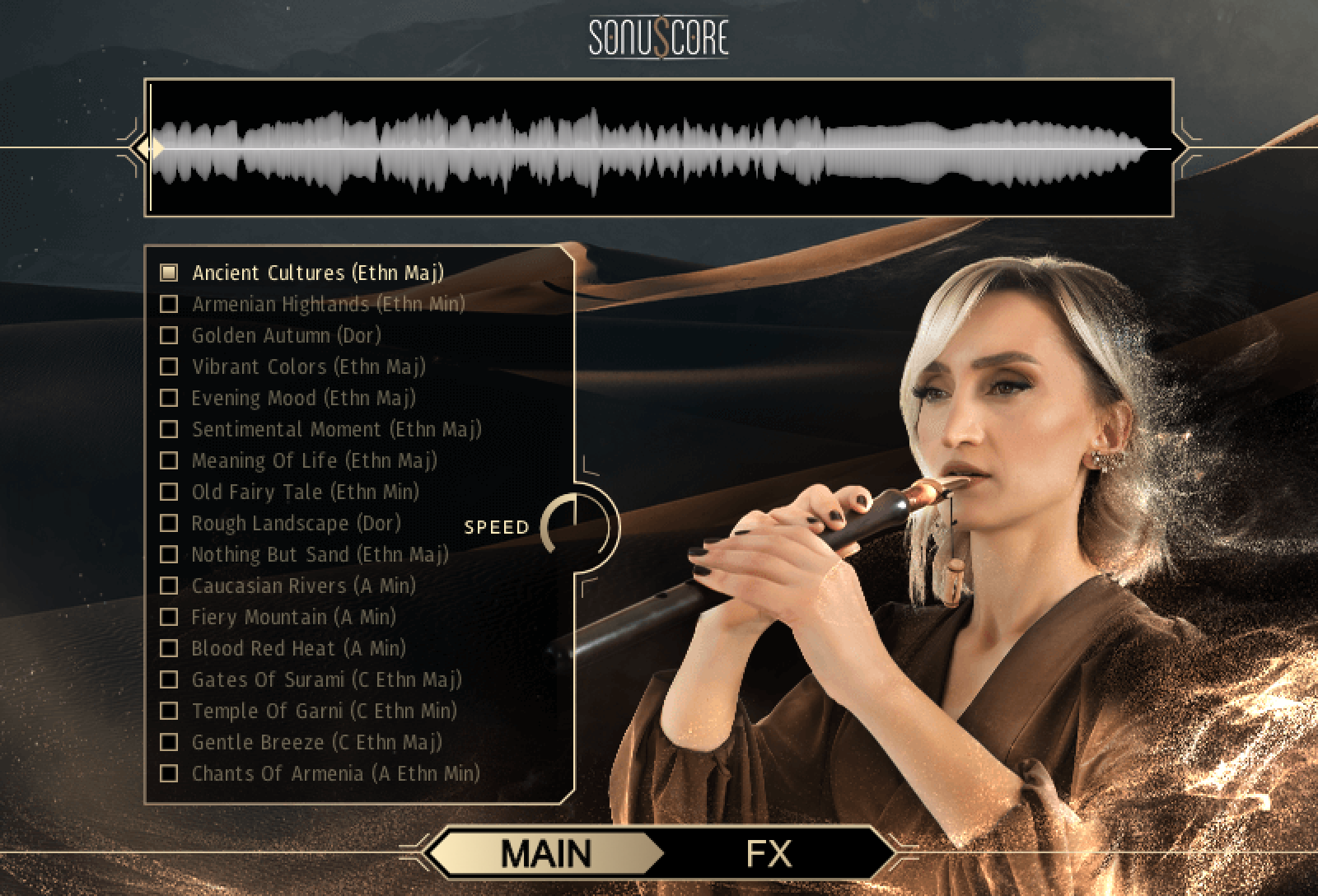
Legato Instrument
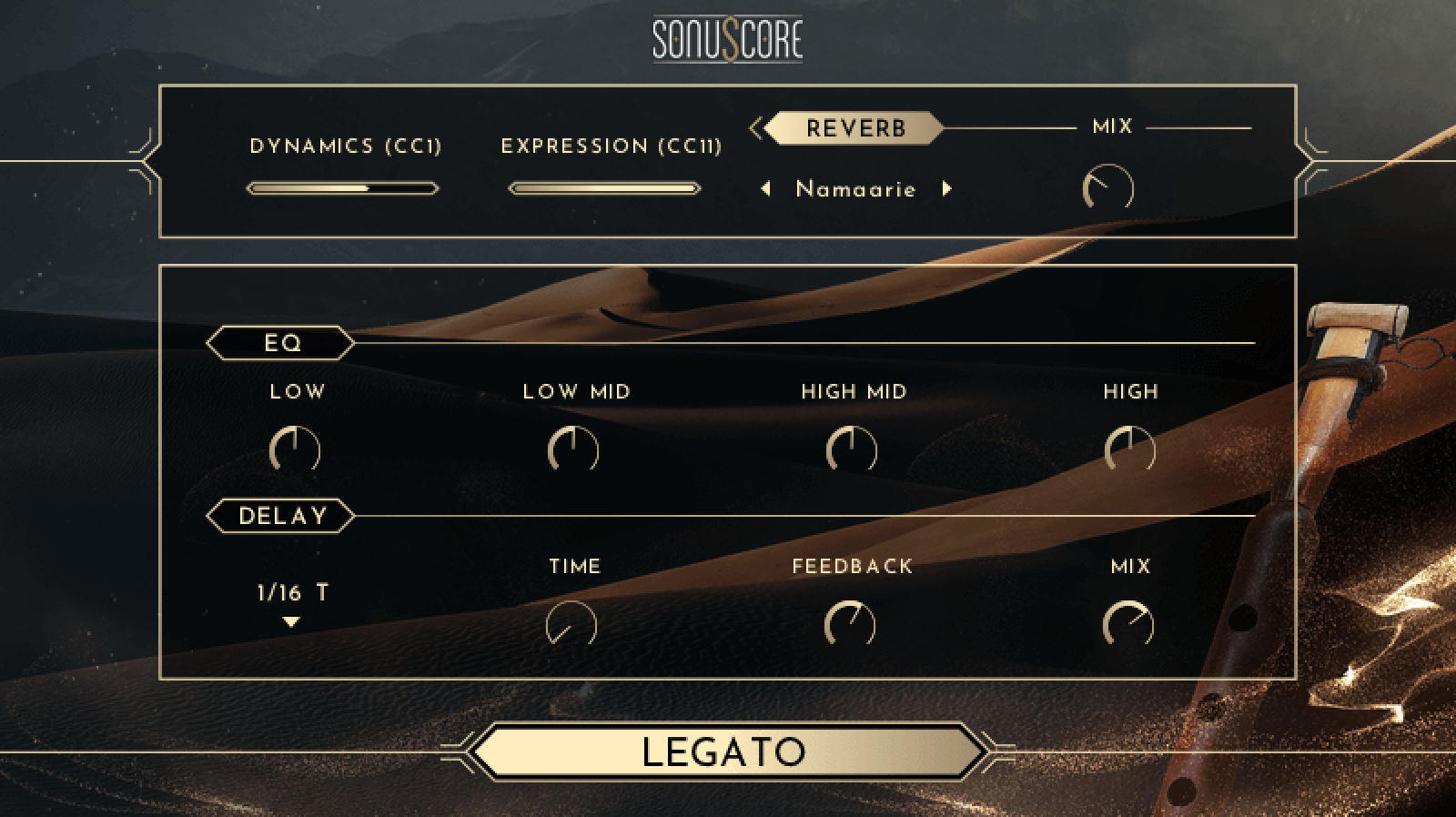
Merging the power of both traditional and phrase-based sampling, Ancient Duduk Phrases comes with its own beautiful legato instrument. In addition, also included are sustain articulations with seven diverse ornaments like trills, vibratos and accents, offering you the full magnificence of the duduk. The legato instrument can be easily used to either connect or to advance existing phrases, even to craft your own, letting you easily bring your creative vision into musical scores.
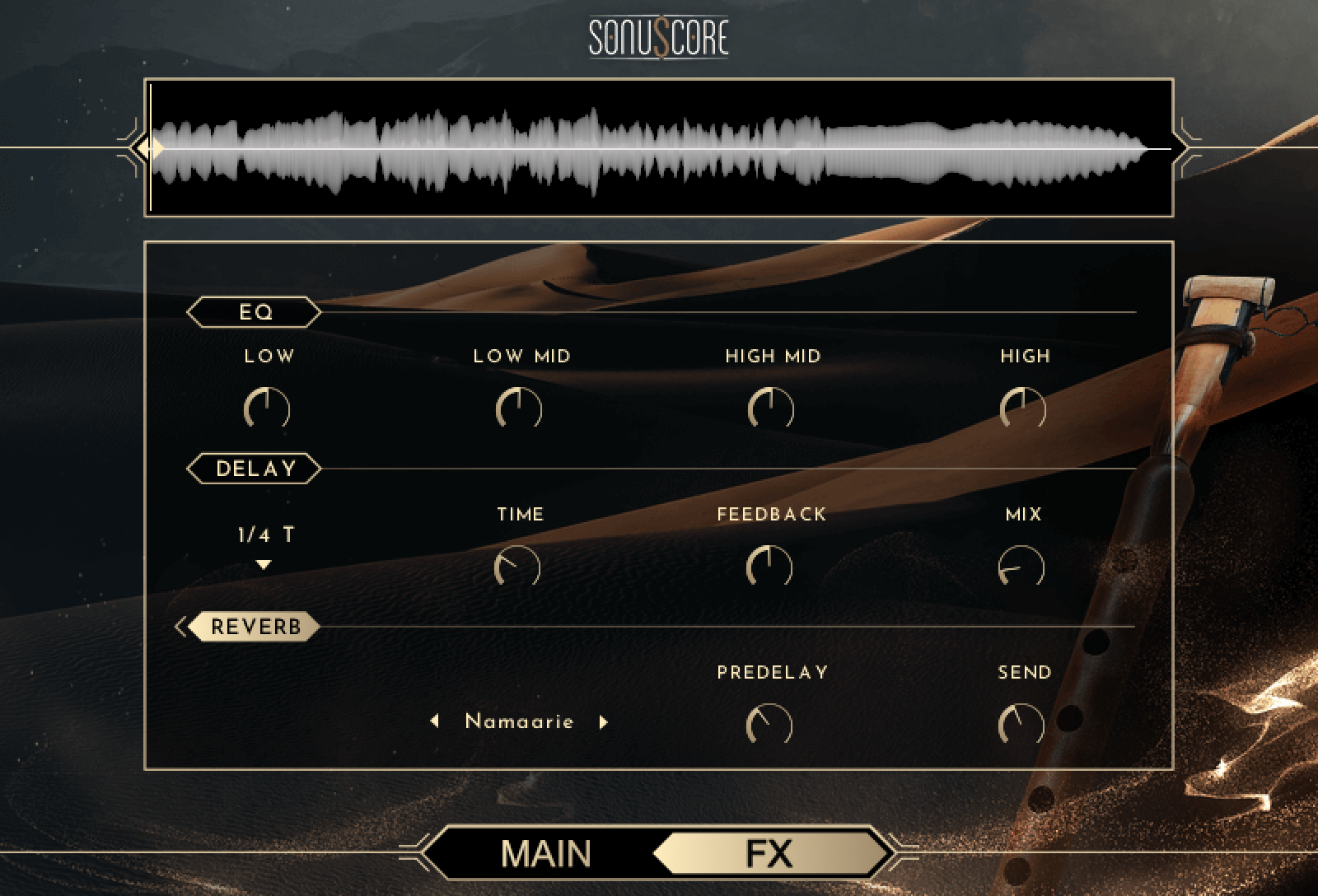
FX
Ancient Duduk Phrases includes modern tools, like built-in EQ, delay and reverb. Get instant access to the most essential features, as well as the freedom to dive deeper to perfectly shape your sound.
Features
- Ethnic Flute Phrases Waveform purple
- 600+ live recorded phrases in 17 themes
- Fully playable legato instrument
- 7 sustain variations with diverse ornaments
- Deeply emotive and panoramic sound
- Live Recorded Phrases
- FULL VERSION of Native Instruments’ KONTAKT Version 6.6.0 or higher or Steinberg’s free HALion Sonic
- Mac OSX.10.13 or higher, Intel Core i5
- Windows 7 or higher, Intel Core i5
- 4GB RAM
- at least 1GB of free hard disc space