Have Audio

UAP

4.7 (12 Reviews)
$23.80 $119.00

80% off until Dec 07

Have Audio UAP - UI
Have Audio UAP - UI
Have Audio UAP - Teaser Trailer gallery thumbnail
Have Audio UAP - Walkthrough gallery thumbnail
Have Audio UAP - UI 2
Have Audio UAP - Artwork
Buy Now
Product information

Unique Audio Plugin

An otherworldly experience for Kontakt 6 has just landed! Playable lead and atmospheric sounds, drones, soundscapes, hits, risers, whooshes, braams, wave tables, rhythmic loops and lots of unearthly textures and effects. UAP brings you a unique alien engine to push your music and sound design to another dimension. You can bend time and space, blend into different sound dimensions, engage lots of alien-sounding FX, add organic movement and pulses and/or engage the auto-pilot or the alien randomizer CASE and just sit back/enjoy your space flight listening to which unknown and exotic places your sounds are taken to. Last but not least, you can drag&drop your own samples (up to 128) and tweak them inside the engine, importing your favourite sample packs or our expansion packs especially designed and optimized for UAP and you pick any sample you like and stretch it through the whole keyboard generating brand new instruments in seconds, just by clicking the DILATION button.

Built-in Effects & Controllers

  • FLYING SAUCER Big Knob: it blends into multiple sound dimensions
  • GREEN FIREBALLS(Foo Fighters): they bend Time and Space
  • SIGNALS (Orange Fireballs): they control Delay level and feedback)
  • ANTI-GRAVITY: choose among 35 unearthly FXs
  • LIFT: choose among 41 time-dilation FXs
  • PROPULSION: it adds movement and pulsing
  • Amplifier: it changes speed of the propulsion in terms of rhythmical subdivision
  • Emitter: it changes shape of the propulsion
  • Reactor: it adds tube distortion
  • AUTOPILOT
  • ABDUCT YOUR SAMPLES: drag&drop up to 128 samples and tweak them in the engine
  • DILATION: when pressed, it takes the last sample you played and stretch it to the whole keyboard creating a brand new patch
  • CASE: whenever pressed it takes one random sample and stretch it to the whole keyboard. Additionally, it randomises FX and parameters

20 Instruments/NKIs

  • Black Triangle
  • Casebook
  • Deepspace
  • Element 115
  • Encounters
  • Evolving Theory
  • Granular Environment
  • Gravitational Waves
  • High Strangeness
  • Hybridization
  • Infradimensional Tones
  • Nuke Connection
  • Observables
  • Otherworldly
  • Phoenix Lights
  • Summer of the Saucers
  • The 4th Kind
  • Their Planet
  • There is only one of us
  • Unidentified Submerged Objects

System Requirements

  • 2982 samples in .ncw format.
  • Requires full version of KONTAKT 6.5.2+ (not compatible with Free Kontakt Player).
  • Size: 9,57 GB (Uncompressed file)

Please note: this product will not work in Kontakt Player

Installation Instructions

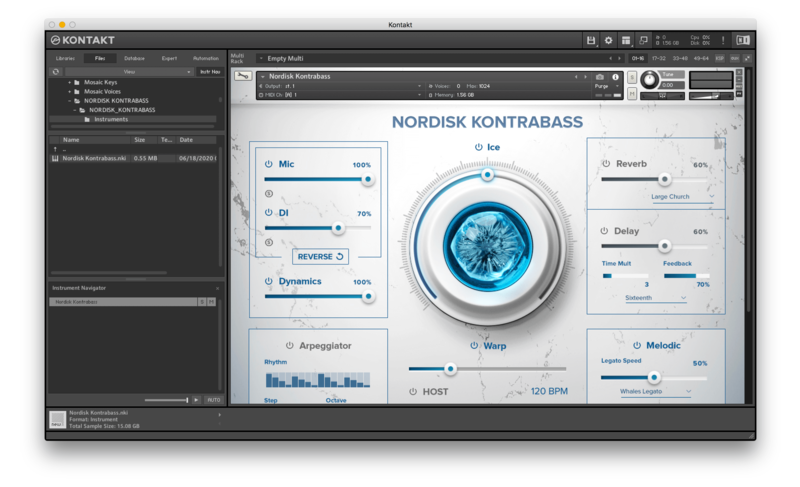
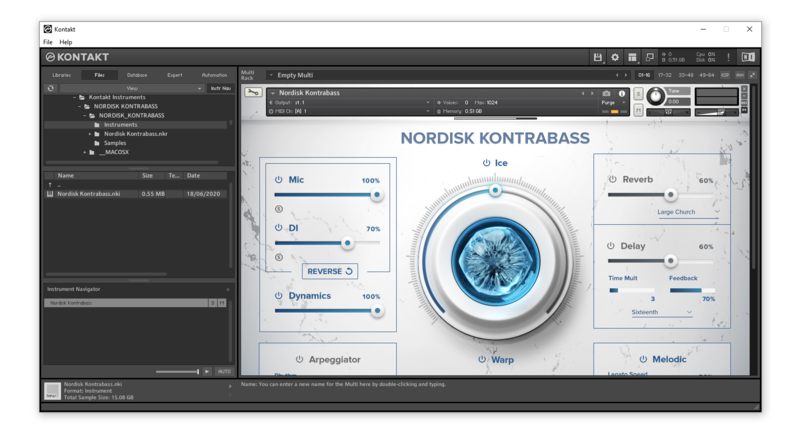
Please note: Nordisk Kontrabass is used as an example as the installation process is the same for all Have products.

Mac

Installation

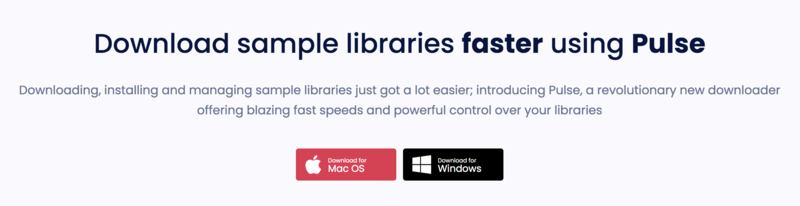
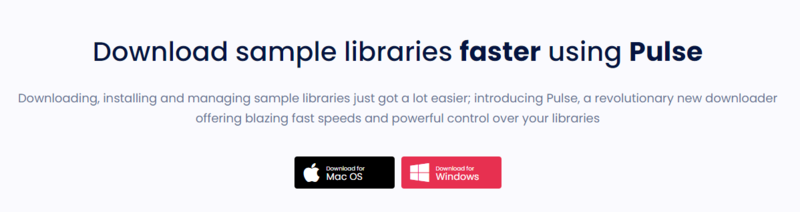
1. Go to https://pulsedownloader.com/ > Click 'Download for Mac OS' to download the Pulse application installer.

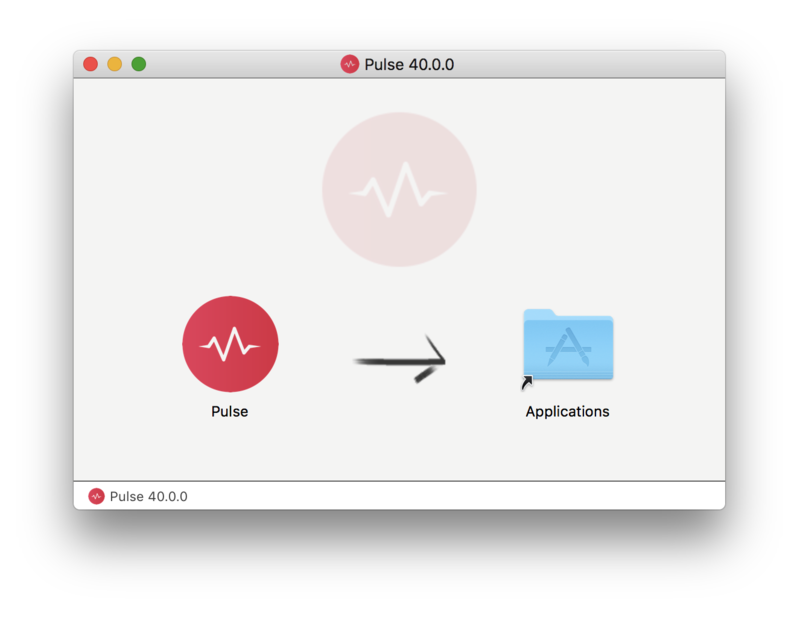
2. Open the .dmg file > Click and drag the application icon into the applications folder.

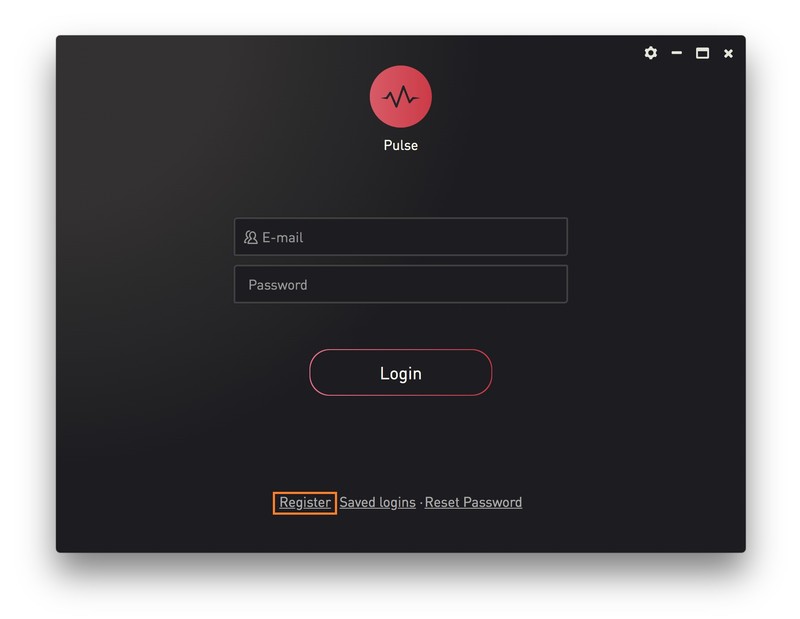
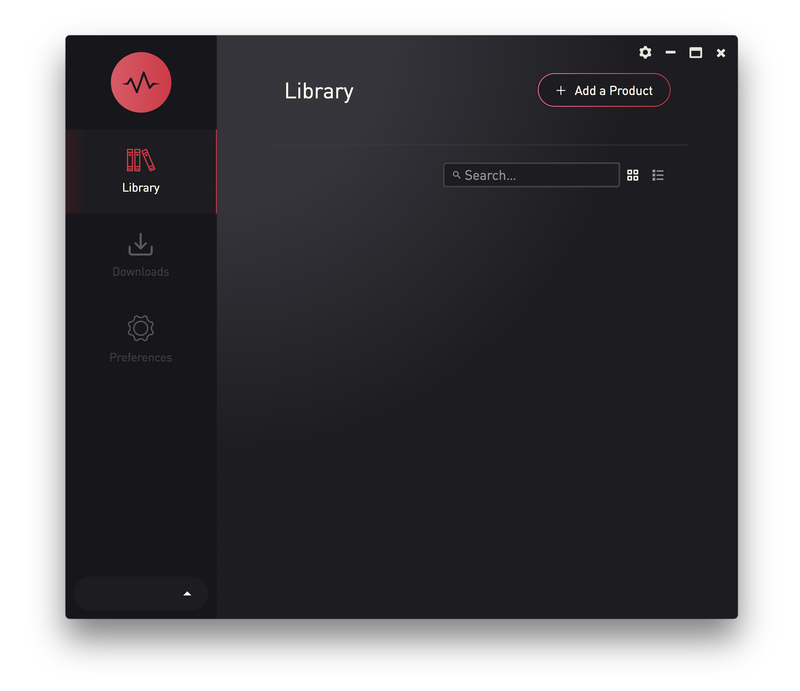
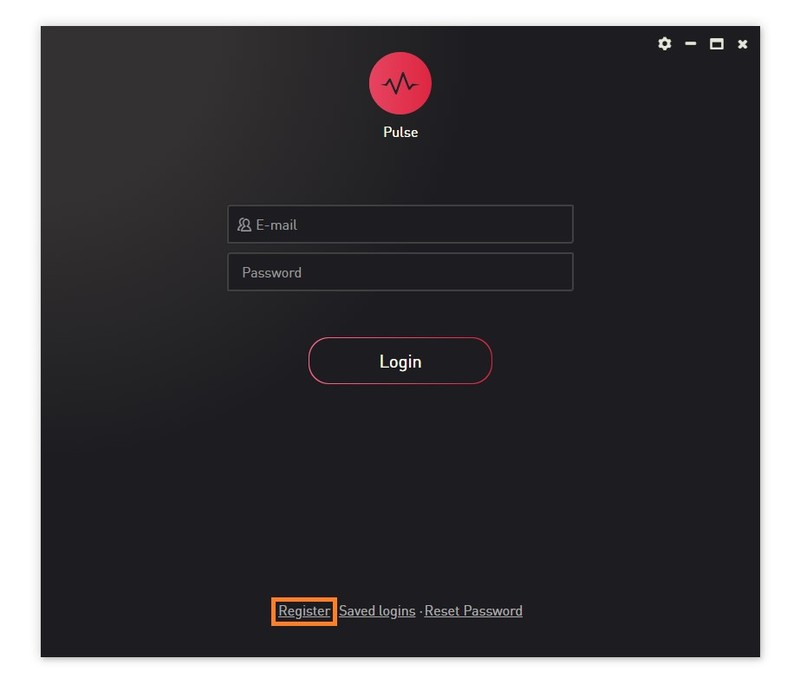
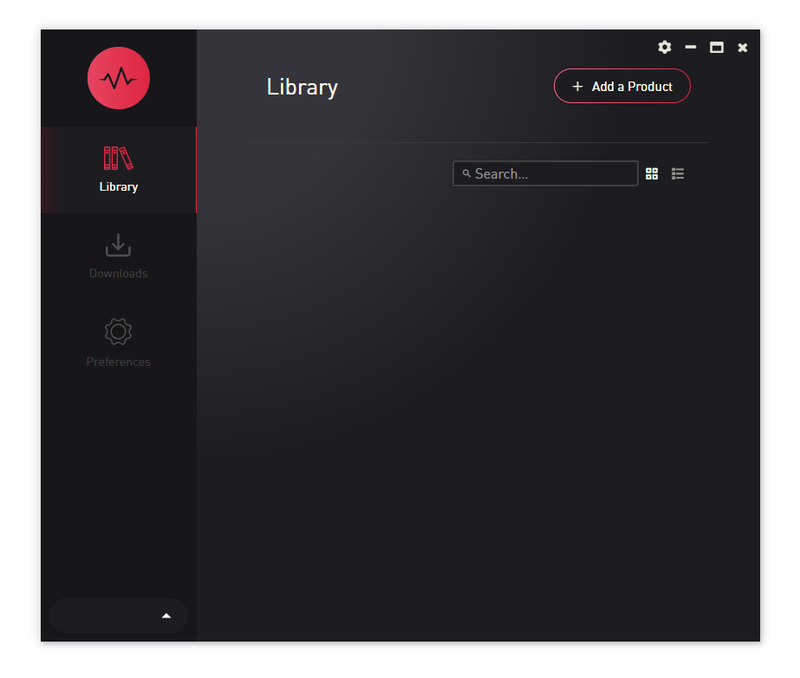
3. Open the Pulse application > Click 'Register'

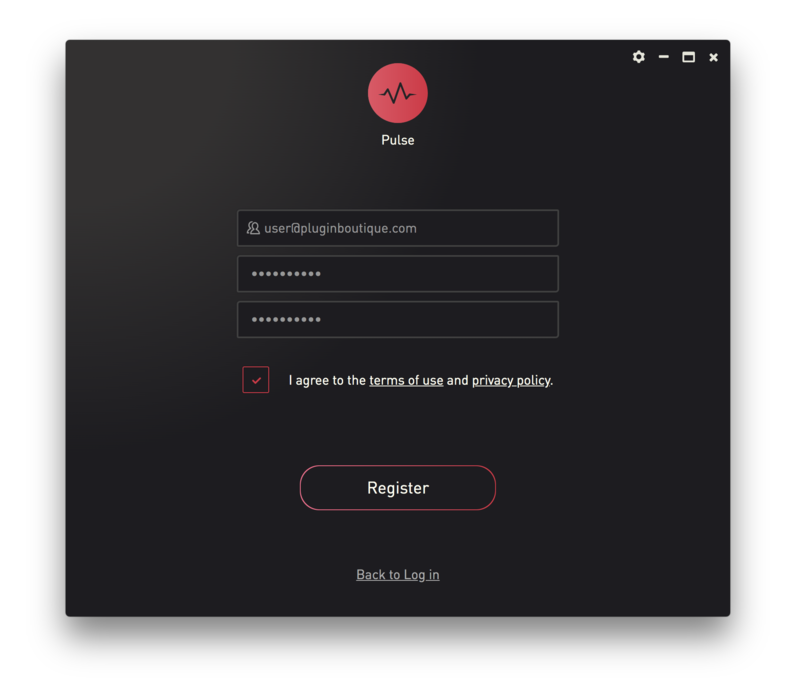
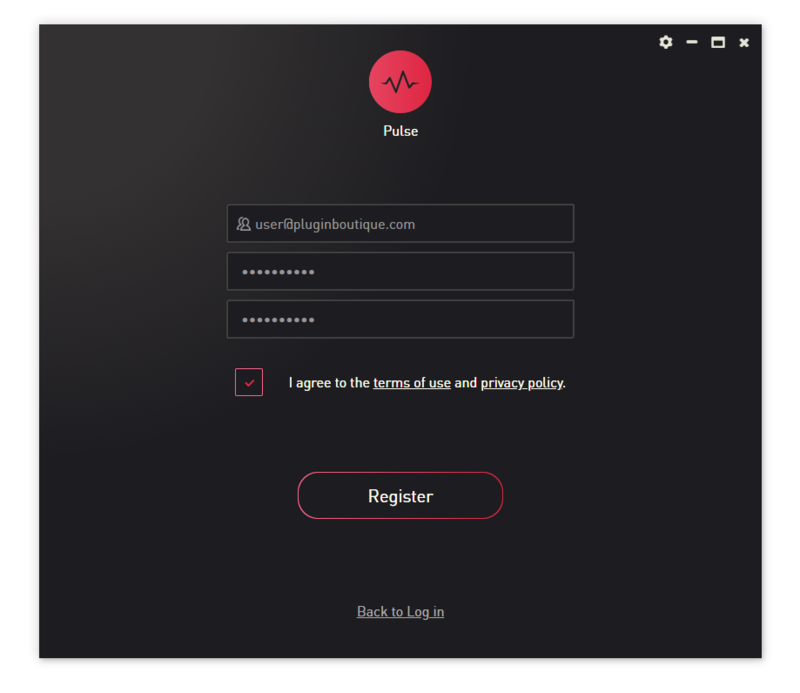
4. Enter your Email Address and Password > Check the box that states 'I agree to the terms of use and privacy policy' > Click 'Register'.

5. Click 'Add a Product'.

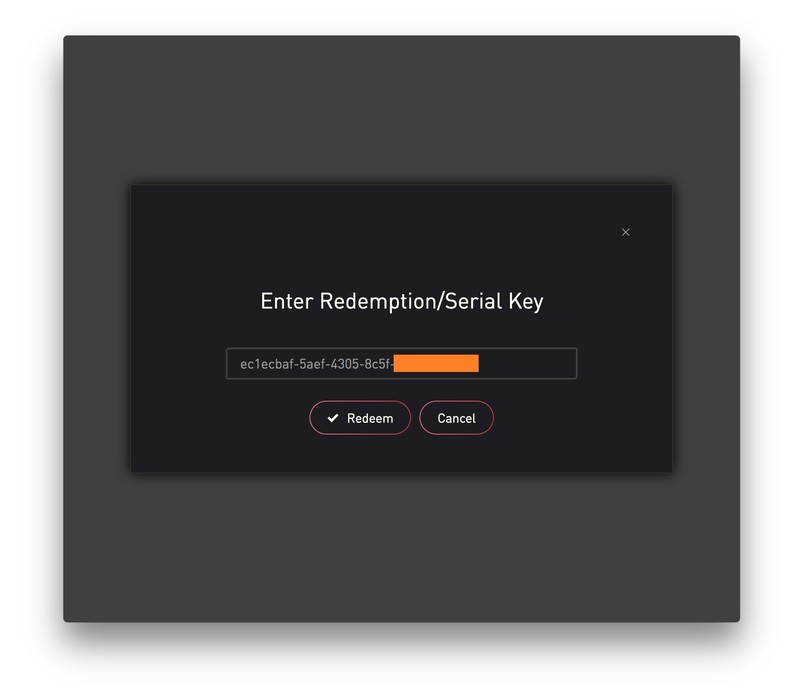
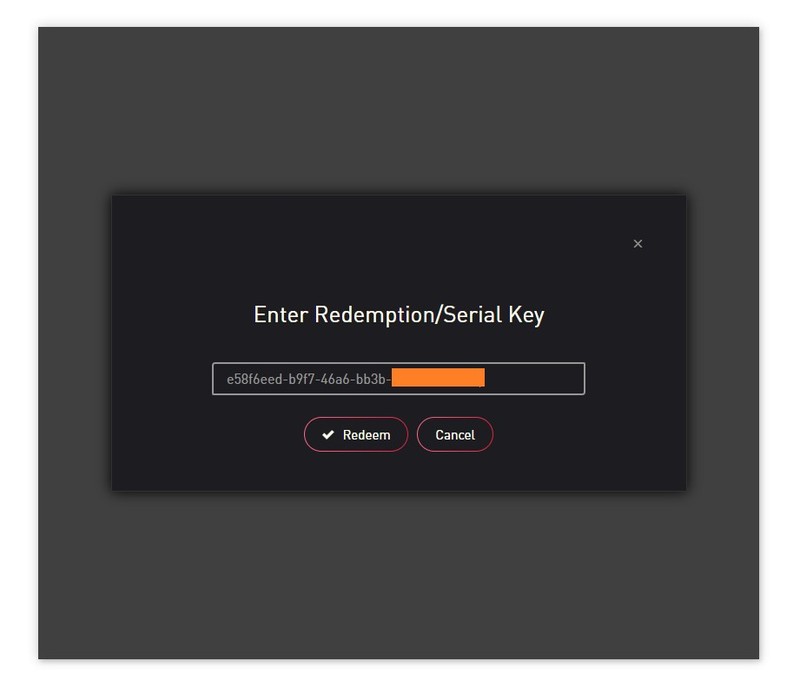
6. Enter your 32-digit serial key, found within the serial number section of your Plugin Boutique User Account > Click 'Redeem'.

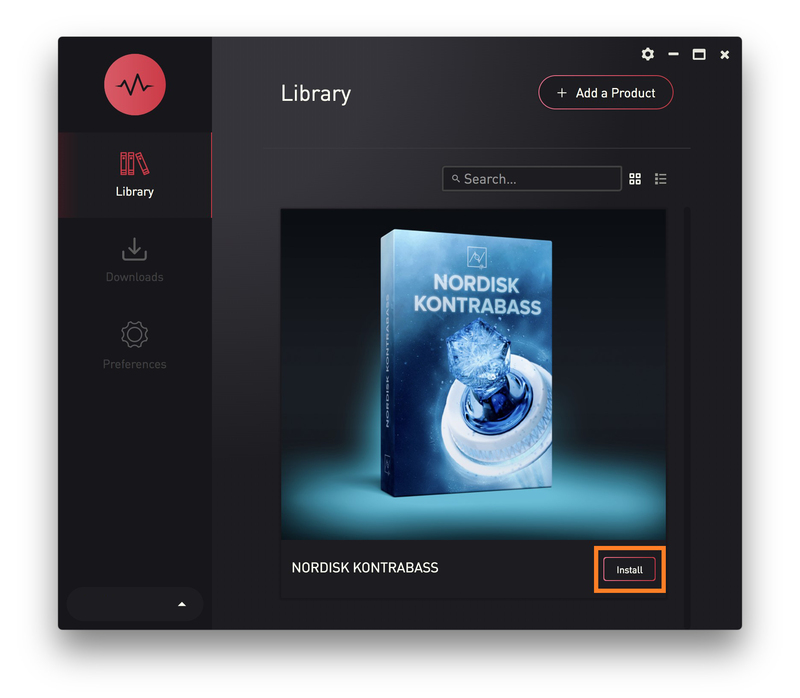
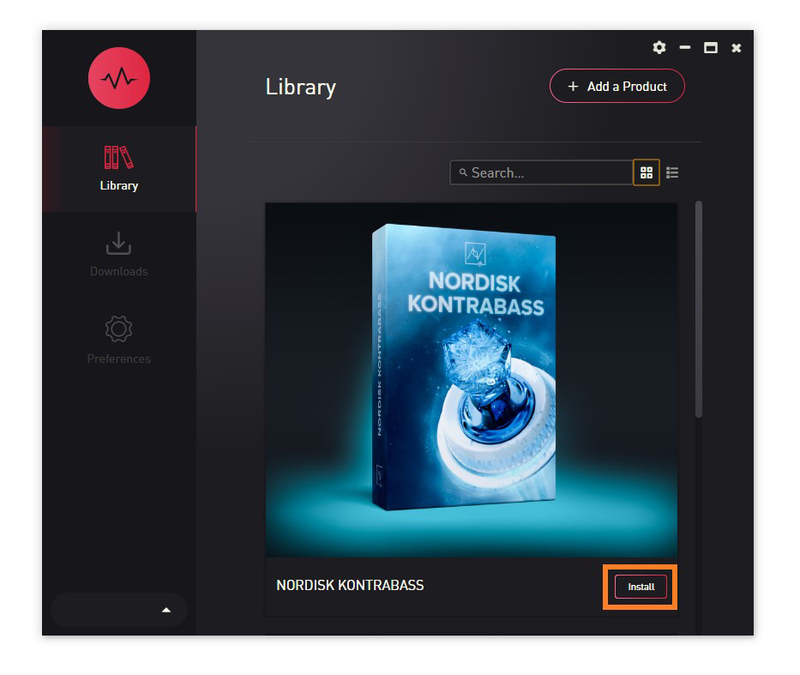
7. Click 'Install'.

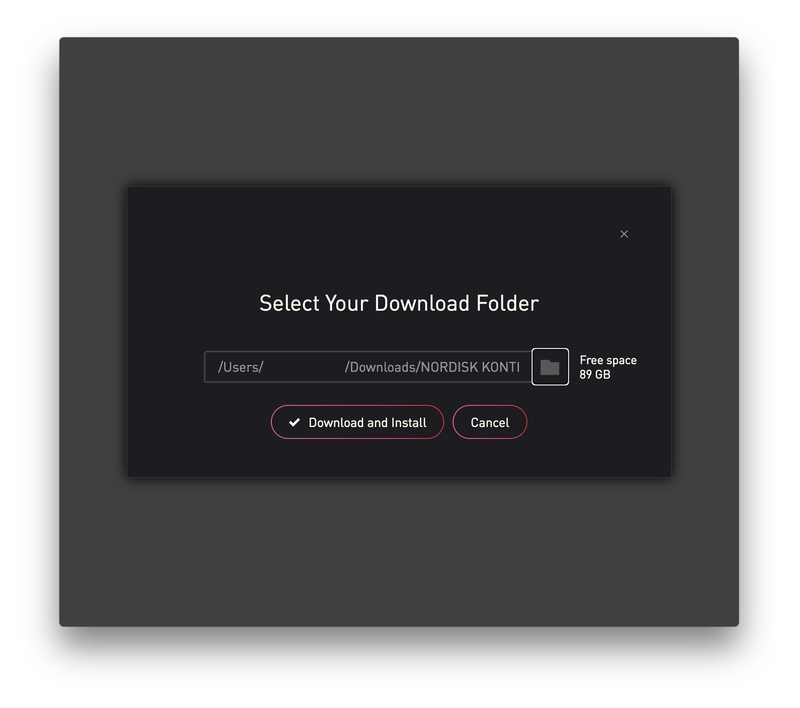
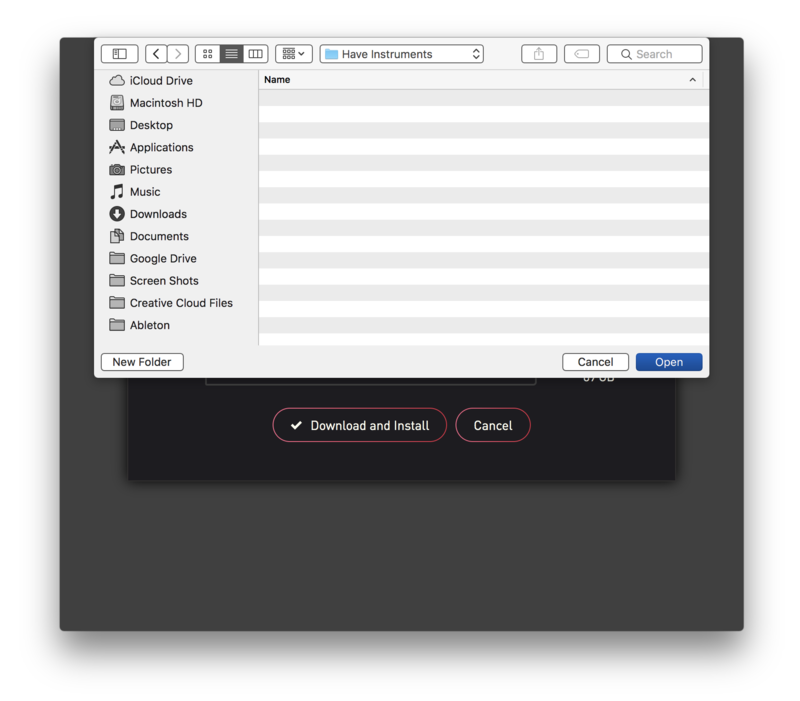
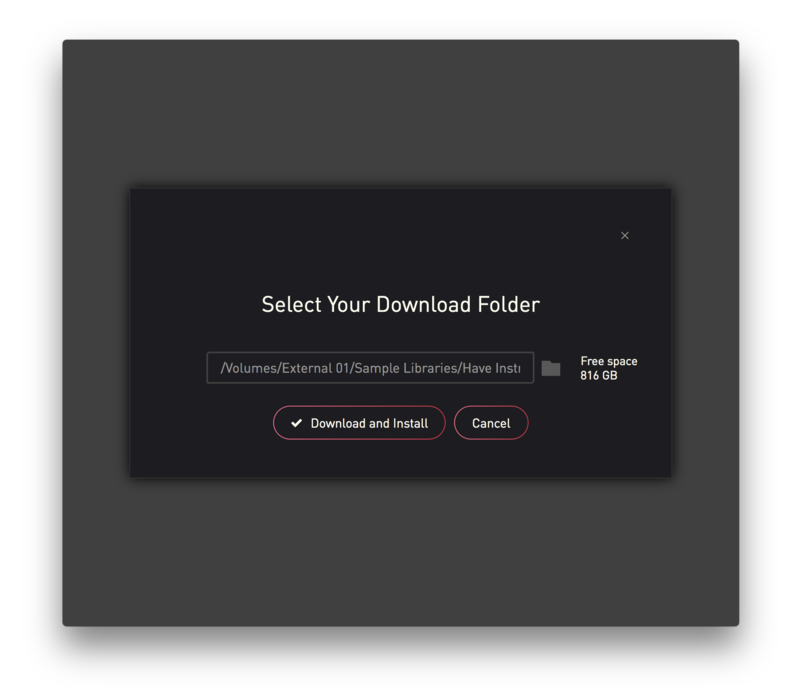
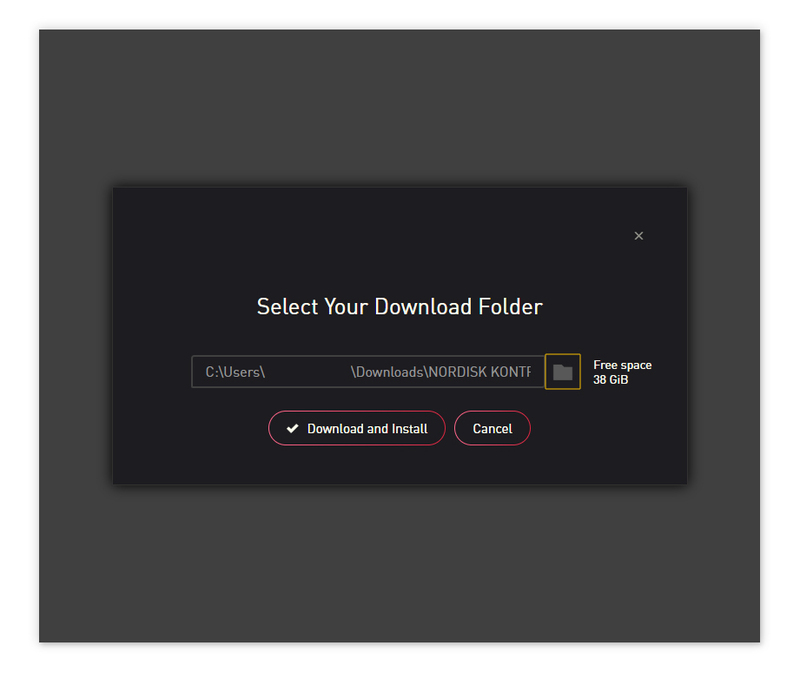
8. Click the folder icon to select the installation location for your library.

9. Choose your installation location > Click 'Open'.

10. Click 'Download and Install'.

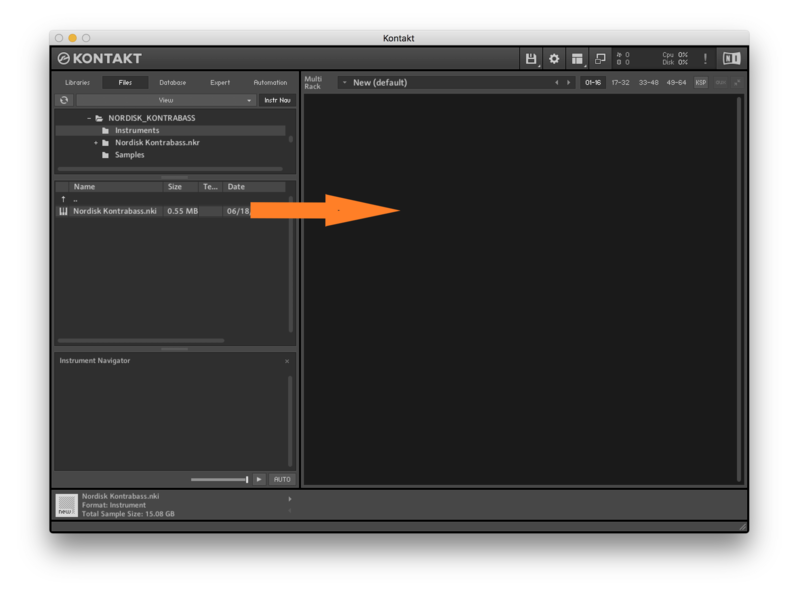
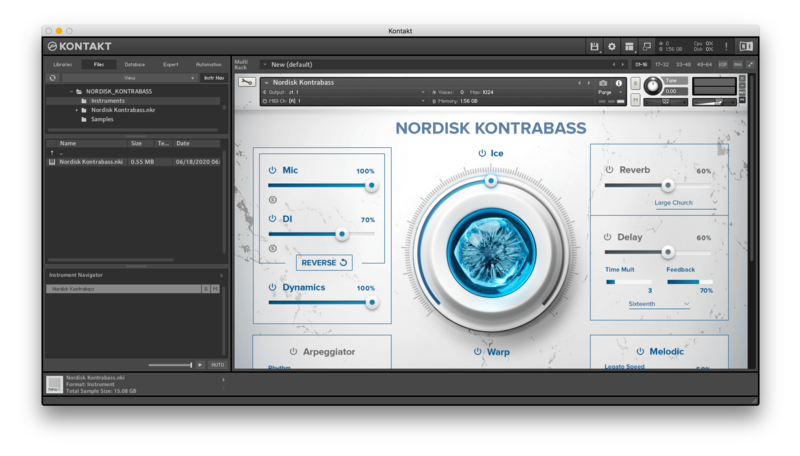
11. Open Kontakt > Select the 'Files' tab and navigate to your installed Kontakt library > Click and drag the .nki file into the empty window.

Your Kontakt Instrument is now installed and ready to use.

Batch Re-save Instructions

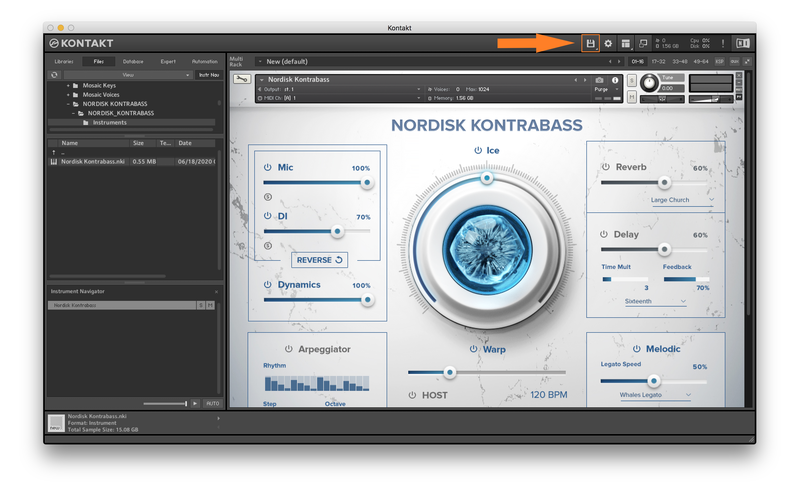
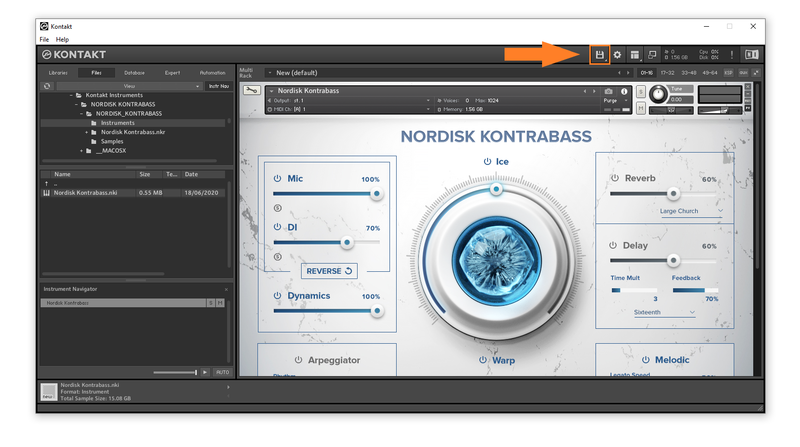
1. Within Kontakt, click the floppy disk icon.

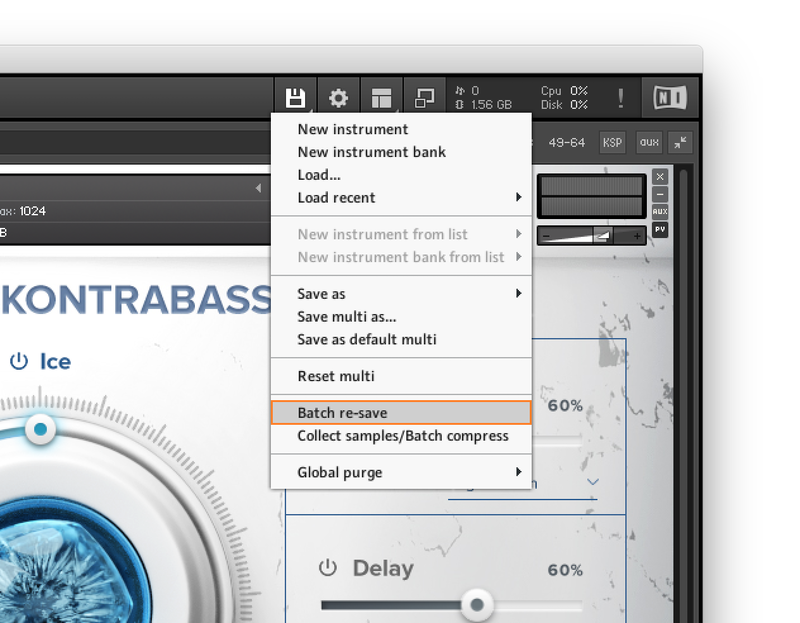
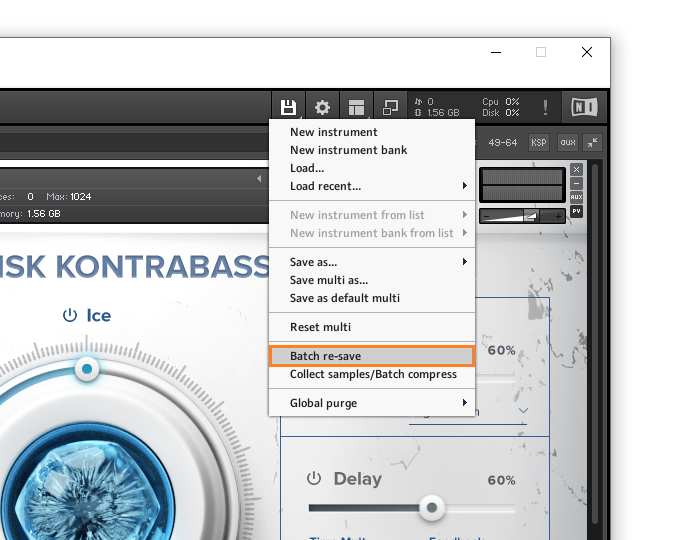
2. From the drop-down menu, click 'Batch re-save'.

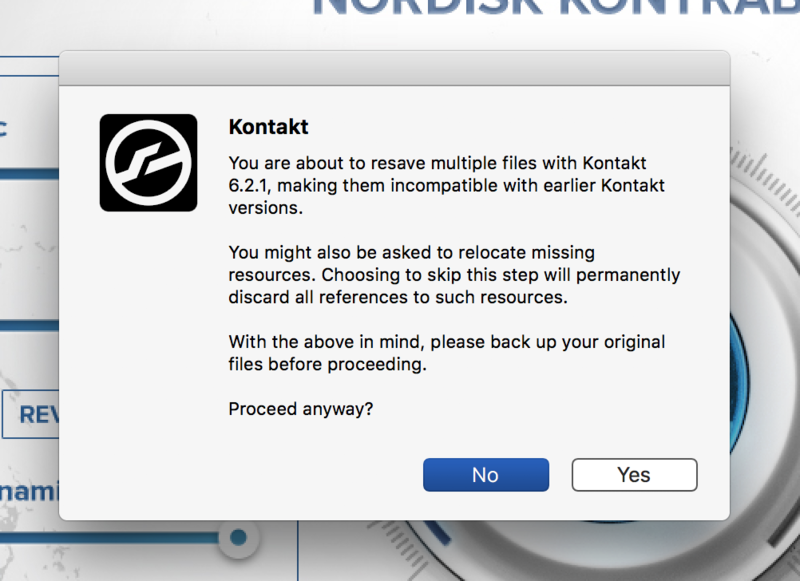
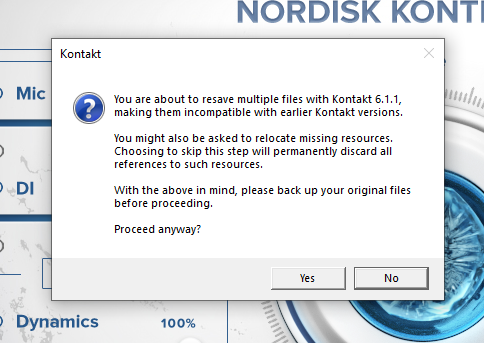
3. Click 'Yes'.

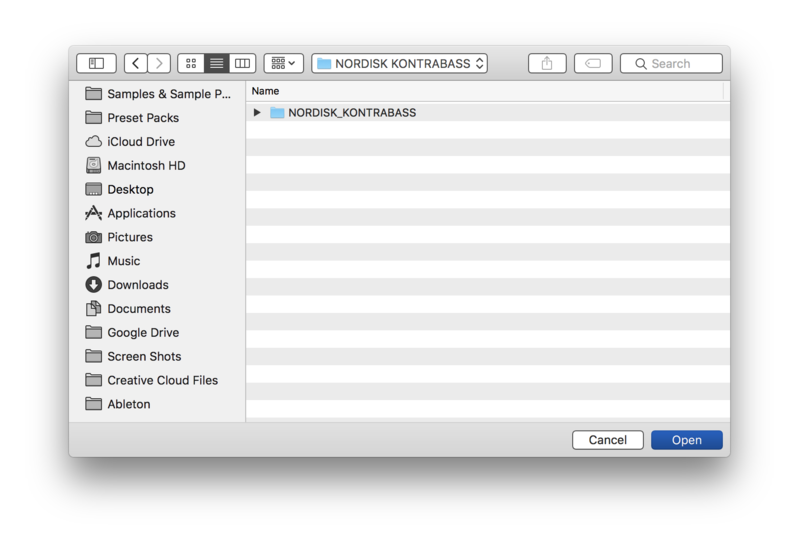
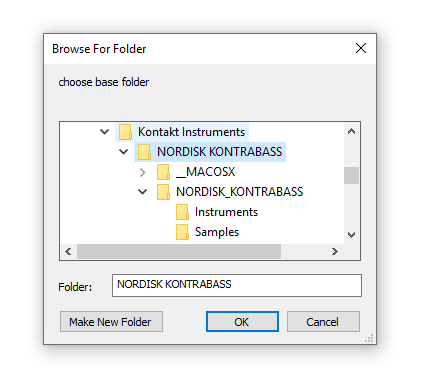
4. Navigate to the installation location for your Kontakt library > Click 'Open'.

Batch re-save is now complete and you can expect to see quicker loading times for your Kontakt Instrument.

Windows

Installation

1. Go to https://pulsedownloader.com/ > Click 'Download for Windows' to download the Pulse application installer.

2. Open the .exe file to install the Pulse application > Open Pulse and click 'Register'.

3. Enter your Email Address and Password > Check the box that states 'I agree to the terms of use and privacy policy' > Click 'Register'.

4. Click 'Add a Product'.

5. Enter your 32-digit serial key, found within the serial number section of your Plugin Boutique User Account > Click 'Redeem'.

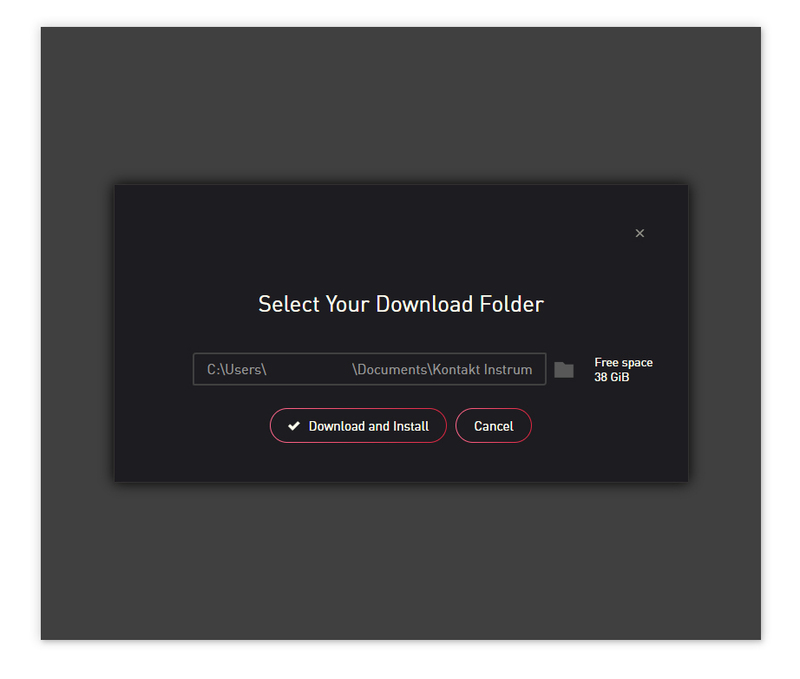
6. Click 'Install'.

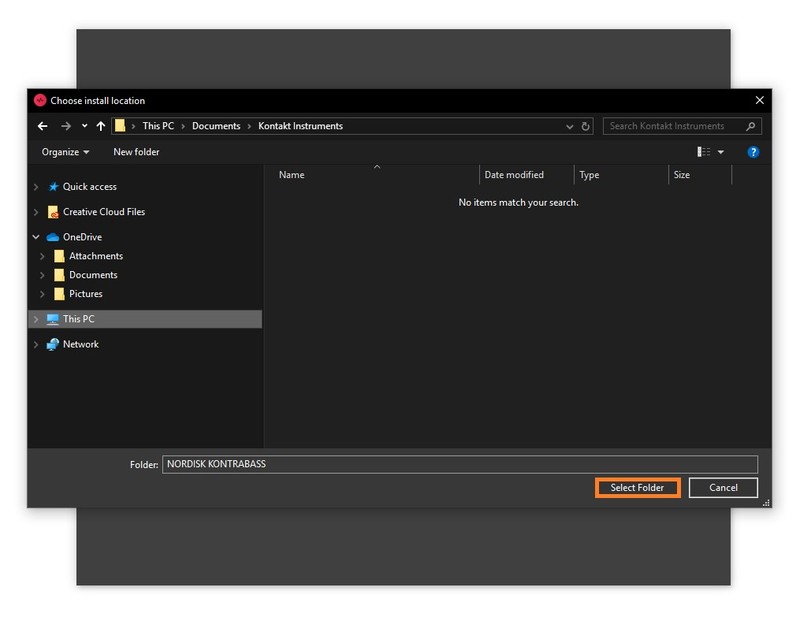
7. Click the folder icon to select the installation location for your library.

8. Choose your installation location > Click 'Select Folder'.

9. Click 'Download and Install'.

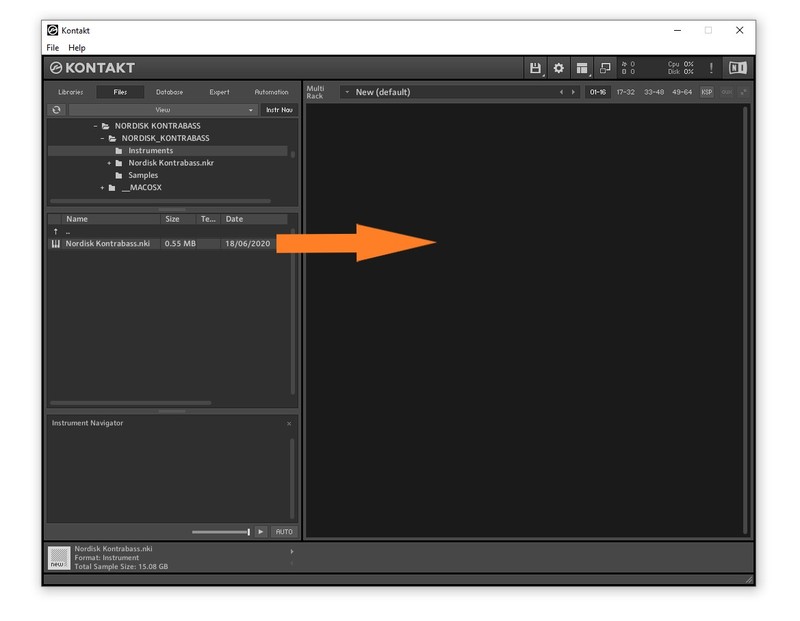
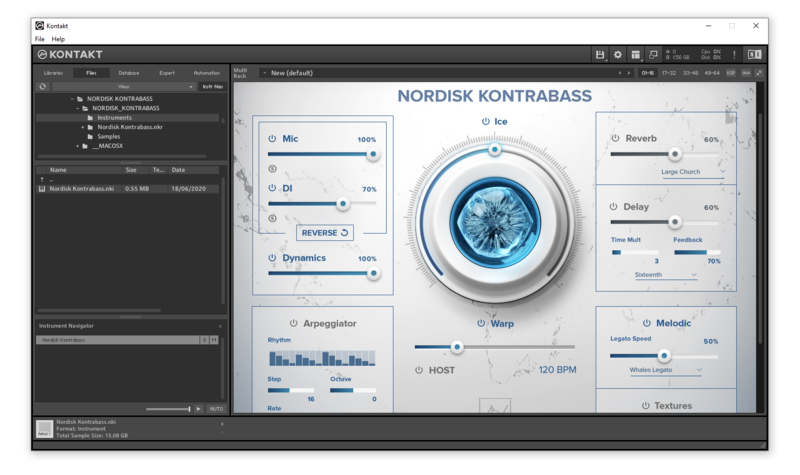
10. Open Kontakt > Select the 'Files' tab and navigate to your installed Kontakt library > Click and drag the .nki file into the empty window.

Your Kontakt Instrument is now installed and ready to use.

Batch Re-save Instructions

1. Within Kontakt, click the floppy disk icon.

2. From the drop-down menu, click 'Batch re-save'.

3. Click 'Yes'.

4. Navigate to the installation location for your Kontakt library > Click 'Ok'.

Batch re-save is now complete and you can expect to see quicker loading times for your Kontakt Instrument.

Plugin Boutique Rewards

Discover the most rewarding loyalty programme among all plugin retailers.

  • Free Loopmasters Samplepacks
  • Discounts on products and courses
  • Extra Virtual Cash claimed immediately at checkout
Find out more

Follow us:

X (Twitter) Facebook YouTube Instagram
Logo Logo

Plugin Boutique Limited, Part of the Beatport Group LLC.

Copyright © 2011-2025 Plugin Boutique. All rights reserved