Log In

Free gifts available with your purchase
Granular Game-Changer
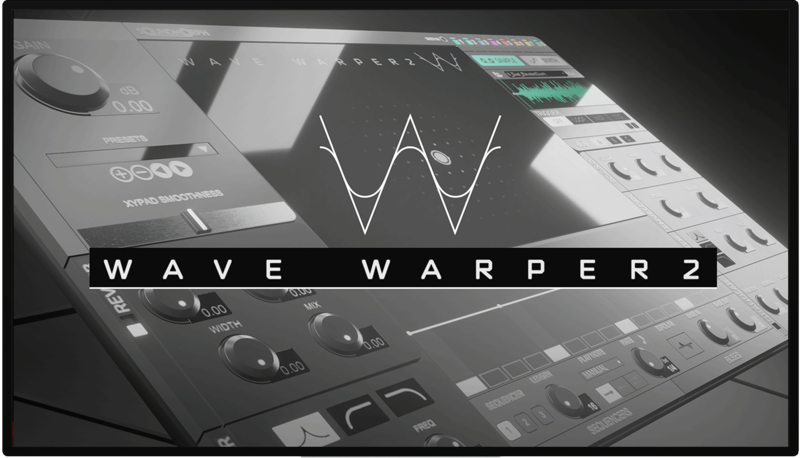
Wave Warper 2 - More Warped. More Wicked. More Incredible. Your Sound-Morphed. Now in VST3, AAX, AU plugin format. Apple Silicon Supported!
World-class sound control. After years of careful development and conceptual reconstruction at SoundMorph's remote labs, the team morphed their original revolutionary whoosh software into a new dimension: directly to your DAW as a plugin. (AAX, VST3, AU). Apple Silicon Supported. (M1, M2).
With Wave Warper 2 you can now access groundbreaking new whoosh and movement algorithms, a cutting-edge granular engine, a new sequencer and bussing system and several specialized features that will weave their way into your sonic palette. A dream come true for Dynamic Sound Creation.
WaveWarper 2's portal to an expanse of sound integrates easily within the DAW of your choice now. Compatibility (VST3, AAX, AU) offers sound designers and musicians a fresh and intuitive GUI layout dialed for quick and easy access to an array of advanced sound controls optimized for sculpting, exploring and evolving recordings to new horizons of sound.
Utilizing concepts from the original WaveWarper software, with WaveWarper 2, users now have access to 8 fully equipped sound emitter slots that can be shaped extensively using the XY pad's advanced movement algorithms, and in-depth step sequencer, various MIDI information, Soundmorph's new internal bus routing system, a morphable wave and noise synthesizer and a completely wicked granular engine; all of which are connected to a complex network of internal modulation options. Whether you are designing whoosh and pass-by sounds for the next big Sci-Fi hit, or you are seeking to add movement and texture to a sample in a song, or you need to make eerie spirits for a horror series, with WaveWarper 2 you will find the sonic results to give momentum to any story. The possibilities are quite limitless.
You don't want to let it passby!
Features
- Apple Silicon Support/Compatibility (M1, M2)
- Current Version: 1.0.1
- Presets by Yan David
- Presets by Ivo Ivanov
- Presets by Thibault Csukonyi & Vincent Fliniaux (Bruits.Studio)
- Presets by Andrew Pals
- Granular Synthesis
- 1.5 GB Sample Library Included
- 85 presets Included
- 8 Triggerable Sound Emitters
- XY Pad Control With Real-Time Mapping
- Randomizable Sample Folder Allocation. Ideal for creating new sonic structures.
- WaveTable & Noise Synthesis
- 3 Triggering Methods: LOOP, MIDI, SEQUENCER
- 2 Sound Emitter PLAYMODES: "On" for free playback / "On When Playing" to connect Wave Warper 2's playback to your DAW's play button.
- Reverb Effect
- Binaural Audio Panning
- Envelope Followers
- Save & Recall Presets
- Import Your Own Sounds
- 5 Modulation Types On Parameters
- Envelope Follower Busses
- LFO
- VST3, AAX & Audio Unit Plugin Formats
- Mac and PC
System Requirements
- An Intel® Mac with Mac OS X 10.14 (or later), OR a PC with Windows 10 (or later)
- Multicore processor; 8 GB RAM
- Now Apple Silicon Supported.(M1, M2)
Important note: When accessing this software via a Rent to Own plan or the Beatport Studio membership, it's installed and run through the Beatport Access portal. An internet connection is required every 30 days to validate your license.
Ivo Ivanov
Creative Director & CEO of Glitchmachines
"Wave Warper 2 is a fantastic update to an already excellent sound design tool. It's an absolute joy to work with and a must-have plugin for sound designers and musicians who want to push the envelope and take their projects to the next level."