


 Log In

Free gifts available with your purchase

Imagine the pulsating beats of a Kingston dancehall, where the rhythmic sound of a Dub Siren blends seamlessly with reggae and ska melodies
Relive The Classics, Craft The New
Originating in the vibrant dance halls of Jamaica, the iconic Dub Siren - a creation born from a simple oscillator - has been the heartbeat of ska, dub, and reggae music.
'Ring The Alarm' resurrects this tradition, offering you an intuitive yet powerful plugin to infuse your tracks with sirens, synth rises, and mashed-up effects.
Classic Dub Effects
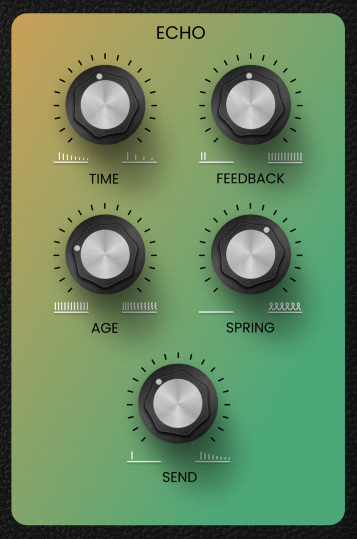
Where 'Ring The Alarm' truly shines is in its unique blend of vintage tape echo and spring reverb.
These built-in features offer powerful options for creating grungy, trippy feedback and that signature reverb clang - a sound that is distinctively reggae.
Seconds From Sounding The Alarm
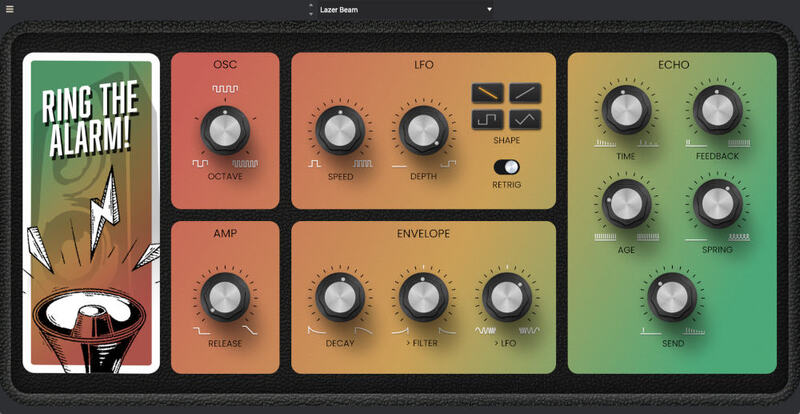
'Ring The Alarm' has been designed to be hands-on. Everything you need is in front of you, and it sounds best when you're tweakin' those controls.
Customize your own unique Alarms with different LFO shapes, speeds, and an envelope that automates LFO-speed and the built-in low-pass filter. Then add finishing touches with the effects section.
Experimental Roots
Whether you're deeply rooted in reggae, dub, and ska, or you're an experimental producer eager to explore new realms, 'Ring The Alarm' is more than a plugin - it's a unique instrument packed with iconic sounds.
Features
- PWM oscillator will full range (responds to MIDI key pitch)
- LFO affects both oscillator pitch and PWM
- Second single-stage envelope controls amp release
- Simple one knob spring reverb
- LFO with four waveforms, speed, depth and optional phase reset (on trigger)
- Single-stage envelope (decay) can control a low-pass filter and/or LFO speed (bipolar)
- Tape-style dub delay, with self-resonating feedback
System Requirements
Ring The Alarm is designed to support MPC standalone and desktop systems running version 2.12.2 ( or later). This software requires an internet connection for authorization. You will need to install Akai’s MPC desktop software version 2.12.2 or higher to use desktop versions of the plugins.
Windows
- Windows 10 (21H2) - Windows 11 (21H2)
- 2GB free disk space (147MB for all content recommended)
- 4GB RAM (8GB recommended)
- Dual-core 2.5GHz CPU
- VST 2/3 compatible host
Mac
- macOS 12 Monterey - macOS 14 Sonoma (Apple Silicon compatible - check Specific MPC Models for Driver Support)
- 2GB free disk space (147MB for all content)
- 4GB RAM (8GB recommended)
- Dual-core 2.5GHz CPU
- VST 2/3 Plugin compatible host
- AU plugin compatible host
MPC Standalone Compatibility
- Ring The Alarm is designed to run on standalone MPC systems running 2.12.2 or later, including:
- MPC One
- MPC One+
- MPC Live
- MPC Live 2
- MPC X
- MPC X SE
- MPC KEY 37
- MPC KEY 61
- Not currently available for Force customers



















