


 Log In

Free gifts available with your purchase

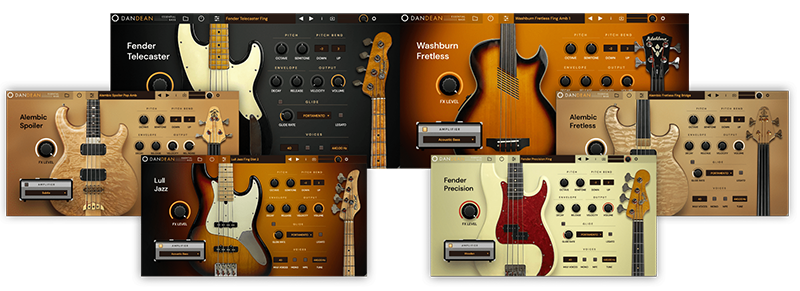
Featuring six meticulously sampled basses from his own collection, multi-instrumentalist, Dan fuses his sought-after tone and playing style with his deep knowledge of sample-based instruments. The result is a diverse, record-ready collection of basses that embody his signature sound.
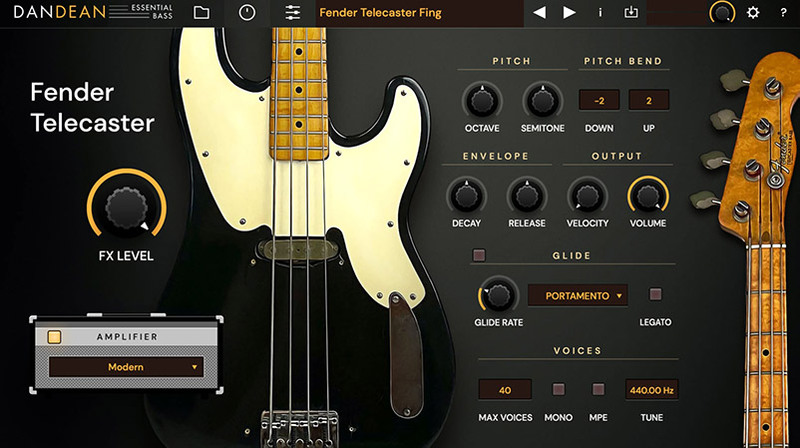
Adjust to Taste
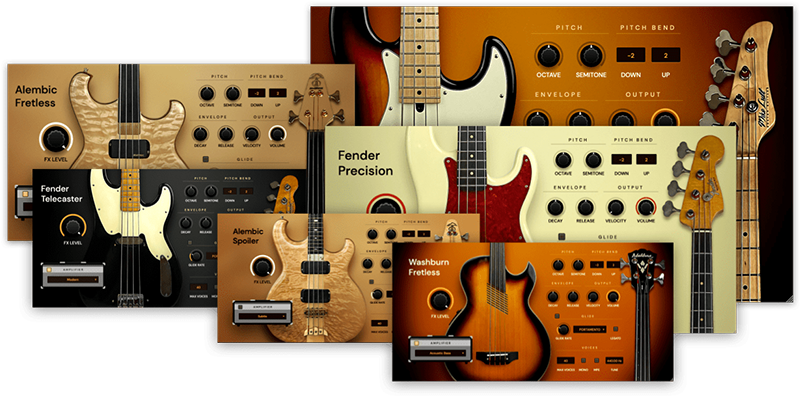
Each bass features its own elegant and intuitive user interface. Key performance controls are easily accessible providing control over pitch, decay and release times, noise values, glide and other core parameters. Dial-in your sound in mere seconds.
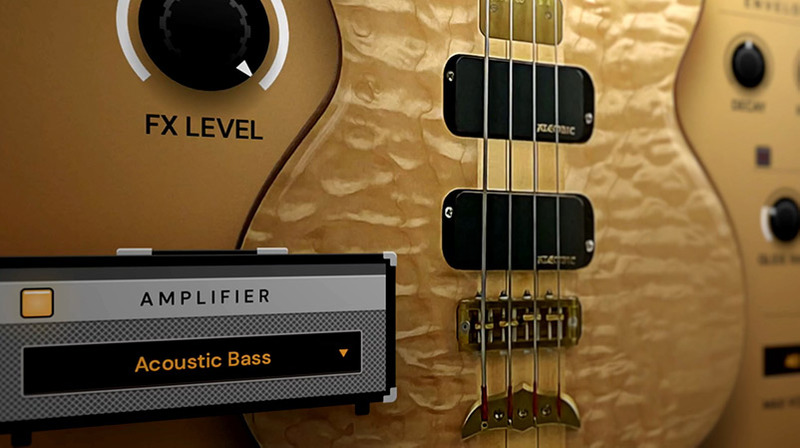
Plug In
Add character and punch with the flick of a switch. Several amplifiers have been carefully modeled to compliment and add depth to the range of basses. Options at your fingertips include: Vintage, Round, Wooden, Subtle, Classic, Acoustic and Modern.
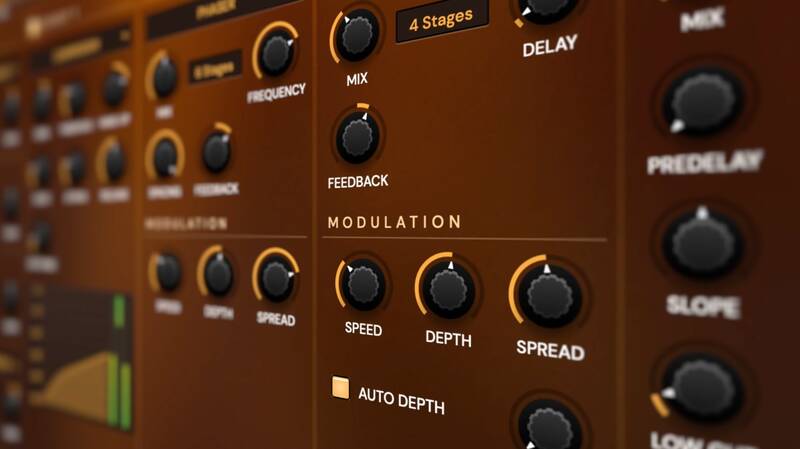
Get Processing
A sparate FX page is on hand offering a wide range of processing options. This includes a dedicated EQ panel offering various high, mid and low shaping options plus 4 independent FX slots. Each slot can be loaded with your choice of compressor, chorus, distortion, phaser, filter, delay or reverb module. A FX master knob is available on the performance page allowing you to dial in as much or as little as you wish.
Six Rare & Exquisitely Modified Bass Guitars
6 basses from Dan's personal collection were sampled by the man himself to bring you this instrument. Here you’ll find the clear, clean sounds of the Alembic Spoiler, the resonant and growly Alembic Fretless, the balanced, subtle Fender Precision, the deep, barky Fender Telecaster, the classic jazz bass tone of the Lull Jazz and the versatile, punchy Washburn Fretless bass guitar.
Over 100 Presets
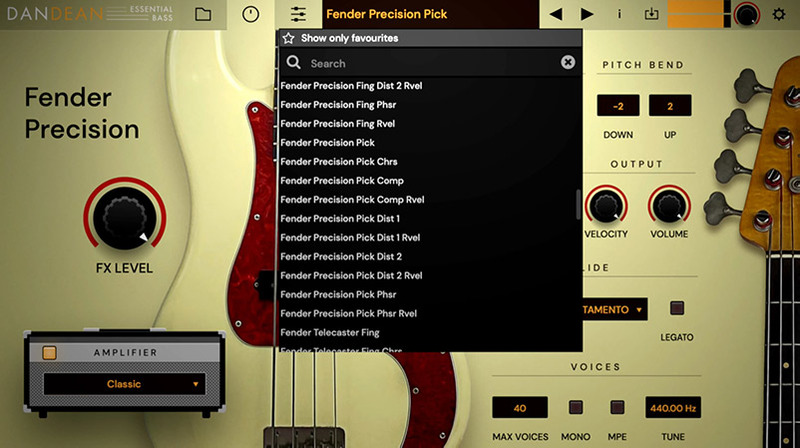
If you're looking for quick access to a specific style, tone or effect the factory presets have you covered! Dan Dean Essential Bass ships with over 100 carefully crafted presets offering anything from a subtle chorus to a gnarly distortion.
Ultra Realism
To further enhance realism several performance articulations have been added. Harmonics can be triggered per-note with the mod wheel while other articulations can be triggered by key switches to maximize the playable range. This include a selection of slides over a variety of ranges.
About Dan Dean
Multi-instrumentalist, Dan Dean, has achieved international recognition as a bassist, producer, composer and software developer. A few of the luminaries he has played with include B.B. King, Peggy Lee, Dionne Warwick and drummer Alex Acuna. Widely considered an innovator, his sample libraries, including Solo Strings, are firm favourites of musicians around the world have found their way into countless productions.
System Requirements
Mac
- macOS 10.11 or Later
- 64-bit
- AU / VST2 / VST3
Windows
- Windows 10, 11
- 64-bit
- VST2 / VST3
Linux
- Tested on Ubuntu 18.04
- 64-bit
- VST2 / VST3




















