


 Log In
Free gifts available with your purchase
Product information
Please Note: You must already own Vacuum Pro to use this expansion.
Fresh Air Pack Vol 1: Vacuum Pro. Dust off over 200 exclusive never-before-heard patches that perfectly capture the crunchy, warm sound of the analog era. Whether you’re creating the soundtrack to your next dystopian masterpiece or simply want to relive the sounds of yesteryear, don’t miss this pack! Ranging from warm and pristine to downright dirty, this expansion pack energizes your music with a fresh injection of top quality sounds.
System Requirements
Mac:
- Mac OS X 10.8.5-10.12; Core Duo Processor (Core i5 or i7 Recommended)
PC:
- Windows 10, 8 or Windows 7 Service Pack 1; Minimum Dual Core 2GHz (Intel Core i5 or i7 Recommended)
Formats:
VST (32 bit and 64 bit) qualified for:
- Ableton Live, Cubase, Arsenal
AU (64 bit only) qualified for:
- Logic Pro X
AAX qualified for:
- ProTools 11.x (64 bit)
RTAS qualified for:
- 32-bit ProTools
Please Note:
- Minimum RAM 4GB (8GB or more recommended)
- 1GB free hard drive space required (Download and Installation)
- Internet Access Required (Download and Authorization)
- You must already own Vacuum Pro to use this expansion
- No iLok key required
Installation Instructions

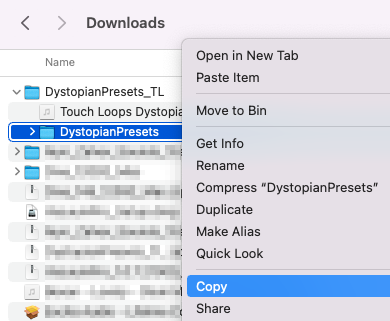
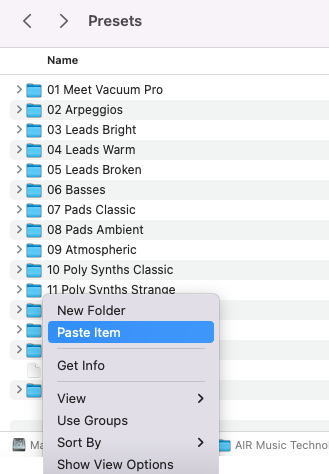
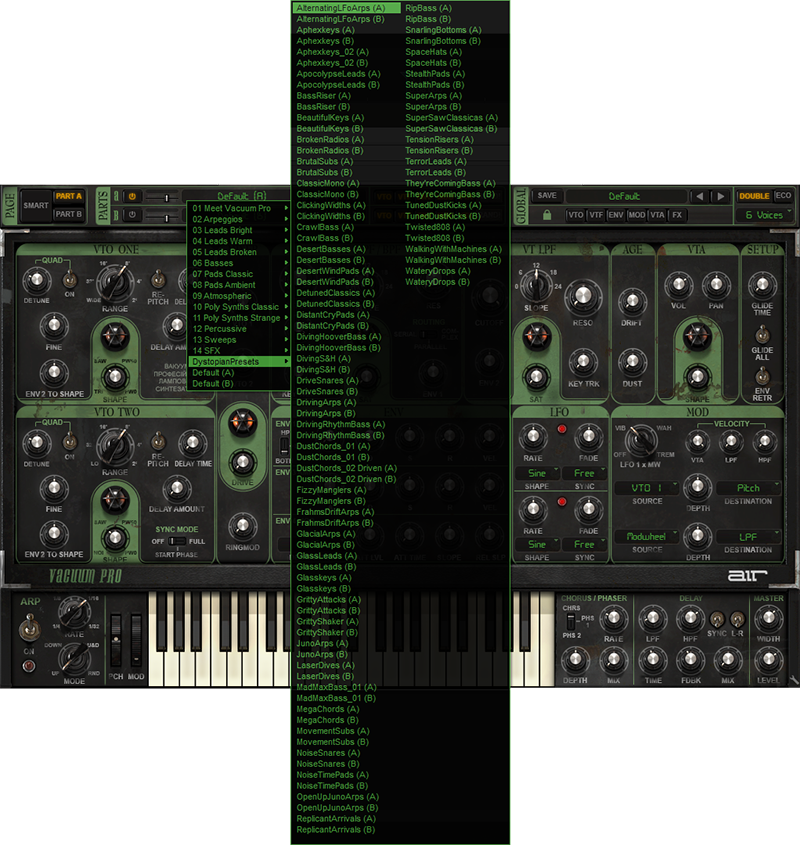


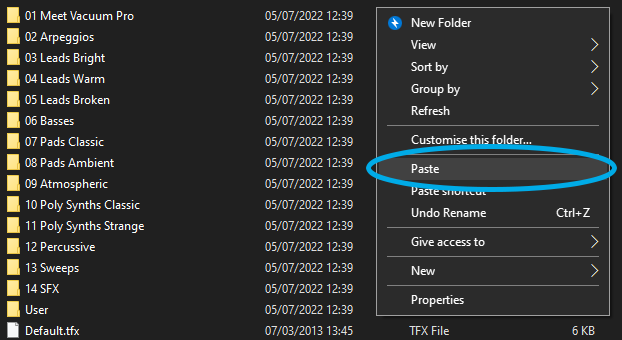
Customer Reviews
(2)


