/ Expansion Packs / BFD Imperial Drums
BFD

BFD Imperial Drums

4.6 (53 Reviews)
$19.00 $69.00

72% off until Dec 07

BFD Imperial Drums Logo
 BFD SPHERE - Demo/Review (Metal Drums for BFD3) Youtube Video gallery thumbnail
 FXpansion BFD Sphere expansion pack Youtube Video gallery thumbnail
Buy Now
Product information

BFD Imperial Drums is an expansion pack for BFD3 featuring a wide range of drums and cymbals, recorded and produced by Chocolate Audio.

BFD Imperial Drums is designed to offer a variety of sounds and mixing control. The medium-sized recording room allows naturally warm ambience as well as direct mic signals with superb isolation for maximum flexibility. Many included instruments provide alternative ambient and direct mic sets for an expanded tonal palette. Finally, 13 stick and beater types including hot-rods, webs, rutes and jazz brushes were used to play the instruments.

The included drums, cymbals and hihats are expertly set up and tuned by experienced session drummer Elio Rivagli. With over 150 loadable instruments in total, BFD Imperial Drums' diverse sounds are suitable for all genres of music that demand powerful, musical-sounding drums.

Features

  • 13 different stick/beater types
  • Additional direct and ambient mics
  • Over 150 kit-pieces in total!

System Requirements

  • BFD3
  • 29 GB hard drive space for a full install (reduced detail options also available)
  • Internet connection for download and authorization

Installation Instructions

Registration

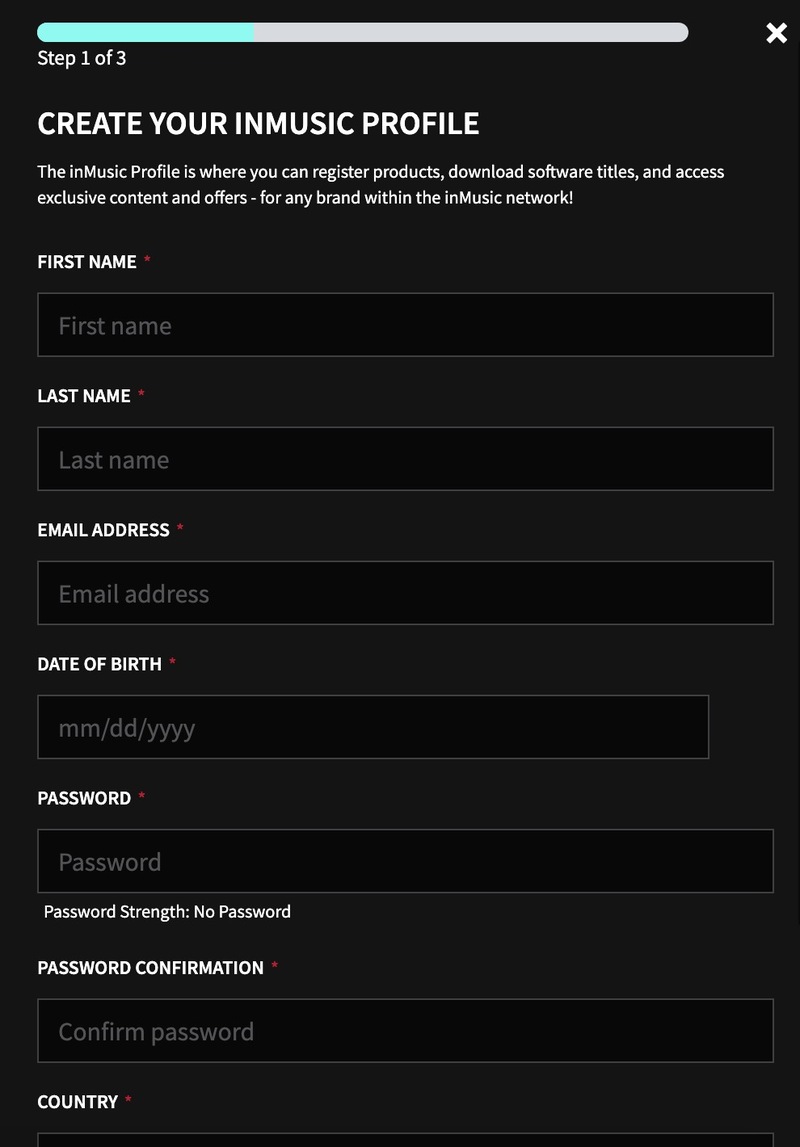
1. Go to https://profile.inmusicbrands.com/customer/account/login/ > Enter your email address and choose a password > Click CREATE ACCOUNT

2. Enter your details > Click NEXT STEP

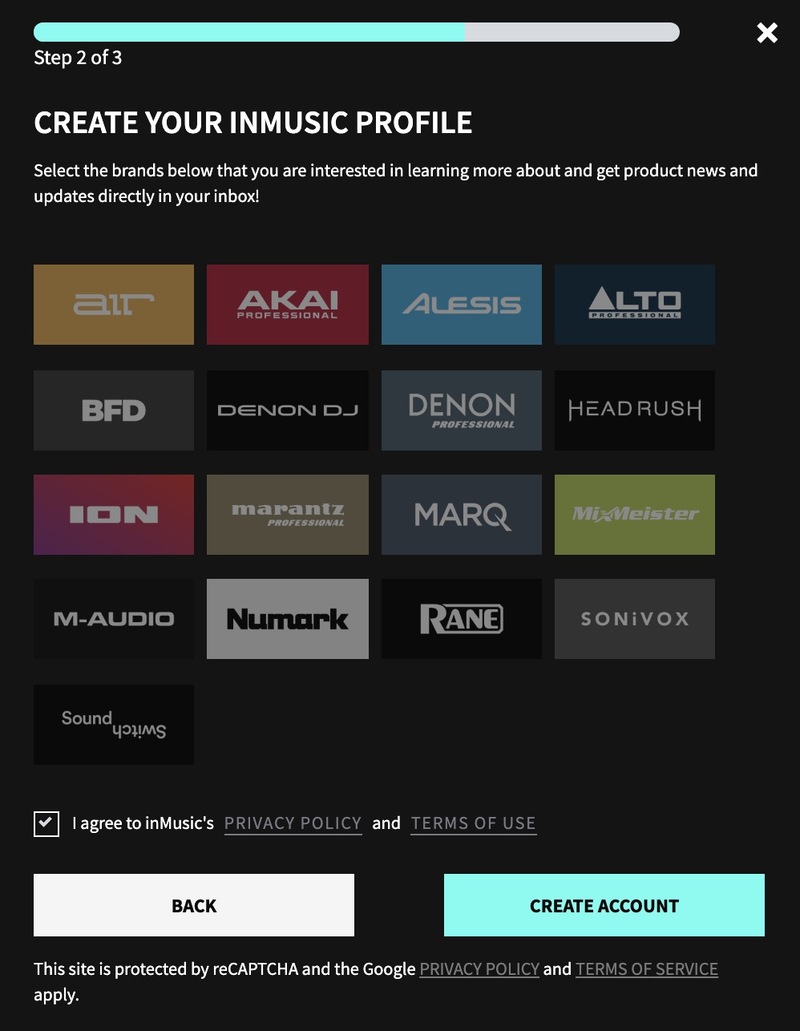
3. Select brands you're interested in > Click I agree to inMusic's PRIVACY POLICY and TERMS OF USE > Click CREATE ACCOUNT

4. You have just created an inMusic account. You will now be sent a confirmation email.

5. Locate the account confirmation email > Click CONFIRM ACCOUNT.

Your account is now confirmed!

Installation

1. Download the InMusic Software Center from your Plugin Boutique account

2. Install the InMusic Software Center > Run the InMusic Software center > Click LET's GO!

3. Enter your details as in step 1 of Registration above > Click SIGN IN

4. Click Add Product

5. Click Software > Enter the serial number found in your Plugin Boutique account

6. Click ADD

7. Click My Expansions

8. Click Download

9. Click Install to install your expansion

10. Open BFD3 in your DAW > The expansion will be available to the left

Your expansion is installed and ready to use. Enjoy!

Plugin Boutique Rewards

Discover the most rewarding loyalty programme among all plugin retailers.

  • Free Loopmasters Samplepacks
  • Discounts on products and courses
  • Extra Virtual Cash claimed immediately at checkout
Find out more

Follow us:

X (Twitter) Facebook YouTube Instagram
Logo Logo

Plugin Boutique Limited, Part of the Beatport Group LLC.

Copyright © 2011-2025 Plugin Boutique. All rights reserved