/ Expansion Packs / Festival Chords for InstaChord 2
W. A. Production

Festival Chords for InstaChord 2

$9.90 $19.90

50% off until Mar 18

Festival Chords for InstaChord 2
Buy Now
Product information

Get ready to lift the crowd and light up the mainstage with Festival Chords for Instachord 2—a powerhouse collection of energetic progressions and melodic patterns built for massive drops, euphoric builds, and unforgettable hooks. Designed to capture the spirit of modern EDM festivals, this expansion gives you the harmonic foundation to craft anthemic hits in seconds.

Unlock a diverse selection of dynamic chord progressions inspired by leading festival genres like Big Room, Progressive House, and Future Bounce. Each preset is crafted to take full advantage of Instachord 2’s intelligent chord engine, letting you generate complex arrangements and expressive transitions without breaking your creative flow.

Whether you’re producing for the mainstage or building emotional breakdowns, Festival Chords for Instachord 2 delivers all the uplifting energy and harmonic firepower your next anthem needs.


Features

  • 40 InstaChord 2 Presets & Patterns
  • 100% Royalty-Free
System Requirements

InstaChord 2 is required to use these presets
Installation Instructions

Mac Installation

1. Download the .zip folder from within your Plugin Boutique User Account > Double-click it to extract the contents.

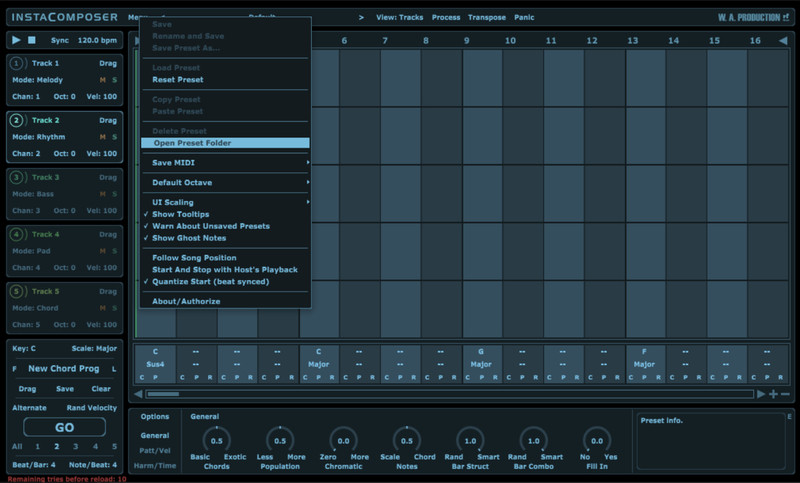
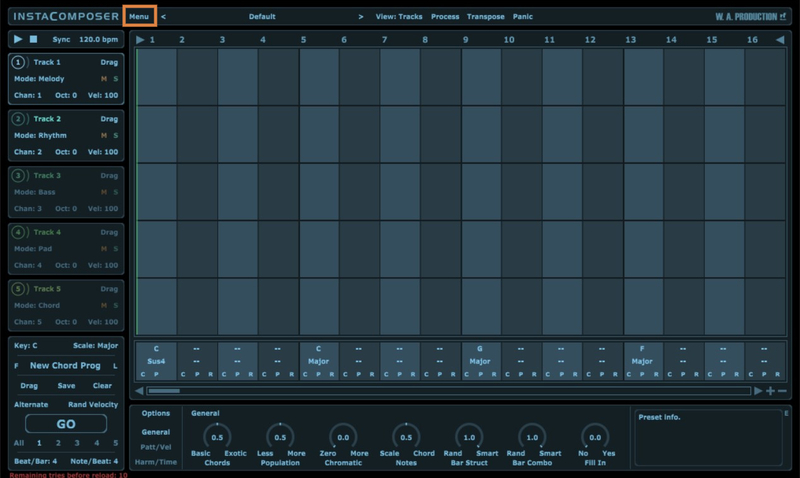
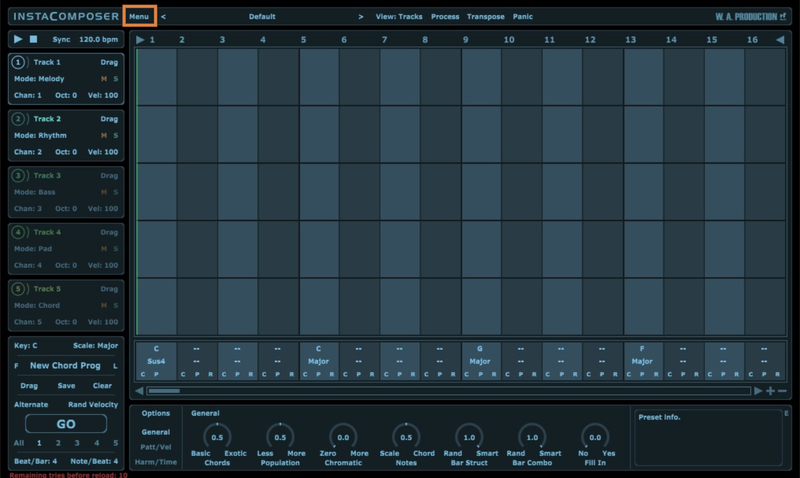
2. Open the latest version of InstaComposer in your DAW > Click 'MENU'.

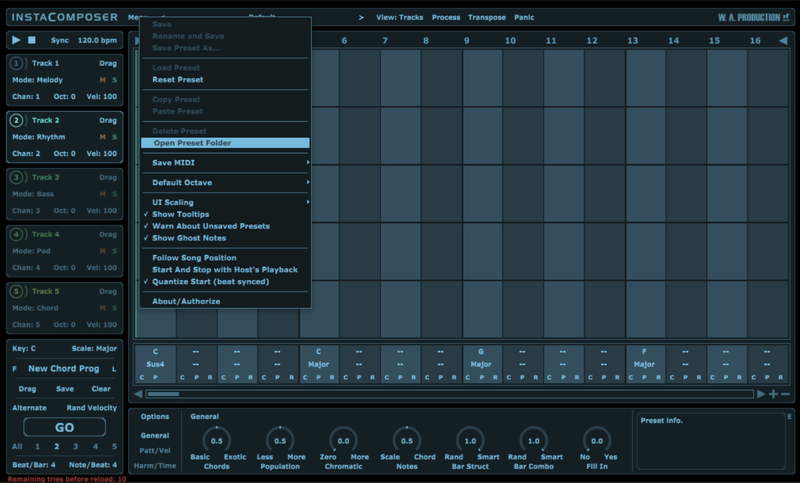
3. Select 'Open Preset Folder' from the drop-down menu.

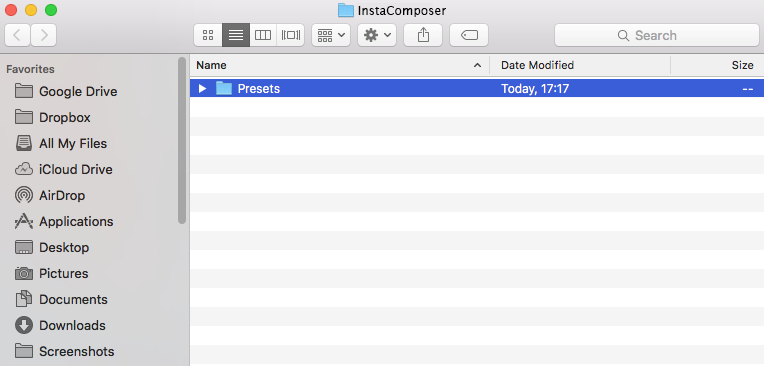
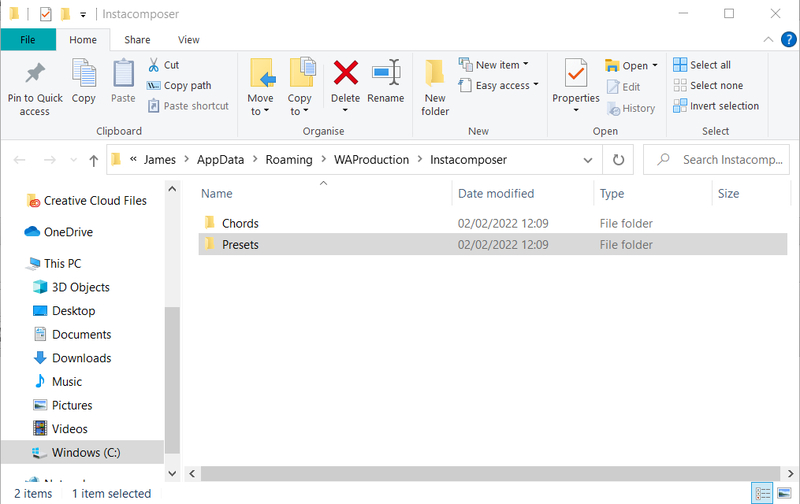
4. Double-click the 'Presets' folder.

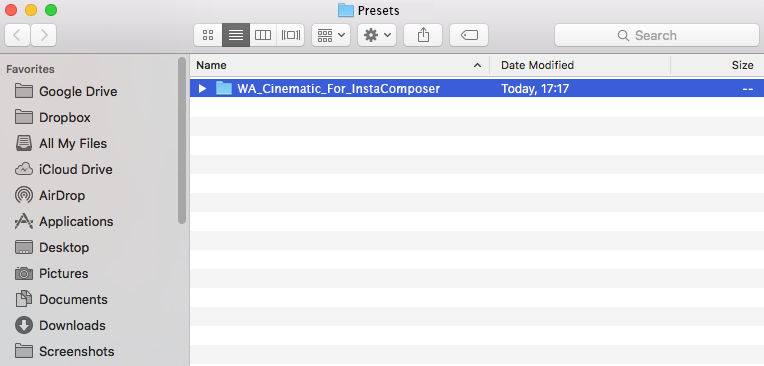
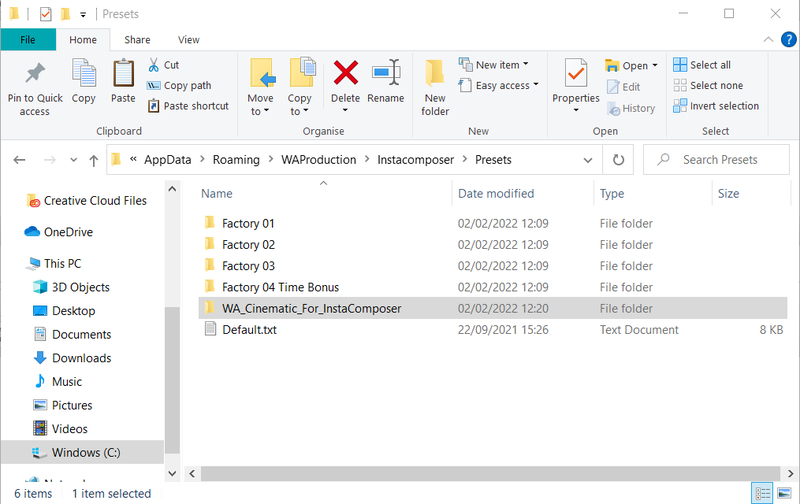
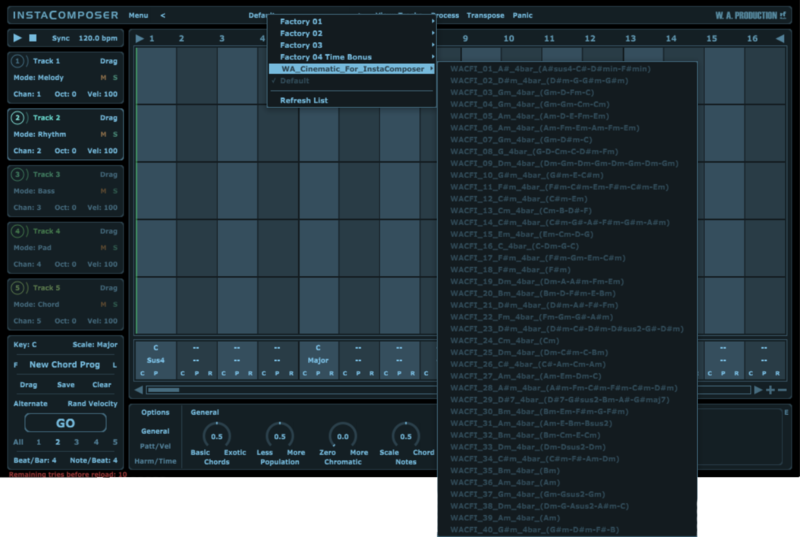
5. Copy the 'WA_Cinematic_For_InstaComposer' folder from the downloaded .zip file > Paste it into the 'Presets' folder.

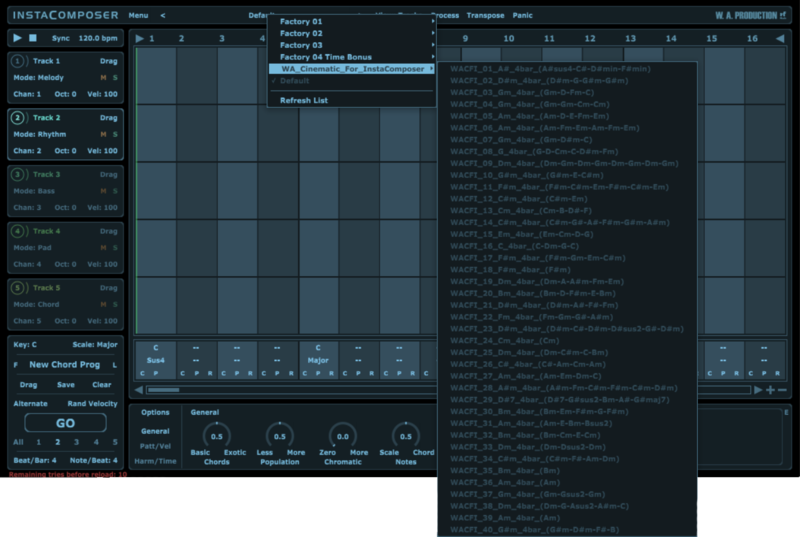
Your presets are now installed and ready to use.

Windows Installation

1. Download the .zip folder from within your Plugin Boutique User Account > Double-click it to extract the contents.

2. Open the latest version of InstaComposer in your DAW > Click 'MENU'.

3. Select 'Open Preset Folder' from the drop-down menu.

4. Double-click the 'Presets' folder.

5. Copy the 'WA_Cinematic_For_InstaComposer' folder from the downloaded .zip file > Paste it into the 'Presets' folder.

Your presets are now installed and ready to use.

Plugin Boutique Rewards

Discover the most rewarding loyalty programme among all plugin retailers.

  • Free Loopmasters Samplepacks
  • Discounts on products and courses
  • Extra Virtual Cash claimed immediately at checkout
Find out more

Follow us:

X (Twitter) Facebook YouTube Instagram
Logo Logo

Plugin Boutique Limited, Part of the Beatport Group LLC.

Copyright © 2011-2026 Plugin Boutique. All rights reserved