/ Expansion Packs / BFD Marching Drums
BFD

BFD Marching Drums

4.3 (27 Reviews)
$14.00 $49.00

71% off until Dec 07

BFD Marching Drums  - Main Image
Steve Levine talks about BFD Marching Drums expansion pack on 6 Day Riot album gallery thumbnail
Buy Now
Product information

BFD Marching Drums is an expansion pack featuring marching band drums and percussion for your BFD3 installation. These fascinating instruments can be used for swapping into drumkits, creating street-style percussive grooves and much more.

he BFD Marching Drums snares offer explosive crack and punch while the 4 sizes of tonal bass drums rival celebrated analog drum machines for sheer low-end power. Other highlights include hand cymbals, quad marching toms and bonus percussion sounds such as a brake drum repurposed from an old Cadillac.

BFD Marching Drums is expertly recorded by John Emrich using a wealth of experience in studio engineering and as a former chief musician in the US Navy Band.

Features

  • Marching drums, cymbals and percussion
  • Explosive snares, huge tonal bass drums
  • Quad marching tom sets, hand cymbals

System Requirements

  • BFD3
  • Internet connection (for download and authorization)
  • 4.8 GB for a full install
Installation Instructions

Registration

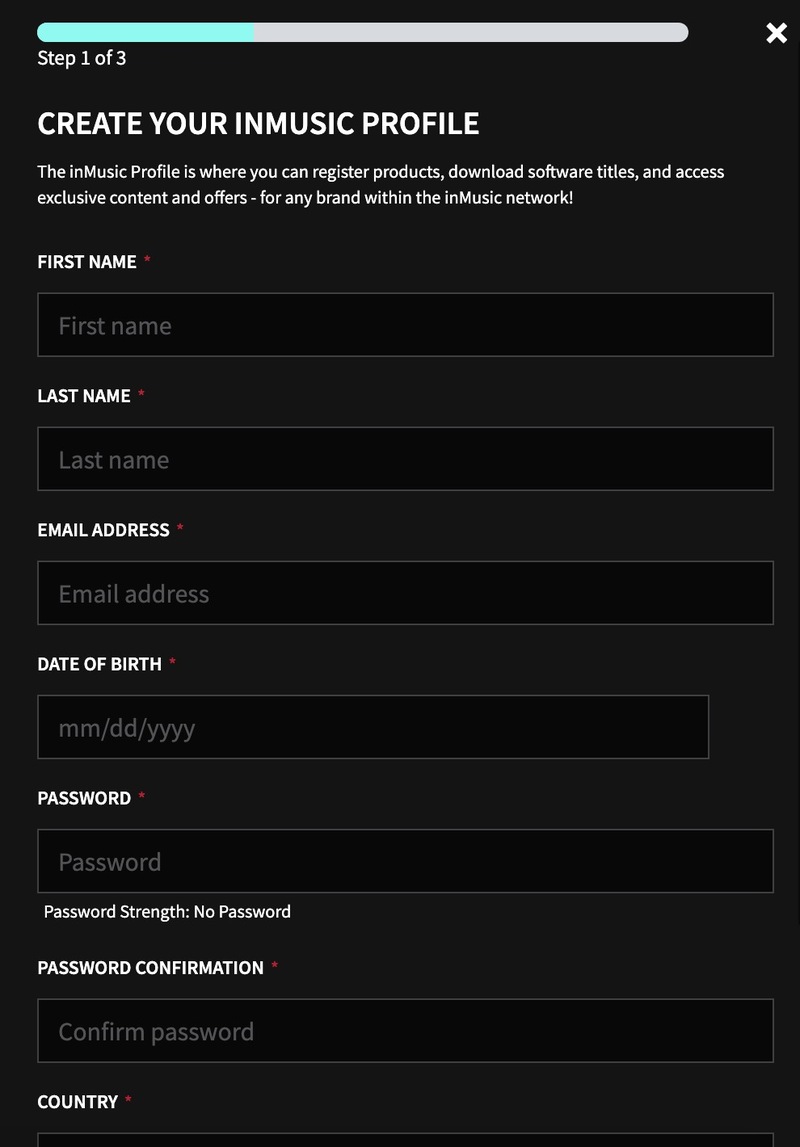
1. Go to https://profile.inmusicbrands.com/customer/account/login/ > Enter your email address and choose a password > Click CREATE ACCOUNT

2. Enter your details > Click NEXT STEP

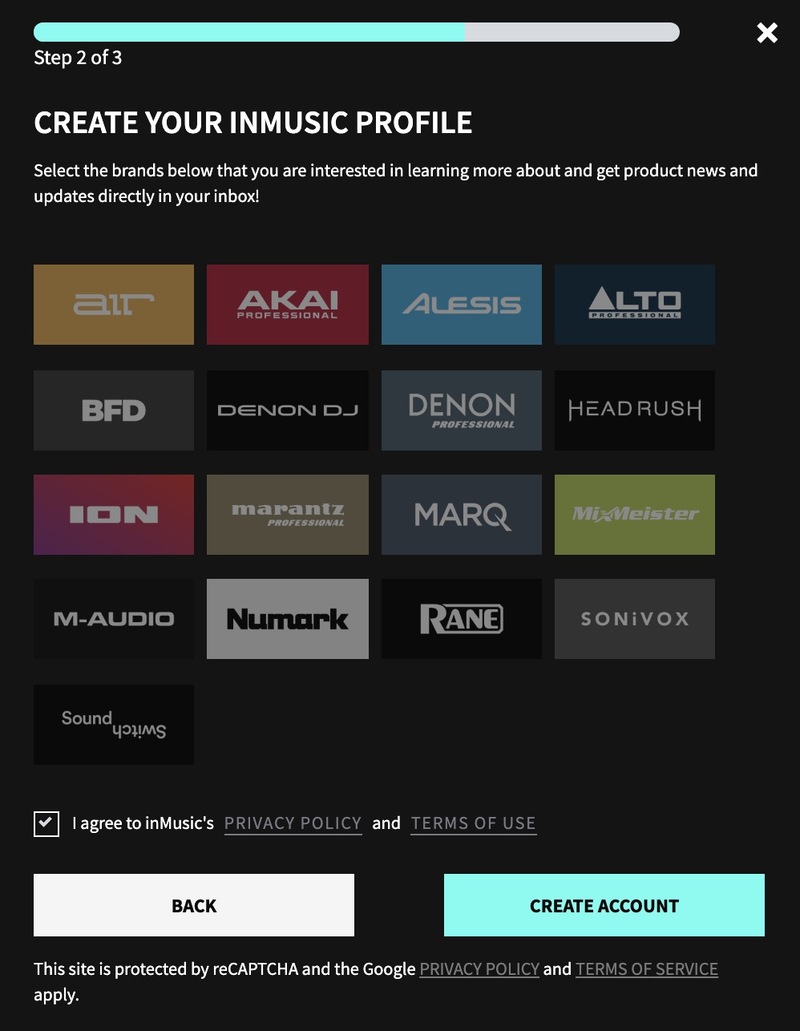
3. Select brands you're interested in > Click I agree to inMusic's PRIVACY POLICY and TERMS OF USE > Click CREATE ACCOUNT

4. You have just created an inMusic account. You will now be sent a confirmation email.

5. Locate the account confirmation email > Click CONFIRM ACCOUNT.

Your account is now confirmed!

Installation

1. Download the InMusic Software Center from your Plugin Boutique account

2. Install the InMusic Software Center > Run the InMusic Software center > Click LET's GO!

3. Enter your details as in step 1 of Registration above > Click SIGN IN

4. Click Add Product

5. Click Software > Enter the serial number found in your Plugin Boutique account

6. Click ADD

7. Click My Expansions

8. Click Download

9. Click Install to install your expansion

10. Open BFD3 in your DAW > The expansion will be available to the left

Your expansion is installed and ready to use. Enjoy!

Plugin Boutique Rewards

Discover the most rewarding loyalty programme among all plugin retailers.

  • Free Loopmasters Samplepacks
  • Discounts on products and courses
  • Extra Virtual Cash claimed immediately at checkout
Find out more

Follow us:

X (Twitter) Facebook YouTube Instagram
Logo Logo

Plugin Boutique Limited, Part of the Beatport Group LLC.

Copyright © 2011-2025 Plugin Boutique. All rights reserved