Mac
1. Download the .zip folder from within your Plugin Boutique User Account and double-click it to reveal its contents.

2. Place the contents of the Structure 2 Expansion into the Presets folder - Macintosh HD > Applications > AIR Music Technology > Structure > Structure Factory Libraries
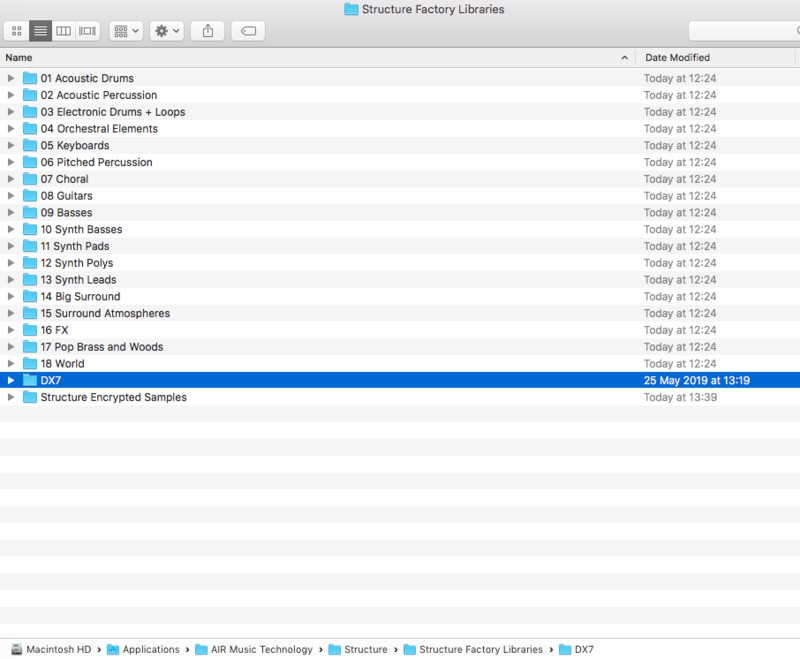
3. Open Structure 2 within your DAW. Click on the BROWSER tab and within Structure, navigate to the same folder (Macintosh HD > Applications > AIR Music Technology > Structure > Structure Factory Libraries).
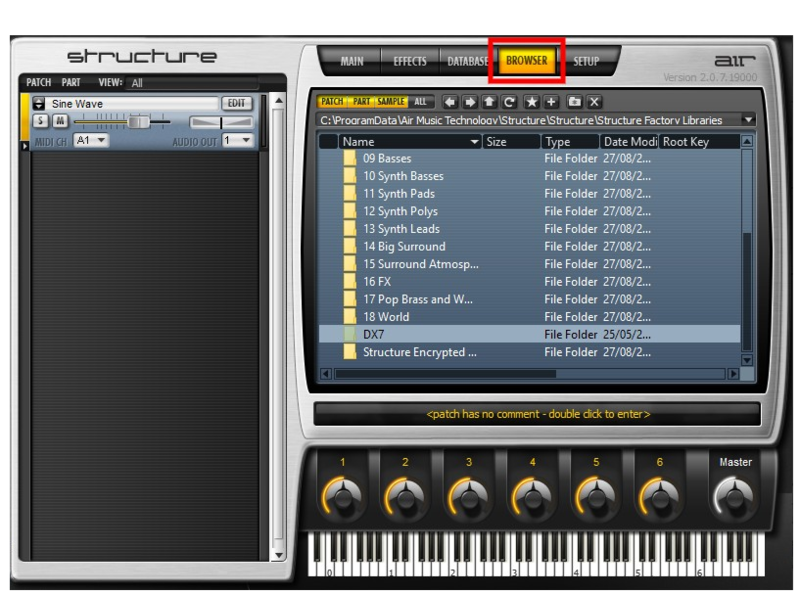
4. You will now be able to use the Expansion presets within Structure 2.
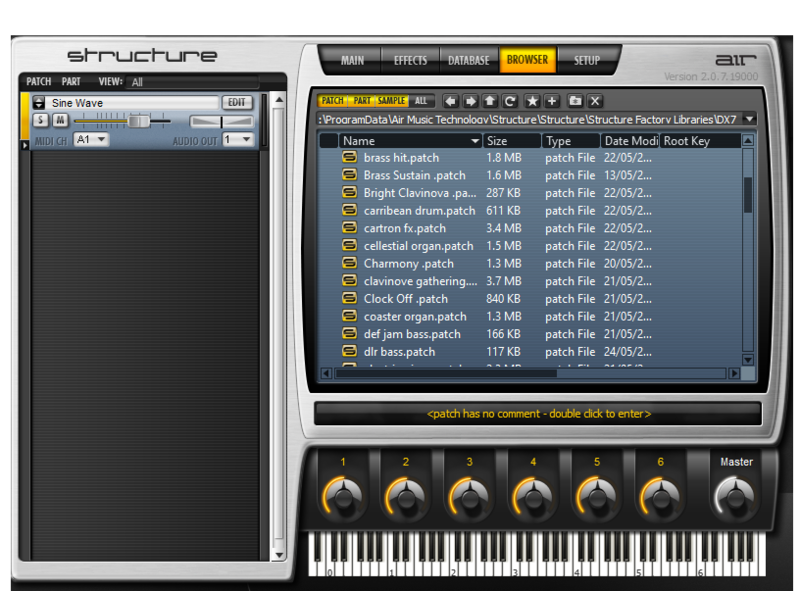
Your expansion is now installed and ready to use within Structure.
Windows
1. Download the .zip folder from within your Plugin Boutique User Account and double-click it to reveal its contents.

2. Place the contents of the Structure 2 Expansion into the Presets folder - Program Files (x86) > AIR Music Technology > Structure > Favorites > Structure Factory Libraries

3. Open Structure 2 within your DAW. Click on the BROWSER tab and within Structure, navigate to the same folder (Program Files (x86) > AIR Music Technology > Structure > Favorites > Structure Factory Libraries).
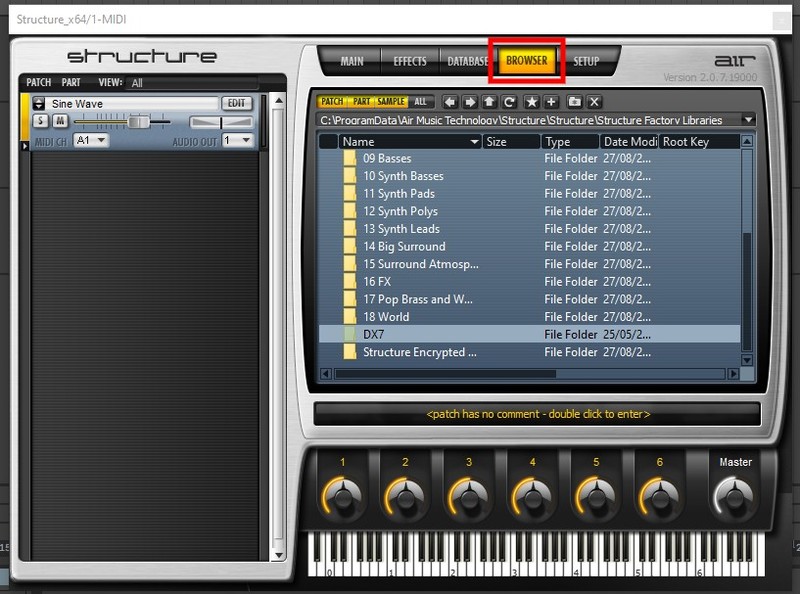
4. After clicking the DX 7 folder, you will now be able to browse the Expansion presets within Structure 2.
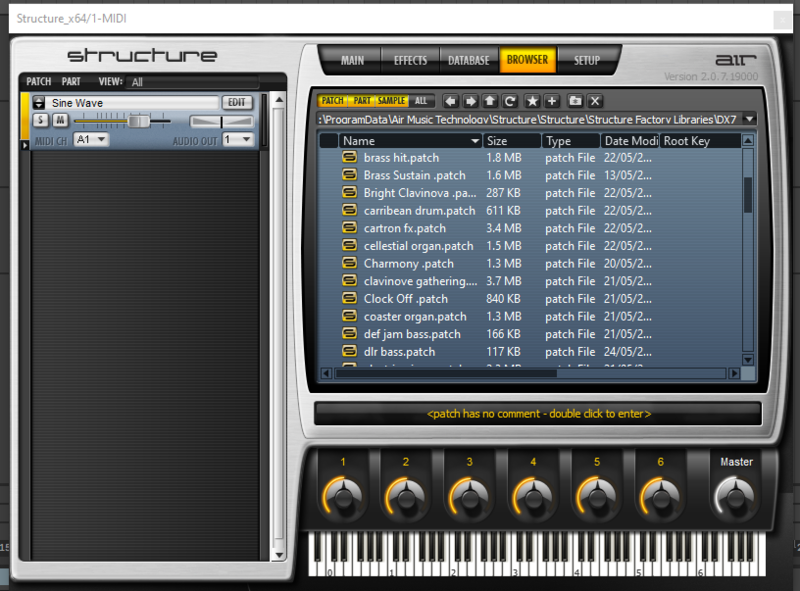
Your expansion is now installed and ready to use within Structure.


 Log In


