Buy Zampler Expansion: Trap Orchestra, get a free gift with purchase:
TRAP ORCHESTRA - 2 GB Symphonic Instruments for Hip-Hop & EDM
Abyssal basses, shrill bells and roaring trumpets... when it comes to instrumentation, Trap isn't squeamish and, in addition to synthetic alarm sounds and sirens, is also extremely fond of classical orchestras. So it's already clear where the journey of our current expansion is heading. Look forward to a whopping 116 strings, cellos, double basses, marimbas, xylos and, of course, nasty 808 subs, for EDM, Hip-Hop, Trap, Grime and all styles that need massive symphonic sounds.
Features
- 116 patches
- 2 GB sample content
System Requirements
- 2GB available disk space
- Zampler 1.0.2+
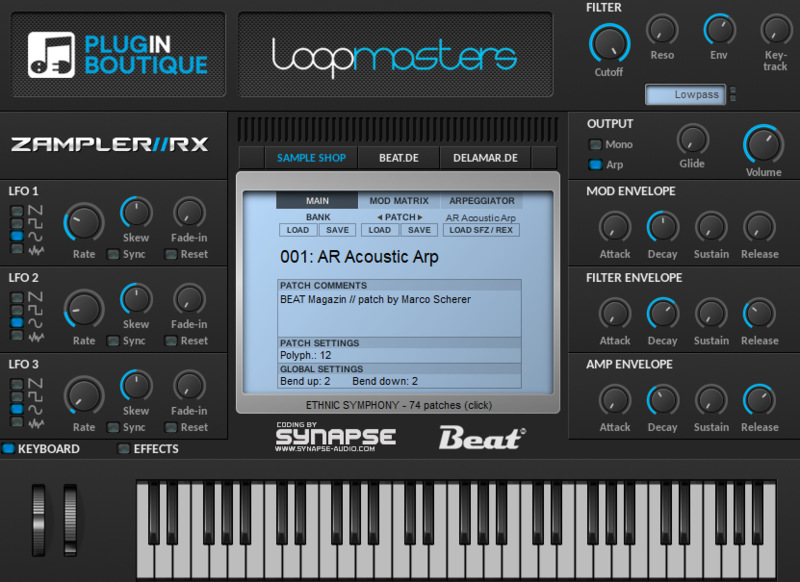
Important Note: This software requires a copy of Zampler 1.0.2+ or higher. You can download Zampler for free HERE.
Note: Zampler Expansion: Toraiz AS-1 is used as the example.
Mac
1. Download the .zip folder from within your User Account, and double-click it to reveal its contents.
2. Save the main folder entitled 'Toraiz AS-1' to a computer location of choice, e.g documents or to an external hard drive.
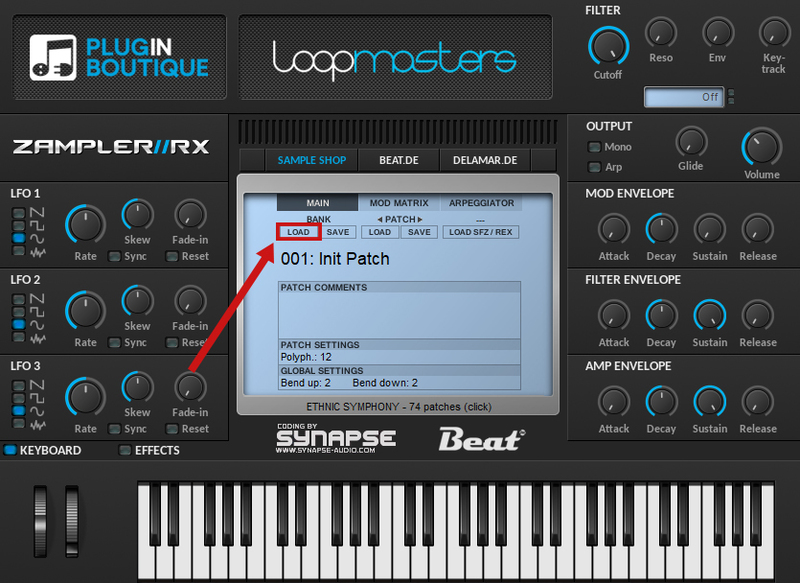
3. Open Zampler within your DAW > Go to 'Bank' and click 'Load'.

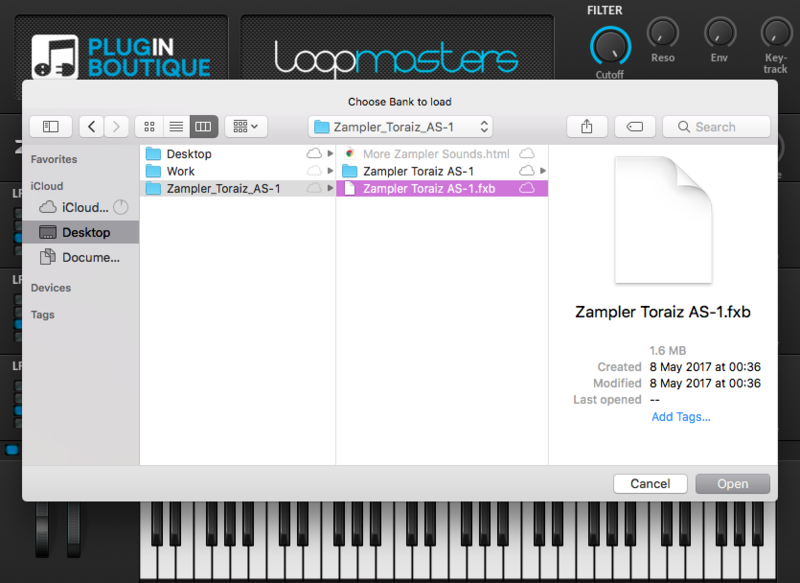
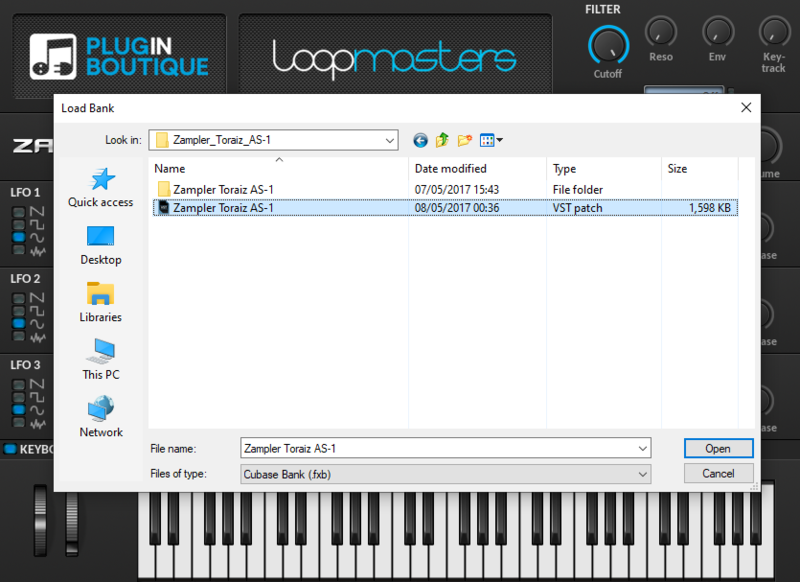
4. Find the .fxb file inside of the download folder > Click 'Open'.

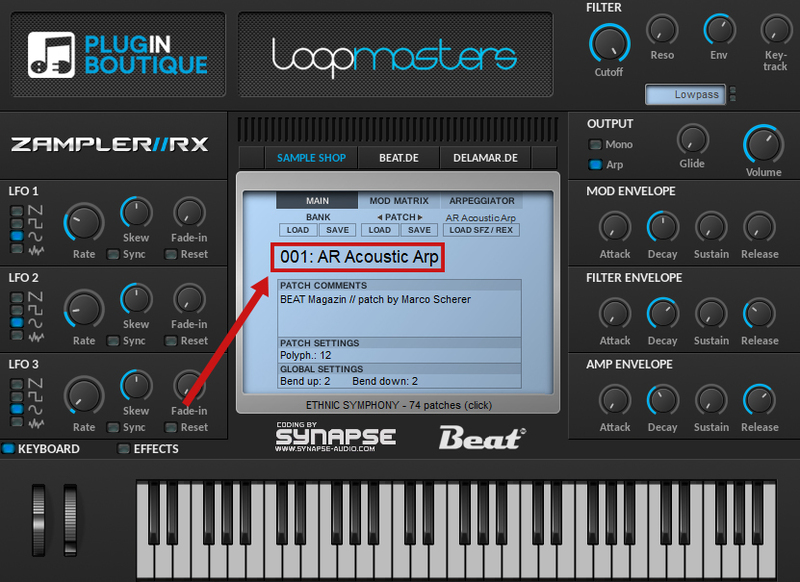
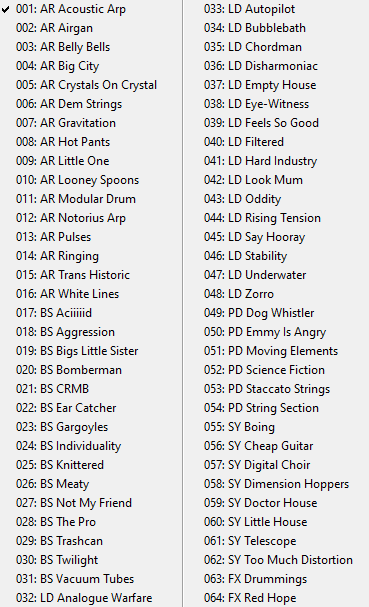
5. The Zampler patches can now be found by clicking on the patch name.


Your patch is now loaded and ready to use within Zampler.

Windows
1. Download the .zip folder from within your User Account, and double-click it to reveal its contents.
2. Save the main folder entitled 'Toraiz AS-1' to a computer location of choice, e.g documents or to an external hard drive.
3. Open Zampler within your DAW > Go to 'Bank' and click 'Load'.

4. Find the .fxb file inside of the download folder > Click 'Open'.

5. The Zampler patches can now be found by clicking on the patch name.


Your patch is now loaded and ready to use within Zampler.