


 Log In

Free gifts available with your purchase
H-Delay Hybrid Delay
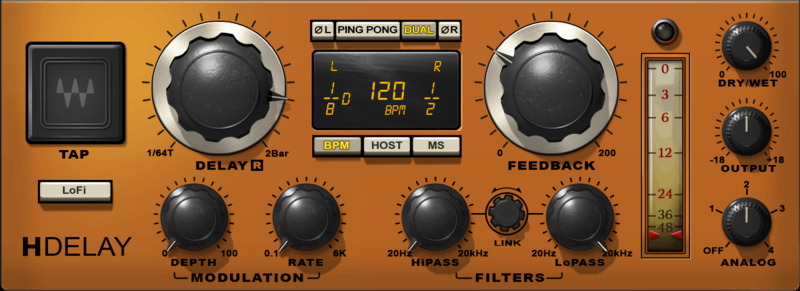
Vintage Effects, Modern Power—the Delay that Does It All
H-Delay’s comprehensive control set delivers chorusing, flanging, echo, tape delay, looping, doubling, slapback, resonance, vibrato, self-oscillating feedback, and more. Best of all, it covers the sonic range from funky, old-school delays to today’s state-of-the-art sound quality.
With its accessible interface, straightforward controls, and a huge variety of presets, H-Delay can kick-start your creativity in seconds—it’s no wonder people call this their “desert island delay.”
Features
- Rich, smooth sound quality, but with lo-fi options
- Delays from 1 to 3500 ms, with sync-to-tempo
- Choose four analog characters, or contemporary digital fidelity
- Sophisticated filtering tailors the delay’s tone
- Modulation (with sync-to-tempo) for chorusing, vibrato, and more
- All controls have MIDI Learn, for creative control and effects
- New! “Dual Mode” for enhanced spectral control
- Innovative phasing options independent for the left and right channels
System Requirements
Mac
- macOS Monterey 12, Ventura 13, Sonoma 14, Sequoia 15
- VST / AU / AAX
PC
- Windows 10+
- VST / AAX












Reviews Summary
While it aims to provide a helpful overview, it may not capture every perspective or detail. We encourage you to read individual reviews to make an informed decision.
Users widely praise the H-Delay plugin as a versatile, go-to tool for both vocals and creative effects. Reviewers highlight its warm, musical, and clean sound, deep tweaking capabilities, and quality presets, commending its ease of use and ability to add depth and space to any mix.


