


Buy BIAS Pedal Delay, get a free gift with purchase:
Rock ‘n’ Roll Just Entered a New Dimension
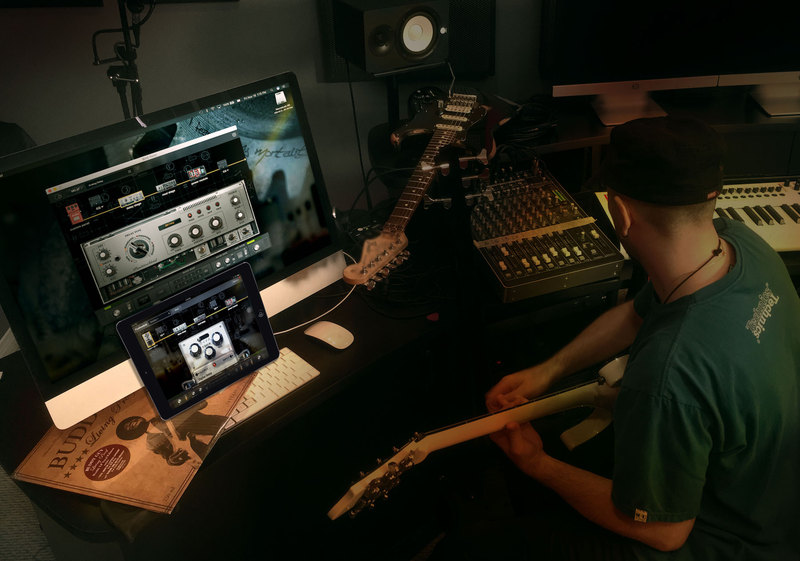
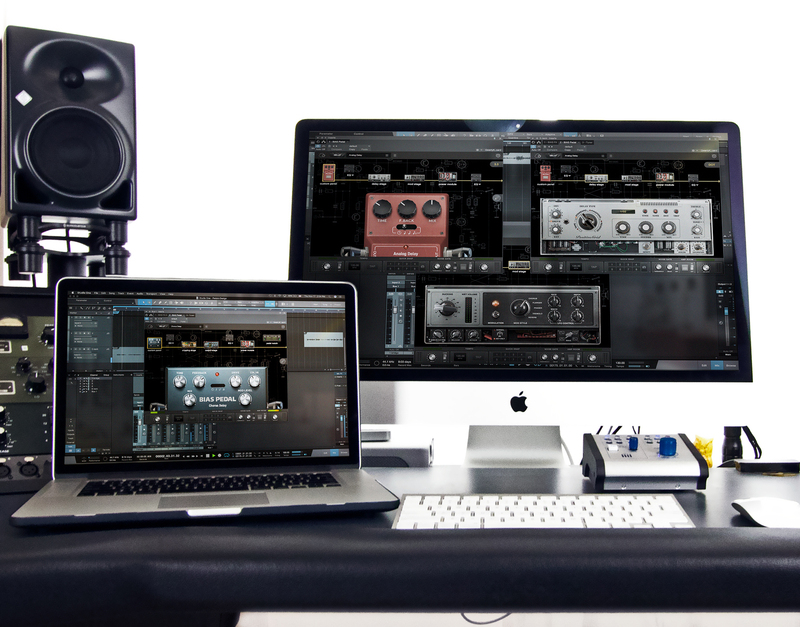
BIAS Pedal first rocked the guitar world with its embedded guitar-tone booster, the groundbreaking BIAS Distortion. Now comes the second storm: BIAS Delay. Wrapped in the same expandable BIAS Pedal shell as BIAS Distortion, BIAS Delay lets you quickly and easily design thousands of custom delay pedals from scratch—giving you a seamlessly integrated ecosystem of effects and distortion pedals.
Available both as a cross-platform plug-in and iPad app, BIAS Delay travels effortlessly between studio and stage. And of course, it’s ToneCloud-ready. Upload and share your unique delay pedals on the ToneCloud social network for guitarists, and download thousands of unique delay pedals from fellow musicians around the world. An effects hoarder’s dream come true, BIAS Delay is the last delay pedal you’ll ever need!
Custom Pedal Design
Full-bodied, creamy tone is just a knob twist away in BIAS Delay. Saturation and analog-tone controls add density and girth to the Delay Stage’s input signal. The Power Module’s full-featured compressor pushes your riffs to the front of the band. Adjust your pedal’s virtual power source to deliver 18 volts for a relaxed, supple sound, or 6 volts to make your guitar tone sound like a beast straining on a leash! Use the Delay Stage’s treble and bass controls to shape the tone of only the delay signal from bright to midrange-y to bass-heavy, while leaving your dry guitar tone untouched. Two 8-band graphic equalizers can be placed at various points along the signal chain with drag-and-drop ease to finely sculpt your overall tone. BIAS Delay gives you infinite tonal possibilities in a fast, intuitive interface.
Wet the Effect
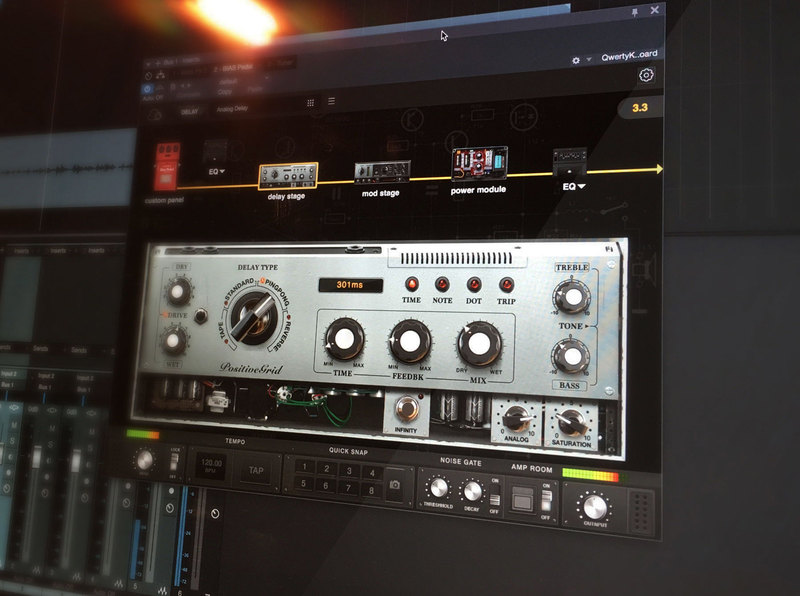
BIAS Delay is all about time-based effects—coloured with every timbre imaginable. Choose among four delay types to start: Standard for pristine digital delays, Tape for saturated vintage sound, Ping Pong for cruise ship-wide echo trails, and Reverse for ear-bending backward envelopes. Manual delay times from 1 to 3000 ms dish out every kind of delay-based effect from doubling to slapback to long echoes arriving from the next zip code. In the studio, sync BIAS Delay to your DAW for delay times ranging from a 32nd-note to a whole note, including dotted notes and triplets.
BIAS FX Integration
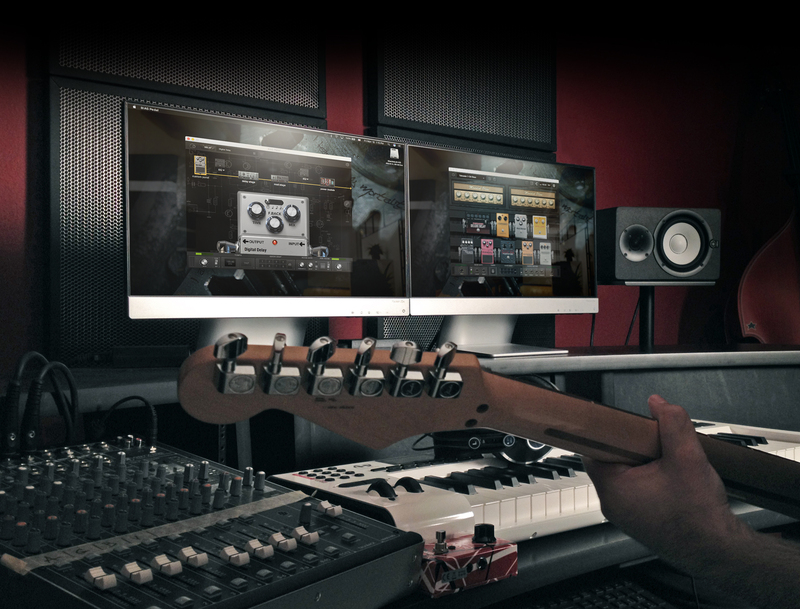
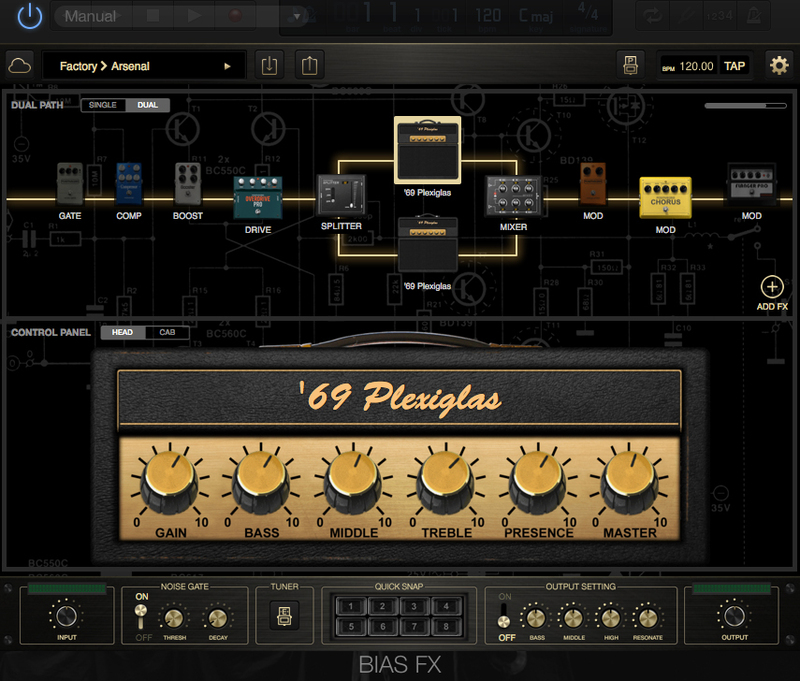
BIAS Delay seamlessly integrates with your BIAS FX mobile and desktop effects arsenals. It automatically imports your custom delay pedals into the BIAS FX pedalboard’s dual signal chains with dual BIAS amps. It also includes all of BIAS Pedal’s stock goodies, including Amp Room: six guitar amps from the rockin’ BIAS Amp to blow through.
ToneCloud
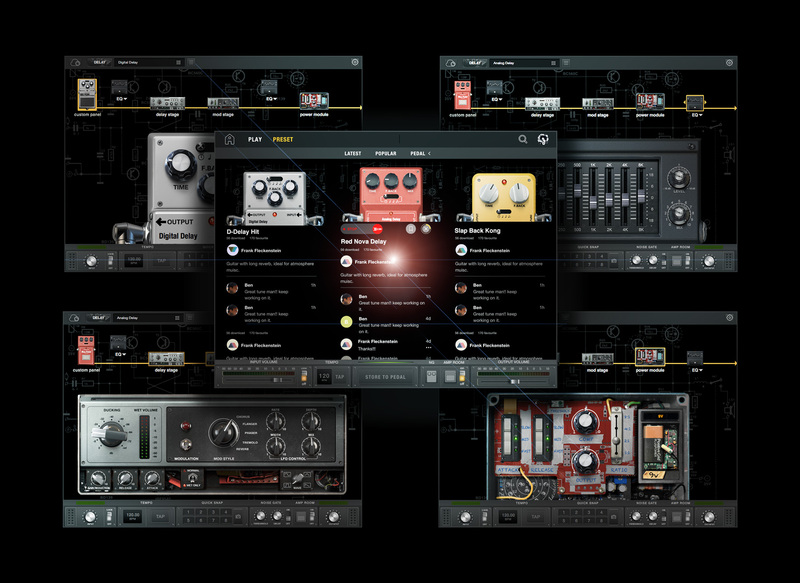
Because BIAS Pedal is expandable, it’s a platform for more than just delay and distortion pedals. More pedals are on the way. Positive Grid is all about building a complete musical war chest for guitarists in one integrated system.
BIAS Pedal Delay: Insane delay pedal customisation, infinite tonal possibilities and thousands of downloadable pedals at your fingertips.
Features:
- Full-bodied, analog-like sound.
- Extremely intuitive operation makes designing your own delay pedals a snap.
- Killer factory presets make great starting points for creating your own custom pedals.
- Coming soon: Share your custom pedal setups and download other guitarists’ custom BIAS Delay pedals on ToneCloud, Positive Grid’s ever-expanding social network.
- Four delay types: Standard, Tape, Ping Pong and Reverse.
- Delay times manually adjustable from 1 to 3,000 ms and sync-able to host.
- Two 8-band graphic equalizers can be placed at various points in the signal chain via easy drag-and-drop.
- Modulation Stage applies chorus, flanger, phaser, tremolo or reverb to delay signal.
- Four waveforms—sine, triangle, square and sawtooth—and rate, depth, width and mix controls shape the Modulation Stage’s LFO for multiple flavours of modulation.
- Saturation and analog-tone controls add density to the Delay Stage’s input signal.
- Unique Infinity control gives perpetual feedback without runaway oscillation.
- Automatic Ducker with threshold, gain reduction, attack and release controls and helpful wet-signal meter.
System Requirements
Mac OS X:
- OS X 10.9 or later
- Format: Audio Units, VST, RTAS, AAX Native
- 4GB of RAM minimal, 8GB or more recommended
- 700MB free disk space
- BIAS Pedal requires A DAW software (Digital Audio Workstation) to host, however it now has a Standalone version too.
- Internet connection is required to activate license and access Tone Cloud, BIAS Pedal doesn’t support offline activation at this moment. It can run under offline mode after activation and disable Tone Cloud
Windows:
- Windows 7 (SP1) or Windows 8
- Format: VST, RTAS, AAX Native
- 4GB of RAM minimal, 8GB or more recommended
- 1.5GHz Dual core processor minimal, 2.0GHz Dual core or more recommended
- 250MB free disk space for per version (32 or 64 bits)
- BIAS Pedal requires A DAW software (Digital Audio Workstation) to host, however it now has a Standalone version too.
- Internet connection is required to activate license and access Tone Cloud, BIAS Pedal doesn’t support offline activation at this moment. It can run under offline mode after activation and disable Tone Cloud
Please Note: Internet connection is required to activate license and access Tone Cloud, BIAS Pedal doesn’t support offline activation at this moment. It can run under offline mode after activation and disable Tone Cloud
Installation Instructions
Mac:
1. Log into/create your Positive Grid User Account.
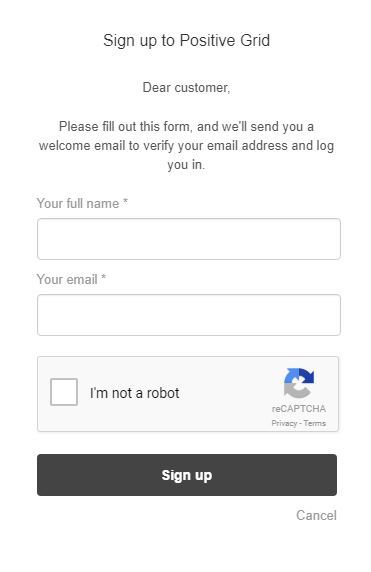
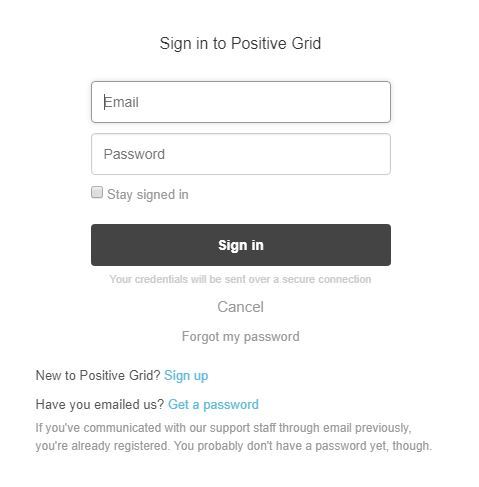
2. Copy and paste/manually enter the serial number from your User Account via Positive Grid's Redemption Area > click 'Redeem.'
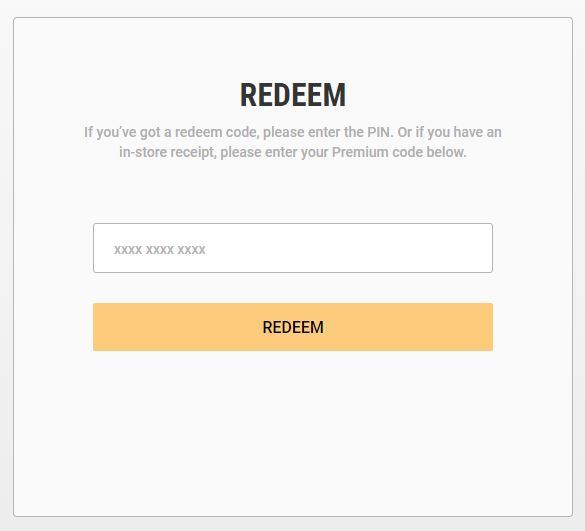
3. The download option will become available for your purchased product via the Positive Grid's download page. Scroll down the page to find your purchased product (Mac OS) installer, and click 'Download.'
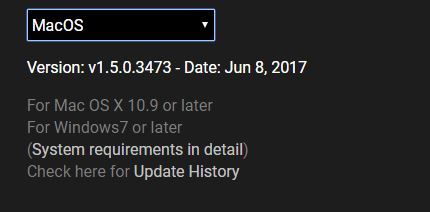
4. Once the download has concluded, double-click and open the .pkg file to run the installer.
Note: BIAS FX Desktop is used as the example.
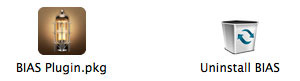
5. Click 'Continue.'
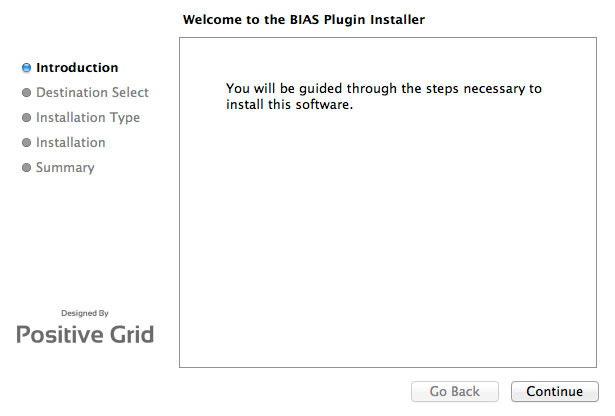
6. Confirm the computer folder/location in which to save the software to > click 'Install.'
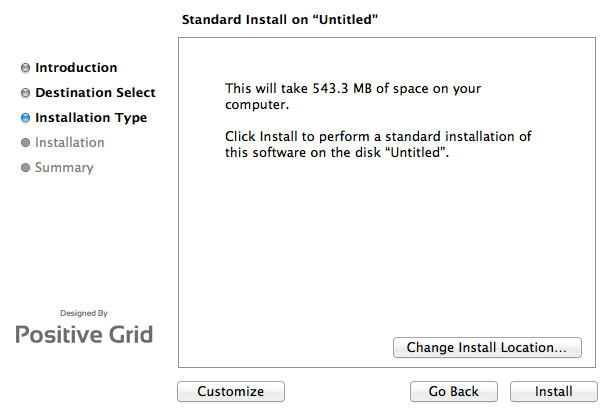
7. Once the installation has successfully completed, click 'Close.'
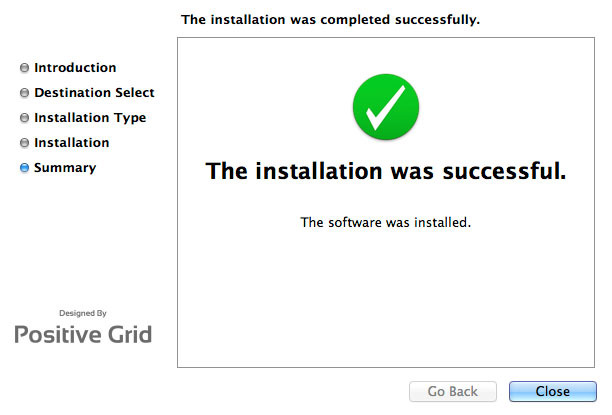
8. Restart your DAW and open the software.
Note: You may need to refresh/rescan your DAW's plug-in selection, in order to show the new installation.
Activation
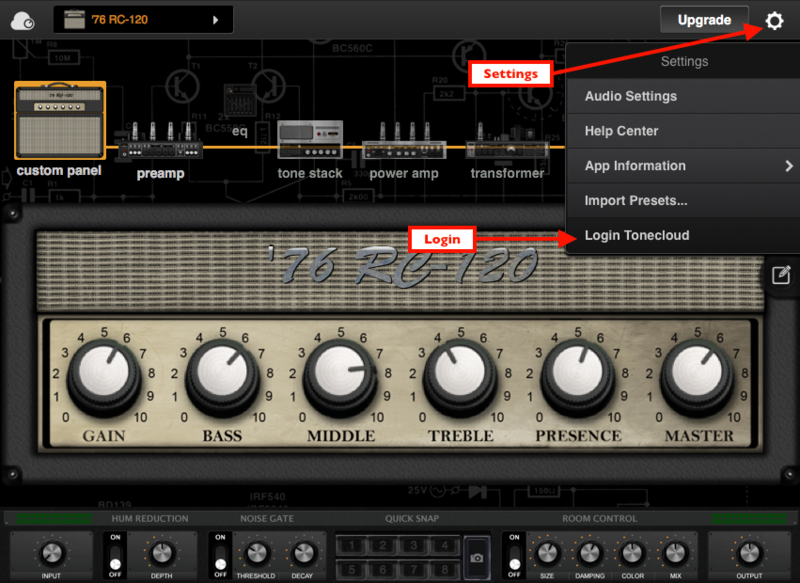
1. Open the software and click the settings icon on the upper right corner of the window. Then click "Login ToneCloud" in the drop-down menu to log in and activate the software.
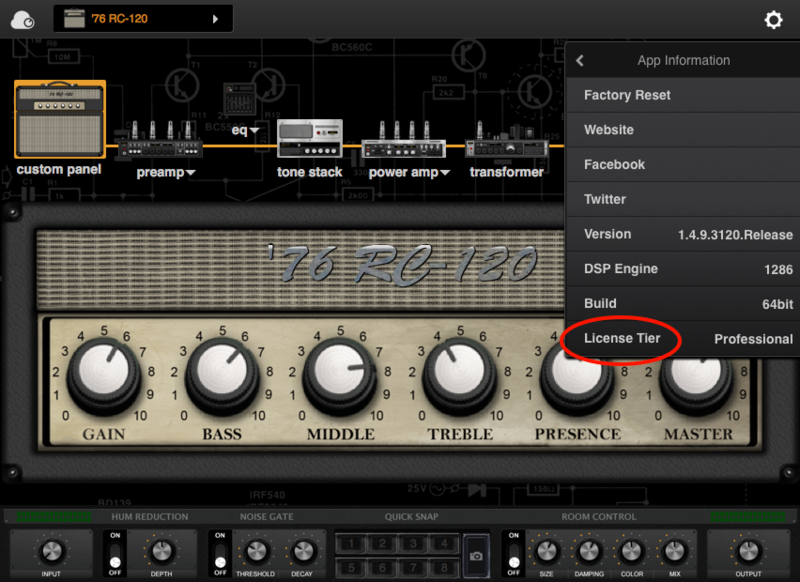
2. To check if the software has been activated, go to settings, App Information and make sure that it shows "Desktop" (for Standard license) or "Professional" (for Professional license) under License Tier.
Your software is now activated into full version mode, ready for use within your DAW
Experiencing Trouble Activating Your Software?
1. If you still can't log in after following the steps, something must went wrong. Please refer to this article for troubleshooting.
2. The licence will be tied with the account which you key in after the purchase process. If you log in with a different account, BIAS will turn into a demo version. Please make sure you are using the same account you signed up with for the purchase.
3. BIAS Desktop allows you to activate the full licence on 2 devices. Please make sure the quota is still enough. You can release the quota by uninstall the software completely from your devices.
4. Another common root cause is the firewall setting of your anti-virus software. If the version you are using is a Demo (disabled "save/save as", system message showing for upgrade) and is unable to activate to standard version. Please disable your anti-virus software temporarily then try again.
PC/Windows:
1. Log into/create your Positive Grid User Account.
2. Copy and paste/manually enter the serial number from your User Account via Positive Grid's Redemption Area > click 'Redeem.'
3. The download option will become available for your purchased product via the Positive Grid's download page. Scroll down the page to find your purchased product (Windows 32-bit/64-bit)) installer, and click 'Download.'
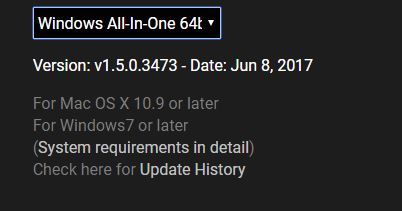
4. Once the download has concluded, double-click and open the .msi installer file to run the installer.
Note: BIAS FX Desktop is used as the example.
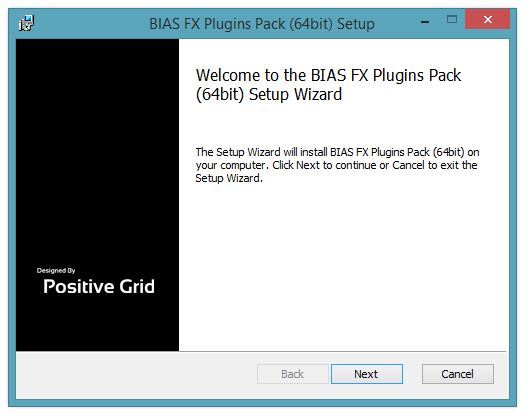
5. Choose and select a software folder in which to install the 64-bit format common files to > click 'Next.'
Note: 32-bit software formats need to be saved to - C:\Program Files (x86)\Common Files\PositiveGrid\
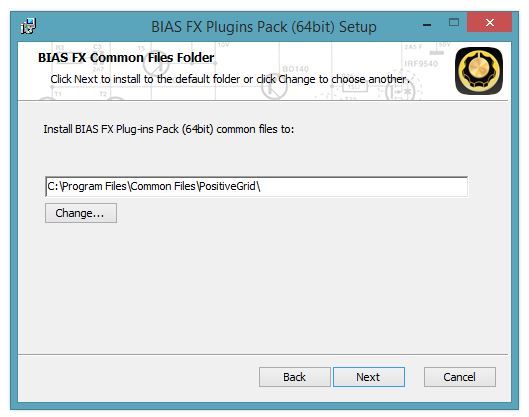
6. Choose and select a software folder in which to install the 64-bit format VST files to > click 'Next.'
Note: 32-bit software formats need to be saved to - C:\Program Files (x86)\VSTPlugins\
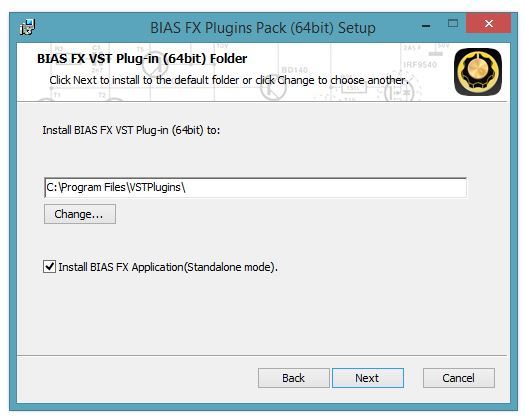
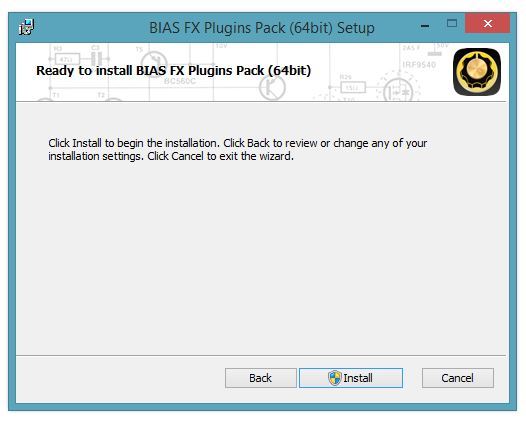
7. Review the installation and click 'Install.'
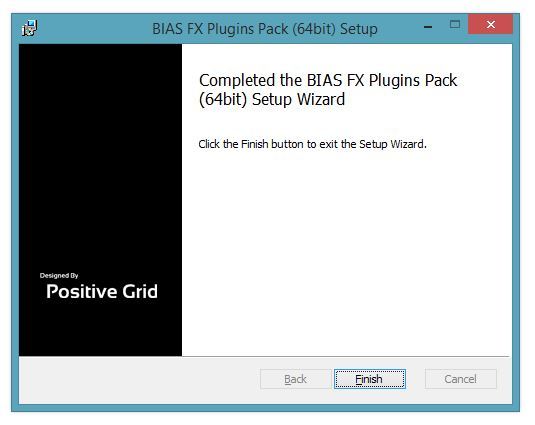
8. The installation of your software has successfully completed > click 'Finish.'
8. Restart your DAW and open the software.
Note: You may need to refresh/rescan your DAW's plug-in selection, in order to show the new installation.
Activation
1. Open the software and click the settings icon on the upper right corner of the window. Then click "Login ToneCloud" in the drop-down menu to log in and activate the software.
2. To check if the software has been activated, go to settings, App Information and make sure that it shows "Desktop" (for Standard license) or "Professional" (for Professional license) under License Tier.
Your software is now activated into full version mode, ready for use within your DAW
Experiencing Trouble Activating Your Software?
1. If you still can't log in after following the steps, something must went wrong. Please refer to this article for troubleshooting.
2. The licence will be tied with the account which you key in after the purchase process. If you log in with a different account, BIAS will turn into a demo version. Please make sure you are using the same account you signed up with for the purchase.
3. BIAS Desktop allows you to activate the full licence on 2 devices. Please make sure the quota is still enough. You can release the quota by uninstall the software completely from your devices.
4. Another common root cause is the firewall setting of your anti-virus software. If the version you are using is a Demo (disabled "save/save as", system message showing for upgrade) and is unable to activate to standard version. Please disable your anti-virus software temporarily then try again.


