


 Log In

Free gifts available with your purchase
Endlessly Creative Echo
An exciting, original delay effect with integrated effects, and an inspiring variety of sounds. Arturia Delay Eternity is an innovative tool for the modern producer.
A totally original Arturia design, Delay Eternity takes a deceptively simple digital delay and transforms it into something breathtaking.
Make your vocals quirky and cool in an instant; creating a resonating, harmonic drone from any sound; shake up a loop and create something totally new. The possibilities are practically limitless.
Surprising, Creative, Versatile
Exciting new sounds are always just a tweak away, with a great selection of presets.
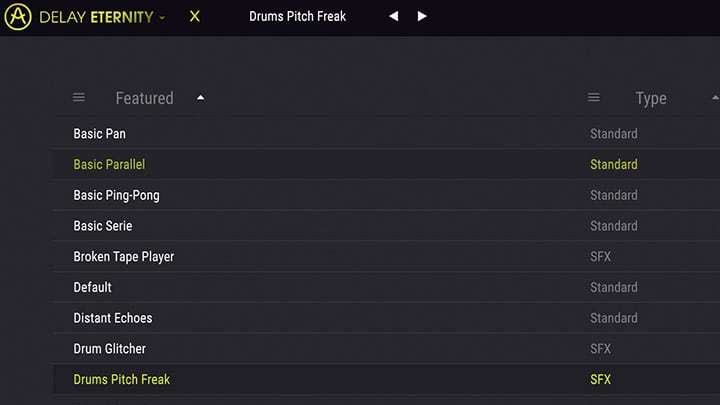
More than just a delay
Huge modulation potential, and multiple delay lines to experiment with.
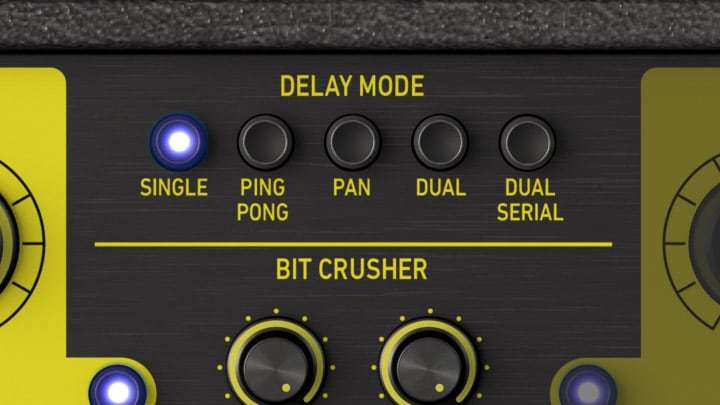
Texture Machine
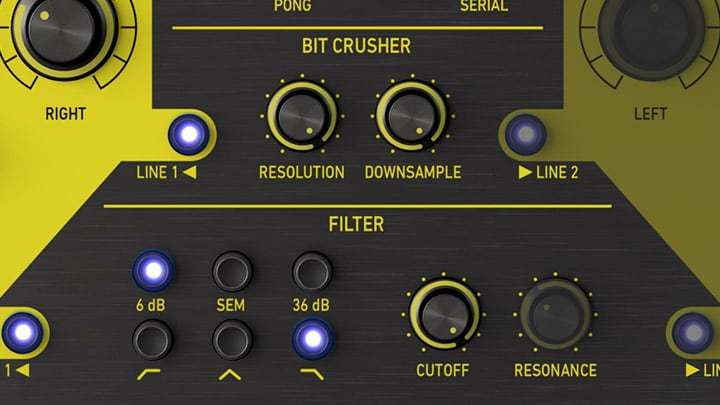
Bitcrusher and filters let you shape the feedback loop to turn anything into granular texture.
The Arturia Delay Eternity started on the same drawing board as Arturia's award-winning, next-gen software synth Pigments. They knew they wanted to create a delay with deep modulation power, but they also wanted to integrate some seriously contemporary features that would let both experimental and traditional music producers experience a delay like they’ve never heard before.
They used the same expertise they’ve honed over the years, analyzing and recreating famous synths and studio gear, but this time they were going to play by their rules.
This isn’t a tribute, this isn’t an emulation, this is 100% Arturia, and it’s going to make you smile from ear to ear.
Let’s Get Acquainted
Delay Eternity is awesome, it’s powerful, but it’s also new. Arturia don’t want to take anything for granted, so let them explain the ins and outs of this versatile, inspiring plug-in.
- Control time itself: Multiple time-processing modes let you determine this plug-in’s behaviour and sound.
- Integrated creative effects: Give your signal some digital degradation and crunch, or filter the sound to perfection.
- Not one, but two. Maybe four: Both delay lines features a left and right channel, giving you a quartet of creative delay channels.
- Find the sweet spot: Cut out unwanted frequencies from your delay, and boost the best bits with a powerful integrated EQ.
- Self-modulating: Use the incoming signal itself to modulate any of the parameters of the delay!
- Amazing modulation: Twin LFOs can modulate multiple parameters, sync’d, linked, and ready to blow your mind.
Delay Eternity gives you such a large, powerful, cool array of options for colouring sound, Arturia know you’re going to be blown away. When you open it up, you’ll be amazed at the quirky, unusual sounds you can create with ease; so much more than you’d expect from a delay plugin.
Oh, and you can create simple delays, too.

Are you ready to take on Delay Eternity?
Try out Delay Eternity right now so you can hear how it sounds in your own projects. This is going to be the start of something beautiful. Arturia hope you’re ready.
Old Soul, New Spirit
Arturia analysed the best delays ever to create something totally new. Compatible with all major DAWs, Delay Eternity unleashes decades of creative signal processing into a quirky, totally unique effect that you can use on whatever you want, and in any way you want. The only limit is your imagination.
Main Features
- Modern creative digital delay effect
- 5 different mode: single, ping pong, Pan, dual serial and dual parallel
- 3 different time mode changes: repitch, digital cut and digital fade
- Bit crusher and 3 different filters choices in feedback path
- Processing in stereo with independent repeat time
- Possibility to sync repeat rates to the host tempo
- Stereo tools to control spatial width
- Input equalizer with lowpass, highpass and peak filters, to shape the sound entering the unit
- Envelope follower for dynamic modulation and rhythmical effects
- 2 LFO's with 26 possible dual destinations
- Resizable window
- Integrated tutorials
System Requirements
- Works in Standalone, VST, AAX, Audio Unit, NKS (64-bit DAWs only).
Mac
- Mac OS 10.13+
- 4 GB RAM
- 4 cores CPU, 3.4 GHz (4.0 GHz Turbo-boost) or Apple Silicon CPU
- 1GB free hard disk space
- OpenGL 2.0 compatible GPU
Windows
- Win 10+ (64bit)
- 4 GB RAM
- 4 cores CPU, 3.4 GHz (4.0 GHz Turbo-boost)
- 1GB free hard disk space
- OpenGL 2.0 compatible GPU
- ARM processors not supported on Windows
Protection
All Arturia software is protected by the Arturia Software Center.

Nikolaj Bjerre
Mixing & Recording Engineer.
"Delay Eternity is a beast of a delay! The bitcrusher and the filter give so many sonic options to explore."


