


 Log In

Free gifts available with your purchase
Prismatic Chorus Effect
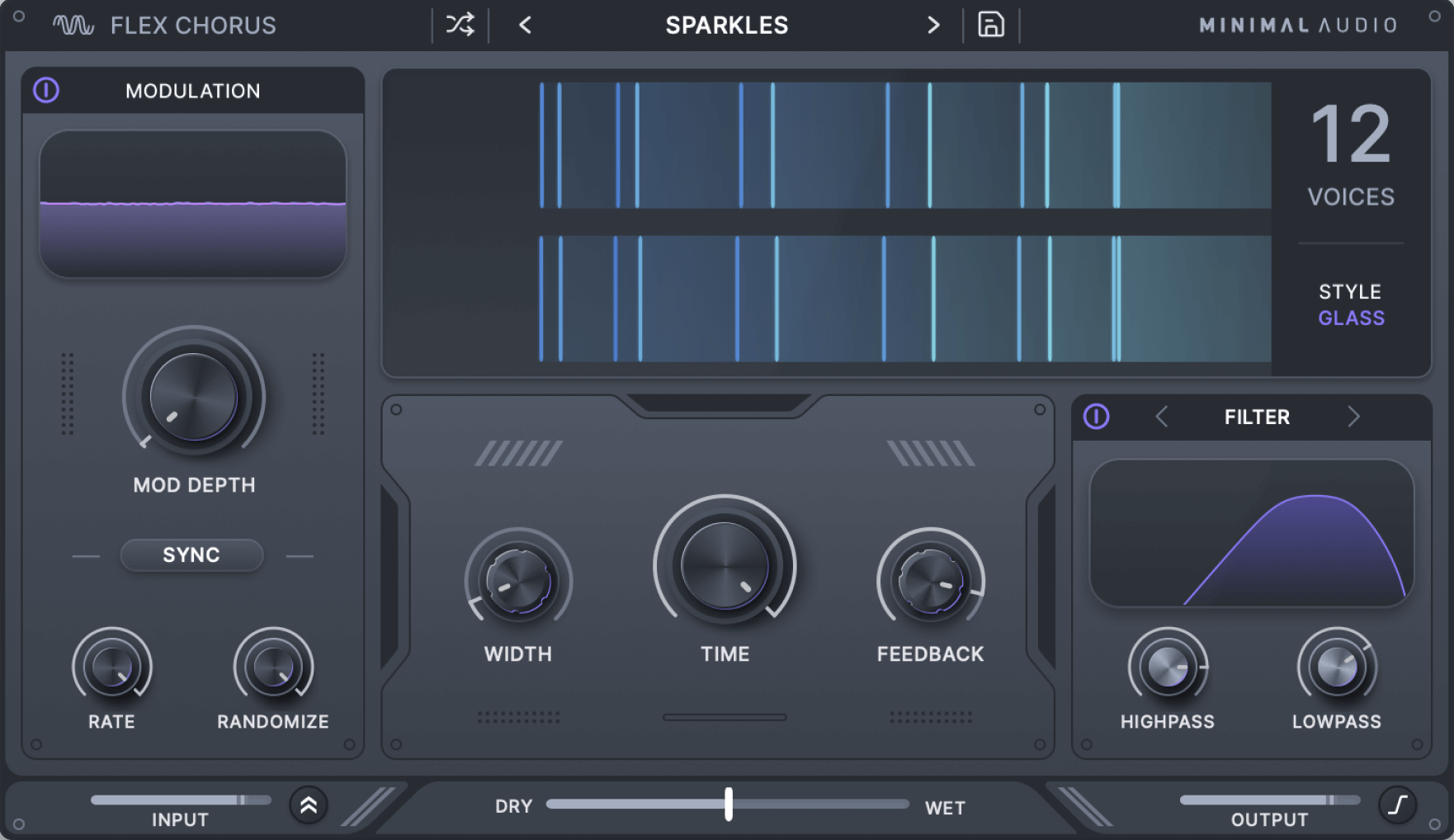
From massive stereo expansion to chameleon-like enhancement, Flex Chorus’s unique effects add rich character and depth wherever it is needed.
Dual Modes
State-of-the-art algorithms. Choose between two unique modes: Smooth mode utilizes human frequency perception to achieve an exceptionally deep and rich sound, while Glass mode employs a modern multi-stage approach to produce glistening stereo effects.
24 Voices
Supercharged voices. With up to 24 voices and independent controls for time and modulation depth, Flex Chorus is capable of producing everything from massive unison effects to precise stereo enhancement.
Multiband
Seamless integration. Blend Flex Chorus into your tracks using onboard multi-band and filtering controls, effortlessly preserving your low-end, achieving a super-wide high-end, and much more.
Inspiring Preset Library
Choose from a variety of presets designed for essential stereo enhancement, dense detuned spaces, and much more.
Features
-
Two powerful modes
- Choose between the unique Smooth and Glass algorithms for two distinct characters.
-
Up to 24 voices
- Select 2 to 24 voices for classic to super-massive chorus effects. Each configuration adjusts internal settings to achieve the highest quality sound.
-
Multi-band and filtering
- Activate multi-band or filter modes to keep the chorus effect where you want it.
-
Flexible controls
- Independent time and modulation depth, per-voice randomization, and BPM sync add even more possibilities.
-
Lush feedback
- Add detuned tails or resonant spaces depending on the selected style.
-
Beautiful display
- See exactly how the voices are distributed in the stereo field with a beautiful delay tap display.
-
Diverse presets
- Choose from over 40 different presets for a variety of uses and styles.
-
In-App Tooltips
- Become an expert with built-in tooltips that make learning Flex Chorus a breeze.
System Requirements
- Formats: 64 bit AU, VST, VST3, and AAX
- Works on: macOS 10.9 or higher, Windows 10 or higher
- Activation: An internet connection is required for activation.
Reviews Summary
While it aims to provide a helpful overview, it may not capture every perspective or detail. We encourage you to read individual reviews to make an informed decision.
Users highly praise the Flex Chorus plugin for its clean, modern sound, versatile customization options, and ease of use. Many reviewers note that it outperforms stock plugins, highlighting its excellent presets and effectiveness at adding width and movement to vocals, synths, and guitars.


