


 Log In

Free gifts available with your purchase
Advanced Modulation Powerhouse
The flanger effect but not as you know it. Based on a beloved studio classic, Flanger BL-20 is unpredictable and inspiring in equal measure, pushing the familiar jet-engine effect into endless modulation territory. Add massive movement and harmonic depth to your mix with the only flanger you’ll ever need.
An Unsung Hero in the World of Modulation Effects
A rare gem that’s renowned for its mysterious complexity. Flanger BL-20’s hardware predecessor may not be a household name, but its hypnotic sound and radical feature set speaks for itself.
Toggle and combine multiple modulation sources, manipulate the LFO shape and stereo spread, plunge harmonic sweeps to uncharted depths. Flanger BL-20 is no ordinary analogue emulation - it’s an FX toolkit gone supersonic.
3 Modulation Sources
Choose between Auto (LFO), Env (internal or external) or Manual, or any combination of the 3, for an array of flanger sounds unlike anything you’ve ever heard.
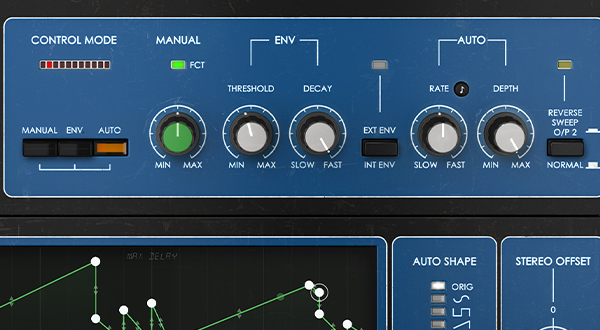
Stereo Enhancer
Operate Flanger BL-20 in either mono or stereo mode, and manipulate the stereo spread of the modulated signal for ultra-wide presence in your mix.
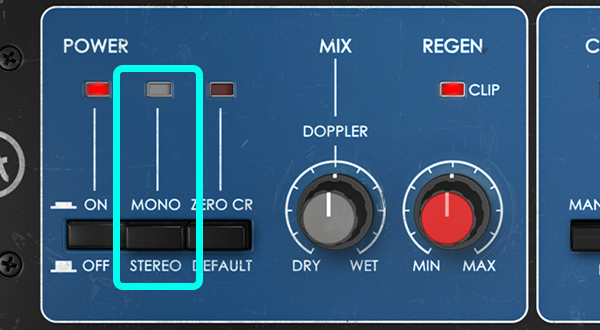
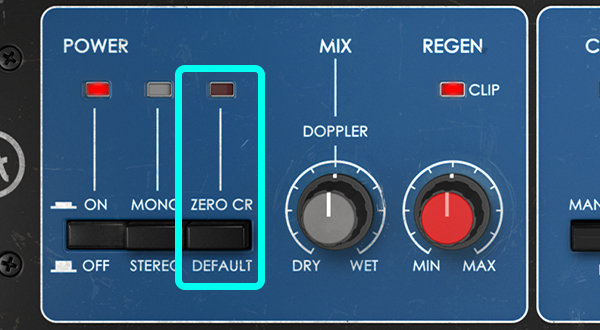
Zero-Crossing
Due to a tiny delay applied to the dry signal, the modulated signal doubles back over the original starting point, resulting in a classic deep flange with prominent ‘blips’ in the sound.
BBD Warmth
Flanger BL-20 uses authentic bucket-brigade device circuitry replication to emulate the original unit’s gloriously warm analogue response.
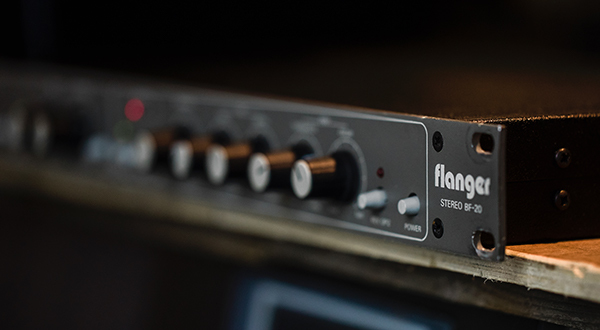
Advanced Controls
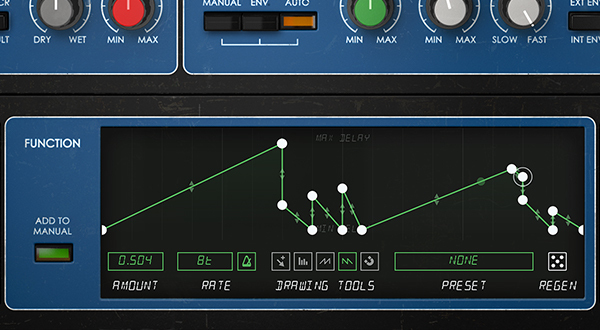
Change the Auto LFO shape, tweak the stereo spread - Artutia even added an advanced function generator from Pigments. Vintage charm meets cutting-edge.
Presets
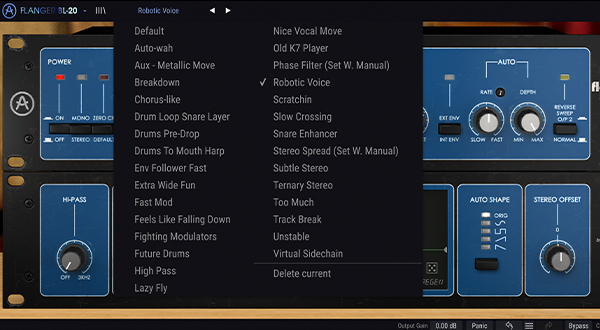
A curated selection of 28 presets, giving you instant access to the energetic movement and analogue brilliance of Flanger BL-20.
Reaching Absolute Zero
The flanger effect is achieved by modulating a delayed version of your signal using an LFO. Flanger BL-20 expands this principle in multiple directions. By applying an undetectable delay to the dry signal, the modulated signal is able to reach - and eventually pass over - the original starting point of the signal. This totally cancels out certain frequencies - resulting in distinct dips in the sound. This is known as ‘zero-crossing’ or ‘through-zero’ flanging, perfect for that dynamite ‘80s guitar sound.
Finally, the option of multiple modulation sources gives Flanger BL-20 a uniquely animated quality. Use the default LFO, a responsive envelope follower, or a static manual override - there’s nothing quite like it.
Added Sweetener
A crucial element of Flanger BL-20’s sound is the bucket-brigade device circuitry emulation.
Arturia meticulously replicated this circuitry in virtual form to ensure a pristine analogue response. Not only does BL-20 offer mind-blowing modulation capabilities - it adds that desirable vintage sparkle that plugins often lack.
This makes it a formidable mix sweetener, whatever your style. Enhance your rhythm guitar parts, animate your backing vocal tracks, enrich a repetitive drum loop; whatever your application, it will simply sound better.
Advanced Controls
Flanger BL-20 goes far beyond the familiar flanger principles, retrofitted with cutting-edge functions and parameters to encourage a little healthy exploration. Modulation let loose.
- Function Generator: For extra flexibility, Arturia added the function generator from Pigments. Use this feature to override the Manual modulation source for a totally customized response.
- Hi-Pass Filter: Apply a Hi-pass filter on the input signal to moderate the unique zero-crossing sound. Expect clearer frequencies, or interesting regen behavior if you’re feeling adventurous.
- Auto LFO Shape: By default, the LFO is a simple triangle waveform. Now choose from 4 additional shapes; sine, square, sawtooth and reverse sawtooth.
- Stereo Offset: Manipulate the stereo spread of the dry and wet signals, and toggle a reverse sweep switch in tandem, for a swirling larger-than-life sound.
- External Envelope: Trigger the envelope follower using an external source. Get your tracks talking to each other and relish the exciting results.
Features
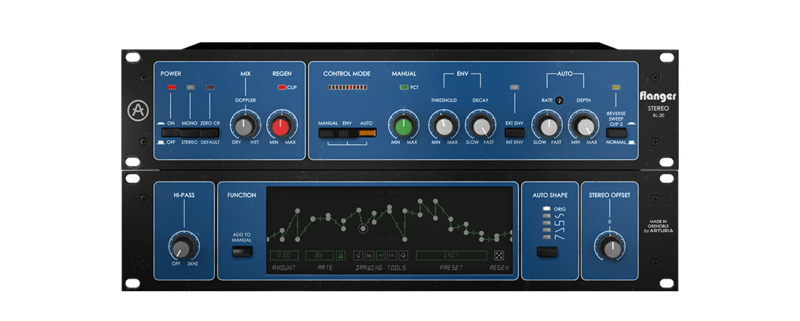
- Ultra-flexible stereo flanger with enhanced controls.
- 3 combinable modulation sources: Auto (LFO), Env and Manual.
- Perfectly emulated BBD response for coveted warm sound.
- Arturia's advanced features enhancing the original unit:
- Zero crossing effect for deeper and more prominent flanger sounds.
- Stereo Offset and Reverse Sweep controls for stereo spread manipulation.
- 12dB/oct Hi-pass filter on input signal.
- The addition of the Function Generator from Pigments, which can override the Manual modulation mode.
- Choose from 4 additional Auto (LFO) modulation shapes.
- LFO and Function Generator feature tempo sync rates.
- External envelope option for extra-responsive modulation.
- Mono and stereo plugin modes.
- A selection of 28 curated presets for instant iconic modulation sounds.
System Requirements
- Works in Standalone, VST, AAX, Audio Unit, NKS (64-bit DAWs only).
Mac
- Mac OS 10.13+
- 4 GB RAM
- 4 cores CPU, 3.4 GHz (4.0 GHz Turbo-boost) or Apple Silicon CPU
- 1GB free hard disk space
- OpenGL 2.0 compatible GPU
Windows
- Win 10+ (64bit)
- 4 GB RAM
- 4 cores CPU, 3.4 GHz (4.0 GHz Turbo-boost)
- 1GB free hard disk space
- OpenGL 2.0 compatible GPU
- ARM processors not supported on Windows
Protection
All Arturia software is protected by the Arturia Software Center.
Mark Bowen
Guitarist | Idles
"Despite Flanger BL-20 being an emulation of a near-mythical bit of old-school outboard gear, it has some versatile tricks up its sleeve."
Thiago Baggio
5x Latin Grammy Nominated and Music Pro Award Winner Recording & Mixing Engineer
"I never thought I’d say that but Arturia changed my mind about using a flanger and I have been experimenting with it in every single track every single day whether I’m mixing or recording a new project."
Tim Bazell
Mercury Prize-nominated Producer
"This is the first one I’ve heard that instantly gave me the feeling of a piece of hardware I’ve owned for years. I’m having so much fun using it and remembering just how creative and fun this unit can be."


