


 Log In

Free gifts available with your purchase
Curves Equator
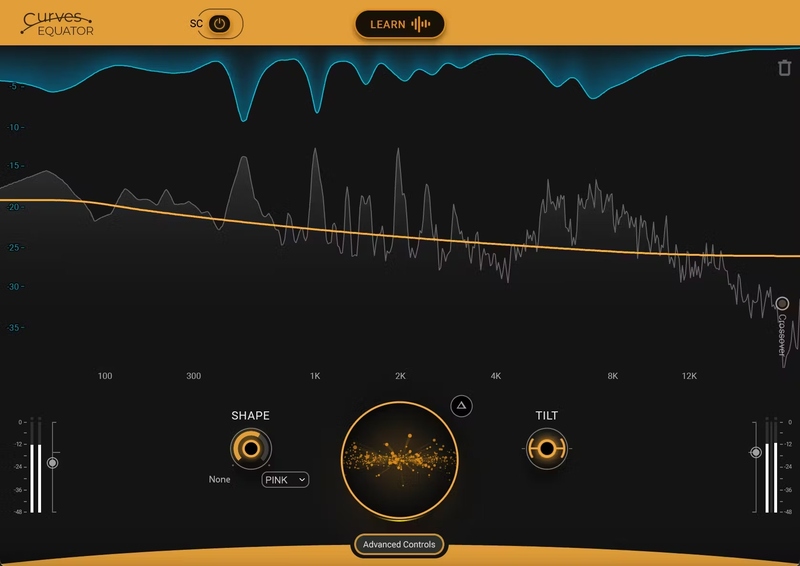
Perfect Balance. Zero Resonance. Your Mix, Unmasked.
Curves Equator is a smarter resonance suppression plugin. It immediately improves any full mix, vocal, instrument or sample by removing problematic frequencies, fixing resonances and balancing inconsistencies.
Additionally, it can learn your content & safeguard your work with a personalized suppression curve to avoid overprocessing. It offers groundbreaking frequency unmasking by learning the sidechain of a clashing source and dynamically applying the inverse curve on the part you’re mixing.
Equator is the first in our new Curves Spectral Series of plugins, which pioneers the evolution of EQ. Two more Curves plugins will be available in early 2025: Welcome to your first self-driving EQs!
Features
- Add punch, power, sizzle, depth, fullness to masters & mixes
- Combines 7 essential processors to bring your tracks to life
- LOW gets your kicks and bass to drive through the mix
- BODY gives fullness to instruments in mid and high frequencies
- MAGIC excites all frequencies: perfect for drum groups
- PUSH pushes your mix to the max with final limiting or clipping
- Widen the stereo image of narrow mixes with a natural-sounding way
- Get incredible results fast, thanks to the crystal-clear interface
System Requirements
Mac
- macOS Monterey 12, Ventura 13, Sonoma 14, Sequoia 15
- VST / AU / AAX
PC
- Windows 10+
- VST / AAX












Reviews Summary
While it aims to provide a helpful overview, it may not capture every perspective or detail. We encourage you to read individual reviews to make an informed decision.
Overall, customers give the Waves audio plugin generally positive feedback, highlighting its smart technology for efficiently removing problematic frequencies, saving time, and creating headroom in audio mixes. While appreciated for headphone work and ease of use, some users consider it average compared to competitors like Sonible smart:EQ, and one reviewer noted an audio glitch when toggling power.


