


 Log In

Free gifts available with your purchase
F6 Floating-Band Dynamic EQ
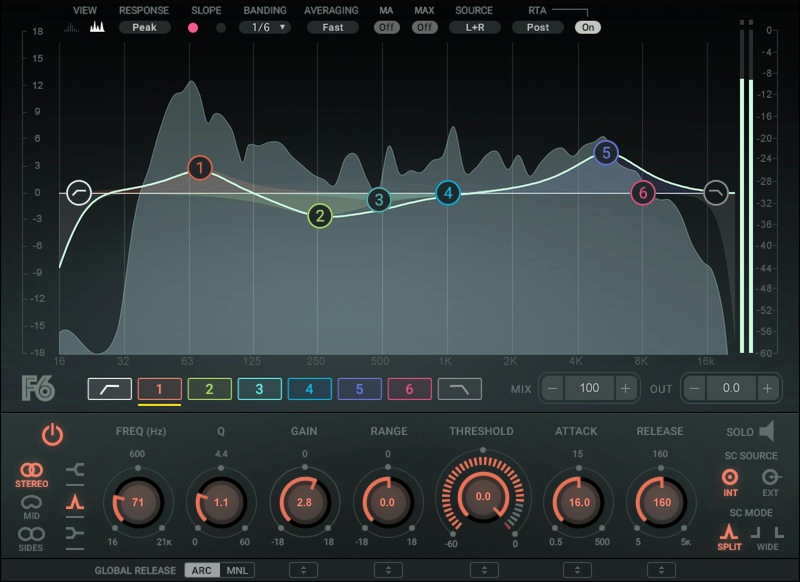
The Ultimate Problem-Solving EQ
Dynamic EQ takes parametric equalization a giant step forward, by letting you boost or cut a defined frequency range in a way that dynamically depends on the threshold of the chosen frequency. Now, EQ can flow with the music’s dynamics—it’s not just a static boost or cut.
Take vocals for example: A singer’s tone can vary throughout a performance. An EQ setting that works well when the singer is close to the mic and singing softly will not be as effective when the singer backs up and starts belting. F6 moves in time with the singer, kicking in when the vocal level crosses a certain threshold that you’ve set—and laying off when it falls below that threshold.
With F6 you can EQ more precisely, with filters that can be as narrow or as wide as you like, free-floating bands that can overlap, variable EQ shapes, and threshold-sensitive EQ settings.
F6 is ideal for isolating specific problems on individual tracks and fixing them transparently only when they pop out. The plugin’s advanced mid-side processing capabilities give you even greater ability to carve out EQ space in a busy mix, so you can breathe more life into your mixes.
Features
- Combines the best of multiband dynamics and EQ
- Apply dynamics individually within 6 floating bands of parametric EQ
- Compress/expand only for levels in a band that exceed a threshold
- Additional high and lowpass filters with 6 to 24 dB/octave slopes
- Each parametric EQ can have peak, high-, or low-shelf response
- Internal or external sidechain control, with two response modes
- Stereo, mid, or sides processing for extra flexibility
- Global mix control for parallel compression
System Requirements
Mac
- macOS Monterey 12, Ventura 13, Sonoma 14, Sequoia 15
- VST / AU / AAX
PC
- Windows 10+
- VST / AAX














