Buy BALANCE, get a free gift with purchase:

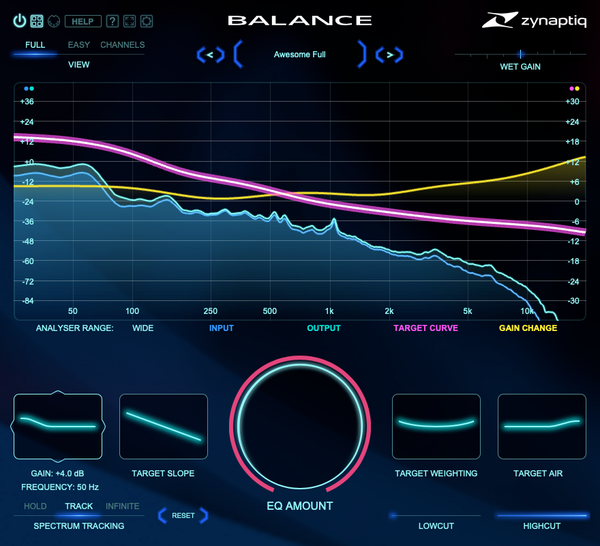
BALANCE makes global EQ curve shaping quick and easy. A 16-channel capable smart equalizer that adaptively controls the overall frequency distribution of your audio, BALANCE intelligently adjusts itself to match your audio to a target EQ curve you set with just a handful of controls. Put any source in its own place near-instantly, rebalance a full mix, or give even great sounding recordings that little something extra. Works similarly to a match EQ, handles as easily as a tilt EQ, and sounds like a zynaptiq EQ.
Performance Galore
Built using proprietary minimum phase filters, BALANCE introduces just 3 samples of latency, while using very little CPU. And sounds glorious, of course, and free of any pre-ringing that linear phase designs would introduce.
On a modern computer, you can literally run hundreds of channels, making BALANCE a great choice for inclusion in your default session. Try it, you won't go back.
The plug-in features a Metal/Direct 3D accelerated analyzer to keep your CPU focused on audio, while the GPU does the drawing. The analyzer can of course be hidden to save screen real-estate and system resources, too - just switch to the compact EASY view.
Whether you are a mix engineer, sound designer, content creator, re-recording mixer, composer, or music producer, BALANCE is for you!
Features
- Adaptive balancing equalizer for quickly adjusting overall frequency response.
- Custom engineered minimum phase filtering for pristine sound, low CPU and 3 samples of latency.
- Support for up to 16 channels for immersive workflows.
- Easily adjustable target response curve using SLOPE, WEIGHTING, BASS and AIR controls.
- Global EQ amount control.
- Wet gain control for matching input loudness, scaled by EQ amount.
- 12dB/Octave low-cut and high-cut filters.
- Optional double precision processing.
- Fully vectorized, scalable UI.
- Metal/Direct 3D accelerated analyser display.
- Compact EASY view.
- Supports channel counts from mono to 16 for immersive workflows, and all common sampling rates from 44.1kHz to 192kHz, depending on available CPU resources.
- 64-bit AAX Native / AU / VST 3.
- macOS 10.15.x or newer, on Intel & Apple Silicon processors
- Windows 10 or newer.
- This plugin requires a free ilok.com account, and can be activated to the hard drive of your computer or an iLok 2 or newer USB dongle.
- BALANCE is single user/seat licensed, but allows dual activations for convenience.
Installation Instructions
Windows/ PC:
1. Log into your Plugin Boutique account (My Account > My Products), to obtain your serial code.
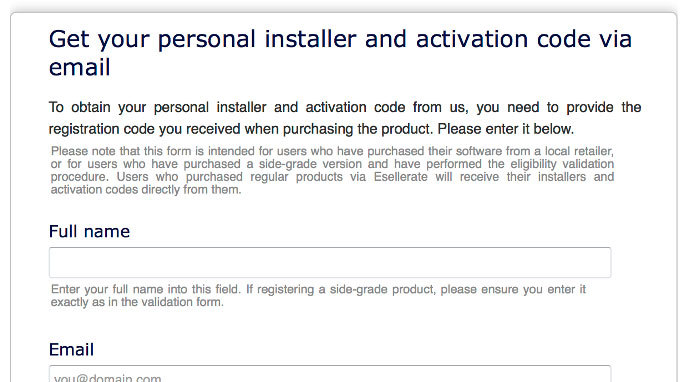
2. Click the link HERE, to register your personal details and serial (registration code). Click 'Submit.'

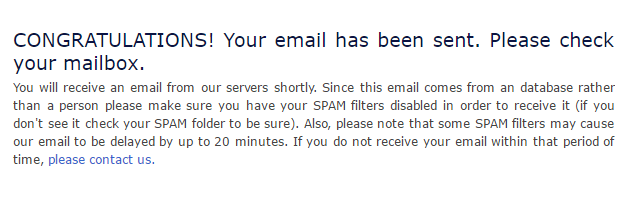
3. Your email has been sent to the email address you used to register with.

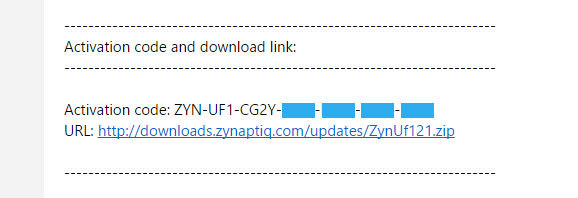
4. Log into your email account, where you can access your activation code and download link.

5. Click the URL hyperlink to begin downloading your installer zip folder.
6. On a Windows computer you will want to right-click on the downloaded file and select 'Extract Here.' Once extracted, the individual installer (format) files will be shown.
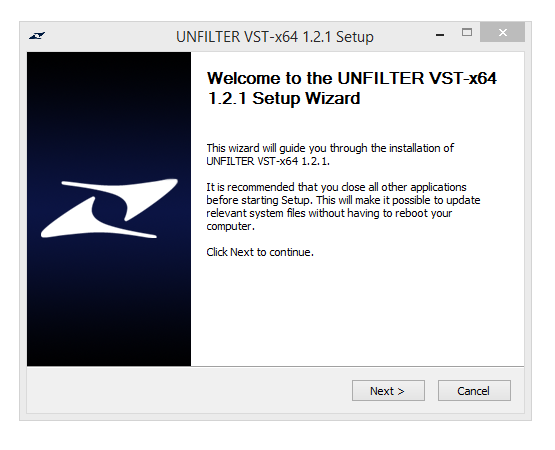
7. Select the relevant format installer setup file, 'UNFILTERVST-x64Setup' is used in this instance. Double click on the setup file.
8. Double click on the setup file. Click 'Next.'

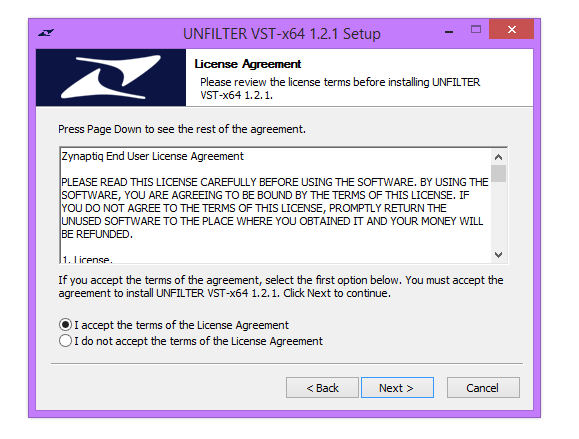
9. Accept the Agreement and click 'Next.'

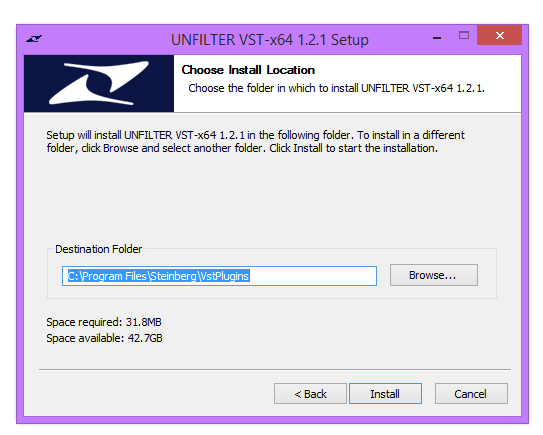
10. Select a folder in which you prefer you place / install UNFILTER in. Click 'Install.'

Authorization
11. To be able to use your new software, it needs to be activated. During installation of UNFILTER, the UnfilterAuthorizer app, will automatically be launched.

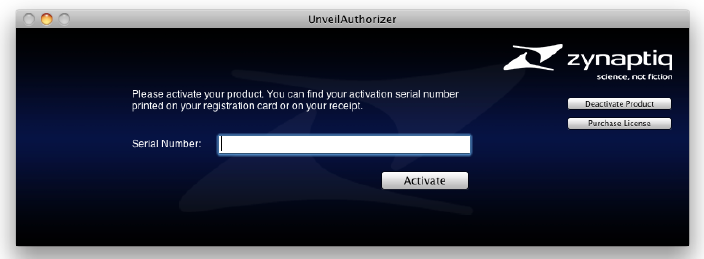
12. Enter your serial number received in your email inbox and click “Activate”. If your machine has access to the internet, you’ll be shown a confirmation of the successful authorization and you’re good to go. If the machine byou’re activating on has no internet connection, you will be guided through the process.
13. Generally, our copy protection mechanism will allow you to have two machines authorized at the same time. It is essentially a challenge-response type system that takes specifics of your computer into account anonymously. However, unlike most other challenge-response systems, the Zynaptiq copy protection allows the user to de-activate a system at any time, and reactivate it later - without contacting us. So essentially, you can pretty much move your authorizations around as needed. The only limitation is that in order to de-activate a machine, it needs to be connected to the internet.
14. Your software is now ready for use in your DAW!
Apple Macintosh:
1. Log into your Plugin Boutique account (My Account > My Products), to obtain your serial code.
2. Click the link HERE, to register your personal details and serial (registration code). Click 'Submit.'

3. Your email has been sent to the email address you used to register with.

4. Log into your email account, where you can access your activation code and download link.

5. Click the URL hyperlink to begin downloading your installer zip folder.
6. Select the installer setup file, 'Zynaptiq UNFILTER Plug-In.pkg.' Double click on the setup file.
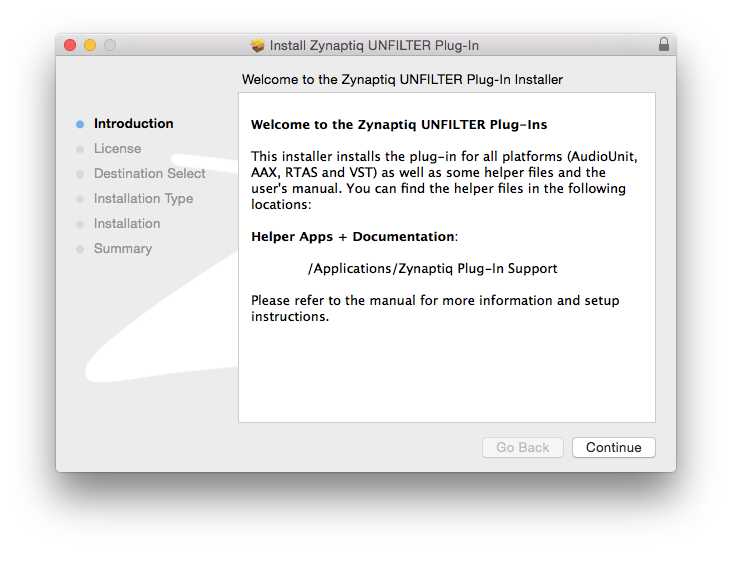
7. Double click on the setup file. Click 'Continue.'

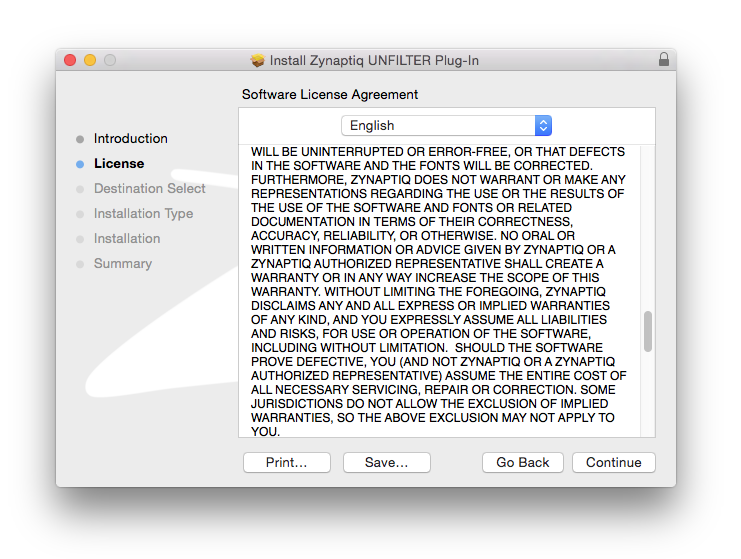
8. Read the Licence Software Agreement and click 'Continue.'

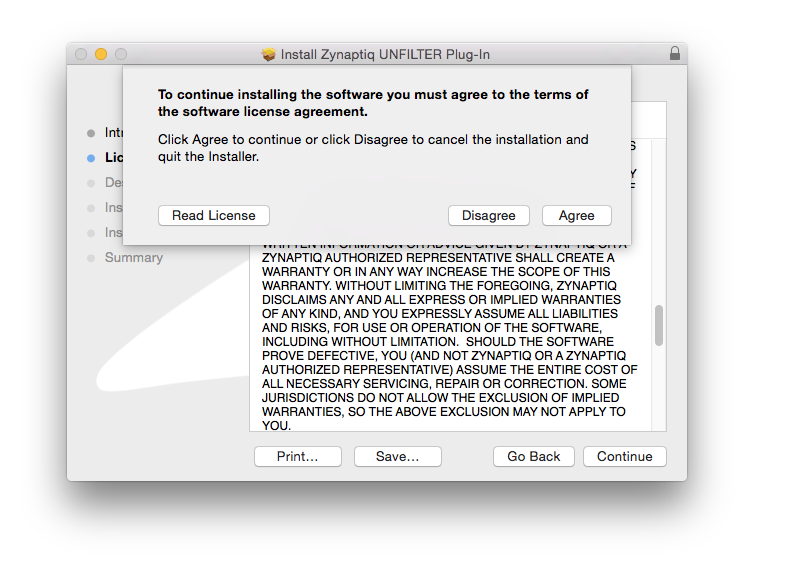
9. To continue installing the software. click 'Agree.'

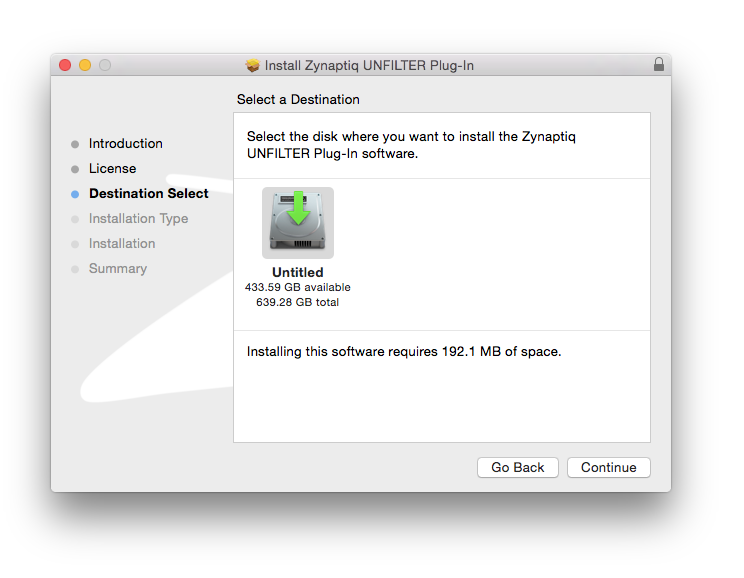
10. Select a desination in which to install UNFILTER. Click 'Continue.'

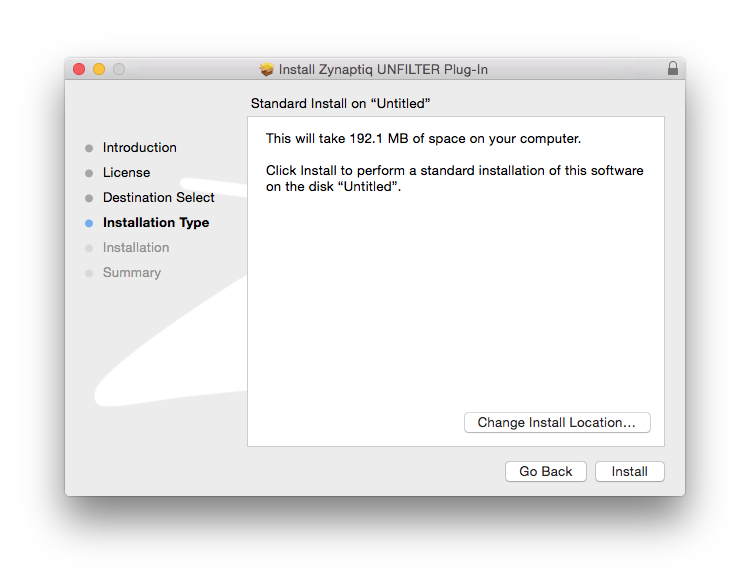
11. Click 'Install.'

Authorization
12. To be able to use your new software, it needs to be activated. During installation of UNFILTER, the UnfilterAuthorizer app, will automatically be launched.

13. Enter your serial number received in your email inbox and click “Activate”. If your machine has access to the internet, you’ll be shown a confirmation of the successful authorization and you’re good to go. If the machine byou’re activating on has no internet connection, you will be guided through the process.
14. Generally, our copy protection mechanism will allow you to have two machines authorized at the same time. It is essentially a challenge-response type system that takes specifics of your computer into account anonymously. However, unlike most other challenge-response systems, the Zynaptiq copy protection allows the user to de-activate a system at any time, and reactivate it later - without contacting us. So essentially, you can pretty much move your authorizations around as needed. The only limitation is that in order to de-activate a machine, it needs to be connected to the internet.
15. Your software is now ready for use in your DAW!
De-Activating a Machine
To free up an activation, you can de-activate a machine. To do this, please launch the UnfilterAuthorizer app, and click “Deactivate Product”. You will be presented with a confirmation message and you’re done. Please note that the machine to be de-activated needs to be connected to the internet!