


 Log In
_(1).jpg)
Free gifts available with your purchase
Lush Digital Radiance
Rev LX-24 is an enhanced virtual replica of a retro ambience box that defined reverb for a generation. Make your mixes bloom with real-feeling space, cave depth atmosphere, and subtly-sparkling texture in seconds with a vintage digital sound that refuses to get old.
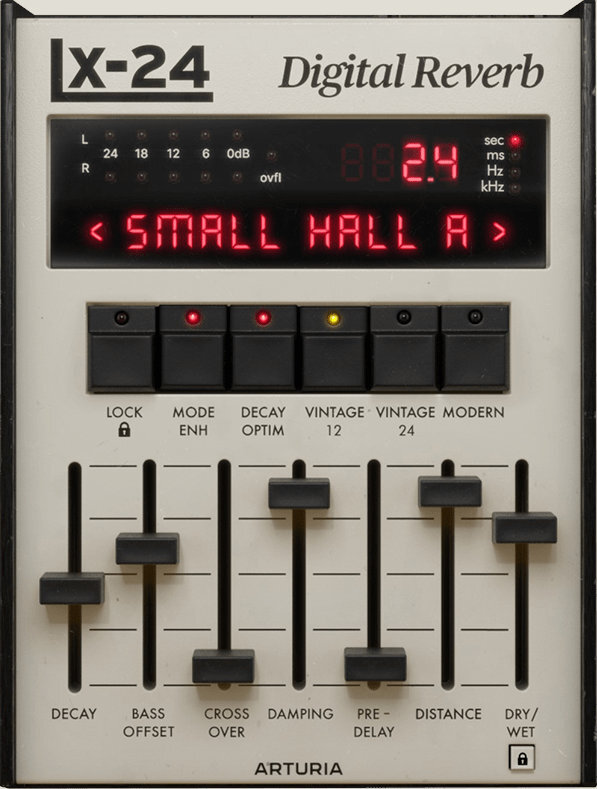
Space in a Box
The rich reverb you’ve always known, always loved, and always wanted. Rev LX-24 gives your sound the space, atmosphere, and sparkle you need every time - and you might uncover some inspiring surprises along the way.
A Definitive Digital Reverb
The classic cream-colored box with faders, clicky buttons, and those famously spacious algorithms; reanimated in unmatched detail, upgraded, and primed for your DAW.
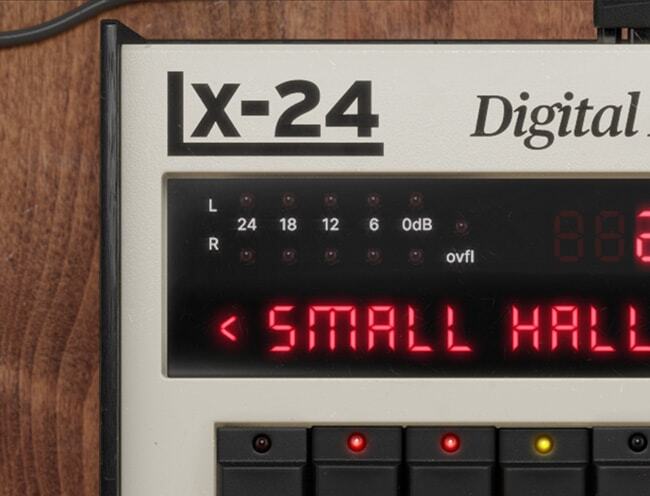
Subtle Space to Huge Atmosphere
A simple tweak of the Decay slider delivers endless canyon reflections, crisp ambient clouds, or small room bounciness; the clean & musical reverb you need, right where you need it.
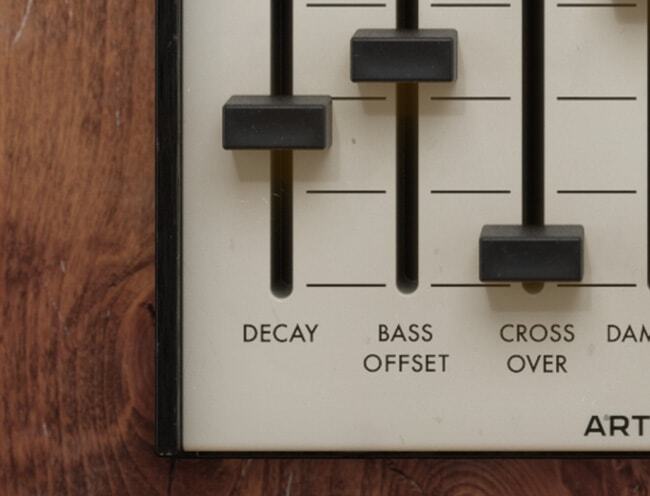
Bring Any Instrument to Life
The missing magic on your vocal track, the vital spaciousness on your drums, the epic long decays on your synth melodies - Rev LX-24 plays nice with any sound.

Dual Interfaces
Get the authentic digital reverb experience with those classic controls, or opt for more detail and newly-added experimental features with the Advanced View - the choice is yours!
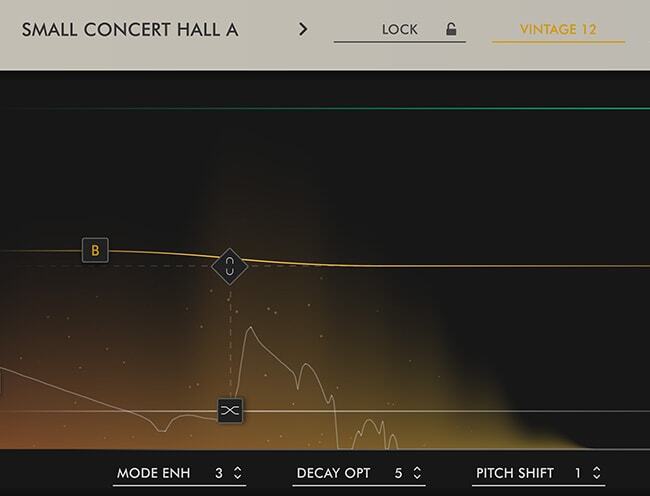
Choose Your Workflow
Classic gear, new tricks. Rev LX-24 may have been emulated down to the finest detail of the original’s digital architecture, but Arturia have added some useful features in the Advanced panel that make it easier to use, more flexible, and better suited to your DAW production workflow.
Classic View
Inspired by the original hardware’s iconic control panel. Get the lush reverb you need in seconds with the sliders, buttons, and classic LCD-style display that you can’t resist tweaking.
Advanced View
If you want to go deeper into your reverb sound design, experiment a little, or enjoy a more visual workflow, we added an Advanced View packed with vital extras for modern production.
The Eternal Reverb
Reverb comes in many forms. The bouncy rattling quality of a spring tank; the crystalline texture of a shimmer reverb; but sometimes you just want purity, warmth, and ultra-smooth decay. That’s where Rev LX-24 comes in.
Based on a true studio legend known for its effortlessly clean ambience, this FX plugin brings vocals, drums, guitars, synths, and entire mixes to life with its pristine long decays, quick-fire algorithms, and feature enhancements that give reverb a whole new creative purpose.
Preset Library
Bread-and-butter reverb presets perfectly tailored to vocals, drums, synths, and more; specially-designed settings offering abstract atmosphere and ever-evolving spaces; Rev LX-24 comes loaded with 100 presets for classic & essential reverb tones in a few clicks.
DAW Ready
However you use these plugins; for the amazing tone of their reverb, for the gritty preamps, or for their incredible sound design abilities, you'll be safe in the knowledge that they are fully compatible with your setup. These plugins work with all major DAWs, and on both Windows and MacOS.
ASC
Arturia Software Center lets you download, organize, and update all of your Arturia software titles in one place, as well as manage all of your licenses across multiple devices. Keep it simple.
Resizable GUI
Whether you want the full visual immersion of Arturia's classic effects emulations, or to save precious screen real estate, the interfaces for all of your Arturia plugins can be resized to a scale that suits you.
Real-Time Control
Every parameter in every FX Collection plugin can be mapped to your favorite MIDI controller for instant, hands-on control of your mix. Sweep a filter, crank a preamp, or warp your modulation on the fly.
In-App Tutorials
Every plugin in FX Collection comes with built-in tutorials, guiding you step-by-step through the crucial parameters, adjustments, and mixing hacks to get the most out of your sound. The tutorial panel also explains the controls you’re using in real-time - so you’ll never miss a tweak.
Preset Browser
FX Collection’s streamlined preset browser lets you filter, organize, and save your favorite presets for instant recall. Search by instrument type, genre, production technique, and much more - so you can quickly find the tweak you need and save valuable creative time!
Features
-
Classic digital algorithmic reverb effect
-
8 perfectly-emulated original reverb algorithms:
-
Small Hall A
-
Small Hall B
-
Room A
-
Constant Plate
-
Vocal Plate
-
Large Hall B
-
Chamber
-
Perc Plate A
-
-
Unique slider-based interface
-
Essential controls like Decay, Damping, Pre-Delay, Dry/Wet, and more
-
Emulated 12 & 24-bit converters for dark, warm sound
-
Additional ‘Modern’ converter mode for cleaner sound
-
Crossover & Offset controls for adjusting bass response
-
Mode Enhancement introduces subtle pitch-shift modulation
-
Newly-added features in the Advanced panel:
-
Interactive visualizer for quick click-and-drag reverb editing
-
Dynamic effects: Ducking, Gate, Tremolo
-
-
100 presets for vocals, drums, guitars, synths, and abstract sound design
-
A/B comparison
-
NKS-ready
System Requirements
Mac
-
Mac OS 10.13+
-
4 GB RAM
-
4 cores CPU, 3.4 GHz (4.0 GHz Turbo-boost) or M1 CPU
-
1GB free hard disk space
-
OpenGL 2.0 compatible GPU
Windows
-
Win 10+ (64bit)
-
4 GB RAM
-
4 cores CPU, 3.4 GHz (4.0 GHz Turbo-boost)
-
6GB free hard disk space
-
OpenGL 2.0 compatible GPU
-
ARM processors not supported on Windows
Required Configuration
VST, AAX, Audio Unit, NKS (64-bit DAWs only).
Andreas Kleerup
Producer
"This is something new. This makes your BV's shine like the songs played on the radio while growing up. "Large vocal plate" and "Modern guitar hall" are instant channel strip "save as.""
Krikor
Producer
"The LX24 is not only the finest 224 emulation I've ever encountered, but it also incorporates modern features that elevate its sound-sculpting capabilities. The advanced settings panel, in particular, brings it up to date and provides additional flexibility. It is my go-to for 3D sound."
Craig Bauer
Producer/Mixing Engineer
"When was the last time I got the perfect reverb sound on a vocal without spending 20+ minutes to get there. Actually, never. I was shocked and amazed at how great the LX24 sounds on any number of sources."


