


 Log In

Free gifts available with your purchase
Product information
Abbey Road Reverb Plates
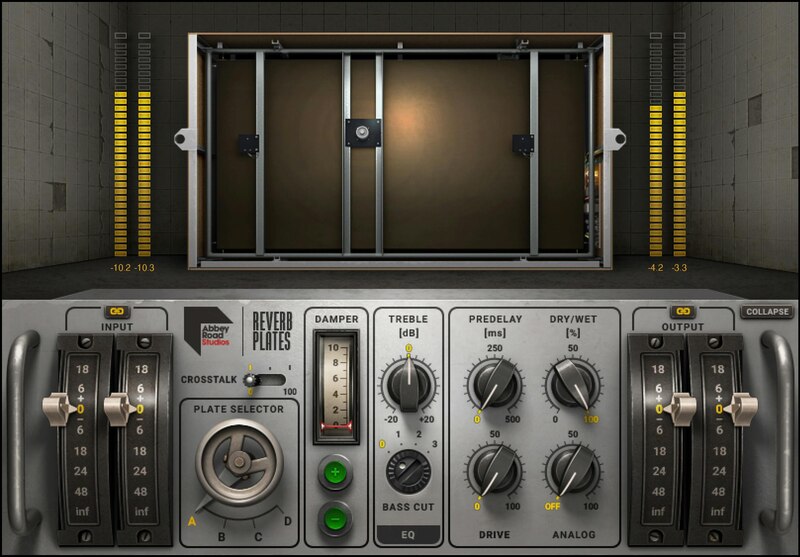
Versatile, Lush Reverb with a Legendary Heritage
Plate reverbs have a diffused, bright, idealized sound quality that’s unlike acoustic spaces. Developed in collaboration with Abbey Road Studios, this definitive plugin captures the 4 versatile plates used for film scores, classical projects, and pop music from Pink Floyd to Adele.
The EMT plates installed in 1957 remain in use today—because they sound incredible. Modeled with meticulous detailed and validated by Abbey Road, these sounds are now available to all.
Features
- Includes all four reverb plates from Abbey Road Studios
- The reverb sounds on Beatles, Pink Floyd, Radiohead recordings
- Give vocals and instruments a bright, present reverb quality
- High diffusion smooths drums and other percussive instruments
- Short and snappy to huge and lush, with variable decay times
- Models Abbey Road’s custom hybrid preamp circuits
- Includes pre-delay, EQ, crosstalk, and drive controls
- Developed in close collaboration with Abbey Road Studios
System Requirements
Mac
- macOS Monterey 12, Ventura 13, Sonoma 14, Sequoia 15
- VST / AU / AAX
PC
- Windows 10+
- VST / AAX
Installation Instructions












Customer Reviews
(1)


