/ Reverb / Polaris
Audiority

Polaris

4.6 (2292 Reviews)
$45.00
Polaris - Main User Interface
Polaris by Audiority | General Overview & Preset Preview gallery thumbnail
Audiority Polaris - Demo gallery thumbnail
Audiority - Polaris - Demo gallery thumbnail
2 Minutes with Audiority Polaris gallery thumbnail
Audiority Polaris v1.5 - Oh Shimmer Night gallery thumbnail
Audiority Polaris v1.3: Swell, Eternal Pads & Smooth Reverbs gallery thumbnail
Audiority Polaris v1.1: Pepi's Guitar Demo gallery thumbnail
Buy Now
Product information

Early Digital Echo & Reverb with Shimmer

Polaris is an echo/reverb plugin inspired by early hardware digital reverbs of the late 1970s and able to provide echo, ambience and reverb out of a single multitap delay line.

When hardware digital reverbs came out to the market they were really expensive. Most manufacturers were already exploiting chains of comb and all-pass filters (smoother reverbs, but expensive in both resources and chips), there were other techniques involving the use of a single multitap delay line to create a reasonable reverb while keeping the cost affordable.

That idea is so simple yet powerful: you mix a bunch of unmodulated taps (Early Reflections) with the remaining modulated taps (Diffusion) to create a cheap but convincing reverb.

We extended this technique by making the Echo tap recirculating with the Diffusion section, allowing longer reverb tails. Furthermore, you can easily edit all taps to create your own room responses, resonant combs, Karplus-like tuned delay lines, Chorus, Flanging, Vibrato and much more.

From v1.1 we introduced new features like Shimmer, internal Sample Rate reduction (useful to get a vintage digital sound) and Stereo Width (Ping Pong delay).

From v1.3 we introduced a Swell feature that will smooth the transients of the incoming signal, with its attack time automatically matching the delay time. This new feature works great for ambient guitars, intense endless pads and much more.

From v1.5 we introduced Pre-Delay, Modulation Boost and a 3 Band Feedback Equalizer on the new Echo editor page.

Changelog v1.7 (February 2020)

  • NEW: HQ Mode
  • NEW: Newsfeed
  • NEW: VST3 plugin format
  • FIX: Mac OSX Catalina support
  • BREAKING CHANGE: Dropped 32bit support

Features

  • Single Multitap Delay Line
  • Pre-Delay (NEW v1.5)
  • Early Reflections (8 Programmable Taps)
  • Diffusion (16 Programmable Modulated Taps)
  • Echo (Ms, Sync, Tuned, Long)
  • Echo Modulation
  • Modulation Boost (NEW v1.5)
  • 3 Band Feedback Equalizer (NEW v1.5)
  • LFO (Sin/Tri/Rnd – Hz, Sync)
  • Shimmer
  • Sample Rate Reduction
  • Stereo Width
  • Swell

System Requirements

PC

  • Windows 7 (64-bit only)
  • Intel i5 or higher
  • 2GB RAM
  • Screen resolution: 1024×768
  • VST2, VST3 64-bit host
  • PT11 or higher, AAX 64-bit host

MAC (Intel)

  • OSX 10.13 or later (64-bit only)
  • Intel i5 or higher
  • 2GB RAM
  • Screen resolution: 1024×768
  • VST2, VST3, AU 64-bit host
  • PT11 or higher, AAX 64-bit host

MAC (Silicon)

  • macOS 11.0 or later (64-bit only)
  • Apple M1 or higher
  • 2GB RAM
  • Screen resolution: 1024×768
  • VST2, VST3, AU 64-bit host
  • PT11 or higher, AAX 64-bit host

Important note: this software is 64-bit only and will not function on 32-bit systems.

Awards

Installation Instructions

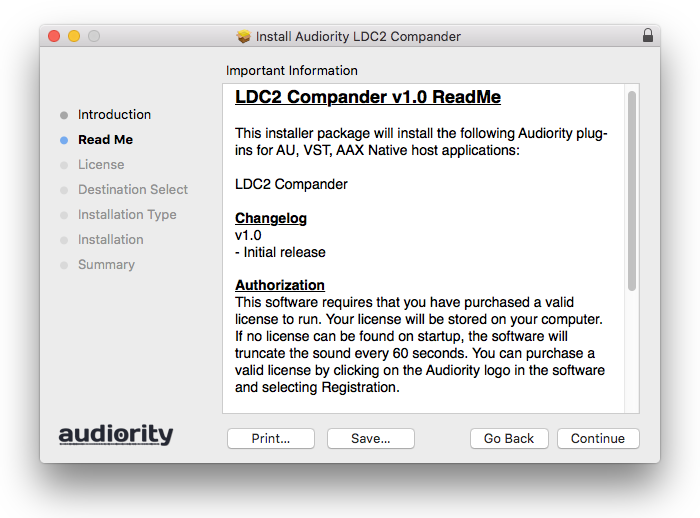
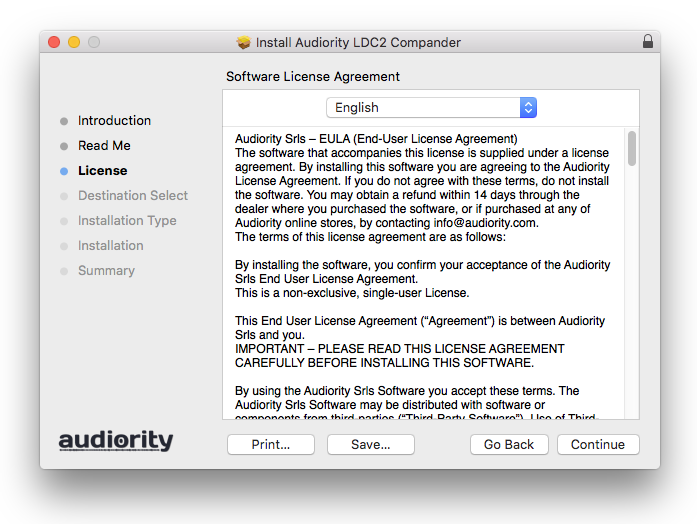
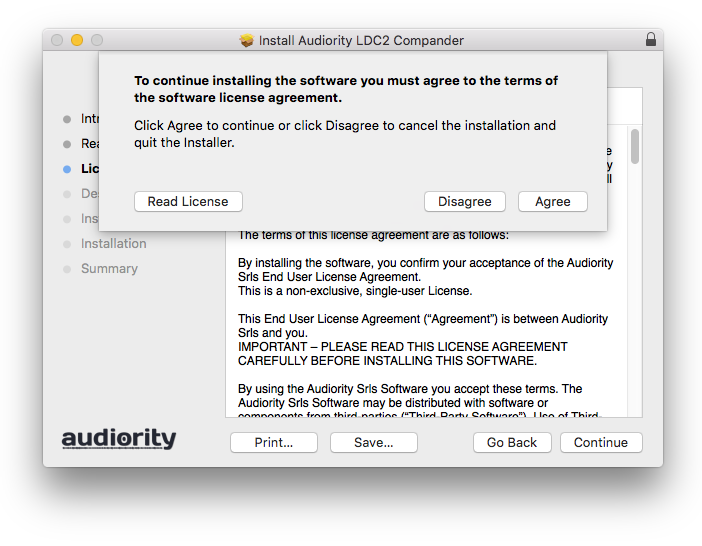
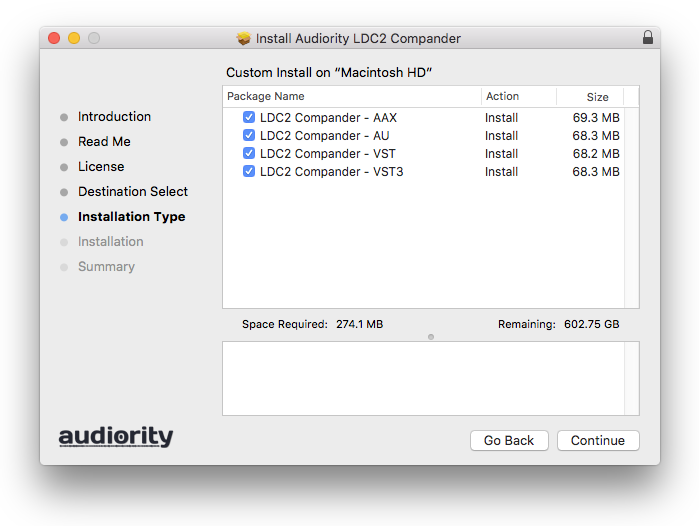
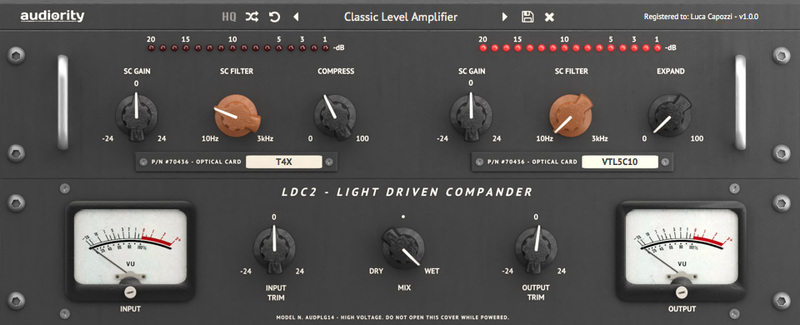
Note: LDC2 Compander is used as the example.

Mac

Registration

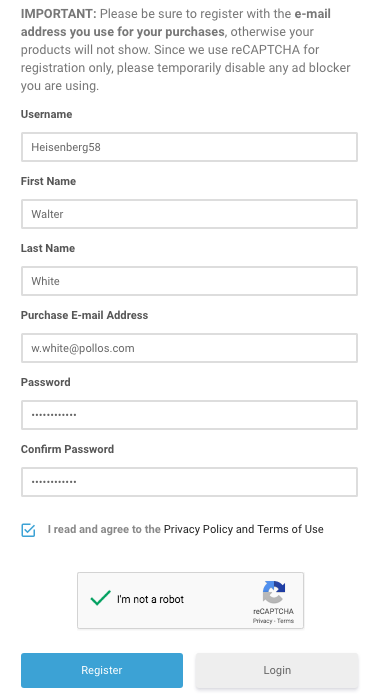
1. Visit https://www.audiority.com/register and enter your personal details > Click 'Register.'

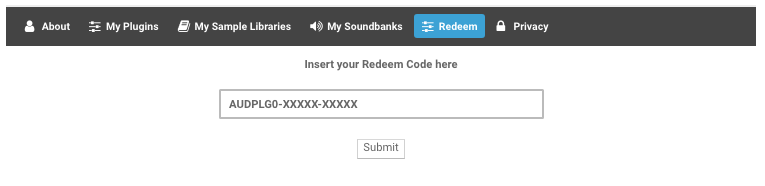
2. Once logged in, Click the 'Redeem' button at the top of the page and enter the redeem code, found in your Plugin Boutique User Account > Click 'Submit'.

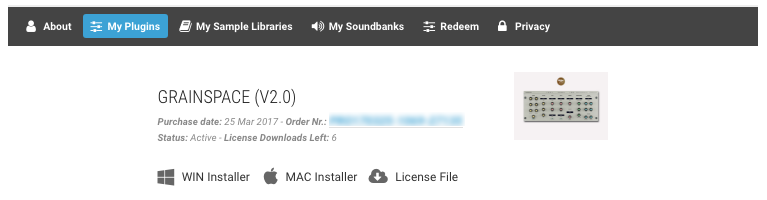
3. Click the 'My Plugins' button > Select the Mac Installer.

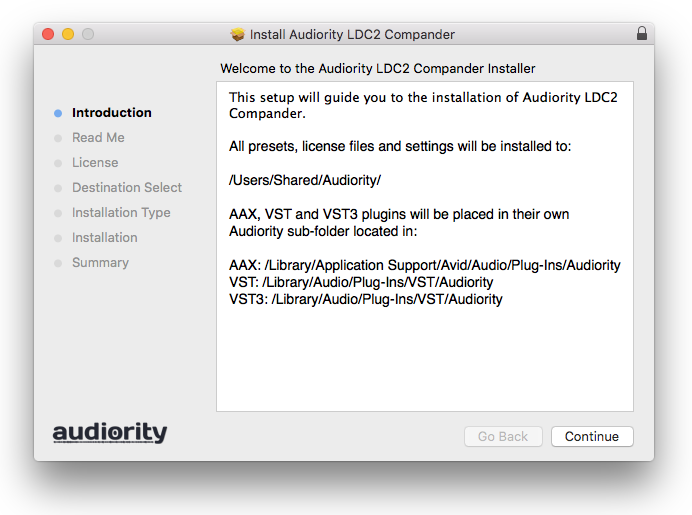
4. Locate the .dmg installer file from the 'Downloads' section of your computer, and double-click it to begin the installation process > click ‘Continue.’

Installation

1. Open the .dmg file > Open the .pkg file to begin the installation.

2. Click 'Continue'.

3. Click 'Continue'.

4. Click 'Continue'.

5. Click 'Agree'.

6. Click 'Continue'.

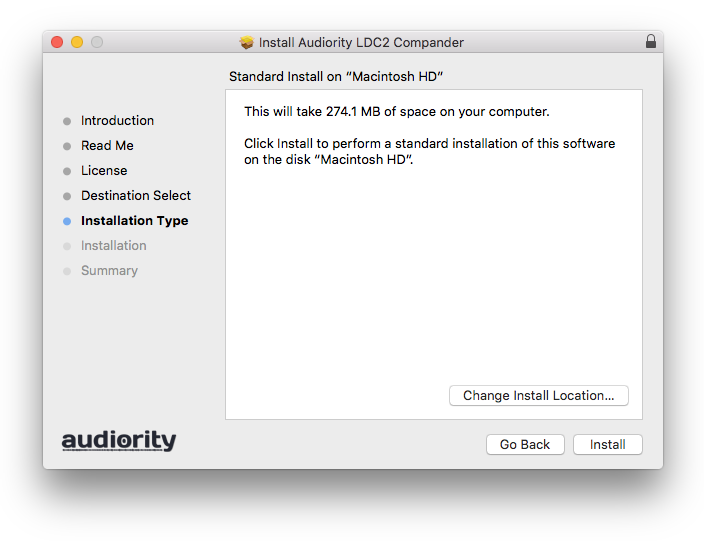
7. Click 'Install'.

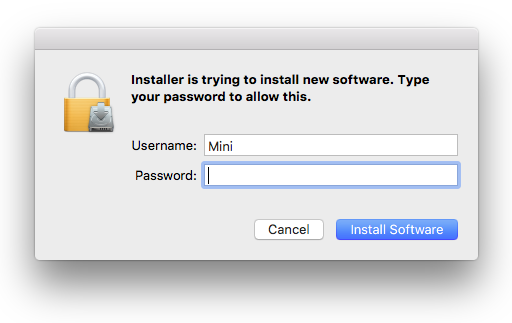
8. Enter your computer Username and Password > Click 'Install Software'.

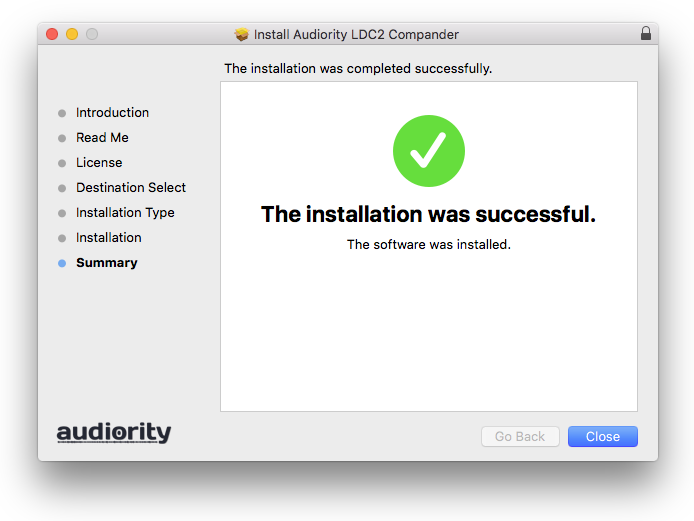
9. Click 'Close'.

Activation

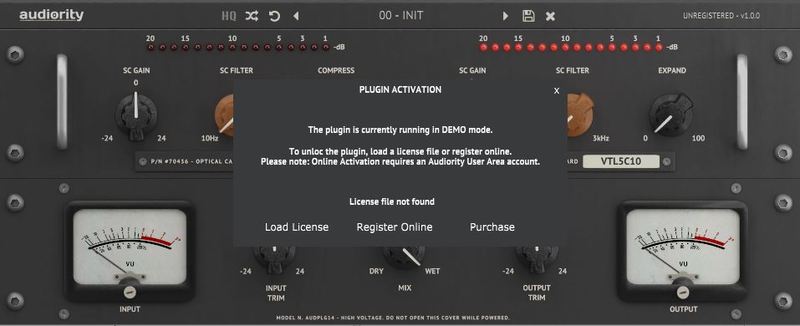
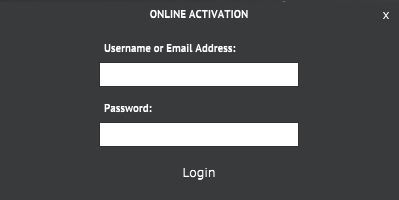
1. Open the newly installed plugin in your DAW > Click 'Register Online'.

2. Enter your username and email address that you registered at Audiority > Click 'Login'.

Your plugin is now activated and ready to use.

Windows

Registration

1. Visit https://www.audiority.com/register and enter your personal details > Click 'Register.'

2. Once logged in, Click the 'Redeem' button at the top of the page and enter the redeem code, found in your Plugin Boutique User Account > Click 'Submit'.

3. Click the 'My Plugins' button > Select the Windows Installer.

Installation

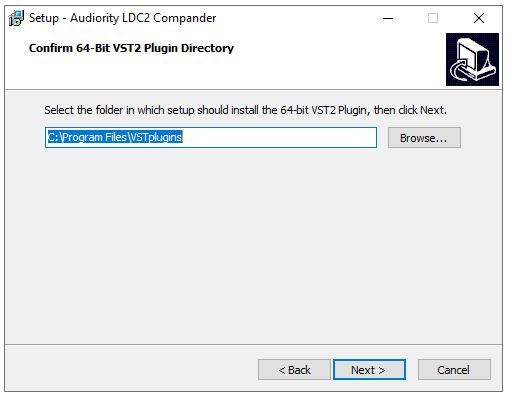
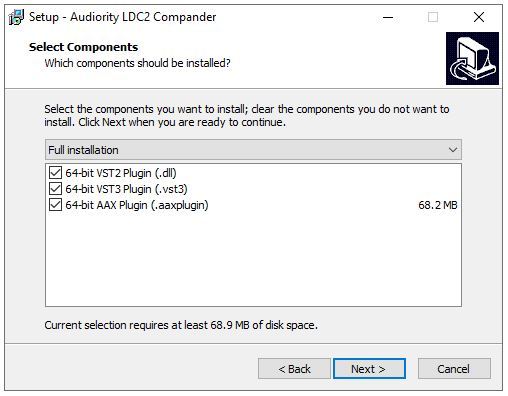
1. Double-click the installer to extract the contents > Double-click the .exe file to begin the installation.

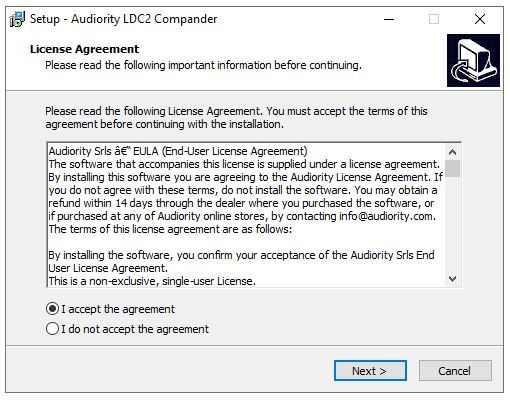
2. Select 'I Accept the Agreement' > Click 'Next'.

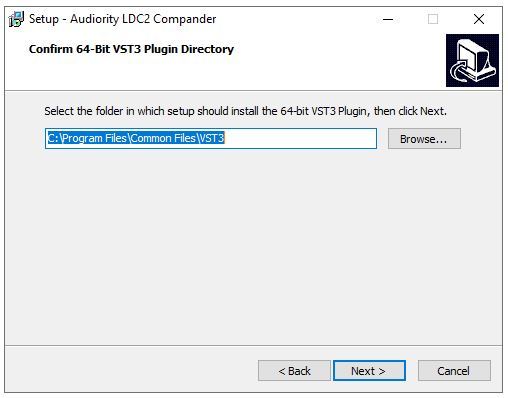
3. Click 'Next'.

4. Click 'Next'.

5. Click 'Next'.

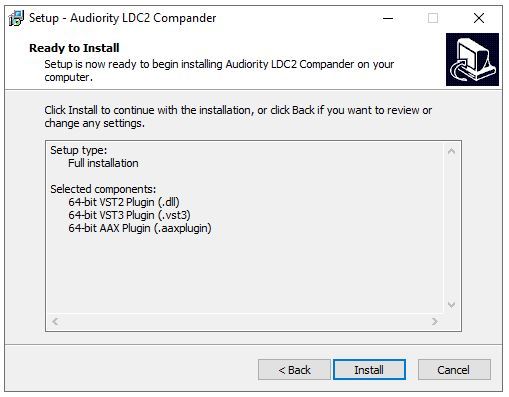
6. Click 'Install'.

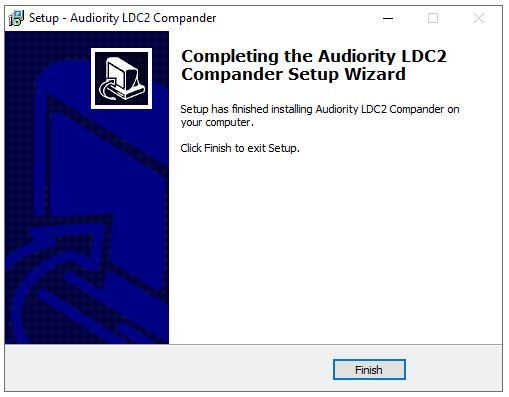
7. Click 'Finish'.

Activation

1. Open the newly installed plugin in your DAW > Click 'Register Online'.

2. Enter your username and email address that you registered at Audiority > Click 'Login'.

Your plugin is now activated and ready to use.

Plugin Boutique Rewards

Discover the most rewarding loyalty programme among all plugin retailers.

  • Free Loopmasters Samplepacks
  • Discounts on products and courses
  • Extra Virtual Cash claimed immediately at checkout
Find out more

Follow us:

X (Twitter) Facebook YouTube Instagram
Logo Logo

Plugin Boutique Limited, Part of the Beatport Group LLC.

Copyright © 2011-2025 Plugin Boutique. All rights reserved