/ Reverb / Rev SPRING-636
Arturia

Rev SPRING-636

4.8 (33 Reviews)
$99.00
Arturia Rev SPRING-636 - Main Image
Reverbs - FX Collection | ARTURIA gallery thumbnail
Tutorials - Reverb SPRING-636 | ARTURIA gallery thumbnail
Main Image
Buy Now
Product information

Snappy Physical Reverb

Enhance any sound with a vibrant, slappy, squelchy spring reverb.

The bouncy “boing” of a spring reverb has brought joy, soul, and atmosphere to countless records since the technology was devised in the 30s. Now Rev SPRING-636 will add that authentic, physical tone to your DAW.

Vibrant Spring Tanks

Multiple spring reverb units in one fantastic, character-packed software effect.
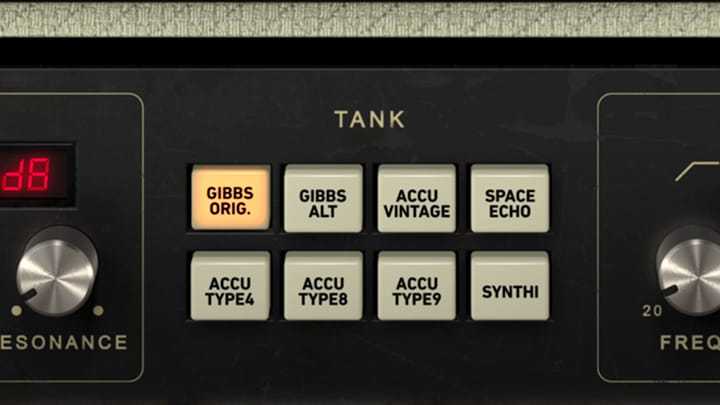
Iconic Sound

The unrivaled sound of a physical spring resonating with your music
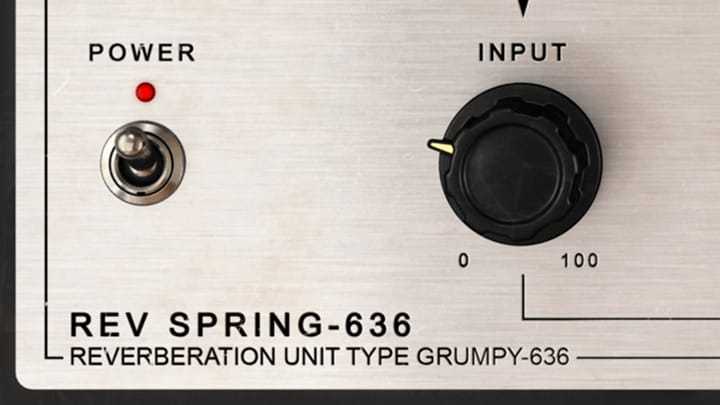
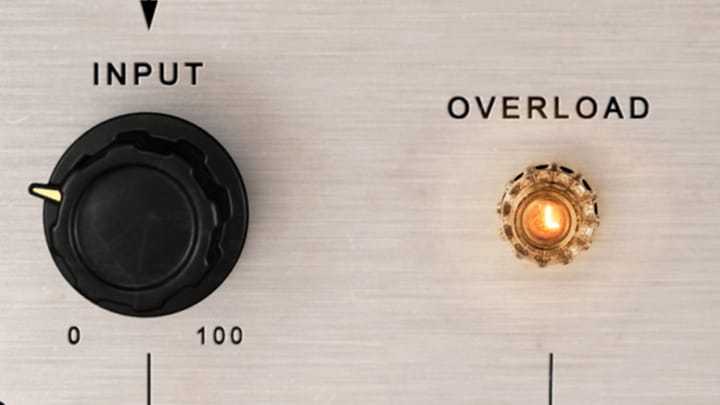
Germanium Drive

A super-crunchy, musical input that lets you drive it hard for extra distorted tone.
Originally invented to add some “space” to the sound of Hammond Organs way back in the 30s, the reverb is a relatively simple design of a suspended spring inside a tank. The sound of the instrument is passed through the spring, and picked up again, blended into the original sound, and that’s it!

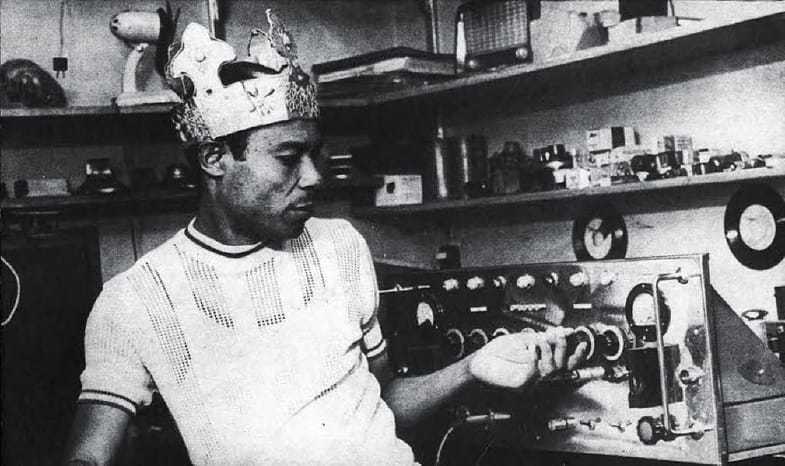
For the core unit, we based our software reverb on the legendary Grampian 636 spring reverb. The original 636 was the go-to reverb of The Who’s Pete Townshend, of legendary dub producer Lee Scratch Perry, and a cornerstone of reggae and ska music.
The great thing about spring reverbs, and one of the reasons they have been so popular for the last 90 years, is that every one of them seems to have a unique tonal character. Some are bright, some zap, some zing, and poing, and some boing, but they all have their uses. This is one of the reasons we’ve included many different “spring tank” models in Rev SPRING-636: you can find the one that suits your music best.

Thanks to the power of our TAE® and Phi® modelling technologies, we’ve been able to recreate everything that made the 636, and spring reverbs in general, so very special. True Analog Emulation® handles the electronic side, analyzing and accurately modelling the way the circuitry works, and how it responds to various audio signals. Phi® lets us study the physical nature of the reverb, how the spring reacts, how the tank’s resonance changes the sound.
Features

  • Vintage Pre-Amp: Germanium pre that warms up your signal, and turns into a full-on inferno when you crank it.
  • Reverb Length: Make your reverb as long or as tight and snappy as you like with this simple control.
  • Mix It Right: Select your perfect dry/wet balance, or change it on the fly like the dub legends did.
  • Pre-delay & Pre-Filter: Delay how quickly the reverb starts, and carve out exactly the part of your signal you want to hit the reverb.
  • Reverb Tanks: Explore 8 different spring reverb legends, all perfectly modelled with unique spring and kick sounds.
  • Post-EQ: A 3-band EQ lets you get things sounding just the way you want, right inside the plugin.

Additional Features

  • Virtual recreation of famed classic Grampian spring reverb.
  • Original electronic path accurately modeled, using Arturia’s state-of-the-art TAE® analog modeling.
  • 2 preamp types with their very own sonic colour.
  • 8 swappable spring tanks.
  • Pre-delay.
  • Multimode pre-filter.
  • Parametric EQ.
  • Input-Output gain link switch.
  • Resizable window.
  • Integrated tutorials.
  • Comprehensive set of presets.

System Requirements

  • Works in Standalone, VST, AAX, Audio Unit, NKS (64-bit DAWs only).

Mac

  • Mac OS 10.13+
  • 4 GB RAM
  • 4 cores CPU, 3.4 GHz (4.0 GHz Turbo-boost) or Apple Silicon CPU
  • 1GB free hard disk space
  • OpenGL 2.0 compatible GPU

Windows

  • Win 10+ (64bit)
  • 4 GB RAM
  • 4 cores CPU, 3.4 GHz (4.0 GHz Turbo-boost)
  • 1GB free hard disk space
  • OpenGL 2.0 compatible GPU
  • ARM processors not supported on Windows

Protection

All Arturia software is protected by the Arturia Software Center.

Installation Instructions

Registration

1. Go to the Arturia login page. You will be prompted to create an account or log in (if you already have an Arturia account, please log in and skip to Step 4 of the registration process).

2. Click 'Create an account'.

3. Enter your details and click 'I'm not a robot'. Choose your marketing preferences and then click 'Create'.

4. You should have received an email to activate your account. Click the link that has been sent to you and login into your account by entering your personal details.

5.  You will be redirected to your Arturia account area, where you can click the 'Register New Product' option.

6. Enter the Serial Number from your Plugin Boutique account (the 16-digit code that consists of 16 numbers), e.g. 1234-5678-9012-0000 and then enter your Unlock Code (the 8-digit code that consists of letters and numbers), e.g. C5GM00N9 > Click 'Register'.

Please note: Your Arturia codes will either be separated by a comma, e.g. 1234-5678-9012-0000,C5GM00N9 or by the letters 'Uc:', e.g. 1234-5678-9012-0000 Uc:C5GM00N9.

Your product is now registered!

Mac Installation

Note: Pigments is used as an example.

1. Go to https://www.arturia.com/support/downloads&manuals > Click the download icon to download the installer for the Arturia Software Center.

2. Open the installer for the Arturia Software Center > then click 'Continue'.

3. Click 'Continue'.

4. Read the software licence agreement > then click 'Continue'.

5. If you are happy with the terms of the software licence agreement click 'Agree'.

6. Click 'Install'.

7. Enter your login credentials and click 'Install Software' (or tap your fingerprint) to install the Arturia Software Center.

8. The Arturia Software Center is now installed > click 'Close'.

9. Open the Arturia Software Center and log into your Arturia account.

10. Your purchase will now be in your account > click 'Activate' to authorise the product on your system. 

11. Click 'Install' to download and install the software onto your computer system.

Your software is now activated and ready to use in your DAW.

Windows Installation

Note: Pigments is used as an example.

1. Go to https://www.arturia.com/support/downloads&manuals > Click the download icon to download the installer for the Arturia Software Center.

2. Open the installer for the Arturia Software Center > then click 'Yes'.

3. Click 'Next'.

4. Click 'Next'.

5. Click 'Install'.

6. Click 'Finish'.

7. Open the Arturia Software Center > click 'Yes'.

8. Sign in to your Arturia account.

9. Click 'Next'.

10. Click 'Next' or install the software to your preferred custom VST folder(s).

11. If you are asked about sharing your anonymous data with Arturia's team, click 'Yes, I agree' or 'No, thanks' to proceed.

12. The software will now be in your Arturia account > click 'Activate' to authorise the product on your computer system. 

13. Click 'Install'.

14. Your software will now download and install.

Your software is now activated and ready to use in your DAW.

Plugin Boutique Rewards

Discover the most rewarding loyalty programme among all plugin retailers.

  • Free Loopmasters Samplepacks
  • Discounts on products and courses
  • Extra Virtual Cash claimed immediately at checkout
Find out more

Follow us:

X (Twitter) Facebook YouTube Instagram
Logo Logo

Plugin Boutique Limited, Part of the Beatport Group LLC.

Copyright © 2011-2025 Plugin Boutique. All rights reserved