


 Log In
Free gifts available with your purchase
Philosopher's Low Pass Filter
A plugin recreation of the famous 24dB per octave low-pass ladder filter, updated with exciting new features for the modern music maker.
Ever wanted to use one of the world’s most famous synth filters in your DAW?
The classic filter from our lovingly recreated Mini V software instrument is now in a dedicated plugin. Now you can add the familiar filter tone to warm or smooth out your audio, or to add sweetness to a sensitive recording.
Not only that, but Mini-Filter also includes a powerful modulation section which consists of an envelope follower, an LFO, and a step sequencer. A patch manager is also built-in, along with a set of presets to inspire your creativity.
An essential, expressive, and creative tool for any producer or performer.
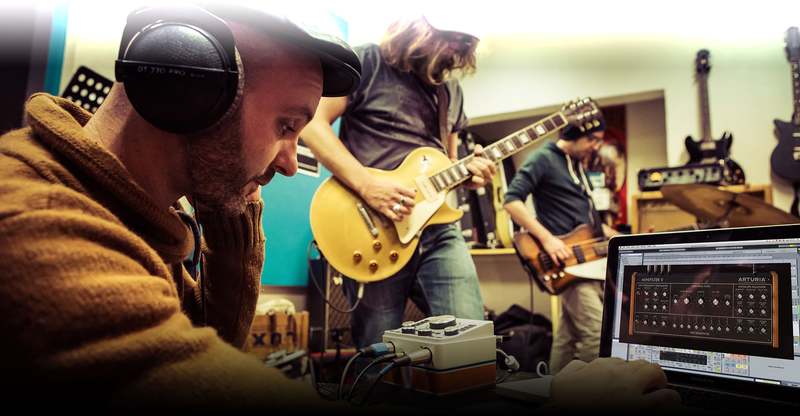
Straight from the legendary 70s monosynth
Mini-Filter is the latest chapter in the story of Arturia’s True Analog Emulation technology.
In 2003, Arturia recreated the illustrious synthesizers as software instruments, allowing a whole new generation of musicians, producers, and enthusiasts the chance to experience his unique method of synthesis. Fast-forward 15 years, and sadly the godfather of synthesis is no longer with us; but his legacy remains forever.
Through our collaborative effort and expertise, we were not only able to perfectly recreate his iconic 70s monosynth, but also isolate individual components. The 24dB per octave ladder filter has always been at the core of the Model D monosynth mythos, and we were intrigued as to how it would sound on other audio sources. So we applied the greatest care and used the latest technological advances to reproduce its warm and highly musical tone.
“But what does a filter actually do?”
For many music producers and electronic musicians, filters are an essential part of their sound and creative process. Put simply, filters cut or boost certain sound frequencies, letting you control the tonal ‘shape’ of audio.
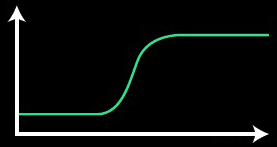
For example, if you had a vocal recording that you wanted to remove some low, bassy rumbles from, you could use a high-pass filter.
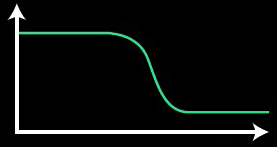
A low-pass filter could be used in the same way, but to remove unwanted high frequencies; maybe to tame particularly zingy cymbals or hi-hats in a drum recording.
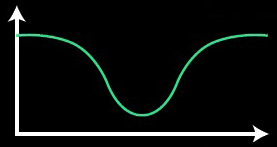
Notch filters can pinpoint certain frequencies and either boost or cut them; one great use for these is to find and remove clothy, unwanted mid-range resonance from recordings of acoustic instruments.
Originally developed to remove broadcast noise and make the most of radio bandwidth, nowadays filters are an essential creative tool for music professionals.
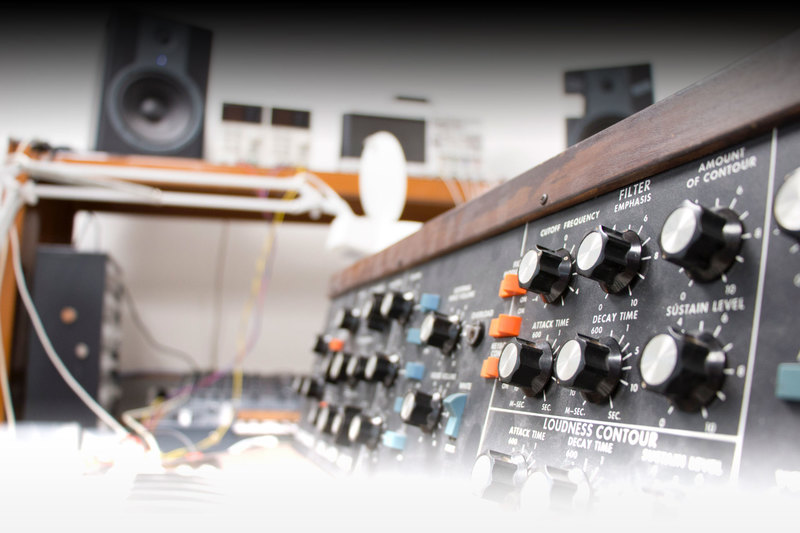
One legendary filter, one FX plug-in
Whether you’re a singer, a guitarist, a DJ, a producer, Mini-Filter will spice up your music.
Emphasize the warmth of your voice, shape the tone of electric guitars, add filter sequences to your drums, transform you whole mix. While we’re sure you’ll love using a perfectly realized analog ladder filter on any sound source, we’ve also added some contemporary features to give Mini-Filter the edge when it comes to creative audio processing.
From the sample & hold to the sequencer, Mini-Filter is a true sound designer’s dream for mixing, sound creation, and experimentation. Let’s take a look at the key components of this awesome plugin:
Virtual recreation of a 24dB/oct Low Pass Ladder filter:
- Drive parameter
- Cutoff Frequency and Emphasis
- Dry/Wet setting
- Output volume setting
Low Frequency Oscillator:
- Can be synchronized with DAW’s clock
- 4 waveforms + Sample and Hold mode
- Phase parameter
- Can modulate the Cutoff, Emphasis and Cutoff modulation amount of the Sequencer
Step Sequencer:
- Can be synchronized with DAW’s clock
- Up to 8 steps
- Smooth parameter
- Can modulate the Cutoff, Emphasis and the LFO rate
Envelope follower:
- Sensitivity parameter (vertical sensitivity)
- Attack and Decay time parameters
- Can modulate the Cutoff, Emphasis and the LFO rate
System Requirements
- Works in Standalone, VST, AAX, Audio Unit, NKS (64-bit DAWs only).
Mac
- Mac OS 10.13+
- 4 GB RAM
- 4 cores CPU, 3.4 GHz (4.0 GHz Turbo-boost) or Apple Silicon CPU
- 1GB free hard disk space
- OpenGL 2.0 compatible GPU
Windows
- Win 10+ (64bit)
- 4 GB RAM
- 4 cores CPU, 3.4 GHz (4.0 GHz Turbo-boost)
- 1GB free hard disk space
- OpenGL 2.0 compatible GPU
- ARM processors not supported on Windows
Protection
All Arturia software is protected by the Arturia Software Center.
Gojko Marić
Guitarist | Welicoruss
"Holy smokes.... this thing is on fire. Who ever knows all the amazing secret weapons the Moog Filers hold, well imagine the legendary "Ladder" filter combined with Multimode Filter, then you know what am talking about... And did I forget to mention that this massive filter is just under €50?"


