


 Log In

Free gifts available with your purchase

Zqueezer - Easy Squeezy
As producers, we’re all searching for that something special - a quick and easy way to transform sounds beyond their original forms and push them to the next level. Some of us achieve that by using complex plugin FX chains, or even by routing audio through outboard equipment. Zqueezer is a brand new way to inject a unique flavour into your synths, basslines and vocals.
Now, this is a difficult plugin to explain - and honestly, you’re probably better skipping the science and just taking Zqueezer for a test drive to experience the twisted squelchy goodness that it has to offer. With monophonic source audio, Zqueezer can function as a kind of “adaptive filter”, squashing the sound with an emphasis on harmonics and a type of formant-shifting effect. For more complex types of polyphonic material, Zqueezer mangles the overtones, resulting in a more complex network of partial tones and intermodulations. Sounds wild, right? It is!

Overtone
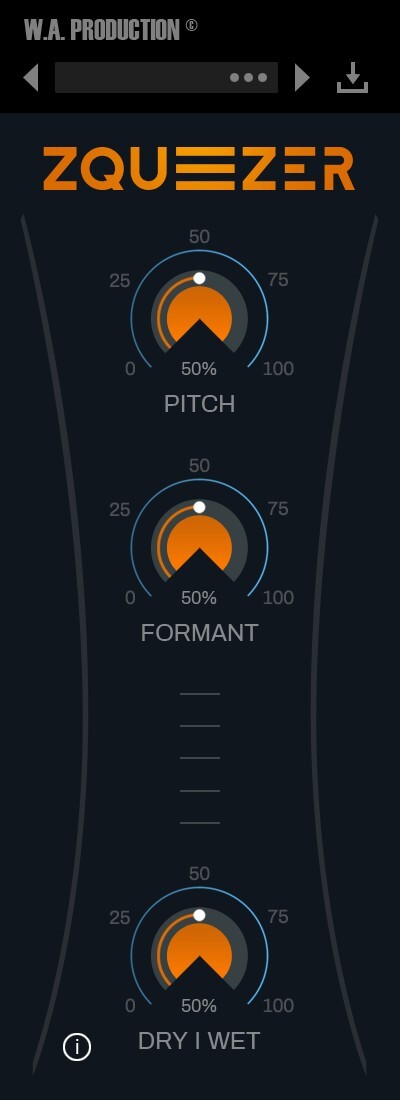
This is where Zqueezer shines, with this control assigned to select and isolate the flageolet overtones of the signal. As the dial is pushed up, increasingly fierce results are heard with squeezed frequencies that rise in pitch. As this parameter is increased you'll hear individual overtones and at extreme values, the pitch-shifting effect is similar to a band-pass filter but with far more complexity in the harmonics. Because the filter coefficients keep changing and are derived from the waveform of the sound itself, the filter constantly adapts to the audio.
Gain
Although seemingly simple, this control boosts the “brilliance” of the signal. It corrects amplitude at the output, which is useful for higher fraction values. Think of this control as amplitude correction or normalization, as it’s very useful when balancing the source audio against the squeezed and squashed version of itself.
Dry/Wet
For creative purposes, it’s useful to be able to mix the waveforms that Zqueezer creates with the original source audio. Use the dry/wet knob for this and conjure every kind of processing from subtle brightening to full-on mangled and harmonically distorted strangulation.
Presets
With many included presets, it’s easy to find the perfect way to squeeze your audio. These factory options can be used on guitars, bass, drums, synths and vocals. The presets include everything from subtle transformations to full-on strangled mutations.
Features
- Squeezed filtering like you’ve never heard before
- Adaptive output derived from complex rendering
- Adjustable Overtone to isolate flageolet tones
- Dry/Wet dial
- Visual feedback
- Factory presets
- Full PDF Manual & Tutorial video
System Requirements
- Windows 8 or later (32/64-bit)
- macOS 10.13 and later
Please Note: AAX format requires Pro Tools 11 or higher.
Important Note for Mac Apple Silicon users: Before purchasing, please review the current compatibility status of this plugin on your system here.
Manene
DJ/Producer
"I love the simplicity and sonic qualities of Zqueezer. With only a few knobs, Zqueezer makes it easy to immediately give a sound new life. It sounds excellent on monophonic elements as well as more complex parts. If you want to make music that changes the game, Zqueezer can be your secret weapon!"
22 Bullets
DJ/Producer
"I am so impressed by Zqueezer. I've tried it on a ton of different types of sounds, and it adds a unique character to all of them. With some sounds, using it lightly works best, but with others, pushing it hard sounds amazing! Zqueezer is a fantastic way to add character to any element make a track stand out. Highly recommend!"
The Sampleacast
Podcast/YouTube Show
"When simple filtering just doesn’t cut it, Zqueezer helps me to strangle any audio in really fun ways."


