


 Log In

Free gifts available with your purchase
Get A World-Class Drum Sound In Minutes
MDrumStrip is genuinely the only acoustic drum mixing plugin you will ever need! It gives you a quick and simple way to mix modern punchy drums with all instructions included. Minimal learning curve and no guessing game. MDrumStrip is specifically made for modern rock and metal, but it is suitable for other genres as well.
All-in-one Solution For Any Drum Mixing
MDrumStrip has been designed for one specific task and contains everything it needs to do. No need for several compression and EQ plugins reverbs etc. Just follow the instructions and do the mixing. Usually, only minimal tweaks are needed since it smartly analyses your audio and customises the internal algorithms for it. It's quick and easy. But MDrumStrip also contains lots of more advanced controls, just in case you want to go in-depth. With zero latency, you can even take MDrumStrip out and use it live.
Hidden Know-how
We designed MDrumStrip with the complex know-how of how world-class producers do their job and made the plugin simple yet versatile. No need to learn all the know-how yourself. Isn't that what computers are for? Of course, if you already have dozens of audio plugins and you already have years of experience with mixing drums, you may mix the drums the way you have done so far. But why would you, if it could be easier, faster and perhaps even better sounding with MDrumStrip?
Mix Your Drums Quickly and Easily Within a Few Steps
1) Send all your drums to one bus and insert MDrumStrip (select the device Master)
2) Engage an instance of MDrumStrip on every drum channel and select the appropriate device (device Snare on snare drum etc.)
3) Solo your snare drum, analyze the sound by turning on the Auto Input for a few seconds.
4) Fine-tune by toggling the EQ frequencies.
5) Use XY pad to tweak the dynamics.
6) Use bleed kill and gate if necessary.
7) Repeat the process for bass drum, toms, hi-hat, overheads and rooms.
8) Create a tom bus channel and send all toms tracks to it. Load MDrumStrip (select Tom bus device). Hit Auto Input to analyze.
9) Now that individual drums are ready, switch to the drum master bus and hit the Auto Input button.
10) Create a parallel bus, load MDrumStrip (Parallel device) send all tracks to it and analyze.
11) Use the saved time to have some rest.
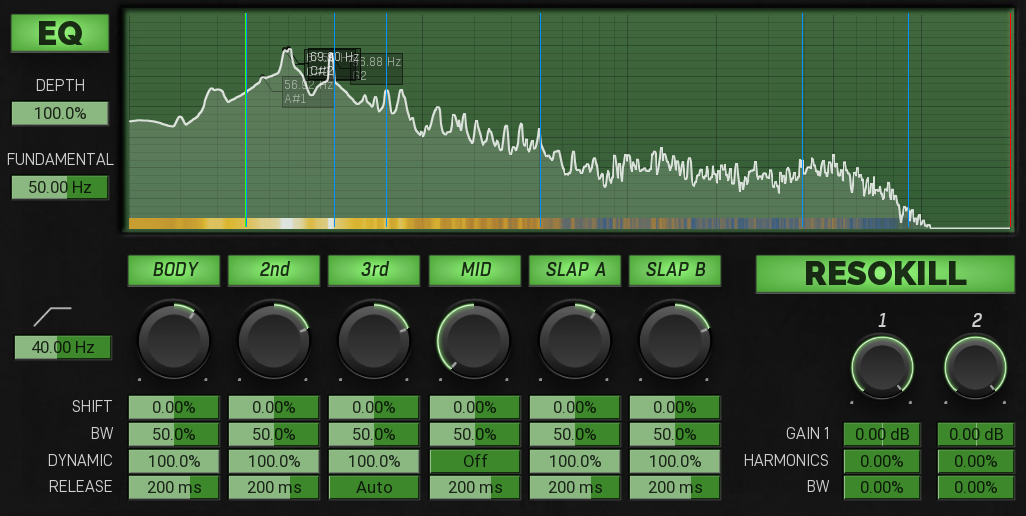
EQ For Every Drum Sound
Equalization is... well... difficult. But MDrumStrip not only does some magical fixes, it also has a dedicated dynamic EQ for each track in your drum setup. Just set the fundamental of your, say, snare drum using the analyzer and then try different bands - do these make things better or worse? That's the only question.
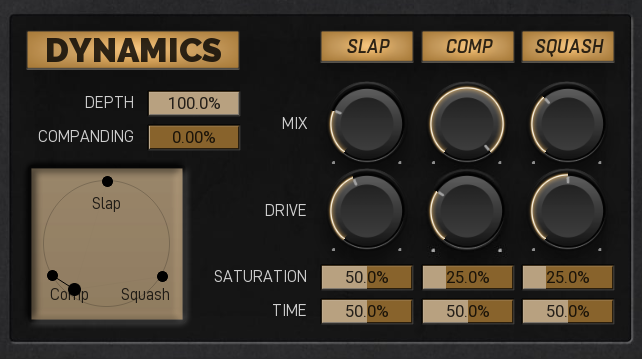
Dynamic X-Y pad
Long gone are the times you just needed a little compression. These days we need intricate ways to give the drums a punchy transient, yet powerful sustain. MDrumStrip then let's you blend between these using a simple X-Y pad, so that you can quickly and easily select your preferred character.
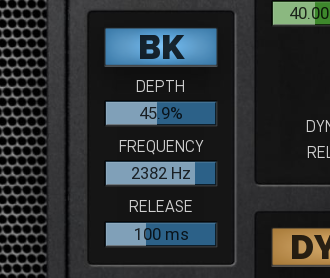
To Bleed, Or Not To Bleed?
MDrumStrip's Gate & Bleed Kill features lets you attenuate the bleed from different elements in your drum kit, especially cymbals. That is fundamental to get the desired tight punchy sound people are expecting these days.
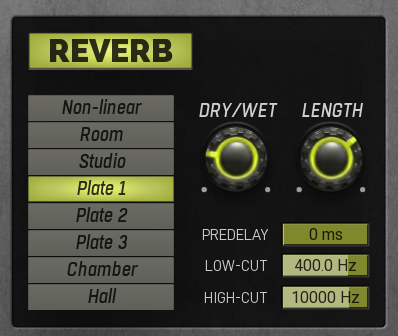
Reverb Section
Even if your recording room is perfect, there's still a use for a good reverb, especially on the monophonic close mics. MDrumStrip comes with dozens of algorithms specifically selected for each audio material.
System Requirements
Windows
- Windows 8 / 10 / 11 (64-bit)
- VST / VST3 / AAX compatible host (64-bit)
- Intel/AMD processor with SSE2 support
macOS
- macOS 10.14 and newer (64-bit)
- VST / VST3 / AU / AAX compatible host
- Intel/AMD/M1 processor with SSE2 support
- Native Apple Silicon ARM CPU support
Note: Please check your product PDF documentation for more information and installation instructions.
Eddie Grey
Composer and Producer in the Los Angeles area
"I just slapped on my Drum Bus and then copied onto the separate pieces (kick, snares, rooms, overheads, etc.) and it sounds like a MONSTER. Melda always does great work but this plug takes it to another level!!!! Thank you, Melda."
Scott Yahney
New York-based producer, writer and keyboard player
"Wow, this thing is killer, somebody finally got it right!"









