


 Log In

Free gifts available with your purchase
UltraChannel
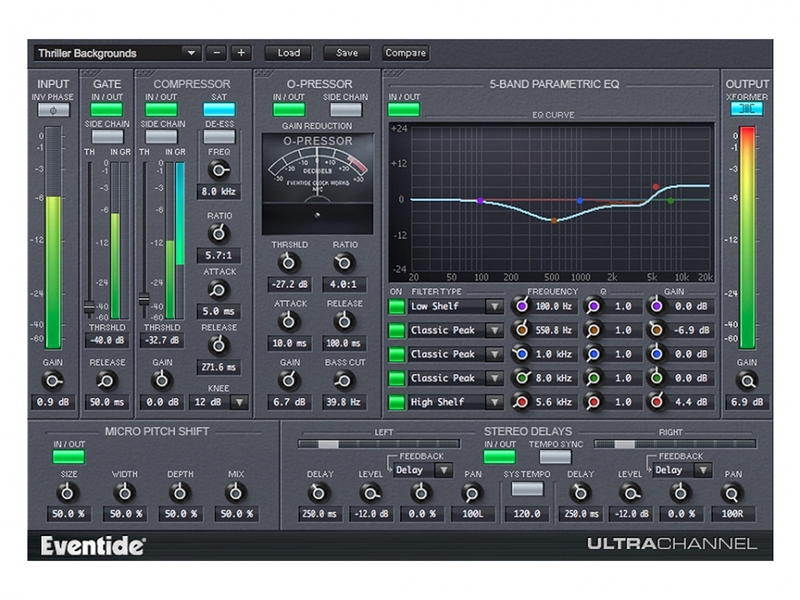
Professional Audio Engineering For All
UltraChannel™ is a high-precision channel strip that includes several feature-packed versions of Eventide’s legendary effects, all in one plug-in. Whether mixing or mastering, regardless of genre, UltraChannel is the ultimate tool to make your tracks and mixes come to life. It not only has industry benchmark performance but is also the most versatile channel strip available due to our exclusive FlexiPath™ routing, which allows processors to be ordered based on desired workflow.
The Secret Sauce of Mixing
UltraChannel shines in carving out space for any instrument or vocal to sit just right in the mix. There is an infinite number of ways to generate the exact tone, dynamics and frequency characteristics you’re seeking. Additionally, through its support for side-chaining, you can use an alternative audio source to colour the characteristics of your main signal. It wouldn’t be an Eventide if it didn’t also feature micro pitch functionality (from our flagship H8000 hardware) to thicken or increase the stereo spread of any instrument or vocal.
Features
FlexiPath™
Allows drag and drop for reordering the signal path of the top-level components (O-Pressor, compressor/de-esser, EQ, Gate) for ultimate flexibility and experimentation.
Soft-Saturation and Transformer Emulation
The output module of UltraChannel contains a model of an analog transformer which can be driven into saturation. When subtly used, it provides distinction for signals of low-frequency content. When driven hard, it recreates classic transformer core saturation.
O-Pressor
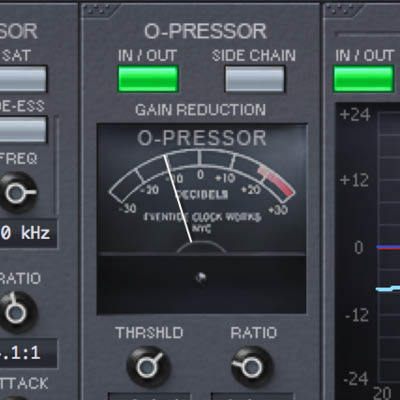
Comes with two built-in compressors, one with de-essing and side-chaining, the other is the unique O-Pressor. Derived from of our legendary Omnipressor™, the O-Pressor adds character and extreme compression to your signal-processing arsenal.
5-Band Parametric EQ
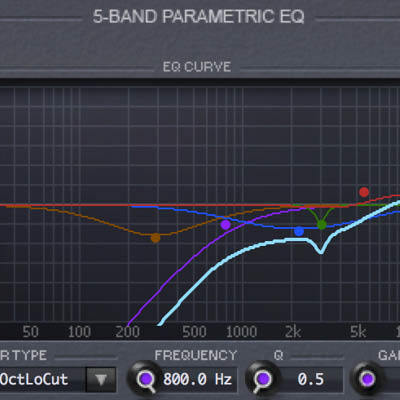
Covers the entire audio spectrum allowing you to edit the Frequency, Gain, and Q of each of the 5 bands.
Over 200 Presets
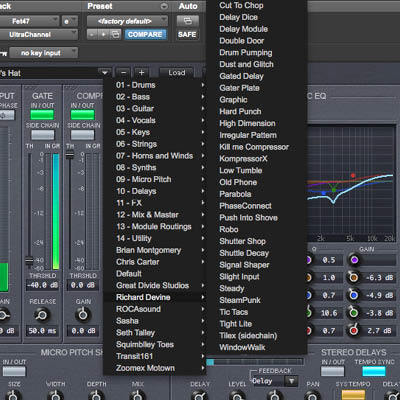
Includes wide range of Factory Presets, many created by Eventide artists, tailored to signal sources such as guitar, bass, kick drum, snare, piano, strings, synths and vocals. They make exploiting UltraChannel’s enormous processing power easy to deploy.
Micro Pitch Shift & Stereo Delays
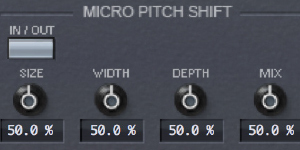
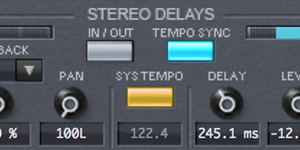
Apply Eventide’s patented pitch shifting to any source and control the panning and delay spread. Runs in parallel with a pair of delays that allow you to feed its signal back into any of the other modules.
Countless Applications

Producers
UltraChannel can replace several plug-ins at once, allowing you to minimize CPU loading while still giving you full sonic control over every aspect of your tracks.
Mix Engineers
Carve a unique space for each element of a song through selective EQ, gating, and tempo-synced delays.
Sound Designers
Change the entire feel of an instrument through filtering, pitch shifting, delays, or aggressive compression.
Artists Using UltraChannel
Andre Kelman

(Beastie Boys, Phoenix, Gogol Bordello, Cat Power)
Headsnack

System Requirements
Windows
- Windows 10 and later (Windows 11 supported) (64-bit only)
- AAX, VST2, VST3
Mac
- macOS 10.14 and later (Intel / Apple Silicon supported) (64-bit only)
- AAX, AU, VST2, VST3
Important Notes:
- Eventide tests their desktop plugins in Ableton Live, Cubase, FL Studio, Logic Pro, Pro Tools, and Studio One (However, their plugins should work with any compatible host.)
- No iLok dongle is required to run this software - only a FREE iLok account/Manager is required for authorisation.
Audiofanzine.com
Audiofanzine.com reviews midi, home studio and self-production. It also tests synthesizers and software.
"UltraChannel is more than just your average channel strip. It also features Eventide's signature delay and modulation effects, and is almost like an entire effects collection in a single plug-in."
Harmony Central
Harmony Central covers product announcements and music industry news, reviews and links.
"The module's main strength is that it combines unusually full-featured versions of processors in a single plug-in. While not heavy on the CPU it's not light either, so it's probably not something you'd want to put on every channel. But for tracks where you plan to use a number of processing modules, like vocals and drums, the UltraChannel makes the tweaking process simple.
Producer Spot
Music production audio news, reviews, best VST plugins, virtual instruments, royalty free loops and sample packs, recording tutorials, mixing and mastering.
"UltraChannel is a great channel strip with some bonus features not found on other strips. It is easy to use…it comes with a lot of presets which sound awesome from the get-go and offers up a great starting point to shape your sound just the way you like it."


