


 Log In

Free gifts available with your purchase
The unique Chandler sound for Console 1.
A powerful and musical modern channel strip with the unique vintage sound of Chandler Limited®. The Zener-Bender for Console 1 combines the crisp and colourful character of the Curve Bender mastering equalizer with the big, punchy Zener Limiter to bring class, history, and most crucially of all, a phenomenal sonic impact.
Component-modelled with Softube’s customary care and experience, these units together can take charge of any mix. The Zener-Bender for Console 1 is included in the Zener-Bender channel strip collection.
The Punchy Dynamics of the Zener Limiter
A versatile and powerful compressor/limiter with punch and power to match its tasteful distortion.
The Colour of the Curve Bender
An extremely musical and characterful mastering equalizer. Can be subtle or drastic, but always makes things sound better.
Classic Sound, Modern Workflow
More than the sum of its parts, the Zener-Bender is a uniquely vintage-sounding powerhouse with modern flexibility and workflow, especially when coupled with the hands-on control of Console 1.
Legendary Circuits, Reimagined
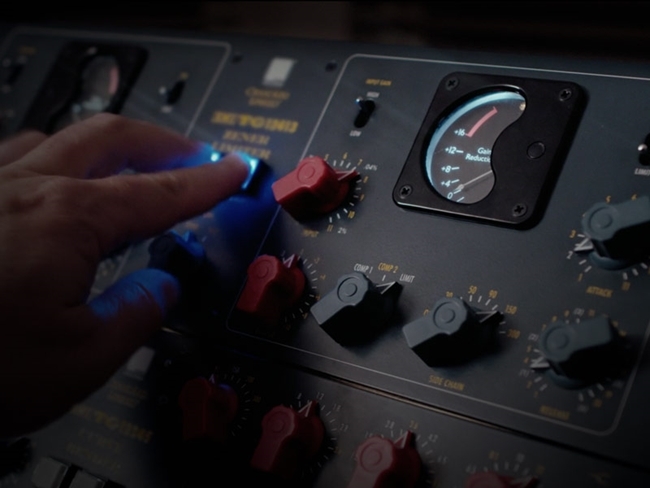
Chandler Limited® is one of the most respected modern hardware names in the industry. Founder Wade Goeke, with the permission and endorsement of Abbey Road, has reimagined and expanded upon circuits from consoles used at the legendary studio in some of its most creatively and commercially fertile times. The units which comprise Zener-Bender, Zener Limiter and Curve Bender, are based on desks used in the production of The Beatles and Pink Floyd, most notably the 1969 TG12345 and the 1974 TG12413.
Wade’s modern units featured updated and expanded feature sets, and have been used on records like Lemonade and 4 by Beyoncé, Lady Gaga’s Born This Way, Pink Martini by The Strokes, The White Stripes’ Icky Thump, and many more. A partnership with Softube has been slowly cultivated with after-hours beers, conversation, and karaoke at trade shows the world over, paving the way for Softube's meticulously component-modelled plug-ins.
A New Flavour for Console 1
The Zener-Bender brings a fresh new sonic edge to Console 1. Both vintage and surprisingly present, its musicality is perhaps its most notable feature. Both units are created first of all with a mind for making music, and only employing the math that’s required to achieve the results, rather than revelling in tech for tech’s sake.
Unusual components, including germanium and zener diodes, create a sound world not heard in Softube's other Console 1-ready channel strips, while the architecture of these units emphasizes power, punch, clarity, and colour. Combining by default with the SSL 4000 E-series shape section, and employing the Zener’s Total Harmonic Distortion (THD) circuit as a drive section, this becomes something very special very quickly.
Zener-Bender Native: Chandler Times Four
There is also a native version of the Zener-Bender, for use without Console 1. This option is a collection that includes four plug-ins: Zener-Bender, Zener-Bender For Console 1, and also Curve Bender and Zener Limiter as individual plug-ins. Combining the units into one plug-in channel strip allowed us to add a few workflows not possible in the hardware – External Sidechain input, and Mid/Side Processing.
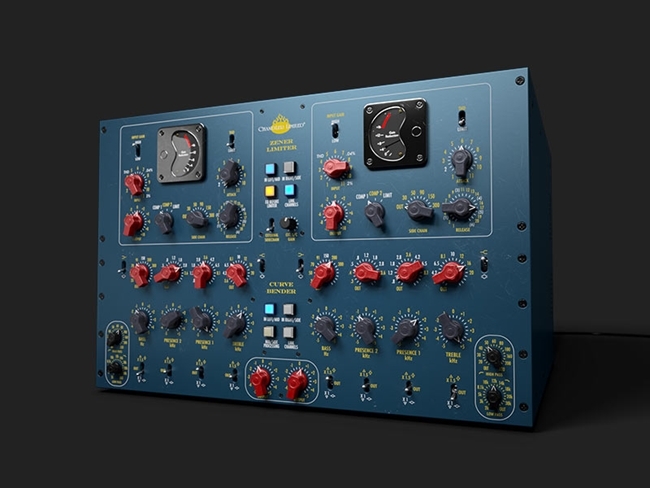
The Anatomy of the Zener-Bender Channel Strip
Filter Section
The filter section uses Curve Bender’s filters, which are also available in the EQ section if you set the EQ Type on the Low or High band to Cut.
Shape Section
Rather than imagining a shape section out of thin air, or guessing based on components of the Chandler Limited® units, the gate and transient shaper for the Zener-Bender Console 1 channel comes from the SSL SL 4000 E-series strip. It's a surprisingly powerful workhorse. Use it well and your mixes will raise the roof.
Equalizer Section
The Curve Bender’s low and high pass filters are applied to the input section, before the Shape, but can be used in the EQ section too by selecting Cut in the high or low bands. The mixing and mastering gain options are all represented, with subtle clicks of half a dB possible as well as bold 15 dB boosts and cuts.
Compressor Section
The Ratio knob becomes the curve selector, giving you the choice between the Zener’s Comp 1, Comp 2, and Limit modes. Softube combined the input and output gain functions into a single threshold knob without any compromise on the authenticity of the sound.
Drive & Character Section
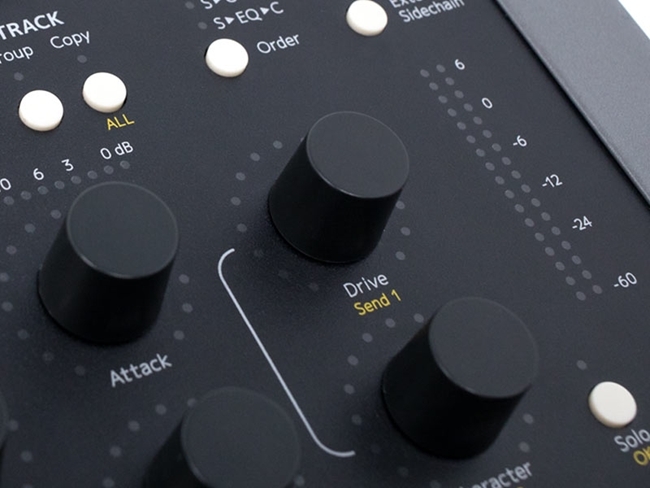
The Zener Limiter’s THD circuitry is the basis of the strip’s drive section, bringing meaty distortion where required. The Drive Character parameter controls an optional high-mid emphasis or de-emphasis.
Features
- The sound of the Chandler Limited® Zener Limiter and the Curve Bender Mastering Equalizer combined in one channel strip for Console 1
- The historic EMI/Abbey Road sound from the late 60s realized by Chandler Limited®’s hardware and reimagined for a modern studio context
- Expertly modelled by Softube
- An entirely new sonic flavour for the Console 1 ecosystem
- The units the Zener-Bender For Console 1 is based on were used on modern classic records by Beyoncé, The White Stripes, and Lady Gaga by some of the world's top engineers
- Also available as part of the Zener-Bender collection.
System Requirements
- macOS Big Sur 11, Monterey 12, Ventura 13
- Windows 10 (64-bit), Windows 11
- Softube account
- iLok account
- Computer with AU, VST, VST3, and/or AAX-compatible DAW host software
- Internet access (for downloading installers and managing licenses)
Supported CPU Families
- Apple macOS computers with Intel Core i3/i5/i7 or Apple silicon (M1 or newer) CPU. Apple silicon is supported natively.
- Windows computers with quad-core Intel Core i3/i5/i7 or AMD quad-core processors with SSE 4.2 support.
- Other Intel processors (Celeron, Pentium, and Xeon) are compatible if they support SSE 4.2 instructions.
Supported Host Software (DAW)
Any 64-bit VST, VST3, AU, or AAX (Pro Tools 11.0.2 or higher) compatible host application should work. However, due to plug-in host differences between DAWs—and our rigorous standards—Softube only officially test their plug-ins and instruments in the most recent versions of Pro Tools, Logic Pro, Cubase, Ableton Live, Studio One, and Reaper. Softube plug-ins are not tested regularly in non-listed systems. They will likely work if the system requirements are met. However, the manufacturer cannot guarantee a solution for issues in unsupported systems.
Softube strongly recommend using VST3, as some of their plug-ins have features that are not present in the older VST format. Supported sample rates: 44.1, 48, 88.2, 96, 176.4, and 192 kHz, in both mono and stereo. The most recent maintenance release of your DAW application is recommended. AAX DSP is not currently in active development. TDM/VENUE/RTAS are no longer supported. See Legacy Installers.
Important Note: Make sure that you always use the latest iLok License Manager. It is not included in the Softube installer but can be downloaded from www.ilok.com


