Log In

Free gifts available with your purchase

Anything but Inconsequential
Consequence is an arpeggiator, which creates a sequence of notes based on the chords that you provide. Up to 3 instruments can be loaded up, and a vast number of sequencing options can be used to control the way that the plug-in "interprets" your input.
Chord-Sequencer and Arpeggiator
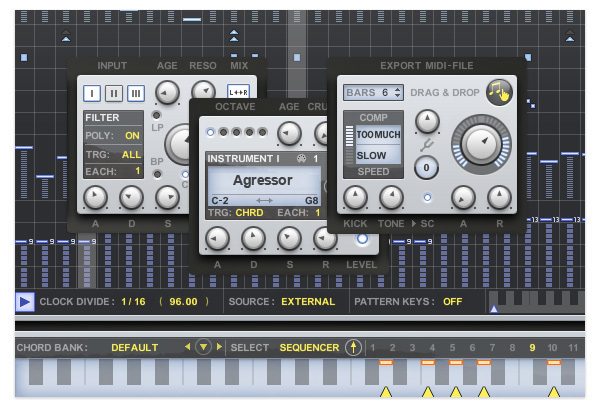
A Simple Concept, with Tons of Scope for Creativity
The chord sequencer is the centrepiece of the creative flow. It’s basically choosing from a palette of 16-chord "snapshots" you define in the Chord memory section at the bottom. There are actually 5 sequencers controlling different aspects of the groove you’re creating. The Modulation section is especially deep, offering separate patterns for each of the synth parts, the filter and the effects.
The sample-based sound library contains all kinds of instruments – from powerful analogue synths to subtle violins, each offering Octave, Pan, Level and Crush controls. You can choose a trigger mode for each instrument independently, so it becomes possible to create more complex sequences by having some instruments triggered as chords and others as arps.
High Level of User Control
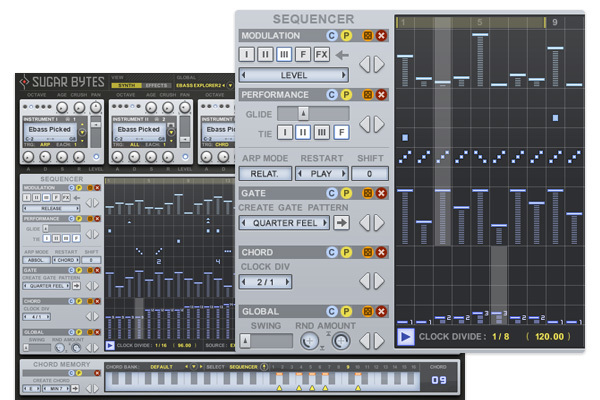
A Musician's eye for Detail...
Consequence allows for a detailed definition of all the sonic aspects on a step-by-step basis: "Arp" or "Chord", "Octave" or "Tie". With detailed control over the Arp-direction, you can create melodies with a narrow focus.
Like the rhythm of one preset, but the sound set from another? No problem! No matter how you save your presets, sequences and sounds can be switched out independently to give you other options to expand your presets further.
Sound Collection
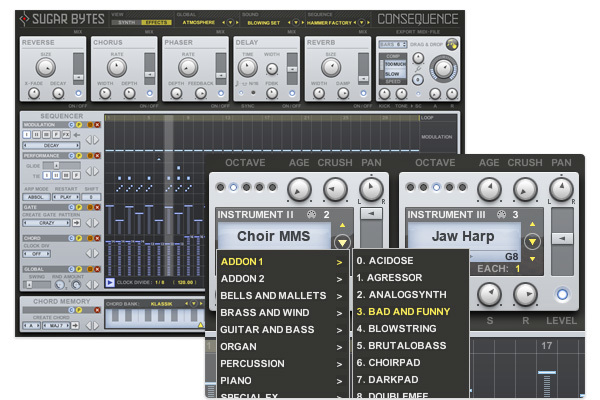
Sample Library with 800 MB Content in 15 Categories & 222 Sound Presets
Consequence’s sound library not only includes sounds of the most sought-after synths like the Memorymoog or the OP-1, there’s also plenty of strings and percussion. String passages are crafted fast and impressive. By combining the 3 instruments, it’s easy to create interlaced rhythms with the oddest sounds.
Besides an ADSR, each instrument holds an "Age" and "Crush" control: With these two, say goodbye to “Samples always sound so sterile!”
MIDI Output on VST & AAX
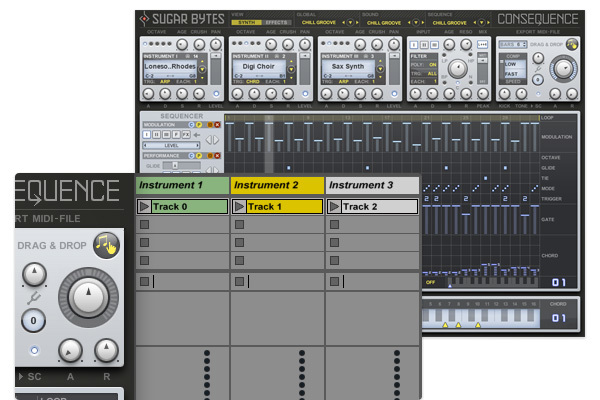
Control External MIDI Devices and Plug-ins
Consequence is not limited to the internal sound library: if you wanna combine with other generators, it is possible to use the MIDI out to trigger hardware or software synths, which opens up a lot of possibilities. There’s also the MIDI Export: just drag and drop to your host or save as a file.
The final stage of the Consequence sound section is the master section which offers tuning features, a fine master compressor and a kickdrum which plays a 4/4 rhythm. The kickdrum is a friendly helper to keep the groove while you are creating sequences, also it can be sent to the compressor exclusively to glue the mix together or let the level drop at each quarter note.
Sounds & Presets
Your inspiration delivery service:
- The instruments work with a sampling library which has been created exclusively for Consequence
- 237 sounds, recorded from first class natural instruments and synthesisers, are currently available
Features
- 3 Oscillators in a 32-Step Sequencer
- Easily creates complex sounds and rhythms
- Hundreds of natural sound samples
- Charming multi-effect section
- Individual Envelope per instrument
- Onboard 4/4 Kickdrum
- Polyphonic Triggers per Step
- MIDI Out
System Requirements
Mac
- macOS 10.12 or higher (Apple Silicon M1 supported) (64-bit only)
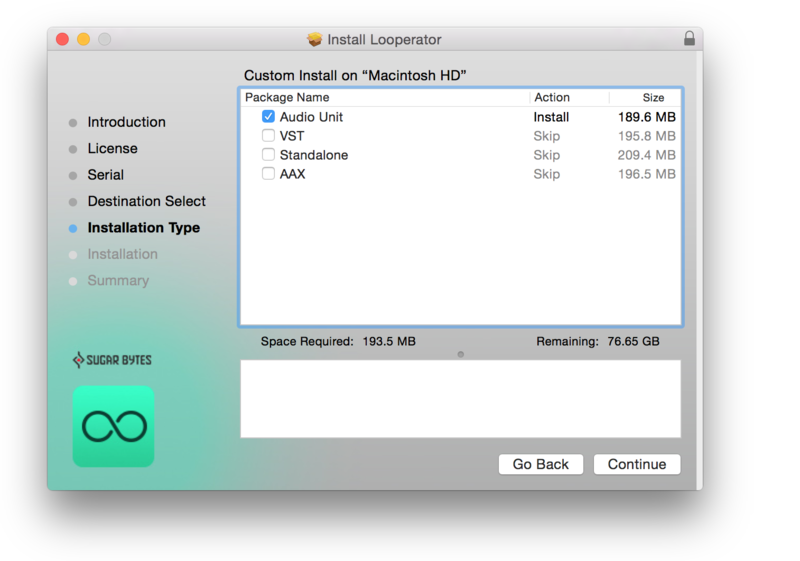
- VST2, VST3, AU, AAX & Standalone Application
Windows
- Windows 7 or higher (64-bit only)
- VST2, VST3, AAX & Standalone Application
Important Note: This software is only available in 64-bit format for both Windows and macOS and will not function on 32-bit systems.
Layman's Review
News, reviews and existential blues.
”As with the plug-ins that have gone before it, Consequence is consistently stimulating both as a production tool and as a songwriting tool. It's a veritable goldmine of creativity".
Computer Music
Computer Music is a monthly magazine published by Future plc in the UK. It covers the topic of creating digital music on a computer.
"Another solid, forward-thinking effort from Sugar Bytes, this is one to try if inspiration and fun are high on your list of priorities.”
Waveformless
Waveformless is a destination for all things synthesizer. We buy, sell, and service vintage synthesizers, drum machines, and effects. We are also an authorized dealer for Moog, Dave Smith Instruments, Elektron, Oberheim, and many more makers of new gear.
”Sometimes programming music in a way that is different than what you’re accustomed to can give you a fresh perspective and some great new ideas.”
A 'chord synquencer' with the power to inspire. You've gotta love Sugar Bytes, as it seems hell-bent on offering something challenging and inspiring with each new plug-in it releases. Pros: Instantly inspirational. Significant level of user control. Decent sound collection. MIDI...
Read MoreSugar Byte's innovative chord sequencer is anything but inconsequential... Those of you who visit the site regularly will already be very aware of the high esteem we hold for the Germany-based developer Sugar Bytes. So far we've looked at their WOW resonance filter and Effectrix effects sequence...
Read More