


 Log In

Free gifts available with your purchase
This product is an expansion for Softube Modular. If you do not currently own Modular, you can purchase it HERE.
High-end spectral filtering and processing
Scratch the surface of any synthesizer, and you’ll find the heritage of a few great brands. Buchla has been responsible for some of the most innovative, creative, and sonically spectacular electronic musical equipment ever made, and we’re proud to have such a legendary name in our Modular system. In addition to our previously released 259e Twisted Waveform Generator, take advantage of the myriad spectral processing capabilities of the big friendly filter bank; the new 296e Spectral Processor; the only software version of this module officially licensed by Buchla U.S.A.
The real thing
Our Buchla 296e module is officially licensed and endorsed by Buchla U.S.A. It's not just a copy, or a homage. It's the real thing.
Programmable graphic EQ
There's a lot you can do with 16 bands, each tuned to the discrimination curve of the human ear. Especially with external incoming CV, this module can perform complex sonic wonders.
Performs detailed spectral transfer functions
Spectral analysis and resynthesis opens up vocoding possibilities, using one module or chaining two together.
Rare and exclusive
The 296e is one of the most expensive and exclusive hardware synth modules in the world, and for very good reason. Its complexity, versatility, and sheer quality make it legendary.
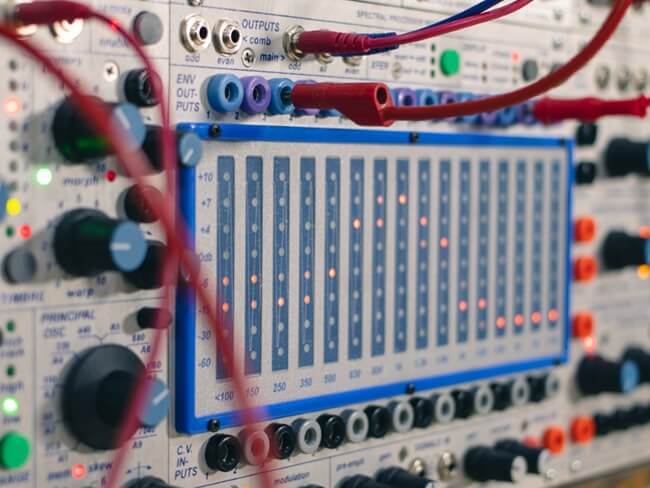
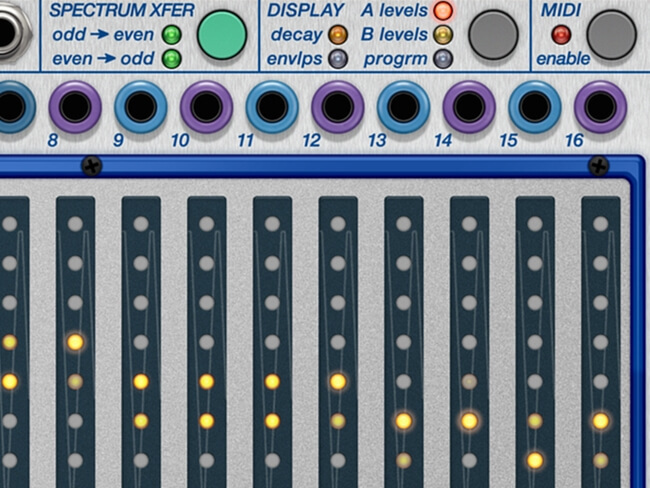
Sculpt any sound with this ultimately programmable 16-band graphic EQ. Morph between two separate modulatable response curves. Control the individual levels of each band through external incoming CV or use the internal spectral transfer (vocoding) to link the envelopes of odd and even bands with their VCAs (and vice versa). And use the “freeze” function (as a toggle-button, or externally controlled by CV) to sample and hold these values (envelope times, A levels, or B levels).
The 296e Spectral Processor is capable of a startling variety of effects, wonderful world-building from mere white noise, or the separation of musical inputs into any elemental collection of individual parts, to be reused and reimagined at will.
Ear-pleasing vocoder
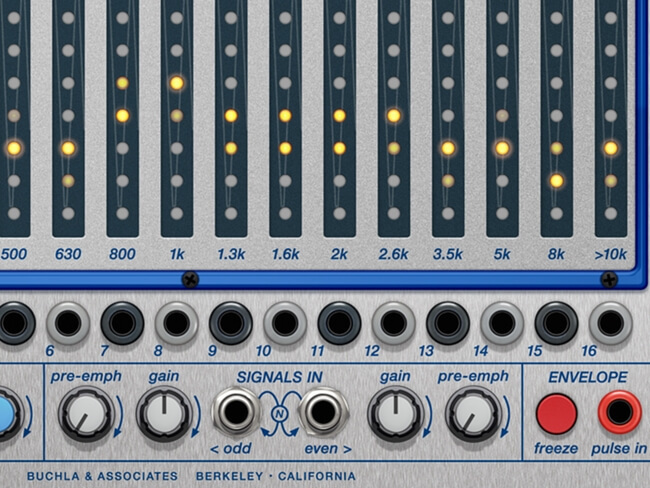
The center frequency of each band is pre-selected to complement the human ear’s discrimination curve, with the result that each one sounds meaningfully unique and pleasing. Its capability for intricate transformations allow it to be a real time performance filter, a programmable compound equalizer, and even a spectrum transferring vocoder.
16 band-pass filters are available, each with its own VCA on input, and envelope follower on output. They can be divided into two collections of eight, odd and even. In hardware this function can be used to split the module for use as a limited vocoder, with eight bands performing analysis and eight performing resynthesis. But of course, in software you can affordably run a pair of 296e modules side-by-side, for a full 16-band spectral transfer vocoding experience. The user can adjust envelope decay times, and pre-emphasis may be applied to smooth the frequency response for even more malleable vocoding.
Special MIDI function
A special addition in our software version of the module is the ability to ‘play’ the individual filter bands using MIDI. Note values attach to the different fixed filter frequencies, while MIDI velocity data affects the amplitude value of a given band’s VCA.
Add to this the wealth of great-sounding combination options available at a single click in Softube Modular, and the Buchla 296e turns an already attractive ecosystem into a truly expansive spectrum.
Features
- Officially licensed and endorsed by Buchla U.S.A. – the only such emulation of this rare and exclusive module.
- 16 band-pass filters, each with its own VCA and envelope follower.
- Separate envelope decay times for each band.
- Programmable graphic EQ.
- Real time performance filter.
- Morph between ‘A’ and ‘B’ level settings.
- Performs complex spectral transfer functions.
- Special new feature allows for ‘playing’ the filters with MIDI.
- Use as a vocoder, split into two banks of eight, or using two modules at once for full 16-band operation.
- Externally controllable “freeze” function stores the input spectrum as envelope values, or A and B levels, in the module’s memory.
- Multiband extraction of envelopes from audio inputs.
System Requirements
- macOS Big Sur 11, Monterey 12, Ventura 13
- Windows 10 (64-bit), Windows 11
- Softube account
- iLok account
- Computer with AU, VST, VST3, and/or AAX-compatible DAW host software
- Internet access (for downloading installers and managing licenses)
Supported CPU Families
- Apple macOS computers with Intel Core i3/i5/i7 or Apple silicon (M1 or newer) CPU. Apple silicon is supported natively.
- Windows computers with quad-core Intel Core i3/i5/i7 or AMD quad-core processors with SSE 4.2 support.
- Other Intel processors (Celeron, Pentium, and Xeon) are compatible if they support SSE 4.2 instructions.
Supported Host Software (DAW)
Any 64-bit VST, VST3, AU, or AAX (Pro Tools 11.0.2 or higher) compatible host application should work. However, due to plug-in host differences between DAWs—and our rigorous standards—Softube only officially test their plug-ins and instruments in the most recent versions of Pro Tools, Logic Pro, Cubase, Ableton Live, Studio One, and Reaper. Softube plug-ins are not tested regularly in non-listed systems. They will likely work if the system requirements are met. However, the manufacturer cannot guarantee a solution for issues in unsupported systems.
Softube strongly recommend using VST3, as some of their plug-ins have features that are not present in the older VST format. Supported sample rates: 44.1, 48, 88.2, 96, 176.4, and 192 kHz, in both mono and stereo. The most recent maintenance release of your DAW application is recommended. AAX DSP is not currently in active development. TDM/VENUE/RTAS are no longer supported. See Legacy Installers.
- Softube Modular is required to run this software.
- Make sure that you always use the latest iLok License Manager. It is not included in the Softube installer but can be downloaded from www.ilok.com

Robin Rimbaud a.k.a Scanner
Producer, DJ, remixer, and artist
"It can bring a widely modulated sci-fi landscape to your music, or a gently seductive warm coastal ambience."
Todd Barton
Electronic artist and Buchla legend.
"An exquisite and exciting translation that has enticed me into endless hours of sonic exploration and discovery."


