


 Log In

Free gifts available with your purchase


See Your Sound
Get a deeper understanding of your sound than ever before with VISION 4X Lite, a powerful visual analysis plugin with maximum precision.
Developed in partnership with electronic music trio NOISIA, VISION 4X gives you the insights you need to prepare your tracks ready for competition with today’s top mixes, and the clarity to make the right mixing decisions with confidence – however modest your setup.
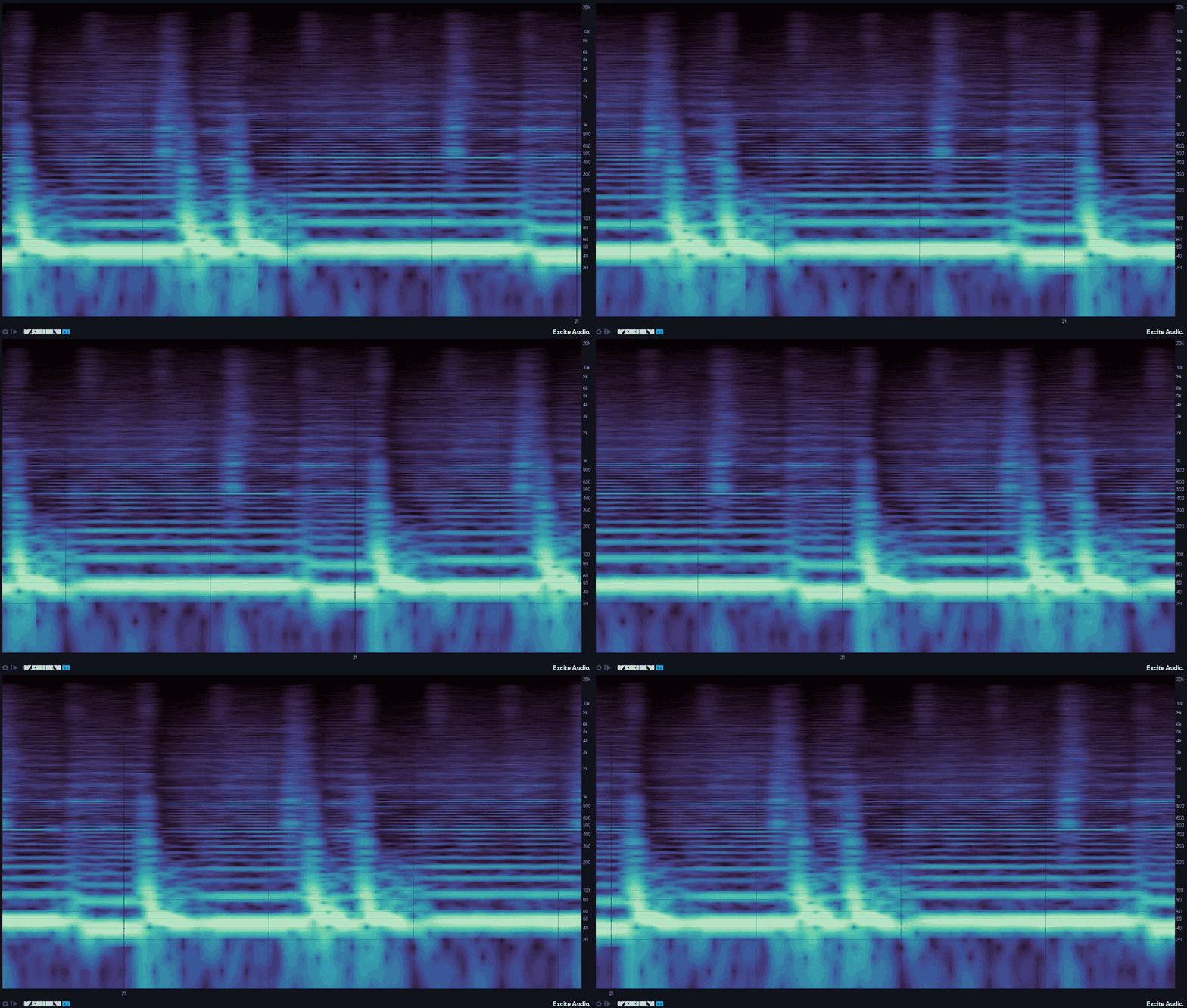
A Visual Dimension
Perfectly sync VISION 4X's Spectrogram to your DAW and customise the analysis timeframe for any project. Choose to run the analyser continuously, or loop a section of time and let it overlay. Alternatively, if you want to hone in on a particular sound, set the plugin to retrigger whenever a MIDI signal is received – ideal for comparing kicks in real-time.

Spectrogram
VISION 4X’s powerful spectrogram provides enhanced low-end resolution, offering access to more information about the frequencies in your mix. Freeze the visualiser for a snapshot of your sound, zoom in to get a close-up of the frequency spectrum, and navigate the display to discover details that otherwise could be missed.
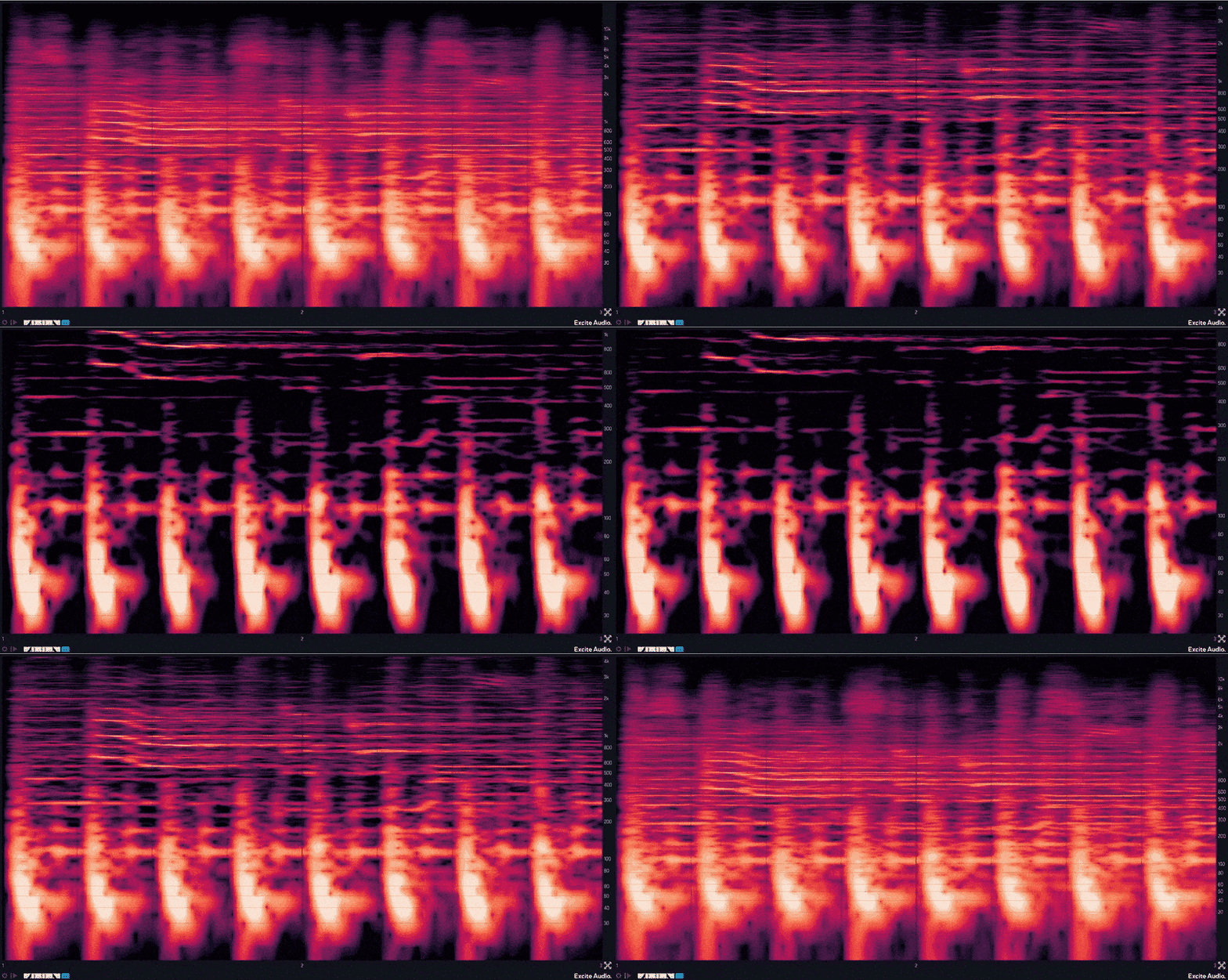
A selection of visualisation modes allows you to see your sound in whatever way you require. Transient mode is designed for showing the start and end point of notes, Harmonic mode gives a more detailed look at the harmonic content of a signal, and All-round offers the best solution for a general overview of your audio.
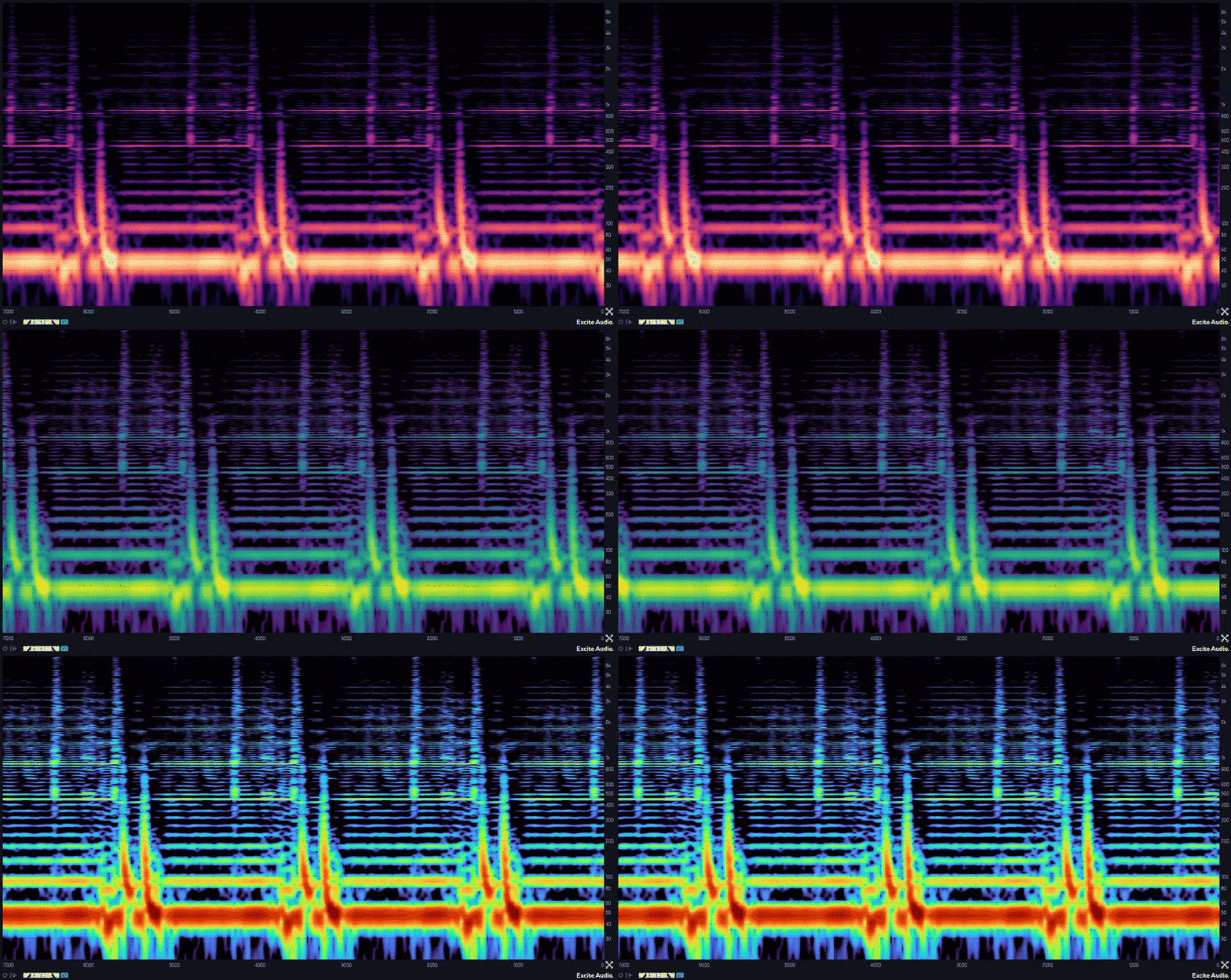
Customise the spectrogram’s display with ten Colour Maps to choose from, each one specifically selected for maximum information density when analysing sound. Brightness can be biased towards the low or high frequencies using Map Bias, and Range Hz and Range Db sliders give you total control over the frequency and volume range of the display.
Features
- 1 real-time, high-definition visual analyser
- 10 Colour Maps designed for maximum information density
- Customisable Frequency Range and dB Range for spectral analysis
- Freeze Display and Zoom-In functionality provides even deeper visualisation
- Focus the colour map on specific frequencies with Map Curve/Tone Bias
- Sync the analysis timeframe to your DAW
- 2 Display Modes - Continuous visualisation or Overlay for visualisation that loops a timeframe and redraws the analysis.
- MIDI retriggering - Restarts the analysis whenever a MIDI signal is received
- Information Bar shows pitch, note, dB and timing information on hover (A3 +7ct, -3.2db, bar 2.1.1)
- Stereo/Left/Right/Mid/Side modes
- Presets designed by Noisia
- Help Text
- Resizeable UI
- M1 Native
- Standalone mode
Spectrogram
- High definition visualiser designed with enhanced low-end resolution
- 3 FFT sizes for Transient, Harmonic and All-round analysis
- Freeze, Zoom, Scroll functionality
Version Comparision
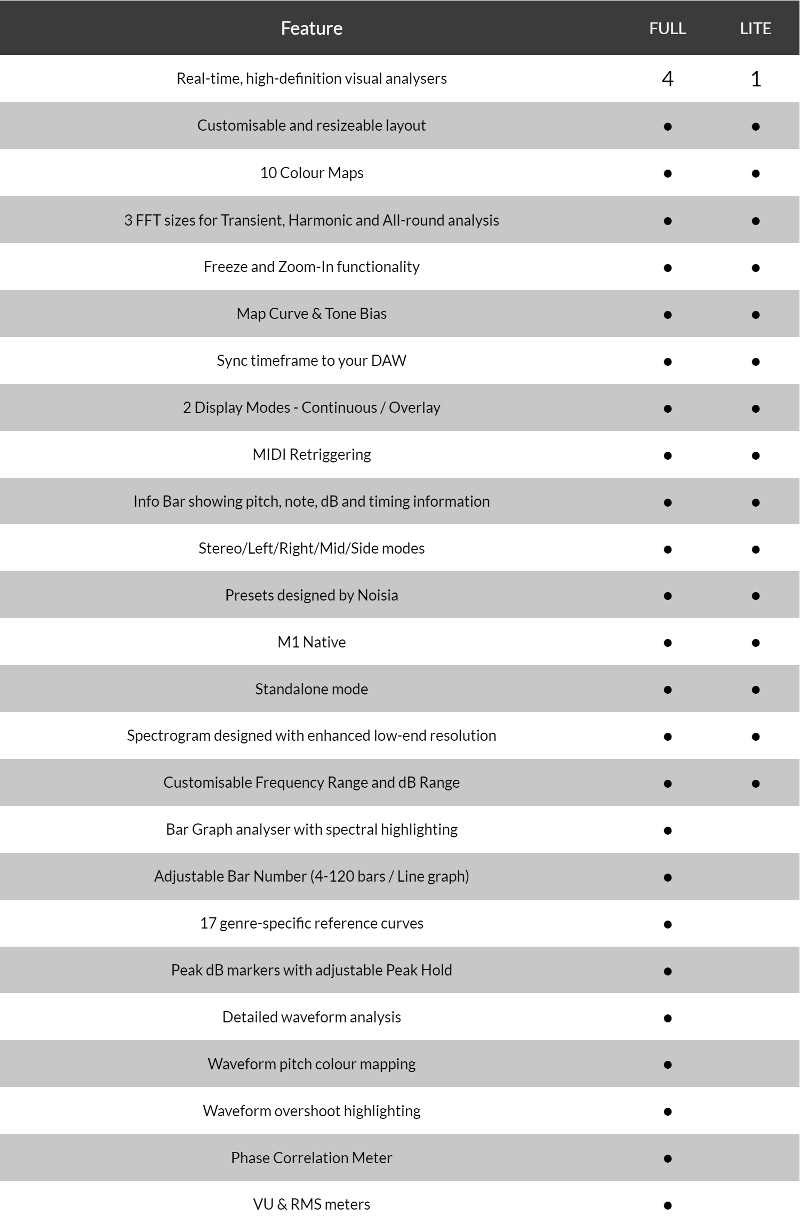
Please Note: The demo trial for this product is for the full version of VISION 4X, which provides full access to all features available in the full version for 7 days.
System Requirements
macOS
- macOS 10.15 or higher (Intel / Native Apple Silicon supported).
- Plugin Formats: VST, VST3, AU, AAX, Standalone
- DAW's Supported: Ableton Live, Pro Tools, Logic Pro, FL Studio, Cubase, Nuendo, Reaper, Reason + more.
- Compatibility: 64-bit compatible only.
Windows
- Windows 7 or higher
- Plugin formats: VST, VST3, AAX, Standalone
- DAWs supported: Ableton Live, Pro Tools, FL Studio, Cubase, Nuendo, Reaper, Reason + more.
- Compatibility: 64-bit compatible only.
Please Note: An internet connection is required to authorise this software.
Black Sun Empire
Legendary Dutch drum and bass group.
"VISION 4X allows you to see audio in four different attractive visual forms, making it easier to identify and fix issues and allowing for a more intuitive and efficient production workflow. Highly recommend!"
Boreta
Producer, artist and founding member of The Glitch Mob.
"VISION 4X has been a game-changer. It immediately helped my mixes because of how fast you can change the layout. The UI is so beautiful that it's the first analyser plugin I keep running all the time, even when I'm not mixing."
Deru
Music composer & sound designer Benjamin Wynn. Credits include Avatar: The Last Airbender.
“VISION 4X's emphasis on bass frequencies makes it easier to diagnose issues with the low-end, which are hard to hear on most systems and rooms. It’s led to some excellent insights - Thank you!"
Reviews Summary
While it aims to provide a helpful overview, it may not capture every perspective or detail. We encourage you to read individual reviews to make an informed decision.
Users highly praise this spectral analysis plugin as a stylish, customizable, and easy-to-use tool that assists in mixing, sound design, and identifying frequencies. Many find its visual representation of audio helpful for troubleshooting and note detection, although some mention that the lite version lacks advanced features like decibel displays and one user had trouble running the standalone version.


