


 Log In

Free gifts available with your purchase
Product information
Brauer Motion
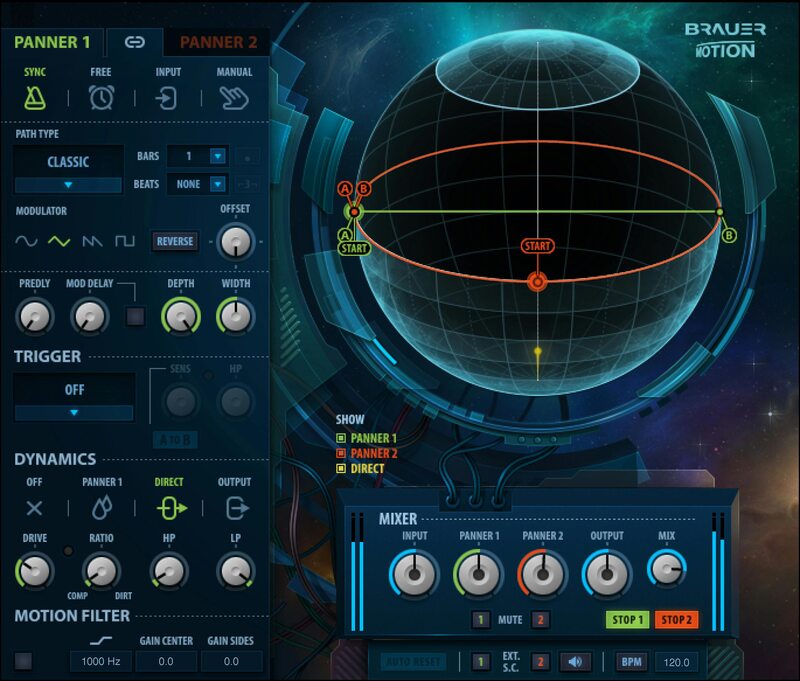
Amplify Emotion with Motion
Brauer Motion takes panning into a new world of spherical motion that goes beyond conventional left/right panning. Now sounds can move within a mix, whether as a subtle, psycho-acoustic effect applied to pads and reverb, or extreme roller-coaster movement that spins and energizes.
Created with Grammy® winner Michael Brauer—who is famous for his use of space on mixes for Coldplay, Florence & the Machine, and John Mayer—this plugin is all about creative inspiration. It’s like no other tool in your toolkit.
Features
- Two linkable auto-panners, each with four different panning paths
- Developed with Grammy-winning mix engineer Michael Brauer
- Make any sound “dance” within the stereo field
- Move sounds to the front, or further back in the stereo field
- Shift percussive sounds subtly, to keep them from feeling static
- Give motion and rhythm to pads, swells, and orchestral sections
- Move background vocals off-center to make space for lead vocals
- 5 triggering options, sync-to-tempo, and flexible modulation
System Requirements
Mac
- macOS Monterey 12, Ventura 13, Sonoma 14, Sequoia 15
- VST / AU / AAX
PC
- Windows 10+
- VST / AAX
Installation Instructions












Customer Reviews
(2)


