Log In

From left to right, the center position of the - Rob Papen - brand has always been about creating plugins that think outside of the box whilst being extremely useful at the same time, this of course really ‘pans’ out literally in your music productions!
Yes, with this pun intended in the opening sentence Rob Papen are proud to present you with the free RP-PAN as a gift to help celebrate Rob Papen's 25th year anniversary! This top-notch plugin will allow you to use some very creative panning FX on your audio or instrument tracks. The Panning Sphere can be used to manually record pan movements between left and right in the stereo field. However, it gets really exciting if you use the ‘Spring back’ feature. This is tempo-based to let the Sphere revert back to either the Center, Left, or Right positions.
To go beyond the regular panning FX, Rob Papen have also added the Doppler FX option, and to avoid muscle pain if you like to have a constant pan movement, the ‘Lazy Mode’ is also available for automated Panning movements or other more experimental panning FX.
Last but not least Rob Papen have have added the easy-to-use bank manager, and also added a selection of useful presets which always is the cherry on the cake with - Rob Papen - products!
Enjoy RP-PAN
Features
General
- Panning & Doppler FX.
- Disrupt Sphere for controlling the panning and/or doppler FX
- Bank Manager
- 100%, 150%, and 200% GUI sizes
- ESC (External MIDI Control) menu
- Template presets
Panning Features
- Disrupt Sphere to control the panning position
- Left and Right panning amount between 0 and 100%
- Position selectors for Left, Center, and Right.
- Reset settings
Spring Back Features
- Spring back to the Left, Center, or Right panning position
- Spring back speed settings: instant or tempo-based from 1/32 triple up to 1 bar.
- Spring back quantize settings: from 2 steps over to 32 steps
Doppler FX
- Disrupt Sphere to control the panning position
- Doppler Amount control
- Doppler Volume Decline Control
Lazy Mode
- Speed control from 0.3Hz up to 27.50Hz
- Tempo-sync speed option from 16dotted bars, up to 1/32 triple note.
- Lazy mode movements:
- L>R
- R>L
- C>L
- L>C
- C>R
- R>C
- C>L>R
- C>R>L
- L Saw
- R Saw
- L>R Saw
- R>L Saw
- Phase control of the Lazy Mode LFO from 0 Degree. up to 360 Degree
Bank Manager
- Preset section with Bank selector section
- Order by Date Preset listing option
- Find option
Back Panel
- Computer Keyboard Preset selecting On/Off
- MIDI Preset selecting On/Off
- MIDI Bank selecting On/Off
- External MIDI Capture mode On/Off
- Screen size selector menu with 100%, 150%, and 200%
System Requirements
- Windows: 32 & 64 bits VST, VST3, and 64 bits AAX for Windows 7/8/10/11 - (Note: PC AAX for PT 12 or higher)
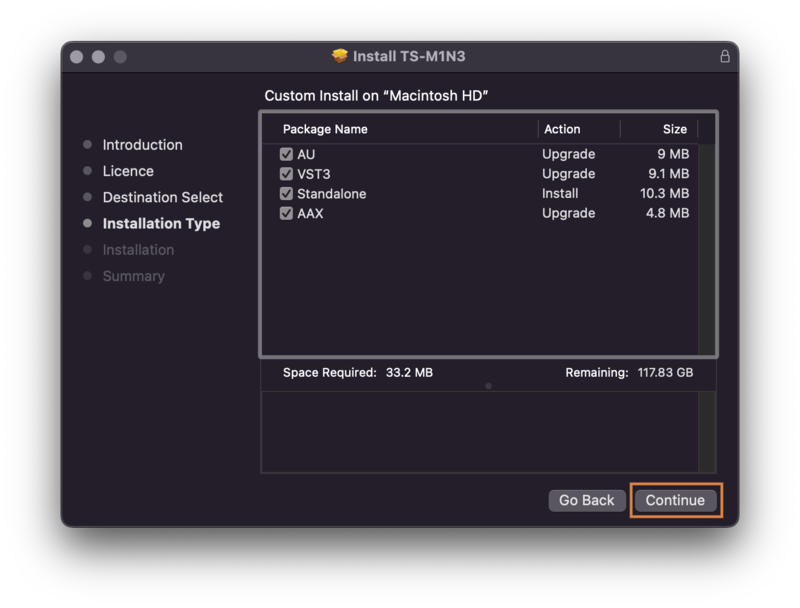
- Mac: 64 bits AU, VST3, VST, and AAX, for OS-10.13 up to OS-12 - M1 ARM processor compatible